Freedom251 › Visual Regression Testing Software
AyeSpy
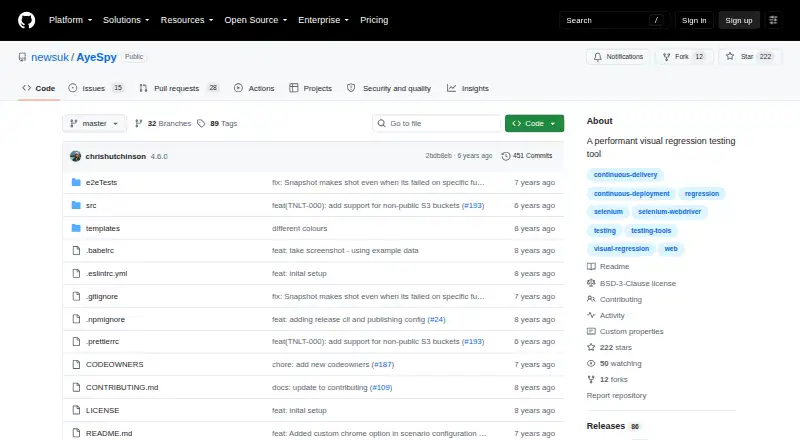
What AyeSpy is
AyeSpy is a self-hosted visual regression tool for checking web pages for visual changes. It captures screenshots and compares them with baseline images; a difference fails the build and produces a report. The README lists Firefox and Chrome as supported browsers, and recommends Selenium Docker images for browser automation. It also shows a Selenium Grid URL in its example configuration.
Scenario settings can crop a capture to a selector, remove or hide elements, wait for elements, set cookies, and run scripts before capture. Amazon S3 can store screenshots. The `--branch` option puts branch screenshots in a separate S3 subdirectory, and the README recommends a lifecycle policy to clear those files when finished. Mobile emulation accepts a device name and works only with Chrome. The README says that, with the correct setup, 40 comparisons can run in under a minute.
AyeSpy is free and open source under a BSD 3-Clause license. Its README says it is most effective when loading a page and capturing a screenshot; complex setup journeys such as checkout flows reduce its value. It does not support switching contexts to iFrames. The README identifies The Times Tooling team as its maintainer.
Who it suits
AyeSpy suits teams that want screenshot comparisons to catch visual regressions in builds, especially when their checks focus on loading pages and capturing them. It is intended for self-hosted use and supports browser automation with Selenium Docker images.
What it does well
- Screenshot differences fail builds and generate reports.
- Scenario settings can adjust captures and page state.
- Amazon S3 storage is supported.
- Branch screenshots can be stored in separate S3 subdirectories.
- Firefox and Chrome are supported browsers.
- Mobile emulation is available with Chrome.
What to know first
- It is self-hosted.
- Switching contexts to iFrames is not supported.
- Mobile emulation works only with Chrome.
- Complex setup journeys reduce its value.
Plans
| Plan | Billed and limits | Price |
|---|---|---|
| AyeSpy | No paid plans or usage limits stated | Free |
As github.com lists them, read 4 Oct 2026. The maker's own page has the final word.
Getting started
- Open the AyeSpy GitHub repository.
- Install the package globally with `npm i -g aye-spy`.
- Use Firefox or Chrome for supported browser capture.
- Configure browser automation with Selenium Docker images.
- Configure Amazon S3 if you want cloud screenshot storage.
- Set scenario options for capture adjustments, cookies, waits, or scripts.
Verdict
Choose AyeSpy if you need a free, open-source tool for screenshot based visual checks in builds and can host it yourself. It is most suited to page loading and capture; teams focused on complex journeys such as checkout flows should look elsewhere.
Questions
How much does AyeSpy cost?
The AyeSpy plan is listed as free.
Is AyeSpy open source?
Yes. The repository displays a BSD 3-Clause license.
Which browsers does AyeSpy support?
The README lists Firefox and Chrome.
What storage integration does it support?
The README says cloud storage is supported through Amazon S3.
Who maintains AyeSpy?
The README says it is brought to you by The Times Tooling team.
Can it emulate mobile devices?
Yes. Mobile emulation can be configured with a device name, and currently works only with Chrome.
Facts from AyeSpy's own pages
- Best fit
- The README describes AyeSpy as most effective for loading a page and taking a screenshot, and says complex setup journeys such as checkout flows reduce that value. · github.com, 4 Oct 2026
- Branch runs
- The `--branch` option stores branch screenshots in a separate S3 subdirectory, and the README recommends a lifecycle policy to delete them when finished. · github.com, 4 Oct 2026
- Browser automation
- The README recommends Selenium Docker images and shows a Selenium Grid URL in its example configuration. · github.com, 4 Oct 2026
- Browsers
- The README lists Firefox and Chrome as supported browsers. · github.com, 4 Oct 2026
- How it works
- It takes new screenshots and compares them with baseline images; differences fail the build and generate a report. · github.com, 4 Oct 2026
- Install
- The README gives `npm i -g aye-spy` as the package installation command. · github.com, 4 Oct 2026
- License
- The repository displays a BSD 3-Clause license. · github.com, 4 Oct 2026
- Limit
- The README says switching contexts to iFrames is not supported. · github.com, 4 Oct 2026
- Maintainer
- The README says AyeSpy is brought to you by The Times Tooling team. · github.com, 4 Oct 2026
- Mobile emulation
- The README says mobile emulation can be configured with a device name and currently works only with Chrome. · github.com, 4 Oct 2026
- Performance
- The README says that, with the correct setup, 40 comparisons can run in under a minute. · github.com, 4 Oct 2026
- Purpose
- AyeSpy is a high performance visual regression tool for catching UI regressions. · github.com, 4 Oct 2026
- Screenshot controls
- Scenario settings can crop to a selector, remove or hide elements, wait for elements, set cookies, and run scripts before capture. · github.com, 4 Oct 2026
- Storage integration
- The README says cloud storage is supported through Amazon S3. · github.com, 4 Oct 2026