Freedom251 › Audio Converter Software
AVS Audio Converter
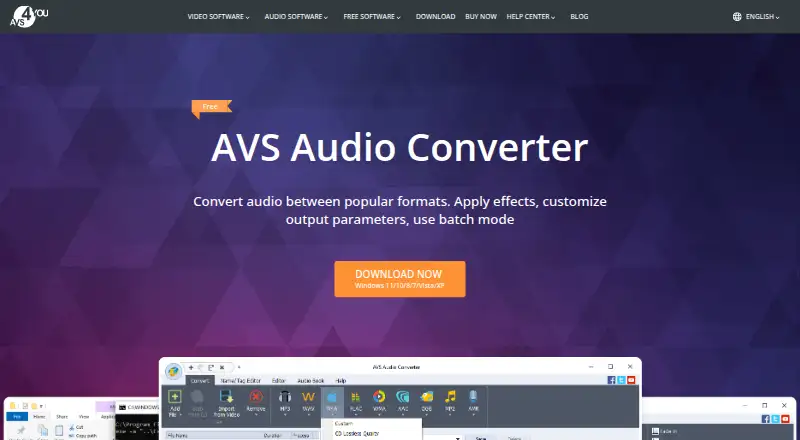
What AVS Audio Converter is
AVS Audio Converter converts audio between formats, adjusts output settings and applies effects, with batch mode for processing multiple files together. Listed formats include MP3, WMA, WAV, M4A, AMR, OGG, ALAC, FLAC, AC3 and MP2. The full version adds trimming, deleting sections, merging files, and Fade in, Fade out and Normalize effects. Users can edit track titles, author and artist details, and album-cover information, create M4B audiobooks with chapters and bookmarks, and save edited audio as M4R ringtones for iPhone. It can also extract audio from DVD, MPEG, MP4, AVI, MOV and WMV files. The software runs on Windows 11, 10, 8.1, 8, 7, Vista and XP; Mac OS and Linux are not supported. The free plan costs nothing and adds a voice logo to output audio. Some editing, audiobook, export and command-line features require the full version. Paid plans are $49 a year for a 1 year subscription or $79, paid once for an Unlimited subscription.
Who it suits
It suits Windows users who need format conversion, batch processing or audio editing, including people creating audiobooks or iPhone ringtones. Beginners and professionals are both identified as audiences for AVS4YOU software.
What it does well
- Converts a range of listed audio formats
- Batch conversion for multiple files
- Creates audiobooks with chapters and bookmarks
- Extracts audio from listed video formats
- Free plan available
What to know first
- Free output audio carries a voice logo
- Some features require the full version
- No Mac OS or Linux support
Limits
The free plan adds a voice logo to output audio. Some editing, audiobook, export, and command-line features require the full version.
Plans
| Plan | Billed and limits | Price |
|---|---|---|
| Free | voice logo on output audio · some editing, audiobook, export and command-line features require full version | Free |
| 1 year subscription | regular price $149.00; offer valid till September 30, 2026 · 1 year access to 5 AVS4YOU programs · Windows | $49 a year |
| Unlimited subscription | regular price $279.00; offer valid till September 30, 2026 · unlimited access to 5 AVS4YOU programs · no yearly renewals · Windows | $79, paid once |
As avs4you.com lists them, read 30 Sept 2026. The maker's own page has the final word.
Getting started
- Visit the AVS Audio Converter product page
- Download and install the Windows software
- Choose the free version or a listed subscription
- Add audio files for conversion or batch processing
Verdict
AVS Audio Converter covers conversion, batch processing and several editing and export tasks. The free plan has output and feature limits, and the software is for Windows only.
Questions
Is AVS Audio Converter free?
A free plan is available. Its output audio carries a voice logo, and some editing, audiobook, export, and command-line features require the full version.
What are the listed subscription prices?
The 1 year subscription costs $49 a year. The Unlimited subscription costs $79, paid once.
Which platforms does it support?
It supports Windows 11, 10, 8.1, 8, 7, Vista, and XP. Mac OS and Linux are not supported.
Can it process files in batches?
Yes. Batch mode converts or compresses many audio files at once.
Can it extract audio from video?
Yes. It can export audio from DVD, MPEG, MP4, AVI, MOV, and WMV files.
Facts from AVS Audio Converter's own pages
- Audience
- AVS4YOU says its software interfaces meet the needs of both professionals and beginners. · avs4you.com, 30 Sept 2026
- Audiobooks and ringtones
- The software can create M4B audiobooks with chapters and bookmarks and save edited audio as M4R ringtones for iPhone. · avs4you.com, 30 Sept 2026
- Batch and automation
- Batch mode converts or compresses many audio files at once, while full version command-line mode supports conversion patterns, presets and scheduled automatic conversion. · avs4you.com, 30 Sept 2026
- Command-line integration
- XML examples in the installation folder can configure profiles, input files or folders, output folders, merging, audiobooks, multithreading and automatic start. · avs4you.com, 30 Sept 2026
- Core function
- AVS Audio Converter converts audio between popular formats and lets users apply effects, customize output parameters and use batch mode. · avs4you.com, 30 Sept 2026
- Editing
- Full-version editing includes trimming, deleting parts, merging files and Fade in, Fade out and Normalize effects. · avs4you.com, 30 Sept 2026
- Founded
- 2004 · avs4you.com, 28 Sept 2026
- Headquarters
- London, United Kingdom · avs4you.com, 28 Sept 2026
- Metadata
- Users can modify title, author, artist and album-cover information. · avs4you.com, 30 Sept 2026
- Mobile transfer
- AVS Mobile Uploader transfers edited and converted media from the PC to portable devices via Bluetooth, infrared or USB. · onlinehelp.avs4you.com, 30 Sept 2026
- Payment security
- The vendor says transactions are processed through the 2Checkout payment gateway and that payment and personal information are protected by its online-security standards. · avs4you.com, 30 Sept 2026
- Platform
- The listed platforms are Windows 11, 10, 8.1, 8, 7, Vista and XP, with no Mac OS or Linux support. · avs4you.com, 30 Sept 2026
- Security and privacy
- AVS4YOU states that its privacy policy complies with GDPR, and its website and software data centers are located in North Virginia, United States. · avs4you.com, 30 Sept 2026
- Support and updates
- The suite listing includes free support and free updates, and the company directs customers to its support center. · avs4you.com, 30 Sept 2026
- Supported formats
- The product page lists MP3, WMA, WAV, M4A, AMR, OGG, ALAC, FLAC, AC3 and MP2 among supported formats. · avs4you.com, 30 Sept 2026
- Video audio extraction
- It can export audio from DVD, MPEG, MP4, AVI, MOV and WMV video files. · avs4you.com, 30 Sept 2026
Where AVS Audio Converter stands on Freedom251
- Audio Converter Software#13 of 36