Freedom251 › Authenticator apps
Authme
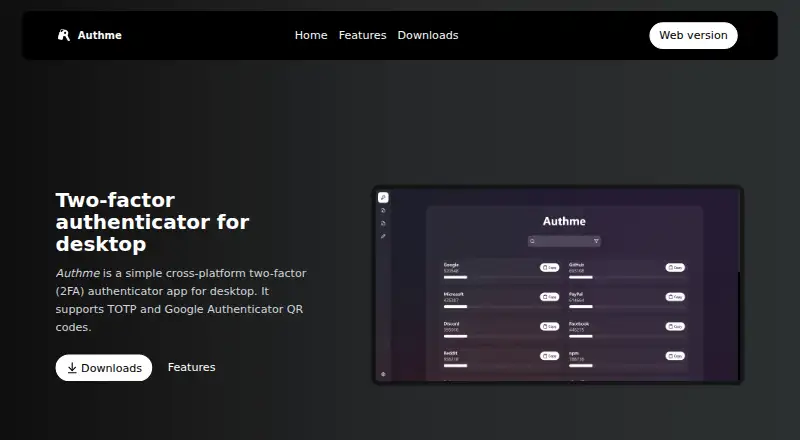
What Authme is
Authme is a free, open-source desktop authenticator that generates TOTP codes. It is listed for Windows, Linux, macOS, and the web, and works offline; internet access is needed only for updates. The maker says codes are protected with AES 256-bit encryption and the user’s own password. Authme can import TOTP QR codes and codes from Google Authenticator, 2FAS Authenticator, and Aegis Authenticator. Users can export their two-factor codes and create backups. The application is hidden from video capture and screenshots. Listed languages are English, Hungarian, Spanish, French, Russian, German, Chinese, Japanese, and Polish. Downloads are linked through the website, with Microsoft Store, Snapcraft, winget, and Scoop options also listed. Authme uses the GPL-3.0 license. Businesses planning to use it are asked to contact [email protected].
Who it suits
Authme suits people wanting an open-source TOTP authenticator across desktop operating systems and the web. It also fits users who need offline access, imports, exports, and backups.
What it does well
- Free and open source
- Works offline except for updates
- Imports several authenticator formats
- Exports codes and creates backups
- Available on Windows, Linux, macOS, and web
What to know first
- Internet is still required for updates
- Business users are asked to contact the maker
- Codes depend on the user’s password
Verdict
Authme provides cross-platform TOTP generation with offline operation, migration tools, and backup options. Its GPL-3.0 license and listed distribution channels make it accessible for individual users.
Facts from Authme's own pages
- Backup
- Users can export their 2FA codes and create a backup. · github.com, 12 Oct 2026
- Business contact
- The maker asks businesses planning to use Authme to contact [email protected]. · github.com, 12 Oct 2026
- Business use
- The maker asks businesses planning to use Authme to contact [email protected]. · github.com, 12 Oct 2026
- Code type
- Authme supports TOTP codes. · github.com, 12 Oct 2026
- Distribution
- Downloads are linked through the website, and the maker also lists Microsoft Store, Snapcraft, winget, and Scoop. · github.com, 12 Oct 2026
- Downloads
- The maker lists downloads through Microsoft Store, Snapcraft, winget, and Scoop. · github.com, 12 Oct 2026
- Encryption
- The maker says codes are secured with AES 256bit encryption and the user’s own password. · github.com, 12 Oct 2026
- Export and backup
- The maker says users can export their 2FA codes and create backups. · github.com, 12 Oct 2026
- Import
- Authme can import TOTP QR codes and codes from Google Authenticator, 2FAS Authenticator, and Aegis Authenticator. · github.com, 12 Oct 2026
- Imports
- Authme supports importing TOTP QR codes and codes from Google Authenticator, 2FAS Authenticator, and Aegis Authenticator. · github.com, 12 Oct 2026
- Languages
- Authme lists support for English, Hungarian, Spanish, French, Russian, German, Chinese, Japanese, and Polish. · github.com, 12 Oct 2026
- License
- Authme is licensed under GPL-3.0. · github.com, 12 Oct 2026
- Offline use
- Authme works offline, and the maker says internet is only required for updates. · github.com, 12 Oct 2026
- Privacy
- Authme is hidden from video capture and screenshots. · github.com, 12 Oct 2026
- Purpose
- Authme is a cross-platform two-factor authenticator for desktop that supports TOTP codes. · authme.levminer.com, 12 Oct 2026
- Supported platforms
- Windows,Linux,macOS,web · authme.levminer.com, 22 Sept 2026
Where Authme stands on Freedom251
- Authenticator apps#109 of 111