Freedom251 › Drum Machine Software

Atlas 2
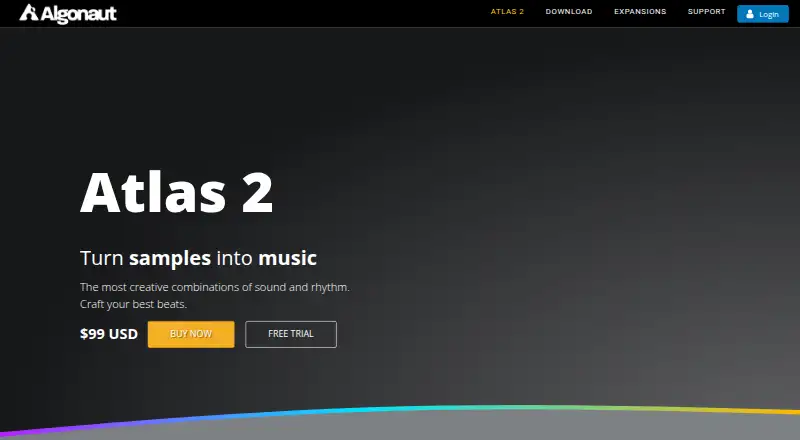
What Atlas 2 is
Atlas 2 is a drum-sample organizer and beat-making tool that uses AI to sort samples. It runs as a standalone application or as a VST, VST3, AU or AAX plugin in major DAWs, with downloads for macOS, Windows and Linux; Linux support is experimental. It accepts formats including WAV, AIFF, FLAC, OGG, MP3 and WMA. Its sequencer imports MIDI while preserving original timing, supports polyrhythms, and exports MIDI and audio loops. Users can map MIDI, send MIDI to plugins or hardware, and drag drum pads into applications such as Ableton Drum Rack. Samples can be embedded in a DAW project with the Atlas plugin instance. A 14-day trial unlocks all features, then continues to output audio but no longer allows the interface to be viewed or edited. The full version costs $99, paid once and can be installed on three machines; it is 64-bit only. Authorization requires internet access, though the software can run offline after installation and authorization. Offline activation is available by contacting support.
Who it suits
Atlas 2 suits beat makers and producers who want to organize drum sounds, create kits and sequences, and work in a DAW or standalone. Users on Linux should note that support is described as experimental.
What it does well
- Runs standalone or as several plugin formats.
- Imports MIDI and preserves original timing.
- Exports MIDI and audio loops.
- Samples can be embedded in a DAW project.
What to know first
- Linux support is experimental.
- Trial interface becomes unavailable after 14 days.
- Full version costs $99, paid once.
- 64-bit only; installs on three machines.
Limits
The trial unlocks all features for 14 days. After it expires, Atlas continues outputting audio, but the interface cannot be viewed or edited. The full version is limited to installation on three machines and 64-bit systems.
Plans
| Plan | Billed and limits | Price |
|---|---|---|
| Atlas 2 Full version | One-time purchase; billing interval not stated. · Install on 3 machines · 64-bit only | $99, paid once |
As algonaut.audio lists them, read 30 Sept 2026. The maker's own page has the final word.
Getting started
- Visit algonaut.audio to access Atlas 2.
- Choose the 14-day trial or the Atlas 2 Full version at $99.00 USD one-time.
- Download the version for macOS, Windows, or Linux.
- Install Atlas as a standalone application or a supported plugin in a DAW.
- Connect samples and use the sequencer, MIDI mapping, or MIDI output.
Atlas 2 is a drum-sample organizer and beat-making tool for producers working with personal libraries in a DAW or as a standalone app. It is strongest for people who want sample discovery, sequencing and MIDI routing in one place, rather than a basic drum machine.
Overview
Atlas 2 uses AI to sort drum samples, helping producers browse sounds and build kits and beats. It combines that library workflow with a sequencer and runs either on its own or as a VST, VST3, AU or AAX plugin in major DAWs. That combination makes it a more complete production tool than a sample browser, though its focus remains drum sounds and patterns.
It accepts WAV, AIFF, FLAC, OGG, MP3, WMA and other formats supported by the operating system. An optional map of 1,500 drum samples and free drum kits, sequences and loops provide material to start with; those additions are useful, but the main draw is organizing and sequencing sounds users already have.
Key features
Sequencing and routing
The sequencer imports MIDI without changing its original timing, supports polyrhythms and exports MIDI and audio loops. Its 64 pattern tracks give it room for layered arrangements, while MIDI mapping and MIDI output to other plugins or hardware make it relevant to producers who route patterns beyond Atlas. Drum pads can also be dragged into applications such as Ableton Drum Rack.
Samples can be embedded in a DAW project and saved with the Atlas plugin instance, which helps keep a project’s sounds together when it is reopened or moved. The broad format support also makes it practical for libraries collected from different sources.
Trial and authorization
The 14-day trial unlocks all features, so users can assess the full workflow before buying. After the trial, Atlas continues to output audio, but its interface cannot be viewed or edited. That is a consequential cutoff for anyone who needs to change patterns or settings after the trial; the trial is for evaluation, not continued use of an editable free tier.
Authorization requires an internet connection, but Atlas can run offline after installation and authorization. Offline activation is available by contacting support. The support site provides a manual, tutorial videos and guides, with questions handled through a contact form.
Pricing
Atlas 2 Full version costs $99, paid once as a one-time purchase. It includes installation on three machines and is 64-bit only. There is no free plan; the 14-day trial is the route to evaluate all features before committing. The three-machine allowance suits an individual working across multiple computers, while the 64-bit requirement rules out users who still depend on 32-bit software environments.
Algonaut offers a full refund for purchases made on its website when requested within 14 days of purchase. That refund window is separate from the trial period, so buyers should note the purchase date if they need to decide after paying.
Platforms
Atlas 2 is offered for Linux, macOS and Windows, as a standalone app and as a plugin. Linux support is experimental, so users who need a dependable production setup should favor macOS or Windows. The plugin formats are VST, VST3, AU and AAX.
Who it's for
Atlas 2 is a good fit for producers with sizable drum libraries who want to find sounds, assemble kits and turn them into sequences without separating those tasks across tools. MIDI import and export, polyrhythms, 64 tracks and hardware or plugin routing also make it a stronger fit for users who treat drum sequencing as part of a larger arrangement.
It is less suitable for someone seeking a permanently free tool, a 32-bit application or a simple drum machine with no need for library organization. Linux users should weigh the experimental support before making it central to a workflow.
Pros and cons
- Pros: AI sample organization and support for common audio formats help producers work through varied drum libraries.
- Pros: MIDI import that preserves timing, polyrhythms, 64 tracks and MIDI/audio export cover a broad sequencing workflow.
- Pros: Plugin and standalone use, MIDI routing and project-embedded samples offer several ways to fit Atlas into a setup.
- Cons: The trial interface locks after 14 days, preventing edits even though audio continues to play.
- Cons: Linux support is experimental, and the full version is restricted to 64-bit systems.
- Cons: There is no free plan, so continued editable use requires the one-time purchase.
Alternatives
For a browser-based groovebox with drums, bass, synth and effects, mpump is a free option with shareable beat links. 0x808 is another free choice for Linux, macOS and Windows users. Choose Hydrogen if you want a free drum-machine option across Linux, macOS and Windows.
Zenbeats is worth considering for basic music production on Android, iOS, macOS or Windows, with a free plan and in-app store access. For genre-focused drum instruments, Beatmaker 3 offers a single instrument for $49, paid once or a 17-instrument bundle for $99.50, paid once. Playbeat 4 is a paid alternative for iOS, macOS and Windows users.
BeatForge is a paid option for macOS and Windows, while DM1 – The Drum Machine is a paid drum-machine app for iOS and macOS. To compare more tools by category, browse Drum Machine Software or Sampler Software.
Verdict
Choose Atlas 2 if your work centers on organizing drum samples and turning them into routed, editable sequences in a DAW or standalone setup. Its breadth across sample handling, sequencing and integration is the clearest reason to pay once for it. Look elsewhere if you need a free editable tool, rely on 32-bit software or cannot accept experimental Linux support.
Verdict
Atlas 2 combines sample organization with sequencing and DAW integration, and its trial unlocks all features for 14 days. Consider the post-trial interface restriction, experimental Linux support and listed full-version terms before choosing it.
Questions
How much does Atlas 2 cost?
The Atlas 2 Full version costs $99.00 USD as a one-time purchase.
Is there a free plan or trial?
There is no free plan. A 14-day trial unlocks all features; after it ends, Atlas continues outputting audio but its interface cannot be viewed or edited.
Which operating systems does Atlas 2 support?
Downloads are available for macOS, Windows, and Linux. Linux support is experimental.
Can Atlas 2 run inside a DAW?
Yes. It runs standalone or as a VST, VST3, AU, or AAX plugin in major DAWs.
What does Atlas 2 do with MIDI?
Its sequencer imports MIDI while preserving original timing and exports MIDI and audio loops. It also supports MIDI mapping and output to other plugins or hardware.
How many machines can use one purchase?
The Atlas 2 Full version can be installed on three machines and is 64-bit only.
Facts from Atlas 2's own pages
- Authorization and offline use
- Atlas requires an internet connection for authorization and can run offline after installation and authorization; offline activation is available by contacting support. · algonaut.audio, 30 Sept 2026
- Founded
- 2017 · algonaut.audio, 28 Sept 2026
- Hardware and DAW integration
- Atlas supports MIDI mapping and MIDI output to other plugins or hardware, and drum pads can be dragged into applications such as Ableton Drum Rack. · algonaut.audio, 30 Sept 2026
- Headquarters
- Auckland, New Zealand · algonaut.audio, 28 Sept 2026
- Included content
- The product page lists an optional 1,500-drum-sample map and free drum kits, sequences, and loops. · algonaut.audio, 30 Sept 2026
- Intended users
- The maker describes Atlas 2 as a tool for finding drum sounds, creating drum kits and sequences, and developing beats in a DAW or standalone. · algonaut.audio, 30 Sept 2026
- Operating systems
- Downloads are offered for macOS, Windows, and Linux; Linux support is described as experimental. · algonaut.audio, 30 Sept 2026
- Privacy and security
- Algonaut's privacy policy says it uses SSL encryption for information in transit and maintains physical, electronic, and procedural safeguards for customer information. · algonaut.audio, 30 Sept 2026
- Purpose
- Atlas 2 uses AI to sort and organize drum samples so users can explore sounds and create beats. · algonaut.audio, 30 Sept 2026
- Refund policy
- Algonaut offers a full refund for Atlas 2 purchased on its website when requested within 14 days of purchase. · algonaut.audio, 30 Sept 2026
- Sample formats
- Atlas supports WAV, AIFF, FLAC, OGG, MP3, WMA, and other formats supported by the operating system. · algonaut.audio, 30 Sept 2026
- Sample saving
- Samples can be embedded in a DAW project so they are saved with the Atlas plugin instance. · algonaut.audio, 30 Sept 2026
- Sequencer
- The drum sequencer imports MIDI, preserves the original timing, supports polyrhythms, and exports MIDI and audio loops. · algonaut.audio, 30 Sept 2026
- Standalone and plugin
- Atlas 2 runs as a standalone application or as a VST, VST3, AU, or AAX plugin in major DAWs. · algonaut.audio, 30 Sept 2026
- Support
- The support page provides the Atlas 2 manual, tutorial videos, and guides, and directs users with questions to its contact form. · algonaut.audio, 30 Sept 2026
- Trial limits
- The 14-day trial unlocks all features; after it expires Atlas continues outputting audio but the interface cannot be viewed or edited. · algonaut.audio, 30 Sept 2026
Where Atlas 2 stands on Freedom251
- Drum Machine Software#3 of 30
- Sampler Software#14 of 26