Freedom251 › Drum Machine Software
DM1 – The Drum Machine
What DM1 – The Drum Machine is
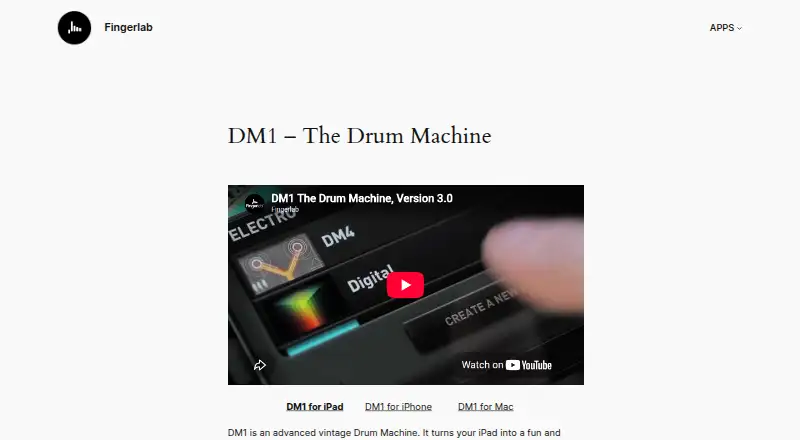
DM1 – The Drum Machine is Fingerlab’s beat-making software for building patterns and arranging them into songs. Its step sequencer uses a multitouch matrix for 16- or 32-step patterns, while drum pads let you play and record beats with automatic quantization. The iPad page lists 108 vintage and produced drum kits mastered at Fingerlab Sound Studios. Per-channel mixer controls include volume, pitch, sample length, mute, solo and custom kit settings; effects include overdrive, delay, reverb, phaser, filters, compressor and noise gate. Arrange patterns on a timeline by dragging and dropping them. On iPad, you can import samples from several listed sources, including the microphone, Dropbox and iTunes shared folder, and export audio to services and destinations including SoundCloud, Dropbox and email. Music integrations include full MIDI, Audiobus, Ableton Link and Inter-App Audio. The Mac and iPad versions can share files. Fingerlab says users may publish and sell music made with DM1. The paid apps cost $4.99, paid once for iPhone and $9.99, paid once for iPad or Mac.
Who it suits
DM1 suits beat-makers who want pattern sequencing, drum-pad recording and song arrangement on iPhone, iPad or Mac. Its MIDI support, sample import and listed music integrations may suit users building it into a broader music workflow.
What it does well
- 16- or 32-step patterns in a multitouch sequencer
- Drum pads record beats with automatic quantization
- Mixer offers per-channel controls and custom kit settings
- Supports full MIDI, Audiobus and Ableton Link
What to know first
- No free plan is listed
- iPad app costs $9.99, paid once
- Sample import and export details are listed for iPad
Limits
There is no free plan. The apps are separate purchases: $4.99, paid once for iPhone and $9.99, paid once for iPad or Mac.
Plans
| Plan | Billed and limits | Price |
|---|---|---|
| DM1 for iPhone | iPhone app · in-app purchases available | $4.99, paid once |
| DM1 - The Drum Machine (Mac) | Mac app | $9.99, paid once |
| DM1 - The Drum Machine (iPad) | iPad app · in-app purchases available | $9.99, paid once |
As fingerlab.net lists them, read 8 Oct 2026. The maker's own page has the final word.
Getting started
- Choose the iPhone, iPad or Mac app.
- Purchase the selected app for its listed one-time price.
- On iPad, import samples from a supported source if needed.
- Create patterns with the sequencer or play and record beats on the pads.
- Arrange patterns on the song timeline and export audio if needed.
Verdict
DM1 combines pattern creation, live pad recording and timeline arrangement with a broad set of listed effects and integrations. Choose the app for your platform; the iPhone, iPad and Mac versions have separate prices.
Questions
How much does DM1 cost?
The iPhone app is $4.99, paid once. The iPad and Mac apps are each $9.99, paid once; in-app purchases are available for the iPhone and iPad apps.
Is there a free plan or trial?
There is no free plan. No free trial is listed.
Which platforms are available?
The listed platforms are iOS and macOS. The separate apps are for iPhone, iPad and Mac.
Does DM1 support MIDI?
Yes. The iPad page lists full MIDI implementation, along with Audiobus, Ableton Link and Inter-App Audio.
Can I use music created with DM1 commercially?
Fingerlab’s FAQ says users have permission to publish and sell songs or beats they create with DM1.
Who makes DM1?
DM1 is made by Fingerlab. Fingerlab directs general, technical and bug questions to [email protected].
Facts from DM1 – The Drum Machine's own pages
- Created music rights
- Fingerlab's FAQ says users have permission to publish and sell songs or beats created with DM1. · fingerlab.net, 8 Oct 2026
- Drum kits
- The iPad product page lists 108 vintage and produced drum kits mastered at Fingerlab Sound Studios. · fingerlab.net, 8 Oct 2026
- Effects
- Effects listed include overdrive, delay, reverb, phaser, filters, compressor and noise gate. · fingerlab.net, 8 Oct 2026
- Import and export
- The iPad page lists sample import from the iPod Library, microphone, Dropbox, AudioCopy and iTunes shared folder, plus audio export to SoundCloud, Dropbox, Facebook, email, iTunes shared folder or AudioCopy. · fingerlab.net, 8 Oct 2026
- Mac compatibility
- Fingerlab says DM1 for OSX is compatible with DM1 for iPad and can share files with it. · fingerlab.net, 8 Oct 2026
- Mixer
- The mixer includes per-channel volume, pitch, sample length, mute, solo and custom drum-kit settings. · fingerlab.net, 8 Oct 2026
- Music integrations
- The iPad page lists Audiobus, full MIDI implementation, Ableton Link and Inter-App Audio support. · fingerlab.net, 8 Oct 2026
- Pads and quantization
- Drum pads let users play and record beats with automatic quantization. · fingerlab.net, 8 Oct 2026
- Privacy
- Apple's App Store listing says Fingerlab indicates DM1 does not collect data; Apple says this developer-reported information has not been verified by Apple. · apps.apple.com, 8 Oct 2026
- Purpose
- DM1 is a drum machine for creating beats and songs from patterns. · fingerlab.net, 8 Oct 2026
- Sequencer
- Its step sequencer uses a multitouch matrix and supports 16- or 32-step patterns. · fingerlab.net, 8 Oct 2026
- Song composition
- The song composer lets users arrange created beat patterns on a timeline by dragging and dropping them. · fingerlab.net, 8 Oct 2026
- Support
- Fingerlab directs users with general, technical or bug questions to [email protected]. · fingerlab.net, 8 Oct 2026
Where DM1 – The Drum Machine stands on Freedom251
- Drum Machine Software#17 of 30