Freedom251 › Interview Scheduling Software

Arrange
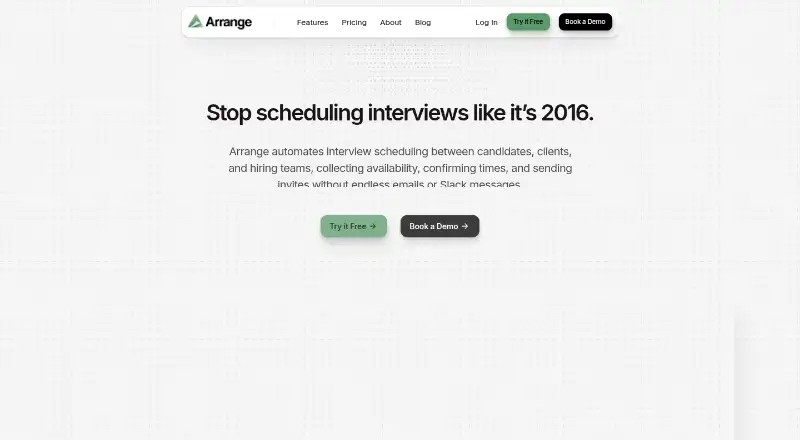
What Arrange is
Arrange automates interview scheduling by gathering availability, finding workable times, and sending invitations among candidates, clients, and hiring teams. Its workflows include Candidate First, Client First, Matchmaker, Arrange Connect, Quick Arrange, and candidate scheduling links. For panel interviews, Arrange Connect combines the availability of multiple hiring managers so a candidate can choose a shared time. A dashboard tracks interview status and lets users send reminders, resend links, edit details, reschedule, or cancel. Google Calendar and Microsoft Outlook or Office 365 connections use free/busy availability. Candidates and clients can submit availability or confirm interviews through branded forms and emails without creating accounts. Invitations can include Zoom, Google Meet, or Microsoft Teams links. ATS connections listed in the help guide include Loxo, Crelate, and Recruiterflow. Pro is listed at $35 a month per user and includes multiple scheduling flows, hiring manager calendars, multi-calendar team support, and ATS integrations. A free plan and a 14-day trial are listed; Starter is limited to one user and one calendar connection.
Who it suits
Arrange is aimed at recruiters, talent teams, executive assistants, and coordinators handling interviews across candidates, clients, and hiring managers. Its panel scheduling and external booking options suit teams coordinating multiple participants.
What it does well
- Panel scheduling combines hiring managers’ availability
- External participants can respond without accounts
- Calendar connections use free/busy availability
- Invitations can include major meeting-service links
- Dashboard supports reminders and rescheduling
What to know first
- Starter is limited to one user
- Starter includes one calendar connection
- Multi-calendar availability is a paid-plan feature
- Pro costs $35 a month per user
Limits
Starter is limited to one user and one calendar connection. Multi-calendar availability is described as a paid-plan feature; Pro is listed at $35 a month per user and includes multi-calendar team support.
Plans
| Plan | Billed and limits | Price |
|---|---|---|
| Pro | Per user · multiple scheduling flows · hiring manager calendars · multi-calendar team support · ATS integrations | $336 a year |
| Pro | Per user · multiple scheduling flows · hiring manager calendars · multi-calendar team support · ATS integrations | $35 a month |
| Starter | 1 user max · 1 calendar connection · unlimited 1:1 meeting bookings · Arrange with Me · Zoom, Meet, or Teams | On request |
| Enterprise | Custom users · custom onboarding and training · white-labeled links · custom domain · API access · priority support | On request |
| Enterprise | Custom users · custom onboarding and training · white-labeled links · custom domain · API access · priority support | On request |
| Starter | 1 user max · 1 calendar connection · unlimited 1:1 meeting bookings · Arrange with Me · Zoom, Meet, or Teams | On request |
As arrangeai.io lists them, read 2 Oct 2026. The maker's own page has the final word.
Getting started
- Visit https://www.arrangeai.io/.
- Choose the free plan or review the Starter and Pro options.
- Connect Google Calendar or Microsoft Outlook or Office 365.
- Select a scheduling workflow, such as Candidate First or Arrange Connect.
- Use candidate scheduling links or branded emails and forms to collect availability.
Verdict
Arrange is designed for coordinating interviews across multiple people, with panel scheduling, calendar connections, and participant-facing booking options. Review Starter’s user and calendar limits, or the listed Pro price, against your team’s needs.
Questions
Is Arrange free?
A free plan is available. Starter is limited to one user and one calendar connection.
How much does Pro cost?
Pro costs $35 a month per user and has a 14-day trial.
Which platforms does Arrange support?
Arrange is available through web and API.
Which calendars can it connect to?
It supports Google Calendar and Microsoft Outlook or Office 365, using free/busy availability.
Does Arrange integrate with ATS platforms?
Its help guide lists Loxo, Crelate, and Recruiterflow integrations for candidate profiles and interview details.
Can candidates schedule without an account?
Yes. Candidates and clients can submit availability or confirm interviews through branded emails and forms without creating accounts.
Facts from Arrange's own pages
- ATS data handling
- The privacy guide says ATS connections read basic candidate profile data, do not store ATS passwords, and do not continuously sync data. · arrange.featurebase.app, 2 Oct 2026
- ATS integrations
- The help guide lists Loxo, Crelate, and Recruiterflow integrations for searching and importing candidate profiles and sending interview details back to an ATS. · arrange.featurebase.app, 2 Oct 2026
- Calendar integrations
- Arrange supports Google Calendar and Microsoft Outlook or Office 365, using free/busy availability for scheduling. · arrange.featurebase.app, 2 Oct 2026
- Calendar privacy
- Arrange says it accesses only free/busy availability and cannot view event titles, descriptions, attendees, locations, or notes. · arrange.featurebase.app, 2 Oct 2026
- Company
- Founder and CEO Brian Gabay says he spent over a decade in recruitment before building Arrange around multi-party interview coordination. · arrangeai.io, 2 Oct 2026
- Data protection
- The maker says candidate and client data is encrypted at rest and in transit, and role-based access controls are used for team members. · arrange.featurebase.app, 2 Oct 2026
- External participants
- Candidates and clients can submit availability or confirm interviews through branded emails and forms without creating accounts. · arrangeai.io, 2 Oct 2026
- Intended users
- The product is aimed at recruiters, talent teams, executive assistants, and coordinators who manage interviews between candidates, clients, and hiring managers. · arrangeai.io, 2 Oct 2026
- Interview tracking
- A dashboard shows interview status in real time and lets users send reminders, resend links, edit details, reschedule, or cancel interviews. · arrangeai.io, 2 Oct 2026
- Meeting services
- The product can automatically include Zoom, Google Meet, or Microsoft Teams links in interview invitations. · arrangeai.io, 2 Oct 2026
- Notable plan limits
- Starter is limited to one user and one calendar connection; multi-calendar availability is described as a paid-plan feature. · arrangeai.io, 2 Oct 2026
- Panel scheduling
- Arrange Connect combines multiple hiring managers’ availability so candidates can select a time that works across the team. · arrangeai.io, 2 Oct 2026
- Purpose
- Arrange automates interview scheduling between candidates, clients, and hiring teams by collecting availability, matching times, and sending invites. · arrangeai.io, 2 Oct 2026
- Scheduling workflows
- Its workflows include Candidate First, Client First, Matchmaker, Arrange Connect, Quick Arrange, and candidate scheduling links. · arrange.featurebase.app, 2 Oct 2026
- Support
- The pricing page lists limited support for Pro during 8a–6p ET and 24/7 support for Enterprise; Enterprise also includes priority support. · arrangeai.io, 2 Oct 2026
Where Arrange stands on Freedom251
- Interview Scheduling Software#2 of 43