Freedom251 › Screenshot Software

Apowersoft Free Screen Capture
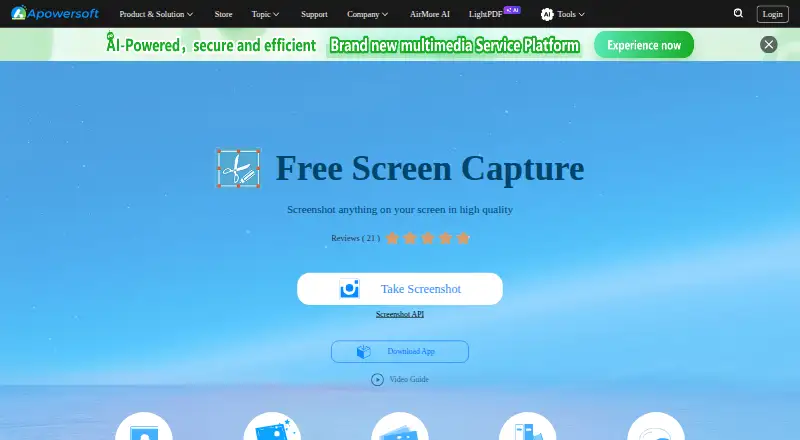
What Apowersoft Free Screen Capture is
Apowersoft Free Screen Capture captures screen content through a web-based tool, with Windows and macOS also listed as supported platforms. It can capture selected regions, active windows, drop-down menus, webpages, video frames, and gameplay. Users can start from the camera icon or press Print Screen, and the tool detects application windows as the pointer moves over them. Captures can be saved as JPG, PNG, TIFF, BMP, GIF, or PDF. A quick editor provides lines, arrows, text, shapes, and blur for covering sensitive information. Users can save images locally, copy them to the clipboard, email them, upload them to Screenshot.net, or share them on social networks listed on the product page. The page also describes free cloud space for screenshots and images, with links provided after uploading. The web tool does not require Java Applet, but first-time users need to install a launcher. Its listed free plan costs nothing and describes unlimited screenshots after launcher installation. Apowersoft Free Screen Capture was founded in 2010 and is headquartered in Hong Kong.
Who it suits
This tool suits people who need to capture screen regions, windows, webpages, video frames, or gameplay and save or share the resulting images. Its listed platforms include web, Windows, and macOS.
What it does well
- Captures selected regions, windows, webpages, and gameplay.
- Exports to six listed formats, including PDF.
- Editor includes blur for covering sensitive information.
- Uploaded screenshots can receive shareable links.
What to know first
- First-time web use requires installing a launcher.
- Unlimited screenshots are listed after launcher installation.
Limits
The Free Screen Capture plan costs nothing and allows unlimited screenshots after installing the launcher.
Plans
| Plan | Billed and limits | Price |
|---|---|---|
| Free Screen Capture | Unlimited screenshots after installing the launcher · web based · Windows and Mac | Free |
As apowersoft.com lists them, read 8 Oct 2026. The maker's own page has the final word.
Getting started
- Open the Apowersoft Free Screen Capture website.
- Choose web, Windows, or macOS access.
- For first-time web use, install the launcher.
- Start a capture with the camera icon or Print Screen key.
- Save, edit, or share the resulting screenshot.
Apowersoft Free Screen Capture is a browser-led screenshot utility for Windows and Mac users who need more than a basic full-screen grab. It suits people capturing windows, webpages, video frames, or gameplay, then marking up and sharing the result. The broad export and sharing choices make it practical for everyday documentation, while the initial launcher setup adds friction.
Overview
The tool focuses on high-quality captures of visible screen content. You can target a custom region, active application window, drop-down menu, webpage, video frame, or gameplay session instead of being limited to one capture mode. Start from the camera button or the Print Screen key. As the pointer passes over applications, window detection identifies them so a click selects the intended window; that is useful when several windows overlap.
Apowersoft provides a web-based workflow alongside Windows and macOS support. The web tool avoids a Java Applet, but first-time users must install a launcher, so it is not an entirely installation-free browser experience. The maker, founded in 2010 and headquartered in Hong Kong, routes technical and customer questions through its Support Center, online form, or +1 2403356666.
Key features
Capture and mark up
A quick editor adds lines, arrows, text, shapes, and blur. These tools cover instructions, callouts, and redaction of visible sensitive information before an image leaves your computer. Blur is particularly useful for account details or personal data, although users still need to check the whole frame before sharing.
Export and sharing
Save screenshots as JPG, PNG, TIFF, BMP, GIF, or PDF. That range works for ordinary image use as well as documents that need a printable format. You can save locally, copy to the clipboard, email an image, upload it to Screenshot.net, or share through the social networks presented by the product. Cloud uploads provide free space for screenshots and images and generate shareable links, which simplifies sending a capture to someone who does not need the original file. Images placed on a hosted service should still be chosen with care, even though Apowersoft says its cloud-hosted images are 100% safe.
Pricing
Free Screen Capture — free. The plan is free with no trial period because the product itself is a free offering. It includes unlimited screenshots after the launcher is installed, a web-based tool, and Windows and Mac support. There are no paid tiers or seat charges to weigh, making it suitable for individuals who need recurring captures without a screenshot quota. The trade-off is the required first-run launcher installation and the fact that the stated unlimited allowance applies after that setup.
Platforms
Apowersoft Free Screen Capture runs on Windows and macOS and provides a web-based interface. Choose it when those desktop systems match your workflow and you want browser access paired with desktop capture behavior. The published platform coverage does not include mobile operating systems.
Who it's for
This is a strong fit for students, support staff, trainers, and office users who regularly explain what is on screen. Window detection and multiple capture targets help when documenting a specific application or a changing webpage, while annotations and blur reduce the need for a separate editor. It also suits people who send images by link or email and need several file formats.
Look elsewhere if your priority is a completely portable, no-install browser tool, mobile capture, or a workflow centered on video recording rather than still screenshots. The launcher requirement is a meaningful first-use obstacle for occasional visitors.
Pros and cons
- Pros: captures regions, windows, menus, webpages, video frames, and gameplay; window hover detection speeds application selection; annotation includes blur for concealing information; six export formats include PDF; clipboard, email, local save, social sharing, and shareable cloud links are built in; unlimited screenshots on the free plan.
- Cons: first-time web users must install a launcher; cloud sharing requires judgment about what to host; published support is directed through external support channels rather than an in-product workflow.
Alternatives
For a broader directory of capture tools, browse Screenshot Software.
- ShareX is a free, open-source Windows choice with no account required; pick it when open-source distribution matters more than macOS or web access.
- Gyazo suits readers who also want short video and replay recordings across a wide range of platforms, with a free plan limited to 10 latest images and seven-second recordings.
- Browshot is a freemium, pay-as-you-go screenshot service built around credits; choose it when API access is the priority.
- GrabzIt is a freemium option spanning desktop, mobile, web, API, and self-hosted environments.
- Awesome Screenshot fits browser and mobile users who need a free allowance of screenshots and recordings with 720p recording support.
- Monosnap adds storage and recording allowances on its free plan, including 2 GB storage and five-minute video recording.
- Lightshot is a straightforward free pick for selected-area screenshots, editing, local saving, and online sharing.
- Zight is aimed at lightweight recording and sharing, with a free Share plan that includes five-minute recordings and 1 GB storage.
Verdict
Choose Apowersoft Free Screen Capture if you want unlimited free screenshots, many capture targets, built-in markup, flexible exports, and link-based sharing on Windows or Mac. Its main reason to look elsewhere is the launcher installation required before the web workflow is ready, especially for users seeking an install-free or mobile-first tool.
Verdict
Apowersoft Free Screen Capture combines several capture options with annotation, multiple export formats, and sharing routes. First-time web users should account for the launcher installation requirement.
Questions
How much does Apowersoft Free Screen Capture cost?
The Free Screen Capture plan is listed as free.
Is there a free plan or trial?
A free plan is available, with unlimited screenshots after installing the launcher. There is no free trial.
Which platforms does it support?
It is available on the web, Windows, and macOS.
What file formats can screenshots use?
Screenshots can be saved as JPG, PNG, TIFF, BMP, GIF, or PDF.
Can I share screenshots?
Yes. You can copy, email, upload, or share screenshots through listed social networks. Uploads receive shareable links.
Who makes the product?
The listed maker is Apowersoft Free Screen Capture, headquartered in Hong Kong and founded in 2010.
Facts from Apowersoft Free Screen Capture's own pages
- Annotations
- Its quick image editor supports lines, arrows, text, shapes, and blur for covering sensitive information. · apowersoft.com, 8 Oct 2026
- Export formats
- JPG,PNG,TIFF,BMP,GIF,PDF · apowersoft.com, 20 Sept 2026
- Capture options
- It can capture selected regions, active windows, drop-down menus, webpages, video frames, and gameplay. · apowersoft.com, 8 Oct 2026
- Cloud storage
- The product page says users receive free cloud space for screenshots and images and get links after uploading. · apowersoft.com, 8 Oct 2026
- Founded
- 2010 · apowersoft.com, 28 Sept 2026
- Free plan
- Yes · apowersoft.com, 20 Sept 2026
- Headquarters
- Hong Kong · apowersoft.com, 28 Sept 2026
- Hotkey
- Users can start capturing by clicking the camera icon or pressing the Print Screen key. · apowersoft.com, 8 Oct 2026
- Image formats
- Screenshots can be saved as JPG, PNG, TIFF, BMP, GIF, or PDF. · apowersoft.com, 8 Oct 2026
- Shareable links
- Yes · apowersoft.com, 20 Sept 2026
- Maker
- WANGXU TECHNOLOGY (HK) CO., LIMITED says it developed the Apowersoft brand and was founded in 2010. · apowersoft.com, 8 Oct 2026
- Supported platforms
- web,windows,macos · apowersoft.com, 20 Sept 2026
- Purpose
- Free Screen Capture captures visible screen content in high quality. · apowersoft.com, 8 Oct 2026
- Security statement
- The product page says images hosted on its cloud server are 100% safe. · apowersoft.com, 8 Oct 2026
- Setup requirement
- The web-based tool does not require Java Applet, but first-time users need to install a launcher. · apowersoft.com, 8 Oct 2026
- Sharing
- Screenshots can be saved locally, copied to the clipboard, emailed, uploaded to Screenshot.net, or shared to social networks listed on the product page. · apowersoft.com, 8 Oct 2026
- Support
- Apowersoft directs technical and customer support requests to its Support Center, online form, or phone number (+1) 2403356666. · apowersoft.com, 8 Oct 2026
- Window detection
- The tool detects application windows as the pointer hovers over them so users can click a window to capture it. · apowersoft.com, 8 Oct 2026
Where Apowersoft Free Screen Capture stands on Freedom251
- Screenshot Software#4 of 39
- Screenshot tools#10 of 40