AnythingLLM
What AnythingLLM is
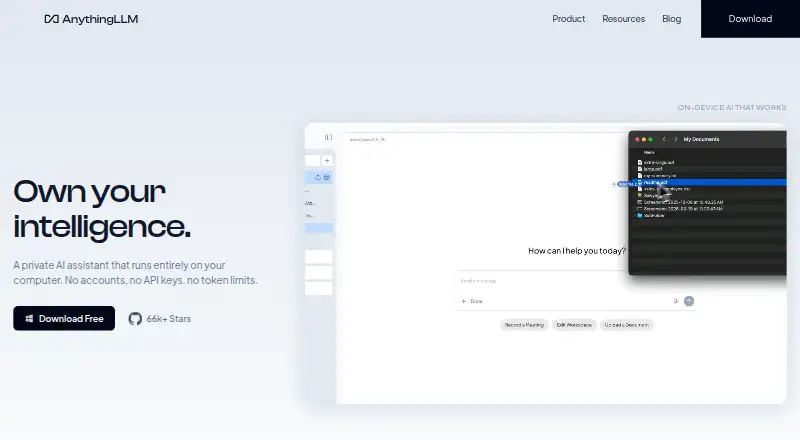
AnythingLLM is an AI assistant for working with documents, meetings, and models across desktop, mobile, cloud, and self-hosted setups. Its desktop version runs on macOS, Windows, and Linux, and is available free with no account, API key, or token limit. Documents can form an agent knowledge base while staying on the device. The desktop feature set includes file-system access, web search and scraping, model selection, background jobs, custom agent skills, and a Meeting Assistant that records, transcribes, summarizes, and indexes meetings locally without a bot joining the call. The mobile app runs small models on-device and offers web search, document chat, file generation, scheduled jobs, and memory. Supported model providers range from Ollama and LM Studio to OpenAI, Anthropic, and Google Gemini Pro. Cloud instances support multiple users, tenant isolation, admin controls, and white-labeling. Self-hosted data remains on the user's infrastructure, and optional telemetry can be disabled. Paid plans include Basic at $50 a month and Pro at $99 a month.
Who it suits
It suits individuals who want local document and meeting assistance, as well as teams needing cloud or self-hosted workspaces. Developers can use its Developer API, and mobile users can run small models on-device.
What it does well
- Free desktop version needs no account or API key.
- Documents stay on-device in the agent knowledge base.
- Meeting Assistant processes meetings without a bot or cloud processing.
- Mobile includes document chat and scheduled jobs.
- Cloud supports tenant isolation and admin controls.
What to know first
- Windows documentation targets Windows 11.
- Basic costs $50 a month.
- Pro costs $99 a month.
Plans
| Plan | Billed and limits | Price |
|---|---|---|
| Basic | monthly · Private instance · custom subdomain · RAG · agents · bring an LLM API key | $50 a month |
| Pro | monthly · Private instance · RAG · agents · priority resources · 72-hour support SLA | $99 a month |
| Desktop | No account · no API key · no token limits | Free |
| Self-hosted | Docker deployment · multi-user deployment on your servers | Free |
| Enterprise | Contact Us · On-premise deployment · custom SLA · custom integrations · SSO · RBAC | On request |
As anythingllm.com lists them, read 28 Sept 2026. The maker's own page has the final word.
Getting started
- Visit https://anythingllm.com/.
- Choose the free Desktop plan or a listed cloud or self-hosted option.
- For desktop, select the build for macOS, Windows, or Linux.
- For Windows, use Windows 11 as the documented target.
- For cloud Basic or Pro, choose the plan and its monthly billing.
AnythingLLM is a private AI assistant for chatting with models and turning documents into a searchable knowledge base. It suits people who want a local-first tool, as well as teams that need cloud administration or a self-hosted deployment. The desktop edition’s no-account, no-API-key setup is compelling, but Windows users should check its Windows 11 guidance and cloud buyers should weigh the monthly cost.
Overview
AnythingLLM spans desktop, mobile, cloud and self-hosted use. Its desktop assistant runs on the user’s computer, and its document knowledge base keeps data on the device. The core is released under the MIT License, making it a strong option for users who value control over where their work resides. For more options, see Retrieval-Augmented Generation Tools and AI chatbots and assistants.
Key features
Documents, models and agents
Uploaded documents can become an agent knowledge base. Desktop adds file-system capabilities, web scraping and search, dynamic model selection, background jobs and custom agent skills. That combination suits research and knowledge work, though readers seeking a narrowly focused chat app may not need the additional agent and workflow tools. A Developer API extends functionality beyond what is already built in.
Model options range from local runtimes such as Ollama, LM Studio, Local AI, KobaldCPP and oMLX to hosted providers including OpenAI, Azure OpenAI, Anthropic, Cohere, Google Gemini Pro, Hugging Face, Together AI, OpenRouter, Perplexity AI, Mistral API and Groq. The range gives users latitude to choose a model setup, but does not remove the need to configure a provider when using one.
Meetings and mobile
The desktop Meeting Assistant records, transcribes, summarizes and indexes meetings on the computer, without a bot joining the call or cloud processing. That is a useful distinction for people who want meeting notes kept local. The mobile app runs small models on-device and adds web search, document chat, file generation, scheduled jobs and memory; it is a broader mobile companion than a simple document viewer.
Privacy and administration
For self-hosted deployments, Mintplex Labs says it does not host or access instance documents, chats, workspace settings or embeddings; these remain on the user’s infrastructure. Telemetry is optional, anonymous, excludes document content and chat logs, and can be disabled in settings. Cloud instances add multiple users, tenant isolation, fine-grained administration and white-labeling, which are more relevant to organizations than to solo users.
Pricing
Desktop: free. It offers no account, no API key and no token limits, making it the clearest starting point for an individual who wants to run the assistant locally. Its local-computer model is not the same as a centrally administered team service.
Self-hosted: custom pricing. The Docker-based, open-source deployment is suited to organizations that want to keep documents, chats and settings on their own infrastructure. It requires managing that deployment rather than using a hosted instance.
Basic: $50 a month, billed monthly. It includes a private instance, custom subdomain, RAG, agents and the option to bring an LLM API key. This is the lower-cost cloud route for users who want a private instance, but it is not the plan with the stated priority resources or support SLA.
Pro: $99 a month, billed monthly. It includes a private instance, RAG, agents, priority resources and a 72-hour support SLA. Teams that need those service provisions may find the premium justified; users who do not need them have a cheaper Basic option.
Enterprise: custom pricing. It offers on-premise deployment, a custom SLA, custom integrations, SSO and RBAC, making it the fit for organizations with deployment and access-control requirements beyond the cloud plans.
Platforms
AnythingLLM supports Android, API, Linux, macOS, self-hosted, web and Windows. Native desktop builds cover macOS on Apple Silicon or Intel, Windows on x64 or ARM, and Linux. Windows documentation targets Windows 11 and a Windows Home user account; other Windows versions may not work, so this is a real compatibility caveat for older installations or different account setups.
Who it's for
Choose AnythingLLM if you want a private document assistant with local desktop or mobile use, broad model-provider support, or an option to keep a team deployment on your own infrastructure. Cloud administration can serve multi-user setups. Look elsewhere if you need a cloud plan with a stated lower entry price, or if your Windows environment falls outside the product’s guidance.
Pros and cons
- Pro: Desktop use requires no account or API key and has no token limit, lowering the friction for local use.
- Pro: Meeting recording, transcription, summaries and indexing stay on the computer without a call-joining bot.
- Pro: Local runtimes, hosted model providers and self-hosted deployment give users several ways to choose where models and data run.
- Con: Cloud plans start at $50 a month billed monthly, a meaningful recurring cost for users who only need a personal assistant.
- Con: Windows documentation targets Windows 11 and a Home user account, leaving other Windows setups uncertain.
Alternatives
Flowise is worth considering for readers who want a free tier with a stated allowance of two Flows and Assistants, 100 predictions per month and 5MB of storage; its platform coverage overlaps with AnythingLLM’s desktop and self-hosted options.
RAGFlow may fit readers who prefer a free hosted starting point with five apps, one team member, 0.1 GB of dataset storage and 500 monthly credits, though its free plan does not provide an API key.
I3K RAG Enterprise offers a free AGPL-3.0 self-hosted Community plan for Linux x86_64, ARM64 or Windows users.
Dify is an alternative for readers whose priority is a hosted Sandbox allowance of 200 message credits, one workspace, one member and five apps.
Haystack Enterprise Platform suits readers looking for a free Studio plan with one workspace, one user, 100 pipeline hours and cloud deployment.
OpenRAG is a free AGPL-3.0 self-hosted option with no feature held back.
Ragen is a free self-hosted RAG assistant for readers who are comfortable paying for their own infrastructure and models.
Google Cloud Agent Evaluation is a paid alternative for readers focused on evaluating agents with computation-based metrics charged by usage.
Verdict
AnythingLLM is best for people who want document and meeting assistance close to their own computer, with a free desktop route and room to move into mobile, cloud or self-hosted use. Its local privacy options and provider breadth are the main reasons to choose it. The $50 a month cloud entry point and Windows compatibility caveat are the clearest reasons to look elsewhere.
Verdict
AnythingLLM offers local document and meeting tools alongside mobile, cloud, and self-hosted options. Consider its Windows 11 guidance and paid cloud pricing when choosing a deployment.
Questions
Is AnythingLLM free?
The Desktop plan is free and has no account, API key, or token limits. The pricing model is freemium.
What do the cloud plans cost?
Basic costs $50 a month, billed monthly. Pro costs $99 a month, billed monthly.
Which platforms does it support?
Listed platforms are Android, API, Linux, macOS, self-hosted, web, and Windows. Native desktop builds are provided for macOS, Windows, and Linux.
Can I host it myself?
Yes. A self-hosted Docker deployment is listed as open-source. The core is provided under the MIT License.
Which model providers does it support?
The listed providers include Ollama, LM Studio, OpenAI, Anthropic, Google Gemini Pro, and others.
What does the Meeting Assistant do?
It records, transcribes, summarizes, and indexes meetings on the computer without a bot joining the call or cloud processing.
Facts from AnythingLLM's own pages
- Cloud administration
- Cloud instances support multiple users with tenant isolation, fine-grained admin controls, and white-labeling. · anythingllm.com, 28 Sept 2026
- Desktop features
- The desktop product lists file-system capabilities, web scraping and search, dynamic model selection, background jobs, custom agent skills, and Meeting Assistant. · anythingllm.com, 28 Sept 2026
- Developer API
- The maker describes a full Developer API for functionality not already built into the product. · ycombinator.com, 28 Sept 2026
- Document knowledge
- The product turns documents into an agent knowledge base while keeping the data on the device. · anythingllm.com, 28 Sept 2026
- File uploads
- Yes · anythingllm.com, 20 Sept 2026
- Free plan
- Yes · anythingllm.com, 20 Sept 2026
- Image generation
- Yes · anythingllm.com, 20 Sept 2026
- App integrations
- Yes · anythingllm.com, 20 Sept 2026
- License
- The AnythingLLM core is provided under the MIT License. · github.com, 28 Sept 2026
- LLM integrations
- Supported providers include Ollama, LM Studio, Local AI, KobaldCPP, oMLX, OpenAI, Azure OpenAI, Anthropic, Cohere, Google Gemini Pro, Hugging Face, Together AI, OpenRouter, Perplexity AI, Mistral API, Groq, and generic OpenAI. · docs.anythingllm.com, 28 Sept 2026
- Meeting assistant
- Meeting Assistant records, transcribes, summarizes, and indexes meetings on the computer without a bot joining the call or cloud processing. · anythingllm.com, 28 Sept 2026
- Mobile
- AnythingLLM Mobile runs small models on-device and includes web search, document chat, file generation, scheduled jobs, and memory. · anythingllm.com, 28 Sept 2026
- Mobile apps
- Yes · anythingllm.com, 20 Sept 2026
- Self-hosted data
- For self-hosted deployments, Mintplex Labs says it does not host, store, or access instance documents, chats, workspace settings, or embeddings, which remain on the user's infrastructure. · github.com, 28 Sept 2026
- Paid from
- 50 · anythingllm.com, 20 Sept 2026
- Support
- The Pro cloud plan includes a 72-hour support SLA, while Enterprise offers a custom SLA. · anythingllm.com, 28 Sept 2026
- Supported desktop systems
- Native builds are provided for macOS with Apple Silicon or Intel, Windows with x64 or ARM, and Linux. · anythingllm.com, 28 Sept 2026
- Team workspace
- Yes · anythingllm.com, 20 Sept 2026
- Telemetry
- Telemetry is optional, anonymous, excludes document content and chat logs, and can be disabled in the application settings. · github.com, 28 Sept 2026
- Web search
- Yes · anythingllm.com, 20 Sept 2026
- What it does
- AnythingLLM is a private AI assistant that runs entirely on the user's computer, with no account, API key, or token limit required. · anythingllm.com, 28 Sept 2026
- Windows limitation
- The Windows documentation says the application targets Windows 11, is intended for a Windows Home user account, and that other Windows versions may not work. · docs.anythingllm.com, 28 Sept 2026
Where AnythingLLM stands on Freedom251
- Ai Assistant#2 of 25
- Byok System#2 of 24
- Retrieval-Augmented Generation Tools#3 of 26
- Virtual Assistant#3 of 16
- AI chatbots and assistants#22 of 65