Freedom251 › Restaurant Analytics Software
AnyDiner
What AnyDiner is
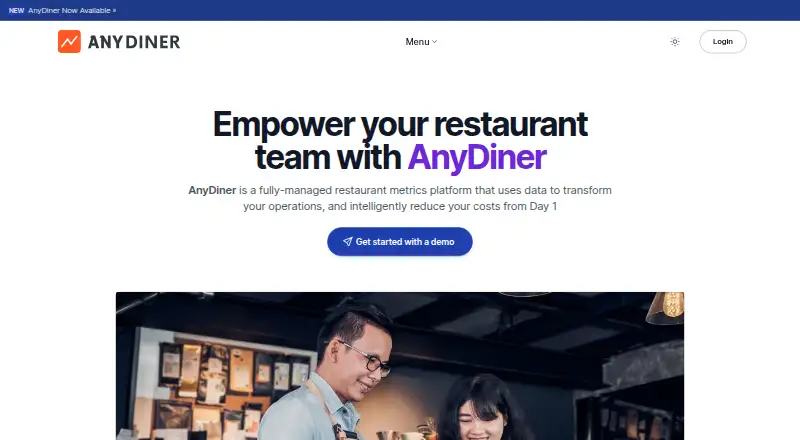
AnyDiner is a restaurant metrics platform that connects to an existing point-of-sale system and uses historical transaction data to guide operations. It creates hour-by-hour prep plans that tell staff what to prepare, how much to make, and when, using POS data to inform those recommendations. Its recipe insights focus on individual prep items, helping restaurants manage inventory and reduce waste. Sales and labor forecasts account for annual and seasonal changes. The Speed of Service module benchmarks order turnaround times across stores, while Social Pulse brings together customer reviews from sites such as Google Maps and Yelp for reputation management. AnyDiner configures dashboards for different roles: managers can see their store’s data, regional leaders can compare locations, and kitchen teams can use printable prep sheets. Operations leaders also get visual views, while managers have Playbooks. The service is intended for restaurants from a single location through growing chains. AnyDiner LLC identifies Evan Lu and David Weddell as co-founders. It is a paid web product with a subscription priced per store location; prospective customers can request a demo to discuss pricing. The maker offers a free, 30-minute demo with no obligation.
Who it suits
AnyDiner suits restaurant operators who want POS data turned into practical prep, sales, and labor guidance. Its store-level dashboards and cross-store comparisons also fit businesses ranging from one restaurant to a growing chain.
What it does well
- Builds hour-by-hour prep playbooks from existing POS data.
- Provides recipe-level insight for inventory and waste management.
- Forecasts sales and required labor using annual and seasonal changes.
- Benchmarks order turnaround times across stores.
- Shows customer reviews from Google Maps and Yelp.
- Provides role-specific dashboards, Playbooks, and kitchen prep sheets.
What to know first
- Paid subscription pricing is by store location.
- Pricing requires contacting AnyDiner.
- The listed platform is web.
Plans
| Plan | Billed and limits | Price |
|---|---|---|
| Subscription | Subscription, priced per store location; contact AnyDiner for pricing. · Per-store location | On request |
As anydiner.com lists them, read 8 Oct 2026. The maker's own page has the final word.
Getting started
- Visit the AnyDiner website.
- Request a free 30-minute demo to discuss the product and pricing.
- Connect AnyDiner to an existing POS to import historical transaction data.
- Set up role-specific dashboards for managers and operations leaders.
AnyDiner is a fully managed restaurant metrics platform that turns point-of-sale history into practical guidance for preparation, sales, labor, service speed, and reputation. It suits operators running one restaurant or coordinating a growing group who want role-specific direction rather than another generic reporting dashboard. Its operational playbooks are compelling; the trade-off is that the subscription requires a pricing conversation.
Overview
AnyDiner connects to an existing POS, imports historical transaction data, and applies its prediction suite to prep, sales, and labor. The emphasis is on acting on data: managers receive guidance on what work to do, while leaders get a consistent view of performance across locations.
The fully managed approach can reduce the burden of building dashboards and interpreting raw transactions. AnyDiner configures views for each role, so a single-store manager can concentrate on that restaurant while regional leaders compare stores. A single location can use the same workflow, but multi-site operators have more to gain from standardized visibility and comparisons.
Key features
Predictive preparation and inventory control
AnyDiner analyzes individual prep items to help manage inventory and reduce waste. Its hour-by-hour playbook uses existing POS data to tell staff what to prepare, how much to make, and when to do it. That is more actionable than a retrospective sales report, particularly for kitchens trying to align production with demand.
Sales and labor forecasting
The forecasting model accounts for annual and seasonal changes to predict store sales and required labor. Managers can use those projections when planning staffing and production, while operators with several locations can apply a common forecasting approach across the group. The platform also provides labor analytics and food-cost analysis, extending its usefulness beyond front-of-house sales totals.
Service and reputation monitoring
The Speed of Service module benchmarks order turnaround time across stores, giving multi-location teams a basis for identifying slower sites. Social Pulse gathers customer reviews from services including Google Maps and Yelp, so reputation management sits alongside operational metrics instead of in a separate process.
Role-specific workspaces
Manager Playbooks, printable kitchen prep sheets, and visualizations for Operations Leaders match information to the person expected to use it. This division should make daily instructions clearer than a single dashboard designed for every audience. AnyDiner configures the dashboards, including store-level views and regional comparisons, rather than leaving each customer to assemble them.
Pricing
| Plan | Price | Terms |
|---|---|---|
| Subscription | Custom pricing | Billed per store location; contact AnyDiner for pricing |
The subscription includes POS data connectors, labor analytics, food-cost analysis, and multi-location reporting. Pricing is tied to each store location, so a chain should request a quote that reflects its footprint rather than expect one organization-wide rate. AnyDiner offers a free, 30-minute demo with no obligation, which is the practical starting point for evaluating fit and cost. There is no published free plan, trial period, seat allowance, or usage quota to compare.
Platforms
AnyDiner runs on the web. It connects to an existing POS rather than replacing that system, making the POS connection central to its forecasts and operational guidance.
Who it's for
AnyDiner is aimed at restaurants from a single location to a growing chain. It is a strong fit for operators who want POS-backed preparation instructions, sales and labor forecasts, store-to-store service benchmarks, and review monitoring in one managed platform. Regional leaders benefit most from comparable dashboards, while managers benefit from printable prep sheets and store-specific playbooks.
It is less suitable for a buyer who needs a public price before engaging sales, a native mobile experience, or a simple standalone analytics tool that does not depend on POS history.
Pros and cons
Pros
- Turns POS history into hourly prep direction: staff get quantities and timing, not just past-performance charts.
- Combines operational and financial signals: labor analytics, food-cost analysis, sales forecasts, and inventory-focused prep insight support day-to-day decisions.
- Useful for restaurant groups: role-specific dashboards and Speed of Service benchmarking make store comparisons practical.
- Includes reputation context: Social Pulse brings Google Maps and Yelp reviews into the operating picture.
- Managed setup: AnyDiner configures dashboards for managers and regional leaders instead of requiring each customer to design them.
Cons
- Custom pricing slows comparison: the per-location subscription has no published amount, so buyers must request a demo and quote.
- Web-only access: teams looking for Android or iOS apps will need another option.
- POS dependence: the platform's forecasting and playbooks rely on connecting an existing POS and importing its historical transactions.
Alternatives
For a broader starting point, browse Restaurant Analytics Software.
Avero is the better choice when a free plan, unlimited users and usage, broad POS integration, and Android or iOS access matter; its paid Essentials plan is $300.00 per month.
Choose Dishboard if you want a paid restaurant product available on Android, iOS, and the web.
Nory is another paid, cross-platform option, with pricing handled through a chat.
Consider PAR Ordering when ordering workflows are your priority and you prefer to discuss pricing with PAR.
Rosnet Scheduling & Forecasting is a paid Android, iOS, and web alternative focused on scheduling and forecasting.
5-Out offers a clear $100 per location, per month price on the web, making it easier to budget.
Expo is worth considering when API and web access fit your setup; pricing runs from $99 to $250 per location per month.
Insight360 is a paid web alternative.
Verdict
Choose AnyDiner when your restaurant needs POS-based guidance that connects preparation, forecasting, labor, service speed, food cost, and reputation across roles or locations. Its strongest advantage is converting transaction history into concrete hourly playbooks and comparable operating views. Look elsewhere if published pricing, mobile apps, or independence from an existing POS is more important than a managed, per-location analytics service.
Verdict
Choose AnyDiner if your restaurant needs POS-based guidance for preparation, sales, labor, or store comparisons. Restaurants seeking a published price will need to request one, and the listed platform is web.
Questions
How much does AnyDiner cost?
It is a paid subscription priced per store location. Pricing is available by contacting AnyDiner.
Does AnyDiner offer a free trial?
The maker offers a free 30-minute demo with no obligation.
What platform does AnyDiner support?
The listed platform is web.
Does AnyDiner connect to POS systems?
Yes. It connects to an existing POS and imports historical transaction data.
Who makes AnyDiner?
The site identifies AnyDiner LLC as the maker and names Evan Lu and David Weddell as co-founders.
Facts from AnyDiner's own pages
- Company
- The site identifies the maker as AnyDiner LLC and names Evan Lu and David Weddell as co-founders. · anydiner.com, 8 Oct 2026
- Dashboards
- The company configures role-specific dashboards so single-store managers see their store data and regional leaders can compare stores. · anydiner.com, 8 Oct 2026
- Demo
- The maker offers a free 30 minute demo with no obligation. · anydiner.com, 8 Oct 2026
- Forecasting
- Its forecasting model uses annual and seasonal changes to predict store sales and required labor. · anydiner.com, 8 Oct 2026
- Intended customers
- AnyDiner says it serves restaurants ranging from a single location to a growing chain. · anydiner.com, 8 Oct 2026
- POS connection
- AnyDiner connects to an existing POS, imports historical transaction data, and applies its prediction suite to prep, sales, and labor. · anydiner.com, 8 Oct 2026
- Predictive prep
- Using existing POS data, it creates an hour-by-hour playbook for what staff should prep, how much, and when. · anydiner.com, 8 Oct 2026
- Pricing detail
- AnyDiner says its subscription is priced per-store location and directs prospective customers to request a demo for pricing. · anydiner.com, 8 Oct 2026
- Product
- AnyDiner describes itself as a fully managed restaurant metrics platform that uses data to help transform operations and reduce costs. · anydiner.com, 8 Oct 2026
- Recipe insight
- It provides insight into individual prep items to help manage inventory and reduce waste. · anydiner.com, 8 Oct 2026
- Social Pulse
- Social Pulse surfaces customer reviews from sites including Google Maps and Yelp for reputation management. · anydiner.com, 8 Oct 2026
- Speed of service
- The Speed of Service module benchmarks order turnaround time across stores. · anydiner.com, 8 Oct 2026
- Team views
- Role-specific views include manager Playbooks, printable kitchen prep sheets, and visuals for Operations Leaders. · anydiner.com, 8 Oct 2026
Where AnyDiner stands on Freedom251
- Restaurant Analytics Software#10 of 30