Freedom251 › Poster Design Software
Any2Poster
What Any2Poster is
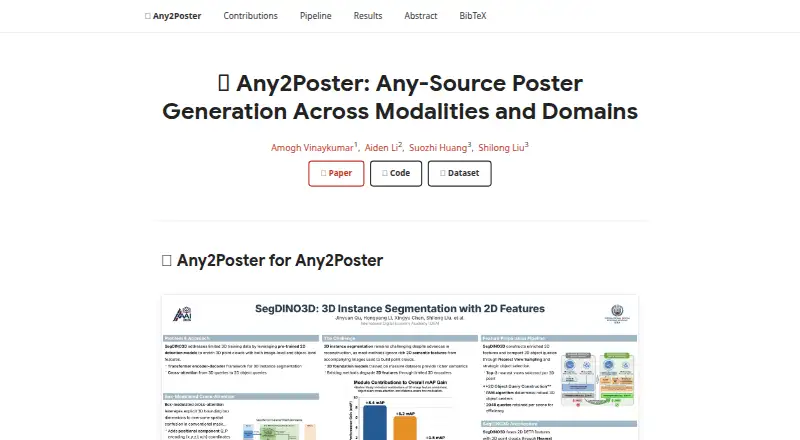
Any2Poster turns source material into academic posters for PDF, PNG, and HTML output. It accepts PDF, DOCX, and PPTX files, as well as LaTeX, Markdown, plain text, Jupyter notebooks, HTML, web addresses, and YouTube URLs. Its six-stage workflow parses and analyzes the input, plans and generates poster content, then compiles the result; checkpoints let a run resume from saved stages. Poster text is rendered from HTML and CSS using Playwright. The project says this avoids typography hallucination. It can retain suitable figures found in the source and use AI image generation for panels without a suitable figure. An optional panel review uses a vision-language model to check overflow, blank space, font size, figure balance, and reading order. Users can choose named color themes, use automatic theme selection, or set custom colors and poster dimensions. The project lists Docling for parsing and Gemini 3 Pro for visual synthesis. It is free and open source under an MIT license, with source installation and Docker instructions for Windows, macOS, and Linux. Setup requires Python 3.10 or later, the Playwright Chromium browser, and an OPENROUTER_API_KEY. A web interface is marked as coming soon.
Who it suits
Any2Poster suits researchers, students, and others who need to turn documents, presentations, notebooks, or videos into academic posters. It is a fit for people comfortable installing software from source or using Docker and configuring an API key.
What it does well
- Accepts documents, slides, notebooks, web pages, and YouTube URLs.
- Exports posters as PDF, PNG, and HTML.
- Can resume runs from cached stage checkpoints.
- Offers custom dimensions and color controls.
- Optional panel feedback checks layout issues.
What to know first
- Requires Python 3.10 or later and Playwright Chromium.
- Getting started requires an OPENROUTER_API_KEY.
- The web interface is marked as coming soon.
Getting started
- Open the Any2Poster project website.
- Install Python 3.10 or later on Windows, macOS, or Linux.
- Install Any2Poster from source, or follow the repository's Docker build and run instructions.
- Install the Playwright Chromium browser for rendering.
- Set the OPENROUTER_API_KEY required to get started.
- Provide a supported source file, web address, or YouTube URL and run the poster workflow.
Verdict
Choose Any2Poster if you want a free, open-source workflow for generating academic posters from varied source formats, with PDF and PNG export and optional panel feedback. It may be less suitable if you need a ready web interface, since that is marked as coming soon, or if you cannot install its software requirements and provide an API key.
Questions
Is Any2Poster free?
Yes. It is described as free and open source, and the repository links an MIT license.
What can it export?
It lists PDF and PNG posters, along with an HTML artifact.
What does setup require?
The project lists Python 3.10 or later, Playwright Chromium, and an OPENROUTER_API_KEY.
Which platforms are supported?
The listed platforms are Linux, macOS, Windows, and self-hosted use. Installation instructions are provided for Windows, macOS, and Linux.
Is there a web interface?
The README labels the web UI as coming soon.
Facts from Any2Poster's own pages
- API key requirement
- The README says the only required key to get started is OPENROUTER_API_KEY. · github.com, 7 Oct 2026
- Availability
- The repository describes Any2Poster as open source and displays an MIT license. · github.com, 8 Oct 2026
- Checkpointing
- The six pipeline stages are checkpointed, and a run can resume from cached checkpoints. · github.com, 7 Oct 2026
- Deployment
- The repository documents installation from source and provides Docker build and run instructions. · github.com, 8 Oct 2026
- Evaluation
- Any2Poster Bench evaluates poster generation across input formats and domains using quiz scoring and vision-language-model judgments. · any2poster.github.io, 7 Oct 2026
- Feedback
- An optional panel-level vision-language model feedback loop checks for issues such as overflow, blank space, font size, figure balance, and reading order. · github.com, 8 Oct 2026
- Figures and data
- The project says it preserves suitable figures extracted from the source and validates chart values against source text before image generation. · github.com, 8 Oct 2026
- Founded
- 2026 · any2poster.github.io, 23 Sept 2026
- Input formats
- It accepts PDF, DOCX, PPTX, LaTeX, Markdown or plain text, Jupyter notebooks, HTML or URLs, and YouTube video URLs. · github.com, 8 Oct 2026
- Installation requirement
- The README lists Python 3.10 or newer as a requirement and provides installation instructions for Windows, macOS, and Linux. · github.com, 7 Oct 2026
- Integrations
- The documented setup requires an OpenRouter API key; the project also names Docling, Playwright, and Gemini 3 Pro in its pipeline. · github.com, 8 Oct 2026
- Intended audience
- The project describes its output as academic posters and provides an evaluation benchmark for poster generation across input formats and content domains. · any2poster.github.io, 8 Oct 2026
- Output formats
- It can produce PDF and PNG posters, along with an HTML artifact. · github.com, 8 Oct 2026
- Outputs
- The project lists PDF, PNG, and HTML artifact outputs. · github.com, 7 Oct 2026
- Purpose
- Any2Poster turns documents, slideshows, notebooks, and videos into publication-quality academic posters. · github.com, 8 Oct 2026
- Quality feedback
- An optional panel-level vision-language-model feedback loop checks issues such as overflow, blank space, font size, figure balance, and reading order. · github.com, 7 Oct 2026
- Rendering
- Poster text is rendered with HTML and CSS using Playwright, which the project says avoids typography hallucinations. · github.com, 8 Oct 2026
- Requirements
- The project lists Python 3.10 or later and requires installing the Playwright Chromium browser for rendering. · github.com, 8 Oct 2026
- Themes
- It includes named color themes, automatic theme selection, and custom color controls. · github.com, 8 Oct 2026
- Web interface
- The repository marks a web UI as coming soon. · github.com, 8 Oct 2026
- Workflow
- Its six-stage pipeline parses, chunks, analyzes, plans, generates, and compiles posters, with checkpoints that allow resuming a run. · github.com, 8 Oct 2026
Where Any2Poster stands on Freedom251
- Poster Design Software#34 of 39
- AI Poster Generators#21 of 24