Freedom251 › AI Infographic Makers

AntV Infographic
What AntV Infographic is
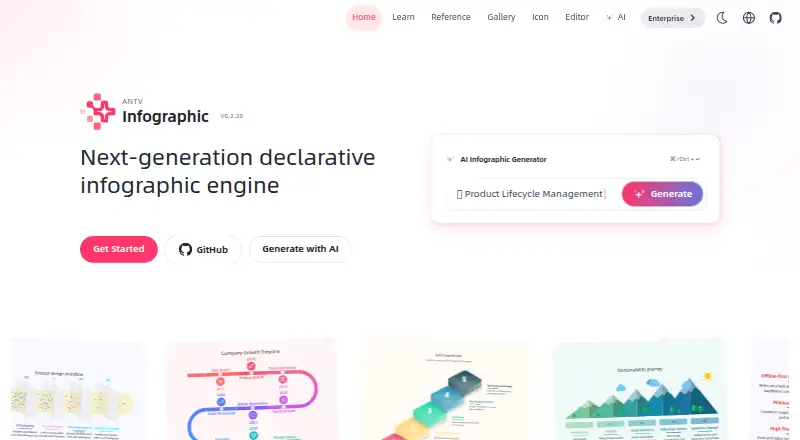
AntV Infographic is an open-source framework for creating and rendering infographics from a purpose-built syntax. Its AI generator turns written content into an infographic plan, which can then be refined in the built-in editor. The project includes about 200 templates, data-item components, and layouts, with preset themes that include hand-drawn, gradient, and pattern styles. Users can customize themes, structures, data items, templates, color palettes, fonts, and patterns. Infographics render as SVG by default, and the syntax can progressively render AI output as it arrives. The quick start covers npm and CDN installation, with examples for HTML, React, Vue 3, and server-side rendering to SVG. AntV also provides skills for Claude Code and Codex to create infographic HTML, syntax, structures, items, and templates, as well as a template-updater skill for developers. The project is free and licensed under MIT. It lists API, self-hosted, and web platforms, and directs questions and suggestions to GitHub, with community communication on GitHub Discussions.
Who it suits
AntV Infographic suits developers and AI-agent users who want to generate and customize SVG infographics from written content or a designed syntax. It also fits projects using HTML, React, Vue 3, or server-side SVG rendering.
What it does well
- AI turns written content into an infographic plan.
- About 200 templates, components, and layouts are included.
- Built-in editor supports further refinement.
- SVG is the default rendering output.
- MIT-licensed and free to use.
What to know first
- No brand kit support is listed.
- Team collaboration is not supported.
- Publishing is static rather than interactive.
Getting started
- Visit the AntV Infographic website.
- Install through npm or use the CDN.
- Use the documented HTML, React, Vue 3, or server-side SVG examples.
- Provide written content to the AI generator or use the infographic syntax.
- Edit the generated result in the built-in editor.
Verdict
Choose AntV Infographic if you want an open-source framework with AI-assisted planning, extensive customization, and SVG output. Look elsewhere if you need team collaboration, brand kits, or interactive publishing.
Questions
Is AntV Infographic free?
Yes. It is free and open source under the MIT license.
Which platforms does it support?
The listed platforms are API, self-hosted, and web.
What output format does it render?
It renders SVG by default.
Can it be used with React or Vue?
The quick start includes examples for React and Vue 3, as well as HTML and server-side rendering to SVG.
Does it support AI agents?
The project provides skills for Claude Code and Codex to create infographic HTML, syntax, structures, items, and templates.
Facts from AntV Infographic's own pages
- AI agent integration
- The project provides skills for Claude Code and Codex to create infographic HTML, syntax, structures, items, and templates. · github.com, 9 Oct 2026
- AI agent tools
- The project lists skills for creating infographic HTML, syntax, structures, and items, plus updating the template library. · infographic.antv.vision, 9 Oct 2026
- AI configuration
- The AI workspace includes a “Configure Service” option. · infographic.antv.vision, 9 Oct 2026
- AI generation
- Its AI generator accepts written content and produces an infographic plan. · infographic.antv.vision, 9 Oct 2026
- Audience
- The project describes infographic-creator, syntax, structure, and item skills for AI agents, and a template-updater skill for developers. · github.com, 9 Oct 2026
- Customization
- It includes preset themes and supports deep customization of themes, structures, data items, templates, color palettes, fonts, and patterns. · github.com, 9 Oct 2026
- Editing and output
- It has a built-in editor and renders SVG by default for visual fidelity and editing. · github.com, 9 Oct 2026
- Editor
- The repository says it includes an editor for further editing AI-generated results. · github.com, 9 Oct 2026
- Integration
- The quick start documents npm and CDN installation, plus examples for HTML, React, Vue 3, and server-side rendering to SVG. · infographic.antv.vision, 9 Oct 2026
- Integrations
- The quick-start guide shows usage with HTML, React, Vue 3, and server-side rendering. · infographic.antv.vision, 9 Oct 2026
- License
- The project repository says AntV Infographic is open source under the MIT license. · github.com, 9 Oct 2026
- Output
- The repository says infographics render as SVG by default. · github.com, 9 Oct 2026
- Product
- AntV Infographic is a declarative infographic generation and rendering framework. · infographic.antv.vision, 9 Oct 2026
- Purpose
- AntV Infographic is a declarative infographic generation and rendering framework. · infographic.antv.vision, 9 Oct 2026
- Security
- The GitHub repository links a security policy; no specific security or compliance claim was stated on the opened product pages. · github.com, 9 Oct 2026
- Security reporting
- The security policy directs vulnerability reports through GitHub Security Advisories or an email address and says receipt is acknowledged within 24 hours. · github.com, 9 Oct 2026
- Streaming
- Its syntax supports progressively rendering AI output as it arrives. · github.com, 9 Oct 2026
- Support
- The repository directs users to GitHub Issues and Discussions for questions and suggestions. · github.com, 9 Oct 2026
- Syntax
- The framework uses a designed infographic syntax to render infographics. · github.com, 9 Oct 2026
- Templates
- The repository says the framework includes about 200 infographic templates, data-item components, and layouts. · github.com, 9 Oct 2026
- Templates and assets
- The project describes about 200 built-in infographic templates, data-item components, and layouts. · github.com, 9 Oct 2026
- Themes
- The repository describes hand-drawn, gradient, and pattern themes, along with preset themes and customization. · github.com, 9 Oct 2026
Where AntV Infographic stands on Freedom251
- AI Infographic Makers#4 of 24
- Infographic Makers#7 of 26
- Infographic Software#14 of 42