Freedom251 › Training Management Software

Anolla
What Anolla is
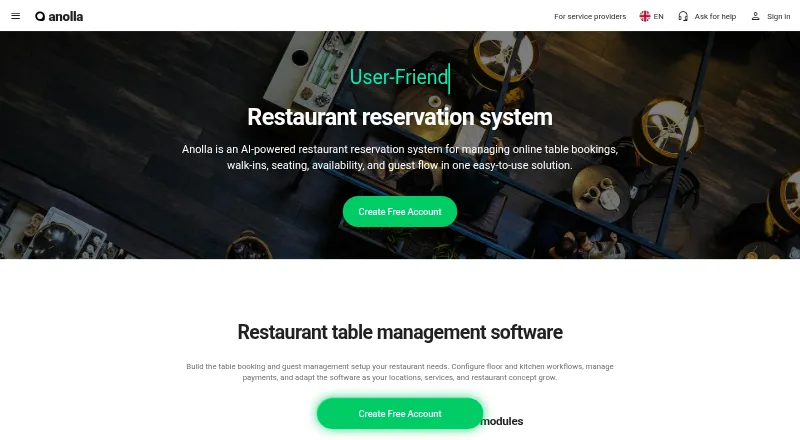
Anolla is an AI-powered restaurant reservation system for managing online bookings, walk-ins, seating, availability, and guest flow. Its calendar supports hourly reservations, dinner seating slots, bookings with variable durations, and multi-day group or banquet bookings. A guest CRM can track regulars, food and allergy preferences, preferred tables, notes, and guest segments. Restaurants can accept deposits online, with Stripe described for payment processing. Automated email and SMS can send confirmations, reminders, updates, and feedback requests. A multilingual AI assistant is described as available 24/7 to answer questions and help manage reservations. Listed connections include Google Analytics, Google Tag Manager, Meta Pixel, Excel, Google Sheets, BI/ML tools, and a public API, along with POS, inventory, loyalty, and hotel booking systems. Businesses can centrally manage multiple restaurants, locations, users, services, and guests with role-based access. The platform has a free plan and a 30-day full-capability trial without credit card details. Management apps are listed for iOS and Android; guest booking is available on iOS, Android, and web.
Who it suits
Anolla suits restaurants managing reservations, walk-ins, guest details, and multiple locations. It may also fit venues handling group or banquet bookings and online deposits.
What it does well
- Calendar supports variable-duration bookings
- Guest CRM stores preferences and notes
- Automated email and SMS communications
- Central management for multiple locations
- 30-day trial without card details
What to know first
- Free plan covers basic online table reservations
- Paid features are activated as needed
Limits
The free plan covers basic online table reservations, with paid features activated as needed. The full-capability trial lasts 30 days and does not require credit card details.
Plans
| Plan | Billed and limits | Price |
|---|---|---|
| Free software | online booking form · reservation calendar · basic guest profiles · automatic confirmations | Free |
| Software Advice listed plan | per user per month · one plan · free version · free trial | €11.99 a month |
| Paid features | usage-based; activated as needed · advanced automations · reminders · follow-up surveys · feedback collection · POS/CRM/marketing integrations · loyalty · reporting · multi-location management | On request |
As anolla.com lists them, read 14 Oct 2026. The maker's own page has the final word.
Getting started
- Open https://anolla.com/en/restaurant-software.
- Start with the free plan or begin the 30-day full-capability trial.
- Use the web platform or a listed Android, iOS, macOS, or Windows platform.
- Set up online table reservations and the booking options your restaurant uses.
- Connect listed integrations as needed, including Stripe for online payment processing.
Overview
Anolla is a restaurant reservation platform for managing bookings and guest relationships. It is best suited to restaurants with varied seating patterns or multiple locations that want reservations, guest records and communications in one system. Its free plan is a useful starting point, but access to paid features may be needed as requirements grow.
The calendar accommodates hourly table bookings, dinner seating slots, variable-duration reservations and multi-day group or banquet bookings. That flexibility can reduce the need to handle different kinds of bookings separately, although restaurants seeking only a simple reservations diary may not need such a broad setup.
For more options in this category, see our Restaurant Reservation Software list.
Key features
Reservations and seating
Anolla supports online bookings and walk-ins, table management and waitlists. Restaurants can take deposits or prepayments, and guests can pay deposits online through the described Stripe integration. Deposits can help secure bookings, while waitlist management gives the system a role when tables are not immediately available.
Guest records and communications
The guest CRM can store information about regulars, food and table preferences, allergies, notes and guest segments. This is useful for teams that want guest context alongside reservations; its practical value depends on staff keeping those records current. Automated email and SMS messages cover confirmations, reminders, updates and feedback requests.
Integrations, AI and access
Anolla names Google Analytics, Google Tag Manager, Meta Pixel, Excel, Google Sheets, BI/ML tools and a public API among its integrations. It also identifies POS, inventory, loyalty and hotel booking systems as integration types. The breadth may suit restaurants connecting booking activity to other systems, though the actual fit will depend on the systems they use.
A multilingual AI assistant is described as available around the clock to answer questions and help manage reservations. The company says it uses encryption, continuous monitoring, cloud backups and GDPR compliance to protect restaurant and guest data. Businesses can centrally manage unlimited restaurants, locations, users, services and guests, with role-based access controls—a strong fit for multi-site operations, but more than a single-site venue may require.
Pricing
Free software
The Free software plan costs nothing and centers on basic online table reservations. Paid features can be activated as needed, so this is a low-cost way to start, but it does not promise the broader functionality described for the platform at no charge. No seat or booking quota is given for the free plan.
Trial
Anolla offers a 30-day full-capability trial without requiring credit card details. That gives restaurants time to assess paid capabilities before committing. Paid-plan prices are custom pricing.
Platforms
Anolla supports Android, iOS, macOS, web and Windows. The company describes iOS and Android management apps, plus a guest booking app for iOS, Android and web, giving staff and guests different mobile access options.
Who it's for
Anolla is a strong candidate for restaurants handling a mix of short reservations, scheduled seatings and longer group bookings, especially those that want guest preferences, automated messages and deposits connected to their reservation workflow. Central management and role-based access make it relevant to multi-location businesses. A restaurant that needs only basic online reservations may find the free plan sufficient; one that needs paid capabilities should weigh custom pricing against its requirements.
Readers exploring adjacent categories can also browse Nail Salon Software and Training Management Software.
Pros and cons
- Pros: One calendar supports several reservation formats, including multi-day group bookings, which suits restaurants with varied booking patterns.
- Pros: Guest records, deposits, waitlists and automated email and SMS communications cover more of the reservation lifecycle than basic online booking alone.
- Pros: Central management of unlimited locations, users, services and guests can accommodate growing or multi-site operations.
- Cons: The free plan is limited to basic online table reservations, so access to other capabilities may require paid features.
- Cons: Paid pricing is custom pricing, which makes cost harder to compare before discussing requirements.
Alternatives
Choose Favouritetable if its free plan’s cap of 30 online bookings per month and web-based reservations diary suit a smaller operation; it also includes onboarding and is contract-free.
Resos is another freemium option, with its Basic plan described as covering 350 bookings per month and core features. Its listed price is €4,523 a month, billed monthly, with a 50% discount for one month; paid add-ons are free for 30 days before being billed separately.
simpleERB may suit restaurants that want a limited trial first: its free trial covers 250 covers and requires no credit card or commitment.
Consider Tableo if its Organise plan fits: $57.50 a month, billed annually, with unlimited bookings, three user accounts and website, Google, Facebook and Instagram channels.
TabTake Reservations is worth comparing if order management is the priority: its free Direct plan covers one location and up to 150 orders per month, but does not include reservations.
CentralPlanner, Eat App and WPCafe are other options to compare.
Verdict
Anolla is best for restaurants that need flexible booking formats, guest records and communications, particularly across multiple locations. Its free plan offers a practical entry point for basic online reservations, while the 30-day full-capability trial lets teams evaluate more before deciding. Look elsewhere if transparent paid pricing is essential or the restaurant needs only a basic reservations diary.
Verdict
Anolla combines restaurant reservations with guest records, automated messages, and multi-location management. Its free plan centers on basic online table reservations, with paid features available as needed.
Questions
Does Anolla have a free plan?
Yes. Its free software plan includes basic online table reservations, and paid features can be activated as needed.
How long is the trial?
The restaurant software trial lasts 30 days and does not require credit card details.
Which platforms does Anolla support?
The listed platforms are Android, iOS, macOS, web, and Windows. Guest booking is available on iOS, Android, and web.
Can guests pay deposits online?
Yes. Guests can pay deposits online, and the restaurant page describes Stripe integration for online payment processing.
What integrations are listed?
Named integrations include Google Analytics, Google Tag Manager, Meta Pixel, Excel, Google Sheets, BI/ML tools, and a public API. Integration types also include POS, inventory, loyalty, and hotel booking systems.
Facts from Anolla's own pages
- AI sales agent
- A virtual sales environment matches available tables, menu experiences and offers with guests for ordinary, group and event bookings. · anolla.com, 14 Oct 2026
- AI support
- A contextual multilingual AI assistant answers recurring questions, uses account context and provides round-the-clock booking help. · anolla.com, 14 Oct 2026
- Analytics
- Dashboards report bookings, revenue, table coverage, occupancy, cancellations, new guests and sales channels in real time. · anolla.com, 14 Oct 2026
- Analytics integrations
- Google Analytics, Google Tag Manager and Meta Pixel integrations connect booking activity with campaign and conversion measurement. · anolla.com, 14 Oct 2026
- API and extensibility
- Anolla describes its architecture as API-first and advertises a public API for POS, inventory, loyalty, hotel-booking and other systems. · anolla.com, 14 Oct 2026
- Booking management
- It supports hourly table bookings, dinner seating slots, variable-duration reservations, and multi-day group and banquet bookings in one calendar. · anolla.com, 28 Sept 2026
- Booking rules
- Restaurants can set minimum and maximum durations, cancellation and prepayment rules, late-arrival handling and calendar views. · anolla.com, 14 Oct 2026
- Brand launch
- The Anolla identity was created in 2025 when the provider and client experiences were combined into one platform. · anolla.com, 14 Oct 2026
- Business profile
- Anolla provides a customer-facing profile where guests can view menus, availability and offers, book, pay deposits and submit event enquiries. · anolla.com, 14 Oct 2026
- Cloud deployment
- The maker describes Anolla as a cloud platform and says its mobile apps primarily interface with a central progressive web app. · anolla.com, 14 Oct 2026
- Communications
- Automated guest communications can send email and SMS confirmations, reminders, updates, and feedback requests. · anolla.com, 28 Sept 2026
- Company
- Anolla says it was founded in 2011 and that Booklux OÜ, registered in Estonia, owns and operates the platform. · anolla.com, 28 Sept 2026
- Company ownership
- Anolla is owned and operated by Estonian company Booklux OÜ, registration code 12127160. · anolla.com, 14 Oct 2026
- Company size
- Estonian business data lists three employees. · e-krediidiinfo.ee, 14 Oct 2026
- CRM
- Guest records can include contact details, preferences, allergies, usual tables, notes and dynamic segments. · anolla.com, 14 Oct 2026
- Data export
- Raw booking data can be exported to Excel, Google Sheets and BI or machine-learning tools. · anolla.com, 14 Oct 2026
- Dynamic pricing
- Prices can vary by date, time, weekday, season, service, duration, customer membership, resource and occupancy-related context. · anolla.com, 14 Oct 2026
- Founded
- Booklux OÜ was established on 30 June 2011, originally under the name Otsiabi OÜ. · e-krediidiinfo.ee, 14 Oct 2026
- Funding
- Anolla says the company is 100% equity-funded. · anolla.com, 14 Oct 2026
- Google Play availability
- Google Play lists Anolla with an Everyone content rating and at least 5K downloads; the opened listing does not show a star rating or review count. · play.google.com, 14 Oct 2026
- Guest management
- Its guest CRM can track regulars, food preferences, allergies, table preferences, notes, and guest segments. · anolla.com, 28 Sept 2026
- Headquarters
- The company address is Kasesalu tn 2a, Ääsmäe village, Saue parish, Harju County, Estonia. · e-krediidiinfo.ee, 14 Oct 2026
- Help and support
- The Help Center combines guides, a 24/7 AI chat agent, feedback submission and bug-reporting workflows. · anolla.com, 14 Oct 2026
- IFTTT API
- The features catalogue lists an IFTTT Switches API for triggering external automation such as lighting or heating from booking events. · anolla.com, 14 Oct 2026
Where Anolla stands on Freedom251
- Training Management Software#1 of 38
- Restaurant Reservation Software#1 of 33
- Nail Salon Software#1 of 25