Freedom251 › Web Annotation Tools

Annot
What Annot is
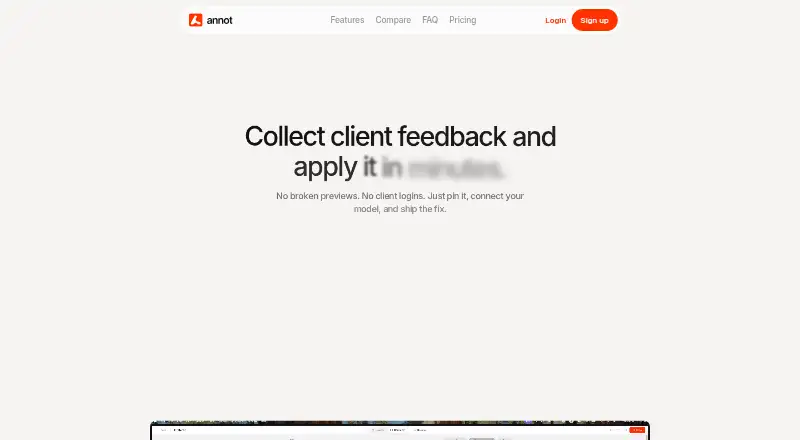
Annot is a web tool for gathering client feedback on websites and web applications. It creates shareable live previews where clients can comment directly on the work, and clients can review through a shared link without creating an account. Teams can filter comments by open and resolved status to follow issues through resolution. Annot says its previews support custom code and WebGL, and it offers a widget for gathering feedback inside a web app while users are working.
Annot identifies Slack notifications, Notion sync, and execution through Claude, Cursor, or any AI model as workflow integrations. Its plans range from a Free option with one active project, one page, and one user to paid plans with additional projects, users, and integrations. Freelance costs $9 a month, Pro costs $29 a month, and Agency costs $59 a month. The Freelance plan includes Slack integration; Pro and Agency include all integrations, including AI models. Annot describes agencies and freelancers as users of the service. Its support response terms vary by plan: Freelance includes email support, Pro lists a 48-hour response, and Agency lists a 24-hour response.
Who it suits
Annot suits agencies, freelancers, and teams collecting feedback on websites or web applications. It can also fit teams that want clients to comment through a shared link without making an account, then track comments as open or resolved.
What it does well
- Clients can comment on previews through a link without an account.
- Teams can filter comments by open and resolved status.
- Previews support custom code and WebGL.
- The in-app widget collects feedback inside a web app.
- Paid plans include Slack, Notion, and AI model integrations.
What to know first
- The Free plan is limited to one active project and one page.
- The Free plan includes one user.
- The Freelance plan is limited to one active project and one user.
Limits
The Free plan allows one active project, one page, and one user, with unlimited guests. Freelance costs $9 a month and allows one active project and one user; Pro at $29 a month allows three active projects, and Agency at $59 a month includes unlimited projects.
Plans
| Plan | Billed and limits | Price |
|---|---|---|
| Pro | /Monthly · 3 active projects · Full websites (all pages) · Unlimited users · Unlimited guests · File uploads in comments · All integrations (including AI Models) · Email support (48h response) | $29 a month |
| Agency | /Monthly · Unlimited projects · Full websites (all pages) · Unlimited users · Unlimited guests · File uploads in comments · All integrations (including AI models) · Email support (24h response) | $59 a month |
| Freelance | /Monthly · 1 active project · Full website (all pages) · 1 user · Unlimited guests · File uploads in comments · Slack integration · Email support | $9 a month |
| Free | /Monthly · 1 active project · 1 page · 1 user · Unlimited guests | On request |
As annot.io lists them, read 7 Oct 2026. The maker's own page has the final word.
Getting started
- Open Annot on the web.
- Start with the Free plan, or select Freelance, Pro, or Agency.
- Create a project and share its preview link with clients.
- Have clients comment through the link without creating an account.
- Filter comments by open and resolved status to track issues.
- Connect Slack, Notion, Claude, Cursor, or another AI model if included in the selected plan.
Annot turns website previews into shared spaces for client comments, with tools to follow each comment through resolution. It is aimed at agencies, freelancers, and teams reviewing web applications. The strongest case for it is a low-friction client review process; the main constraint is that the Free plan covers only one page.
Overview
Clients can leave comments on a shared preview link without creating an account, and teams can filter comments as open or resolved. That pairing makes Annot useful when feedback needs to stay tied to a website and the team needs a clear view of what remains. An in-app widget also lets teams collect comments from people working inside a web app.
Previews support custom code and WebGL, which helps when a project depends on either. The product focuses on webpages and comments: browser capture is not supported, so teams seeking a capture-based review process should look elsewhere.
Key features
Client comments and resolution
Guest access avoids asking clients to create accounts, while open and resolved filters give teams a straightforward way to track feedback. This is a focused review workflow rather than a broad project-management system; teams that need to manage work beyond comments may need another tool alongside it.
Integrations and in-app feedback
Slack notifications, Notion sync, and execution through Claude, Cursor, or any AI model connect feedback to several team workflows. The widget adds a route for comments from within a web app. Pro and Agency include all integrations, while Freelance includes Slack; that makes the lower paid tier less suitable if Notion or AI workflows are central.
Pricing
Free has no listed price and is billed monthly. It includes one active project, one page, one user, and unlimited guests. The one-page ceiling is a significant restriction for reviewing a complete site, though it can suit a small, single-page project.
Freelance costs $9 a month, billed monthly. It allows one active project with all pages, one user, unlimited guests, file uploads in comments, Slack integration, and email support. It is the entry point for an individual who needs full-site review, but its single project and single user limit make it a poor fit for a growing team.
Pro costs $29 a month, billed monthly, and includes three active projects, full websites, unlimited users and guests, file uploads, all integrations including AI models, and email support with a 48-hour response. It suits teams running several client reviews at once. Agency costs $59 a month, billed monthly, and adds unlimited projects to the same broad user, guest, file, and integration allowances, with a 24-hour email response. It fits agencies with higher project volume or a need for faster support.
Platforms
Annot is available on the web. Its review target is webpages, with an in-app widget for web apps; browser capture is not supported.
Who it's for
Agencies and freelancers are named users, and the project tiers make the distinction clear: an individual can start with Freelance, while teams with several concurrent projects have a reason to consider Pro or Agency. Product teams collecting feedback on web applications may also benefit from guest comments and the in-app widget. Annot is less suited to teams that need browser capture or more than one user on the lowest paid plan.
Pros and cons
- Guest comments need no account: clients can review through a shared link, reducing the setup required for occasional reviewers.
- Feedback has a simple status flow: open and resolved filters help teams see which comments still need attention.
- WebGL and custom code previews are supported: useful for projects that rely on those technologies.
- Free is tightly capped: one project, one page, and one user limit its usefulness for full-site or team reviews.
- Freelance is single-user and single-project: teams needing shared ownership or multiple active reviews must move up to Pro.
- No browser capture: Annot's webpage workflow will not suit teams whose review process depends on capturing browser content.
Alternatives
Pastel is another freemium option with a free plan and a web platform; its listed Pro plan costs $29 a month and includes two users, three canvases, and 100GB of video storage. Consider it when those canvas and video allowances better match the review workload.
Weava Highlighter offers a free plan with unlimited highlights and notes, device sync, and 100 MB of storage, plus Premium at $3.99 a month. Choose it when highlighting and note-taking are the priority.
Annot8 has a free plan with two projects, three team seats, three guest reviewers, 50 feedback threads per month, 14-day history, and 1 GB storage. Its free tier may suit a small team that needs several seats and projects within those limits.
AnnotateWeb is a free web tool with no sign-up required.
AnnotationBase has a free Lite plan with five active projects, up to five collaborators, guest commenting, and comment resolution. It is worth considering when those project and collaborator allowances fit better.
dotts offers a free Testing plan for up to three projects with unlimited reviewers. Its Pro plan is $15 a month and includes unlimited projects; it may suit teams whose reviewer count and project volume align with those terms.
eMargin is a free web tool.
Huddlekit is another freemium option available on the web and through an API.
For more options, see Web Annotation Tools.
Verdict
Annot is a strong fit for freelancers, agencies, and web teams that want clients to comment on previews without signing up and need a simple way to track issues through resolution. Its broad guest access and support for custom code and WebGL make the workflow practical for web projects. Look elsewhere if browser capture is essential, or budget for Pro or Agency if one project and one user are too restrictive.
Verdict
Choose Annot if you need clients to comment on live website previews and want a way to track those comments through resolution. The Free plan is limited to one project and one page; teams needing more projects, users, or integrations can consider Pro or Agency.
Questions
Is Annot free?
Yes. The Free plan has one active project, one page, one user, and unlimited guests.
How much do paid plans cost?
Freelance costs $9 a month, Pro costs $29 a month, and Agency costs $59 a month.
Which platforms does Annot support?
Annot is available on the web.
Do clients need an account to leave feedback?
No. Clients can review and comment through a shared link without creating an account.
What integrations are available?
Annot identifies Slack notifications, Notion sync, and execution through Claude, Cursor, or any AI model as workflow integrations. Freelance includes Slack; Pro and Agency include all integrations, including AI models.
How many projects do the plans allow?
Free allows one active project, Freelance allows one, Pro allows up to three, and Agency includes unlimited projects.
Facts from Annot's own pages
- Data transfers
- For personal data transferred outside the EEA, Annot says it uses GDPR safeguards including Standard Contractual Clauses or transfers to countries deemed adequate by the European Commission. · annot.io, 7 Oct 2026
- Guest reviews
- Clients can review and comment through a shared link without creating an account. · annot.io, 7 Oct 2026
- In-app feedback
- Annot offers a widget for collecting comments inside a web app where users are working. · annot.io, 7 Oct 2026
- Integrations
- The site identifies Slack notifications, Notion sync, and execution through Claude, Cursor, or any AI model as workflow integrations. · annot.io, 7 Oct 2026
- Issue tracking
- Teams can filter comments between open and resolved to track issues to resolution. · annot.io, 7 Oct 2026
- Personal data
- Annot's privacy policy says it collects account, usage, content, guest, technical, and communication data, and does not sell personal data. · annot.io, 7 Oct 2026
- Project limits
- The FAQ states that Free includes 1 project, Pro allows up to 3, and Agency includes unlimited projects and clients. · annot.io, 7 Oct 2026
- Purpose
- Annot collects client feedback on websites through shareable live previews where clients can comment directly. · annot.io, 7 Oct 2026
- Retention
- The privacy policy says account data is deleted within 30 days of account closure, project content is deleted upon project deletion, and technical and usage data is retained for up to 12 months. · annot.io, 7 Oct 2026
- Support
- The Freelance plan includes email support, Pro lists a 48-hour response, and Agency lists a 24-hour response. · annot.io, 7 Oct 2026
- Target users
- The site describes Annot as being for teams collecting feedback on web applications and says agencies and freelancers use it. · annot.io, 7 Oct 2026
- WebGL and custom code
- The product says its shareable previews support custom code and WebGL. · annot.io, 7 Oct 2026
Where Annot stands on Freedom251
- Web Annotation Tools#3 of 31