Freedom251 › Photo Restoration Software

AKVIS Retoucher AI
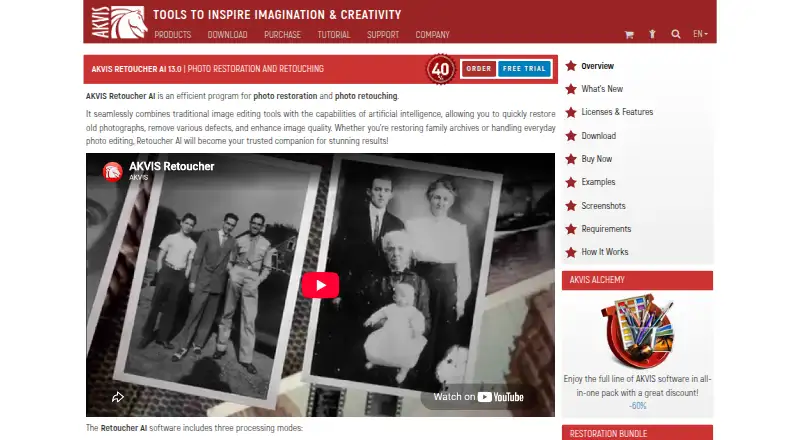
What AKVIS Retoucher AI is
AKVIS Retoucher AI is desktop software for repairing and improving photos with traditional editing tools and AI. It can remove unwanted objects and rebuild their backgrounds with a neural network, or apply all-purpose retouching and small-defect removal. For older images, it repairs scratches, dust, and stains and can reconstruct missing areas from nearby image content. It can also extend photo borders when a composition needs more space for cropping. Retoucher AI runs as a standalone program or as a plugin for photo editors, including AliveColors, Adobe Photoshop, Photoshop Elements, and Corel PaintShop Pro. Supported formats include RAW, JPEG, PNG, BMP, WEBP, and TIFF; scratch repair and batch processing are also available. The full software has a 10-day free trial that requires no registration, but there is no free plan. Listed plans are lifetime licenses for two computers: Home Plugin at $87 a month, Home Standalone at $87, paid once, Home Deluxe at $98 a month, and Business at $199 a month. Home plans are for personal non-commercial use; Business permits commercial use. AKVIS Retoucher AI was founded in 2004 and is headquartered in Vancouver, British Columbia, Canada.
Who it suits
It suits people restoring family photographs, handling everyday image cleanup, or doing professional retouching and prepress work. Those who need commercial use should consider the Business license; the Home licenses are limited to personal non-commercial use.
What it does well
- Removes objects and reconstructs backgrounds with a neural network.
- Repairs scratches, dust, stains, and missing image areas.
- Offers standalone and photo-editor plugin versions.
- Supports RAW, JPEG, PNG, BMP, WEBP, and TIFF.
- Includes batch processing and scratch repair.
- Full software trial runs for 10 days without registration.
What to know first
- No free plan is available.
- Home licenses are restricted to personal non-commercial use.
- Each license covers two computers.
Limits
The trial lasts 10 days and there is no free plan. Each license covers two computers; Home plans are for personal non-commercial use, while Business allows commercial use.
Plans
| Plan | Billed and limits | Price |
|---|---|---|
| Home Plugin | Lifetime license · Plugin version · personal use only · 2 computers | $87, paid once |
| Home Standalone | Lifetime license · Standalone version · personal use only · 2 computers | $87, paid once |
| Home Deluxe | Lifetime license · Plugin + standalone · full functionality · personal use only · 2 computers | $98, paid once |
| Business | Lifetime license · Plugin + standalone · full functionality · commercial use allowed · 2 computers | $199, paid once |
As akvis.com lists them, read 12 Oct 2026. The maker's own page has the final word.
Getting started
- Visit the AKVIS Retoucher AI website.
- Choose a standalone or plugin option and select a plan.
- Use the full software free for 10 days without registration, or purchase a lifetime license.
- Install on up to two computers.
- For plugin use, connect it with a compatible editor such as AliveColors, Adobe Photoshop, Photoshop Elements, or Corel PaintShop Pro.
Verdict
Choose AKVIS Retoucher AI for photo repair and object removal when you want either a standalone editor or a plugin workflow. The Business license is the listed option for commercial use; users seeking a free plan should look elsewhere.
Questions
Is there a free plan or trial?
There is no free plan. The full software can be evaluated free for 10 days without registration.
How much does it cost?
Home Plugin is $87 a month, Home Standalone is $87, paid once, Home Deluxe is $98 a month, and Business is $199 a month. Each is described as a lifetime license.
Which platforms does it support?
It is available for desktop use on Linux, macOS, and Windows, and as an extension.
Can I use it with a photo editor?
Yes. It is available as a plugin compatible with AliveColors, Adobe Photoshop, Photoshop Elements, and Corel PaintShop Pro, among other editors.
Which license allows commercial use?
The Business license allows commercial use. Home and Home Deluxe licenses are for personal non-commercial use.
How many computers can use one license?
Each license allows registration and use on two computers, and the license does not expire.
Facts from AKVIS Retoucher AI's own pages
- AI object removal
- AI Object Removal removes unwanted objects and reconstructs the background using a neural network. · akvis.com, 12 Oct 2026
- Canvas expansion
- The software can extend photo borders, including for layouts that need more room for cropping. · akvis.com, 12 Oct 2026
- Commercial use
- Home and Home Deluxe licenses are for personal non-commercial use; the Business license allows commercial use. · akvis.com, 12 Oct 2026
- Founded
- 2004 · akvis.com, 4 Oct 2026
- Free plan
- No · akvis.com, 20 Sept 2026
- Headquarters
- Vancouver, British Columbia, Canada · akvis.com, 4 Oct 2026
- Integrations
- The plugin is compatible with AliveColors, Adobe Photoshop, Photoshop Elements, and Corel PaintShop Pro, among other editors. · akvis.com, 12 Oct 2026
- Intended users
- The maker describes uses ranging from family photo restoration and everyday editing to professional retouching and prepress work. · akvis.com, 12 Oct 2026
- License limits
- Each license allows registration and use on two computers, and the license does not expire. · akvis.com, 12 Oct 2026
- Photo restoration
- It can remove scratches, dust, stains, and other defects and reconstruct missing photo areas from surrounding content. · akvis.com, 12 Oct 2026
- Platform
- desktop · akvis.com, 20 Sept 2026
- Platforms
- The maker lists 64-bit versions for Windows 10–11, macOS 10.15 through macOS 27, and Linux. · akvis.com, 12 Oct 2026
- Purpose
- Retoucher AI restores old photos, removes defects, and enhances image quality using traditional editing tools and AI. · akvis.com, 12 Oct 2026
- Retouching modes
- The software has AI Object Removal, All-Purpose Retouching, and Small Defects Removal modes. · akvis.com, 12 Oct 2026
- Security and compliance
- The opened product and company pages do not state security certifications or compliance standards. · akvis.com, 12 Oct 2026
- Standalone and plugin
- Retoucher AI is available as a standalone program and as a plugin to a photo editor. · akvis.com, 12 Oct 2026
- Support
- Technical support is free for customers and operates Monday to Friday, 9:00 a.m. to 6:00 p.m. GMT+5. · akvis.com, 12 Oct 2026
- Trial
- The full software can be evaluated free for 10 days without registration. · akvis.com, 12 Oct 2026
Where AKVIS Retoucher AI stands on Freedom251
- Photo Restoration Software#14 of 26
- Photo Editing Software#138 of 159