Freedom251 › Business Rules Management Software

AI Rule Engine
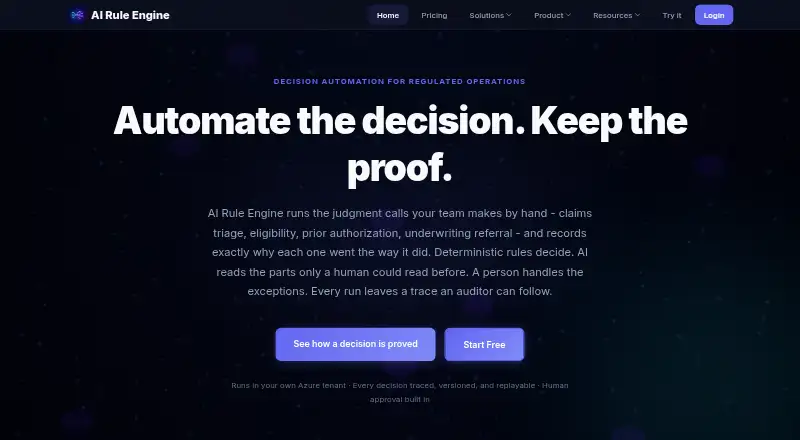
What AI Rule Engine is
AI Rule Engine helps operations teams automate decisions governed by policies, including claims triage, eligibility, prior authorization and underwriting referrals. Customers author and approve the deterministic rules that decide outcomes; AI can turn unstructured input into classified, extracted or summarized facts. Run traces show which rules fired, in what order, the values that matched and changes to decision context. Static verification can flag rules that cannot fire, duplicates, conflicting writes and input combinations without a matching rule, while saved tests can gate releases. The product supports decision tables, visual and natural-language rule authoring, approval workflows and audit trails, with cloud deployment and API access. Native AI provider connections include Anthropic Claude, OpenAI ChatGPT, Azure OpenAI, Google Gemini and xAI Grok, using customer-provided keys. Plans are freemium, with paid tiers beginning at $49 a month. Security controls include SSO, provisioning, IP allowlisting, custom roles, audit events and SIEM streaming. The maker states it has no SOC 2 attestation, DPA or BAA, and no independent third-party penetration test.
Who it suits
It is aimed at regulated operations teams handling insurance claims and underwriting, or health-plan eligibility and prior authorization, that need governed decision logic and recorded explanations.
What it does well
- Customer-approved deterministic rules control outcomes
- Run traces show rule matches and changes
- Static verification identifies several rule issues
- Saved tests can gate releases
- Supports decision tables and visual authoring
What to know first
- No SOC 2 attestation
- No DPA or BAA available
- No independent third-party penetration test
- Run overage is auto-billed through credits
Limits
The Free plan includes one virtual environment, 200 ruleset runs per month, two author seats, seven-day log retention, a 12-hour session window, and no file storage. Run overage on all plans is billed through credits, with one credit covering 100 runs; dedicated-host runs are not metered.
Plans
| Plan | Billed and limits | Price |
|---|---|---|
| Free | $0/ month · 1 virtual environment · 200 ruleset runs/month · 2 author seats · 7-day log retention · 12-hour session window · no file storage | Free |
| Team | $199/ month · 15 virtual environments · 50,000 ruleset runs/month · 15 author seats · 90-day log retention · 336-hour session window · 20 GB file storage/environment | $199 a month |
| Pro | $49/ month · 3 virtual environments · 10,000 ruleset runs/month · 5 author seats · 30-day log retention · 72-hour session window · 5 GB file storage/environment | $49 a month |
| Enterprise | $999/ month · 50 virtual environments · 500,000 ruleset runs/month · 25 author seats · up to 3 dedicated Azure hosts · unlimited log retention and file storage · live onboarding and support | $999 a month |
| Custom | Quoted annually rather than listed · Negotiated environment, run, and seat allowances · regional data residency · on-premises deployment · custom contract terms | On request |
As ruleengine.ai lists them, read 7 Oct 2026. The maker's own page has the final word.
Getting started
- Visit https://www.ruleengine.ai/.
- Choose the Free plan or a paid plan: Pro is $49/mo, Team is $199/mo, and Enterprise is $999/mo.
- Use the web, API, or self-hosted platform.
- Author customer-approved rules using visual authoring, decision tables, or natural-language rules.
- Use saved tests and approval workflows before putting rules into operation.
AI Rule Engine is a policy decision platform for teams that need controlled rules to make operational calls, with AI helping process unstructured inputs. It is best suited to regulated operations teams that need traceable decisions and tested policy changes. Its strongest case is decision governance; its security and contractual limitations may make it unsuitable for some buyers.
Overview
Customer-authored and approved rules determine outcomes, while AI can classify, extract, or summarize unstructured material into facts those rules use. This keeps AI in a supporting role rather than letting it make the final policy decision. Run traces show which rules fired, their order, the matched condition values, and changes to the decision context, giving teams a useful account of how an outcome was reached.
Visual authoring, decision tables, natural-language rules, approval workflows, and both API and other execution access cover much of the decision lifecycle. Static verification can identify rules that cannot fire, duplicates, conflicting writes, and input combinations with no matching rule; saved tests can gate releases. These are practical checks for teams updating policy, but they do not replace independent security assurance.
Key features
Rules, testing, and integrations
Rules provide the final decision logic, while AI can turn unstructured input into facts for those rules. That division is a sensible fit for claims triage, eligibility, prior authorization, and underwriting referrals, where teams may want AI-assisted intake without surrendering control of the outcome. Outbound HTTP API actions, marketplace extensions, durable storage actions, and external API access give teams several ways to connect workflows to other systems.
Native model support covers Anthropic Claude, OpenAI ChatGPT, Azure OpenAI, Google Gemini, and xAI Grok, using customer-provided provider keys. Every plan also includes an MCP server that can let configured AI assistants trigger workflows and access permitted files and run logs. That broadens how operators can invoke workflows, but access remains bounded by the permissions configured for those assistants.
Security and hosting
Available controls include OIDC and SAML SSO, SCIM provisioning, IP allowlisting, custom roles, append-only audit events, SIEM streaming, and RSA-SHA256 signed release records. Those controls support identity, monitoring, and release governance. The maker states that it has no SOC 2 attestation, does not yet offer a DPA or BAA, and has not had an independent third-party penetration test. Organizations requiring those assurances or agreements should look elsewhere until their requirements are met.
Free, Pro, Team, and Enterprise use shared hosting. Enterprise can deploy up to three dedicated hosts in the customer's Azure subscription; production run data stays in that tenant, while rule authoring data and test cases remain in the maker's control plane. Buyers should account for that split when evaluating data boundaries. Custom pricing adds regional data residency and on-premises deployment.
Pricing
The freemium offer ranges from a small evaluation allowance to substantial run and environment quotas. All plans auto-bill run overage through credits, with one credit covering 100 runs; runs on dedicated hosts are not metered. Teams should include potential overage in their cost planning rather than treating the monthly quota as a hard ceiling.
- Free — free (billed $0/ month): 1 virtual environment, 200 ruleset runs/month, 2 author seats, 7-day log retention, a 12-hour session window, and no file storage. It can suit a small proof of concept, but the run, seat, retention, and storage limits make it a poor fit for sustained team use.
- Pro — $49 a month (billed $49/ month): 3 virtual environments, 10,000 ruleset runs/month, 5 author seats, 30-day log retention, a 72-hour session window, and 5 GB file storage/environment. This is the practical entry point for a small team moving beyond evaluation, though the five-seat cap and quota constrain broader adoption.
- Team — $199 a month (billed $199/ month): 15 virtual environments, 50,000 ruleset runs/month, 15 author seats, 90-day log retention, a 336-hour session window, and 20 GB file storage/environment. It better fits teams with multiple policy environments and longer audit needs, at a substantially higher monthly price than Pro.
- Enterprise — $999 a month (billed $999/ month): 50 virtual environments, 500,000 ruleset runs/month, 25 author seats, up to 3 dedicated Azure hosts, unlimited log retention and file storage, plus live onboarding and support. It is aimed at larger deployments that need dedicated hosting and high allowances, though the stated security-assurance gaps still matter.
- Custom — custom pricing, billed quoted annually: negotiated environment, run, and seat allowances, regional data residency, on-premises deployment, and custom contract terms. This is the route for requirements beyond Enterprise's stated deployment options, but buyers must obtain a quote.
Premium Support is a paid add-on with business-hours coverage and stated P1 and P2 response targets. Enterprise includes live onboarding and support; buyers on lower plans should factor the add-on into support needs.
Platforms
AI Rule Engine supports web, API, and self-hosted access, with cloud deployment options. That combination serves teams integrating decisions into applications as well as those seeking a hosted interface or self-managed deployment.
Who it's for
The clearest fit is a regulated operations team handling insurance claims or underwriting, or health-plan eligibility and prior authorization. Such teams can benefit from deterministic outcomes, traceable runs, release-gating tests, and approval controls. It is less suitable for organizations whose procurement depends on SOC 2, a DPA or BAA, or an independent penetration test.
Pros and cons
- Pro: Decision traces capture fired rules, order, matched values, and context changes, supporting review of individual outcomes.
- Pro: Static verification and saved release-gating tests help catch policy defects before deployment.
- Pro: AI assists with unstructured inputs while approved rules retain control of decisions.
- Pro: Enterprise offers dedicated Azure hosting, and Custom adds regional residency and on-premises deployment options.
- Con: No SOC 2 attestation, DPA or BAA, or independent third-party penetration test may disqualify it for some regulated buyers.
- Con: The Free plan's 200 monthly runs, two author seats, seven-day log retention, and lack of file storage sharply limit ongoing use.
- Con: Run overage is auto-billed through credits, so usage above plan allowances can add cost.
Alternatives
Consider GoRules BRMS if you need its broader listed platform coverage, including Linux, macOS, and Windows, or prefer a Pro plan billed annually at $2,000 for five users.
DecisionRules is another freemium option with a free plan and free trial; choose it if those terms better suit your evaluation.
Nected offers a self-hosted free tier with unlimited rules and workflows, 1,000 daily invocations, and Docker, Helm charts, and Terraform scripts; consider it if those deployment and allowance details are a closer fit.
Rulebricks has a free Design plan capped at 10 rules and flows, 1,000 monthly executions, and five team members with RBAC; it may suit a smaller initial scope.
Drools is a free, Java-based option for teams seeking an Apache software download rather than a freemium hosted product.
Decisions is an alternative with a low-code design studio and standard agentic AI and agent builder capabilities in its Foundation plan.
FlexRule Open is another option with pricing available by quote.
InRule Decisioning is another paid alternative with subscription pricing based on configurable components.
For broader comparisons, browse Business Rules Management Software or Deal Desk Software.
Verdict
AI Rule Engine is a strong candidate for regulated operations teams that want deterministic policy decisions, traceable outcomes, and checks before release, with AI assisting on input processing. Its strongest reason to choose it is the combination of rule governance and decision-level traceability. Look elsewhere if your organization requires independent security attestation, a DPA or BAA, or a third-party penetration test; otherwise, choose a plan based on seats, retention, environments, and run volume, and account for overage billing.
Verdict
AI Rule Engine offers rule authoring, testing and traceability for policy-governed operational decisions. Teams assessing it for regulated work should weigh its listed security limitations and plan-specific run allowances.
Questions
Is AI Rule Engine free?
Yes. The Free plan costs nothing (billed $0/ month). Paid plans start at $49/mo.
What platforms does it support?
The listed platforms are API, self-hosted, and web.
What does the Free plan include?
It includes one virtual environment, 200 ruleset runs per month, two author seats, seven-day log retention, a 12-hour session window, and no file storage.
Which AI providers does it support?
Native model support includes Anthropic Claude, OpenAI ChatGPT, Azure OpenAI, Google Gemini, and xAI Grok. It uses customer-provided provider keys.
Can Enterprise run in a dedicated environment?
Enterprise can deploy up to three dedicated hosts in the customer’s Azure subscription. On dedicated Azure deployments, production run data stays in the customer’s tenant, while rule authoring data and test cases remain in the maker’s control plane.
What security limitations does the maker state?
The maker states it has no SOC 2 attestation, does not yet offer a DPA or BAA, and has not had an independent third-party penetration test.
Facts from AI Rule Engine's own pages
- AI agents
- Every plan includes an MCP server that can let configured AI assistants trigger workflows and access permitted files and run logs. · ruleengine.ai, 7 Oct 2026
- AI providers
- Native AI model support includes Anthropic Claude, OpenAI ChatGPT, Azure OpenAI, Google Gemini, and xAI Grok, using customer-provided provider keys. · ruleengine.ai, 7 Oct 2026
- Data handling
- On dedicated Azure deployments, production run data stays in the customer's tenant, while rule authoring data and test cases remain in the maker's control plane. · ruleengine.ai, 7 Oct 2026
- Decision logic
- Deterministic rules authored and approved by the customer determine outcomes, while AI can classify, extract, or summarize unstructured input into facts. · ruleengine.ai, 7 Oct 2026
- Explainability
- Run traces record which rules fired, their order, matched condition values, and changes made to the decision context. · ruleengine.ai, 7 Oct 2026
- Hosting
- Free, Pro, Team, and Enterprise support shared hosting, and Enterprise can deploy up to three environments as dedicated hosts in the customer's Azure subscription. · ruleengine.ai, 7 Oct 2026
- Integrations
- The product supports outbound HTTP API actions, marketplace extensions, durable storage actions, and API access for external systems. · docs.ruleengine.ai, 7 Oct 2026
- Overage
- All plans auto-bill run overage through credits, with one credit covering 100 runs; dedicated-host runs are not metered. · ruleengine.ai, 7 Oct 2026
- Purpose
- AI Rule Engine automates policy-governed operational decisions such as claims triage, eligibility, prior authorization, and underwriting referral, recording why each decision was made. · ruleengine.ai, 7 Oct 2026
- Rule testing
- Static verification identifies rules that cannot fire, duplicates, conflicting writes, and input combinations with no matching rule; saved tests can gate releases. · ruleengine.ai, 7 Oct 2026
- Security controls
- Available controls include OIDC and SAML SSO, SCIM provisioning, IP allowlisting, custom roles, append-only audit events, SIEM streaming, and RSA-SHA256 signed release records. · ruleengine.ai, 7 Oct 2026
- Security limitations
- The maker states that it has no SOC 2 attestation, does not yet offer a DPA or BAA, and has not had an independent third-party penetration test. · ruleengine.ai, 7 Oct 2026
- Support
- Enterprise includes live onboarding and support, while Premium Support is a paid add-on offering business-hours coverage and stated P1 and P2 response targets. · ruleengine.ai, 7 Oct 2026
- Use-case audience
- The maker presents the product for regulated operations teams handling insurance claims and underwriting or health-plan eligibility and prior authorization. · ruleengine.ai, 7 Oct 2026
Where AI Rule Engine stands on Freedom251
- Business Rules Management Software#2 of 18
- Deal Desk Software#5 of 41