Freedom251 › Time Management Apps
Aftertone
by Aftertone
What Aftertone is
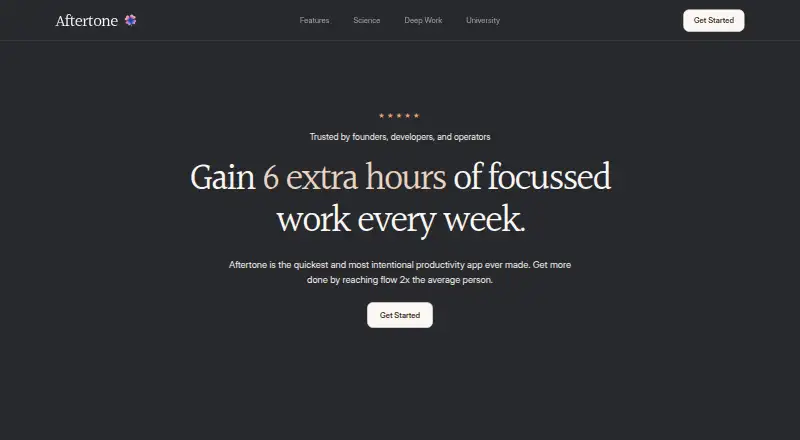
Aftertone is a macOS productivity app built around time blocking for planning work, focusing on tasks, and reviewing weekly patterns. Users can paste text or take a screenshot, while pressing Command twice captures content from anywhere on a Mac; the app turns that input into structured tasks. It automatically schedules the day, organizes tasks according to working habits, classifies projects and tags, and offers Kanban planning with Markdown notes. A focus screen presents one task at a time and updates the calendar during work. Recurring tasks, focus sessions, and two-way real-time Google Calendar sync are supported. Weekly reports show flow sessions, peak day, and a work-activity timeline. Its AI extracts tasks, assigns projects, and adjusts suggestions using planning history and corrections. The Aftertone plan costs $20 a month, billed monthly, with unlimited tasks, events, and slots plus automatic planning, capture, classification, calendar synchronization, and daily and weekly insight reports. iOS and Android are described as coming.
Who it suits
It suits founders, developers, consultants, and operators who prefer time-blocked planning and focused task views. Mac users wanting automated capture, scheduling, and calendar synchronization may find the workflow relevant.
What it does well
- Automatic time-blocking and daily scheduling
- Two-way real-time Google Calendar sync
- Capture tasks from text or screenshots
- Focus screen shows one task at a time
- Weekly reports summarize work patterns
What to know first
- No free plan
- Currently Mac only
- Costs $20 a month
- iOS and Android are not yet available
Plans
| Plan | Billed and limits | Price |
|---|---|---|
| Aftertone | Unlimited tasks, events & slots · Unlimited auto plan & scheduling · Unlimited auto task capture · Unlimited auto project & tag classification · Google Calendar sync · Daily & weekly insight reports | $20 a month |
As aftertone.io lists them, read 11 Oct 2026. The maker's own page has the final word.
Verdict
Aftertone brings capture, scheduling, focus sessions, and reporting into a time-blocked Mac workflow. Its paid plan and Mac-only availability are important considerations.
Facts from Aftertone's own pages
- AI
- Aftertone's AI extracts tasks from text, assigns projects, and adjusts suggestions using the user's planning history and corrections. · aftertone.io, 11 Oct 2026
- Audience
- Aftertone says it is particularly suited to founders, developers, consultants, and operators who care about the quality of their work. · aftertone.io, 11 Oct 2026
- Calendar sync
- Yes · aftertone.io, 22 Sept 2026
- Focus mode
- The focus screen presents one task at a time and updates the calendar as the user works. · aftertone.io, 11 Oct 2026
- Focus sessions
- Yes · aftertone.io, 22 Sept 2026
- Free plan
- No · aftertone.io, 22 Sept 2026
- Headquarters
- Huddersfield, UK · aftertone.io, 28 Sept 2026
- Integration
- Aftertone provides two-way, real-time Google Calendar sync. · aftertone.io, 11 Oct 2026
- Planning method
- time blocking · aftertone.io, 22 Sept 2026
- Platform availability
- The maker says Aftertone is Mac only currently, with iOS and Android coming. · aftertone.io, 11 Oct 2026
- Product
- Aftertone is a productivity app for planning work, focusing on tasks, and reviewing weekly work patterns. · aftertone.io, 11 Oct 2026
- Recurring tasks
- Yes · aftertone.io, 22 Sept 2026
- Scheduling
- Aftertone automatically time-blocks the user's day and organizes tasks based on how they work. · aftertone.io, 11 Oct 2026
- Security
- The pages reviewed do not state specific security controls or compliance certifications. · aftertone.io, 11 Oct 2026
- Support
- The maker recommends a free personalized onboarding call with setup suggestions, migration help, and access to the latest features. · aftertone.io, 11 Oct 2026
- Task capture
- Users can paste text or take a screenshot and Aftertone creates structured tasks. · aftertone.io, 11 Oct 2026
- Task organization
- The app automatically classifies projects and tags, and offers Kanban project planning and Markdown notes on tasks. · aftertone.io, 11 Oct 2026
- Universal capture
- Pressing Command twice captures content from anywhere on a Mac. · aftertone.io, 11 Oct 2026
- Weekly reports
- Weekly reports show flow sessions, the peak day, and a timeline of work activity. · aftertone.io, 11 Oct 2026
Where Aftertone stands on Freedom251
- Time Management Apps#18 of 35
- Daily Planner Apps#136 of 137