Freedom251 › Task Management Software

ActiveInbox
What ActiveInbox is
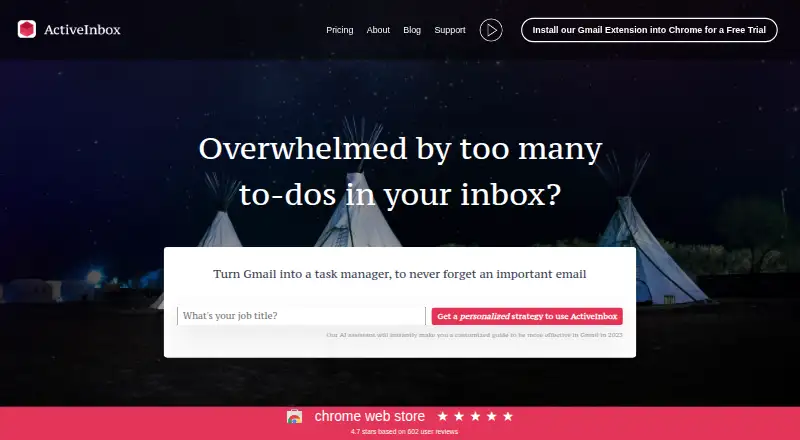
ActiveInbox turns Gmail into a task manager for tracking important emails as tasks. It adds due dates, project folders, subtasks and notes, follow-ups, related emails, and a focus mode. Its workflow uses Gmail labels for due dates and projects, and those labels remain in Gmail if the extension is removed. Users can add an email to Google Calendar from the Due Date menu. The maker lists Chrome and Chrome-compatible browsers such as Edge and Brave; Firefox and Safari editions are unavailable. ActiveInbox is designed for a single user and does not support collaborative data sharing. The free plan allows deadlines on up to 10 emails at a time. Professional costs $5.37/mo (annual), and a 14-day trial is available. The maker says Gmail data travels between the user's computer and Google's servers, while email IDs, notes, and subtasks may be stored on ActiveInbox servers. Its privacy page says it complies with GDPR and allows users to request access to or deletion of personal information.
Who it suits
It suits individuals who use Gmail to organize email-based tasks, follow-ups, and projects. The maker describes it for executives, managers, and founders using a Getting Things Done workflow.
What it does well
- Turns Gmail messages into trackable tasks
- Includes due dates, folders, and subtasks
- Gmail labels remain after extension removal
- Email can be added to Google Calendar
What to know first
- Free plan limits deadlines to 10 emails at once
- Does not support collaborative data sharing
- Firefox and Safari editions are unavailable
Plans
| Plan | Billed and limits | Price |
|---|---|---|
| Free | Deadlines on up to 10 emails at one time | Free |
| Professional | From $5.37 per account / month (Paid annually) · Due Dates · Folders · Sub Tasks & Notes · Follow Up · Related Emails · Focus Mode · Team Admin Panel | $5.37 |
| Enterprise | Full Feature Access · 1000+ Gmail Accounts · 1-on-1 Support for Team Leader · Custom Security Analysis and Setup | On request |
As activeinboxhq.com lists them, read 5 Oct 2026. The maker's own page has the final word.
Verdict
ActiveInbox adds task organization features to Gmail, with a free plan for a limited number of email deadlines and a paid Professional option. It is designed for an individual rather than collaborative use, and browser availability excludes Firefox and Safari.
Facts from ActiveInbox's own pages
- Audience
- The homepage describes ActiveInbox as built for executives, managers, and founders, using a Getting Things Done workflow. · activeinboxhq.com, 5 Oct 2026
- Browser support
- The maker lists Chrome and Chrome-compatible browsers such as Edge and Brave, and says Firefox and Safari editions are unavailable. · activeinboxhq.com, 5 Oct 2026
- Company history
- The maker says ActiveInbox began in 2006 as a tool Andy Mitchell built to manage Gmail customer support. · activeinboxhq.com, 5 Oct 2026
- Features
- Features include due dates, project folders, subtasks and notes, follow ups, related emails, and focus mode. · activeinboxhq.com, 5 Oct 2026
- Founded
- 2006 · activeinboxhq.com, 28 Sept 2026
- Integrations
- Users can add an email to Google Calendar from the Due Date menu. · activeinboxhq.com, 5 Oct 2026
- Limits
- ActiveInbox does not support collaborative data sharing and is designed for a single user. · activeinboxhq.com, 5 Oct 2026
- Privacy
- The privacy page says ActiveInbox complies with GDPR and allows users to request access to or deletion of their personal information. · activeinboxhq.com, 5 Oct 2026
- Product
- ActiveInbox turns Gmail into a task manager so users can track important emails as tasks. · activeinboxhq.com, 5 Oct 2026
- Security
- The security page says ActiveInbox uses HTTPS and OAuth, and does not store Gmail email data, calendar data, or OAuth tokens on its servers. · activeinboxhq.com, 5 Oct 2026
- Support
- The maker says every customer gets personal support by email. · activeinboxhq.com, 5 Oct 2026
- Workflow
- ActiveInbox uses Gmail labels for due dates and projects, so those email labels remain after uninstalling the extension. · activeinboxhq.com, 5 Oct 2026
Where ActiveInbox stands on Freedom251
- Task Management Software#8 of 59