Freedom251 › Customer Success Analytics Software

AccountLens
What AccountLens is
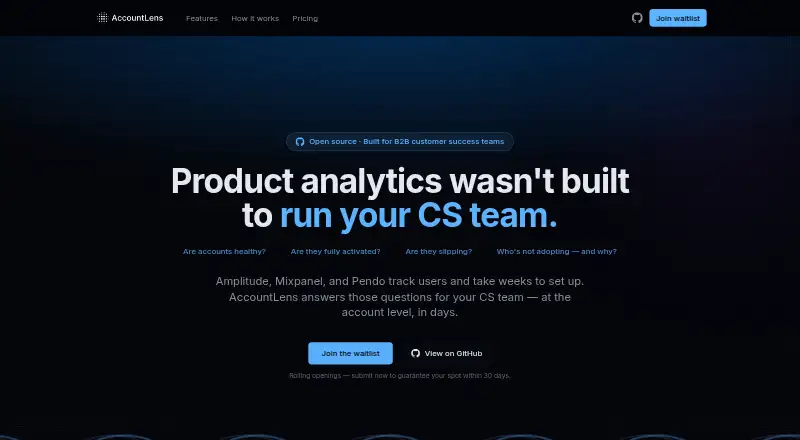
AccountLens is an open-source product analytics platform for B2B Customer Success teams. It uses product activity, feature adoption and engagement trends to score account health, and identifies accounts whose activity has fallen below their usual engagement baseline. Teams can follow feature adoption by account and analyze account-level funnels. Product events connect through a Segment webhook and are attributed to accounts. AccountLens can create password-protected, read-only dashboards for sharing with clients or stakeholders. The full codebase is MIT-licensed, and customers can host it on their own infrastructure; the maker says analytics data remains there in self-hosted use. Managed hosting offers US or EU data residency on Scale. Self-hosted and Starter are free. Starter is limited to 1,000 tracked users and 10 accounts. Growth costs $99 a month and Scale costs $249 a month; their tracked-user limits are 5,000 and 25,000 respectively. Support varies by plan, from community to email and priority support.
Who it suits
It suits B2B Customer Success teams that want to monitor account health and adoption, and can also serve CS and product teams. Self-hosting is an option for customers who want analytics data on their own infrastructure.
What it does well
- Scores account health from activity, adoption and engagement.
- Flags activity below historical engagement baselines.
- Tracks feature adoption and account-level funnels.
- Creates password-protected, read-only sharing dashboards.
- MIT-licensed self-hosted option is free.
What to know first
- Starter caps usage at 1,000 tracked users and 10 accounts.
- Growth costs $99 a month.
- Scale costs $249 a month.
- Managed tiers have tracked-user caps.
Limits
The free managed Starter plan supports up to 1,000 tracked users and 10 accounts, with 5 GB of event storage and 30-day data retention. The free self-hosted option requires you to provide and manage the infrastructure.
Plans
| Plan | Billed and limits | Price |
|---|---|---|
| Self-hosted | free forever · MIT license · customer-managed AWS/GCP/Azure infrastructure · community GitHub support | Free |
| Starter | 1,000 tracked users · 10 accounts · 5 GB event storage · 30-day retention · health scores · feature adoption · churn detection · community support | Free |
| Scale | $249/mo · 25,000 tracked users · unlimited accounts · 200 GB event storage · account funnels · custom health weights · SSO/SAML · priority support · dedicated onboarding · US/EU residency | $249 a month |
| Growth | $99/mo · 5,000 tracked users · unlimited accounts · 50 GB event storage · AI signals · client-ready sharing · unlimited retention · email support · Slack alerts | $99 a month |
As accountlens.ai lists them, read 15 Oct 2026. The maker's own page has the final word.
Getting started
- Visit the AccountLens website.
- Choose the self-hosted option or a managed plan.
- For self-hosting, provide and manage your infrastructure.
- Connect product events through a Segment webhook so they can be attributed to accounts.
- Select a managed plan based on its tracked-user limit and included features.
AccountLens is a product analytics platform for customer success and product teams working with B2B accounts. It is a strong fit when product activity is the main signal those teams need, but less suitable when they require analytics from multiple sources.
Overview
AccountLens organizes product usage around customer accounts, with a focus on health, adoption, engagement and renewal risk. Events come through a Segment webhook and are attributed to accounts, making this a focused rather than broad data-source approach.
The MIT-licensed codebase can be run on your own infrastructure, where the maker says analytics data stays. That offers control for teams able to manage hosting; managed plans suit teams that would rather pay for capped usage tiers and support.
Key features
- Account health and churn signals: Scores draw on product activity, feature adoption and engagement trends. Accounts whose activity drops below their own historical baseline can be surfaced for investigation, a practical signal for teams monitoring renewal risk.
- Adoption and funnels: Teams can track feature adoption by account. Account-level funnel analytics are included on Scale, so Growth may suit teams that need adoption views but not managed-plan funnels.
- Customer-facing sharing: Password-protected, read-only dashboards can be generated for clients or stakeholders. This gives teams a way to share views without granting dashboard editing access.
- Data and hosting: Self-hosting keeps product analytics on the customer's infrastructure, while managed Scale offers a choice of US or EU data residency. The single-source model, however, centers on product events rather than analytics from multiple sources.
Pricing
Self-hosted — free. The MIT-licensed codebase and community support cost nothing, but you provide and manage the infrastructure. It is the clearest fit for teams that prioritize control and can take on hosting responsibilities.
Starter — free. Managed Starter allows up to 1,000 tracked users, 10 accounts, 5 GB of event storage and 30-day data retention, with community support. The account cap and retention window make it a constrained starting point rather than an unlimited free service.
Growth — $99 a month. Billed $99/mo, it raises the limits to 5,000 tracked users, unlimited accounts, 50 GB of event storage and unlimited data retention. It adds AI-powered signals, client-ready sharing, email support and Slack alerts. This tier suits teams that have outgrown Starter's account and storage caps but do not need Scale's listed controls and funnel analytics.
Scale — $249 a month. Billed $249/mo, it supports up to 25,000 tracked users, unlimited accounts, 200 GB of event storage and unlimited data retention. Account-level funnels, custom health score weights, SSO / SAML, priority support, dedicated onboarding and US/EU data residency make it the managed choice for larger or more controlled deployments. The jump in price is most defensible when those specific capabilities matter.
Platforms
AccountLens is available as self-hosted software and on the web. Self-hosting shifts infrastructure management to the customer; the managed plans avoid that responsibility while imposing tracked-user and, on Starter, account, storage and retention limits.
Who it's for
AccountLens is aimed at B2B Customer Success teams and can also serve product teams that need account-level views of usage. It is best for organizations whose health and adoption decisions can be informed by product events through Segment. Teams needing a wider mix of data sources should look elsewhere.
Pros and cons
- Pros: Free self-hosting combines an MIT license with data remaining on customer infrastructure; managed Scale adds US/EU residency options.
- Pros: Health scores, baseline-based activity signals and adoption tracking keep the product centered on account-level renewal and engagement work.
- Pros: Growth removes the account cap and retention limit found on Starter, while adding client-ready sharing and Slack alerts.
- Cons: Self-hosted users must provide and manage infrastructure, so the free option is not a managed service.
- Cons: Starter's 10-account cap, 5 GB storage and 30-day retention can constrain ongoing use.
- Cons: Event attribution is centered on a Segment webhook and product events, limiting its fit for teams that need multiple data sources.
Alternatives
Customer Success Analytics Software is the broader category directory for comparing tools in this area.
- Bruin for Customer Success is worth considering if its free cloud tier's $100 in credits and 50 AI tasks suit your needs; it also supports API, desktop, web and self-hosted platforms.
- Muntri offers a free Practice Arena tier with three practice calls and a private workspace, alongside a paid Practice Arena plan at $299 a month; choose it if that practice-call offering better matches your needs.
- CSI Pro has a free tier with core scoring and analysis, offline core features and three account research searches, making it an alternative for those needs.
- Dimension Labs has an Explore tier with 1,000 records per month, one data source, single-source AI Agent Q&A and CSV export, with a hard stop at 1,000 records.
- GainTrace has a free tier capped at 25 companies, 100 contacts, 5,000 events per month, three live connectors, 100 automations per month, 12-hour sync and three months of history.
- Hook is another paid option.
- ZapScale is another paid option.
- ChurnZero is another paid option.
Verdict
Choose AccountLens if your B2B Customer Success or product team wants account health and adoption analytics grounded in product events, especially if self-hosting and infrastructure control matter. Its free self-hosted route is compelling for teams equipped to run it, while Growth and Scale add managed capacity and support. Look elsewhere if your analysis depends on multiple data sources or you want a free managed plan without Starter's account, storage and retention caps.
Verdict
AccountLens centers its analytics on account health, adoption and engagement for B2B Customer Success work. Its free self-hosted option and managed plans offer different hosting, limits and support arrangements.
Questions
Is AccountLens free?
Yes. The self-hosted option and the managed Starter plan are free.
What do the paid plans cost?
Growth costs $99 a month. Scale costs $249 a month.
Which platforms does AccountLens support?
AccountLens is listed for web and self-hosted use.
Is AccountLens open source?
Yes. Its full codebase is MIT-licensed, and it can be self-hosted on customer infrastructure.
How do product events connect to AccountLens?
The site describes connecting product events through a Segment webhook, with events attributed to accounts.
What support comes with each plan?
Starter includes community support, Growth includes email support, and Scale includes priority support.
Facts from AccountLens's own pages
- Account funnels
- The product provides funnel analytics at account level to show where customer segments stall. · accountlens.ai, 15 Oct 2026
- Account health
- It scores account health using product activity, feature adoption, and engagement trends. · accountlens.ai, 30 Sept 2026
- Account health scores
- It calculates account health from product activity, feature adoption and engagement trends. · accountlens.ai, 15 Oct 2026
- Adoption and funnels
- It tracks feature adoption by account and offers account-level funnel analytics. · accountlens.ai, 30 Sept 2026
- AI signals
- AI-powered signals identify behavioral patterns associated with expansion or churn. · accountlens.ai, 15 Oct 2026
- Churn detection
- It compares each account with its historical engagement baseline and flags declining usage as churn risk. · accountlens.ai, 15 Oct 2026
- Churn signals
- It surfaces accounts whose activity drops below their historical engagement baseline. · accountlens.ai, 30 Sept 2026
- Client sharing
- Users can create password-protected, read-only dashboards for customers or stakeholders. · accountlens.ai, 15 Oct 2026
- Creator background
- Devi Kaliappan’s LinkedIn profile identifies her as a Customer Success and Customer Experience professional in the Greater Madurai Area with more than 11 years of experience. · in.linkedin.com, 15 Oct 2026
- Data control
- For self-hosted use, the maker says product analytics stay on the customer's infrastructure. · accountlens.ai, 30 Sept 2026
- Deployment method
- The site estimates a Docker and database self-host setup time of one to three days. · accountlens.ai, 15 Oct 2026
- Event organization
- Incoming events are grouped by account, with anonymous users resolved and data presented in real time. · accountlens.ai, 15 Oct 2026
- Feature adoption
- Feature usage is reported by customer account instead of only as aggregate user counts. · accountlens.ai, 15 Oct 2026
- Health-score method
- A maker article describes configurable composite scores using usage, engagement trends, feature adoption and support signals, with 4-, 8- and 12-week trajectories. · accountlens.ai, 15 Oct 2026
- Integration
- The site says product events connect through a Segment webhook and are attributed to accounts. · accountlens.ai, 30 Sept 2026
- Intended users
- The maker describes the product as built for B2B Customer Success teams and says it can also be used by CS and product teams. · accountlens.ai, 30 Sept 2026
- License
- The backend, frontend and scoring engine are released under the MIT license. · accountlens.ai, 15 Oct 2026
- License and hosting
- The site says the full codebase is MIT-licensed and can be self-hosted on the customer's infrastructure. · accountlens.ai, 30 Sept 2026
- Limit: CS workflow
- The comparison table does not list CS playbooks, in-app messaging, success plans or renewal/QBR management. · accountlens.ai, 15 Oct 2026
- Limit: general analytics
- The comparison table does not list session replay, A/B experimentation or in-app guides/tooltips for AccountLens. · accountlens.ai, 15 Oct 2026
- Limit: integrations
- The homepage presents Segment webhook ingestion as the connection path and does not list a broader native integration catalog. · accountlens.ai, 15 Oct 2026
- Limit: maturity
- The maker’s comparison article describes AccountLens as newer, with a smaller ecosystem and fewer integrations than established tools. · accountlens.ai, 15 Oct 2026
- Limits
- The listed managed plans cap tracked users at 1,000 for Starter, 5,000 for Growth, and 25,000 for Scale. · accountlens.ai, 30 Sept 2026
- Limit: scope
- The same article says it is focused on Customer Success rather than being a general-purpose analytics system and lacks user-level funnels, session recordings and A/B testing. · accountlens.ai, 15 Oct 2026