Freedom251 › Presentation software
900Slides
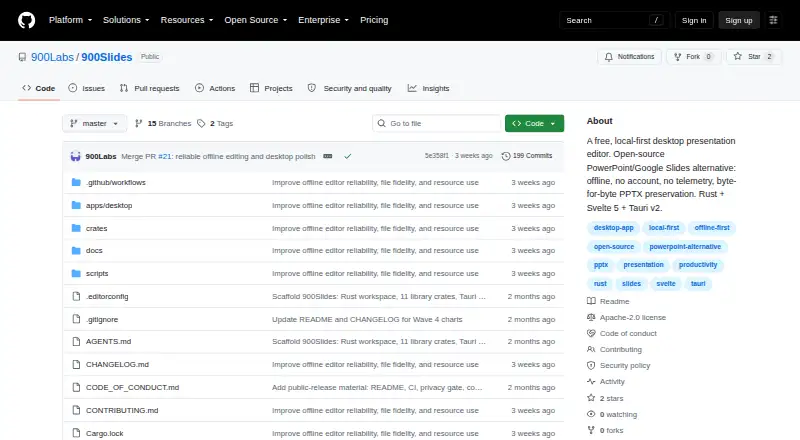
What 900Slides is
900Slides is a free desktop presentation editor for Windows, macOS, and Linux. It edits and saves PPTX files, and supports importing PowerPoint presentations as well as exporting presentations to PowerPoint format. Offline access lets you work without an online connection. Presenter mode is included for presenting slides. The listed Free plan costs nothing and includes desktop presentation editing, PPTX editing and saving, offline operation, and Apache-2.0 licensing. AI assistance and real-time collaboration are not available. The project is published through its GitHub website. Its capabilities focus on local presentation work, file exchange with PowerPoint, and presenting across the three listed desktop operating systems. Users can therefore choose it when they need a no-cost editor that operates locally, while those seeking AI-supported creation or simultaneous online editing should note those unavailable functions.
Who it suits
It suits people who want a free desktop editor for PPTX presentations on Windows, macOS, or Linux. It is also relevant for offline editing and presenting.
What it does well
- Free plan costs nothing
- Imports and exports PowerPoint files
- Works offline
- Includes presenter mode
- Supports Windows, macOS, and Linux
What to know first
- No AI assistance
- No real-time collaboration
Plans
| Plan | Billed and limits | Price |
|---|---|---|
| Free | Desktop presentation editor · PPTX editing and saving · Offline operation · Apache-2.0 licensed | Free |
As github.com lists them, read 20 Sept 2026. The maker's own page has the final word.
Getting started
- Open the 900Slides GitHub website
- Install the desktop application for Windows, macOS, or Linux
- Open a PowerPoint presentation or create a PPTX file
- Edit and save the presentation locally
- Use presenter mode when delivering slides
Verdict
900Slides covers local PPTX editing, PowerPoint file exchange, offline work, and presenting across three desktop platforms. Its free plan is suited to users who do not need AI or live collaborative editing.
Questions
What does 900Slides cost?
Its listed Free plan costs nothing.
Which platforms support 900Slides?
It supports Windows, macOS, and Linux.
Can it open and save PowerPoint files?
Yes. PowerPoint import and export are supported, and PPTX files can be edited and saved.
Can 900Slides work offline?
Yes. Offline operation is included.
Does it offer AI assistance or live collaboration?
No. Both AI assistance and real-time collaboration are marked as unavailable.
Is 900Slides open source?
The listed Free plan identifies Apache-2.0 licensing.
Facts from 900Slides's own pages
- AI assistance
- No · github.com, 20 Sept 2026
- Free plan
- Yes · github.com, 20 Sept 2026
- Offline access
- Yes · github.com, 20 Sept 2026
- PowerPoint export
- Yes · github.com, 20 Sept 2026
- PowerPoint import
- Yes · github.com, 20 Sept 2026
- Presenter mode
- Yes · github.com, 20 Sept 2026
- Real-time collaboration
- No · github.com, 20 Sept 2026
- Supported platforms
- Windows,macOS,Linux · github.com, 20 Sept 2026
Where 900Slides stands on Freedom251
- Presentation software#27 of 93