Recommended Free Tools
To set up an Apple Watch for a child who does not have an iPhone, use Apple Watch For Your Kids (formerly Family Setup) in the Watch app on a compatible adult iPhone. You need a cellular-capable compatible watch, a Family Sharing group, and an adult account belonging to the family organizer or a parent or guardian. A cellular plan is optional for setup, but some features need one.
Check whether a family-managed Apple Watch fits
Apple Watch For Your Kids is designed for a family member without their own iPhone. The adult who configures it must be the Family Sharing organizer or a parent or guardian, and the child needs their own Apple Account in the family group. Apple’s UK setup page requires two-factor authentication on the adult’s Apple Account. See Apple’s family-member setup requirements.
As an Amazon Associate I earn from qualifying purchases.
You also need a compatible iPhone for initial setup and a cellular-capable Apple Watch. Apple’s UK setup article names Series 4 or later with cellular, or SE with cellular; its user guide instead names cellular SE or Series 6 or later. Because Apple’s pages differ, do not assume a particular generation is supported in every region: check the current local requirements and carrier compatibility before buying. Apple Watch user guide.
Decide whether cellular service matters
You can configure the watch without activating a mobile data plan. However, setup without a plan does not mean that every calling, messaging, or location feature will work independently of a nearby iPhone or Wi-Fi. Which capabilities are available depends on the feature, region, and carrier. Check Apple’s local guidance and the carrier’s support for family-managed watches before deciding whether to add service; Apple’s setup article explains that some features require a plan.
#1 Best Overall
![Apple Watch SE (2nd Gen) [GPS 40mm] Smartwatch with Silver Aluminum Case with Denim Sport Band, S/M (Renewed)](https://m.media-amazon.com/images/I/31Wb-S94WcL._SL160_.jpg)
- WHY APPLE WATCH SE - All the essentials to help you be motivated and active, keep connected, track your health, and stay safe. watchOS 11 brings more intelligence, personalization, and connectivity. With features like Fall Detection and enhanced workout metrics, Apple Watch SE is an incredible value.
- STAY CONNECTED - Send a text, take a call, listen to music and podcasts, use Siri, or call for help with Emergency SOS.* Apple Watch SE (GPS) works with your iPhone or Wi-Fi to keep you connected.
- HEALTH AND SAFETY FEATURES - Get insights into your health, including notifications if you have an irregular heart rhythm* or an unusually high or low heart rate. Get help when you need it with Fall Detection, Crash Detection, and Emergency SOS.* Automatically notify loved ones when you arrive at your destination with Check In.*
- SIMPLY COMPATIBLE - It works seamlessly with your Apple devices and services.* Unlock your Mac automatically. Find your devices easily. Pay and send money with Apple Pay.
- SWIMPROOF AND FASHIONABLE - 50m water resistance.* Three finishes. And a color-matched back case made with a production process that reduces its carbon emissions.
Set up the child’s watch
- Prepare Family Sharing and accounts. Add the child to the family group, or confirm that they are already in it. Use separate Apple Accounts for the adult and child. The adult account must meet Apple’s two-factor authentication requirement.
- Erase a previously used watch. If the watch has been set up before, erase it so it has no previous content.
- Turn on the watch and bring it close to the iPhone. Put the watch on the child’s wrist, turn it on, and hold it near the iPhone that will manage it. Apple says the iPhone should be within normal Bluetooth range—about 10 metres—for management and software updates.
- Start family setup. On the iPhone, open the Watch app, choose Add Watch, then Set Up for a Family Member. Follow the prompts on both devices. Exact wording can vary by software version.
- Choose trusted contacts. Enable Contacts in iCloud on the managing iPhone, then select the contacts available to the child’s watch. If iCloud Contacts is off, you may not be able to select shared contacts.
- Set Schooltime and Screen Time. Configure a Schooltime schedule and create a Screen Time passcode. Review communication limits, time-away schedules, purchases, content, and privacy or location restrictions rather than leaving the default choices unexamined.
- Finish and find the controls later. After setup, open the Watch app and select the watch under Family Watches to adjust its settings. Apple’s user guide also describes Screen Time controls at Settings > Screen Time > [child’s name] in the Family section; labels can change with software updates.
Choose the controls that address your concerns
Contacts and communication
Trusted contacts determine which people are available to the child. Screen Time can also limit whom the child can communicate with and when. Set the contact list with the child and keep it current as trusted adults or circumstances change.
School hours and time away
Schooltime can be scheduled to limit certain watch features during school hours. It is not a complete device lock. Screen Time also provides scheduled time away and other limits; choose schedules that fit the child’s routine and the school’s rules. Apple describes these controls in its Apple Watch user guide.
Rank #2

- BEST SMART WATCH FOR KIDS –– JrTrack 5 SE is the all-new kids phone watch, GPS tracker, and perfect first phone built for kids and trusted by parents. Built for ages 6+, it combines real calling and texting, parent-approved contacts, customizable controls, and essential safety features.
- ALL-NEW SCHOOL-FI –– The only school-ready smart watch for kids. With School-Fi, distraction-free is a guarantee. When enabled, School-Fi recognizes when your child arrives at school and automatically limits distractions while keeping essential safety and communication available—no schedules to manage, just connection and focus, when AND where they matter most.
- AMAZING REAL-TIME GPS TRACKING –– Always know where they are with a GPS watch for kids featuring a state-of-the-art dedicated location chip, real-time Active Tracking, customizable safe zone location alerts, and location history. Get fast, precise updates right through the Cosmo parent app.
- SAFE CALLING, TEXTING, AND CONTACTS –– JrTrack 5 SE is a standalone phone that supports real SMS/MMS texting, calls, photos, voice notes, video messages, and family group messaging. Only parent-approved contacts can reach the watch, zero spam calls or unknown numbers.
- BEST SAFETY FEATURES –– Cosmo gives you the best safety features with SafeCORE, including SOS alerts, optional 911 calling, GPS safe zone notifications, and unknown-caller blocking. Parents can manage apps, time limits, and view their child's text history.
Purchases, content, and privacy
Use Screen Time restrictions to manage purchases, explicit content, and privacy or location information. Review each setting on the iPhone used to administer the watch; available labels and options may depend on software version.
What’s actually slowing this PC down?
Pick the symptom - the matching free tool is one click away.
Emergency and location settings
The child-watch settings include Emergency SOS options, emergency contacts, and Find My notification settings. Review them deliberately, but do not treat location sharing as uninterrupted tracking or assume an emergency alert guarantees a response. See Apple’s guide to changing a child’s Apple Watch settings.
Rank #3

- LEAVE YOUR PHONE AT HOME: Apple Watch SE GPS + Cellular LTE Model lets you call, text, and get directions without your phone present. It offers multiple connectivity options, including: Bluetooth, Wi-Fi, NFC, and 4G LTE to suit your needs, whatever they might be.
- LARGE RETINA OLED DISPLAY: The SE sports a bright LTPO OLED Retina display, giving you a bright screen you can view at a glance, even in bright sunlight. A variety of watch faces are available for the SE watch, including faces that provide essential information for specific activities.
- LOADED WITH FEATURES: When paired with your iPhone, you can make calls and send texts from your wrist, navigate with Maps, buy items with Apple Pay, and use your voice to activate Siri. Made to last in almost any kind of weather, the Apple Watch SE is water-resistant up to 164'.
- WORKOUTS THAT DON'T QUIT: Cycling, yoga, swimming, high-intensity interval training...the list goes on. You name it, Apple Watch measures it. Set workout-specific goals, see full summaries when you're done, and track how you're trending over time in the Activity app on your iPhone.
- GET LOST IN YOUR MUSIC: With Apple Music on your wrist, you've got 60 million tracks of musical motivation to take you places. You can also catch up on the latest podcasts or listen to an audiobook if that's your thing. Stream everything you need right from your watch, even without your phone.
Health sharing
Some health information can be shared when the required permissions and settings are in place. Apple says high- and low-heart-rate notifications are available from age 13, while heart-rate variability (HRV) and Fall Detection are available from age 18. These age thresholds and feature availability are Apple’s stated limits, not a substitute for medical advice or care. Check Apple’s current setup guidance for details.
Independent reader supportYour contribution helps us test, update, and keep practical guides available for everyone.Know what family setup does not provide
A family-managed watch does not have the same feature set as a watch paired to its owner’s iPhone. Apple’s setup article lists unavailable capabilities including international roaming, ECG, sleep, blood oxygen, and cycle tracking. It also says standard credit or debit card Apple Pay is unavailable through Family Setup; Apple Cash Family is available only in the US. Features can change, so consult Apple’s current family-member setup page rather than treating this list as permanent.
Rank #4
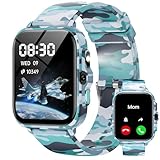
- First Launched Ai-integrated Kids Smart Watch: This advanced kids smart watch features an Ai Customized Watch Face, allowing children to personalize their device by their voice command. With the integrated Ai Question and Answer feature, kids can ask questions and receive instant, accurate responses, fostering curiosity and learning in an engaging way. Additionally, the AI Image Recognition capability encourages exploration by identifying objects, animals, and places, bringing the world to their fingertips
- Sleep Tracking and Heart Rate Monitor: This kids smart watch helps parents keep track of their child's heart health, ensuring they stay active and healthy. Smart watch for kids offers advanced sleep tracking capabilities, providing a detailed analysis of deep sleep, light sleep, and wake-up times to help children develop healthier sleep habits.
- All-day Activity Tracking and Multi-sport Modes: This kids smart watch offers all-day activity tracking to monitor your child's movement (Steps, Calories, Distance) and encourage a healthy lifestyle. Whether they are running, jumping, or playing their favorite sports, the watch features multi-sport modes that adapt to various activities, ensuring accurate tracking and engagement.
- Puzzle Games and Music Player and Camera: This innovative kids smart watch combines fun and learning through engaging puzzle games, an integrated music player, and a built-in camera. Get ready to inspire your child's adventures with the ultimate blend of entertainment and education!
- IP68 Waterproof and 30 Days Standby: This cutting-edge kids smart watch features an impressive IP68 waterproof rating, ensuring it can withstand splashes and accidental submersion in water, making it perfect for active kids who love to play outdoors.It offers up to 30 days of standby time, allowing your child to stay connected without the constant need for recharging.
Before choosing a watch, weigh whether the child needs an iPhone of their own, whether independent cellular service is important, whether the model and carrier are supported where you live, which family-setup limitations matter, and whether you can administer it from the iPhone used for setup. A cellular-capable model is required, but a plan is not required just to complete setup.
Free tools Windows power users keep installed
One-click scans. No signup required.
Quick Recap
Best Value
![Apple Watch SE 3 [GPS + Cellular, 40mm] Starlight Aluminum Case with Light Blush Sport Band, S/M (Renewed)](https://m.media-amazon.com/images/I/31JSG9brUzL._SL160_.jpg)
- This pre-owned product is not Apple certified, but has been professionally inspected, tested and cleaned by Amazon-qualified suppliers.
- There will be no visible cosmetic imperfections when held at an arm’s length. There will be no visible cosmetic imperfections when held at an arm’s length.
- This product will have a battery which exceeds 80% capacity relative to new.
- Accessories will not be original, but will be compatible and fully functional. Product may come in generic Box.
- This product is eligible for a replacement or refund within 90 days of receipt if you are not satisfied.
Product prices and availability are accurate as of the date/time indicated and are subject to change. Any price and availability information displayed on Amazon at the time of purchase will apply.




