Quick wins for a faster PC:
Fix the driver behind crashes, sound loss and screen glitchesFind Drivers →Clear out junk files and repair common Windows errorsFree Scan →Antigravity can carry stable project instructions into later conversations when you put them in persistent rules. That gives it a reliable place to find your project’s architecture, conventions, and current state—but it is not a promise that the agent will recall every detail from every past chat. The practical setup is a concise workspace rule for project context, with global rules reserved for preferences that should apply across projects.
What Antigravity carries between sessions
Google describes rules as persistent instructions that Antigravity discovers from the filesystem and injects into the agent’s context. They can shape how the agent works in a codebase across conversations; they are not simply prompts that live in one chat. Google’s Codelab describes activated workspace rules as “Always-active instructions. Every conversation in this workspace sees them ( if you activated it ).”

As an Amazon Associate I earn from qualifying purchases.
The distinction matters: a rule can make durable project facts available again, but the cited Google documentation does not guarantee complete recall of prior conversation transcripts. Treat rules as maintained project guidance, not a recording of everything you have said.
Crashes, No Sound, or Screen Glitches?
Random freezes, missing sound and display glitches usually trace back to one bad driver. Find and replace yours safely.Free scan · under a minutePC Slower Than It Used to Be?
A free scan shows the junk files, broken settings and background clutter dragging Windows down - then fixes them in one click.Free scan · Windows 10 & 11Choose global or workspace rules
Use global rules for guidance that should follow you across projects, such as your preferred communication style or general coding practices. Use workspace rules for facts and constraints that belong to one repository: its architecture, technologies, conventions, and current state. Workspace rules travel with project files, while global rules are workstation-wide.
#1 Best Overall

- Runs ChromeOS, with Google AI — Write like a pro, design unique backgrounds, and reimagine photos with generative AI.
- Best of google ai for 12 months at no cost* — 12 months of the Google One AI Premium plan including Gemini Advanced and Gemini in Gmail, Docs, and more. Plus, you get 2 TB of cloud storage.
- Double the speed. Double the memory. Double the storage** with the new ASUS Chromebook Plus
- Chromebook Plus exclusive AI-powered Google features, including Magic Eraser, noise cancelation and lighting enhancement for video calls
- Powered by Intel Core i3-1215U Processor
| Rule scope | Applies to | Good fit |
|---|---|---|
| Global | Projects on your workstation | Personal preferences and broadly applicable instructions |
| Workspace | One project or codebase | Project architecture, conventions, and facts that should remain available to its agent |
Google’s Rules documentation says global, workspace, and directory rules accumulate. If instructions conflict, more specific directory rules take precedence. For a file in a workspace subdirectory, Antigravity walks up the directory tree and loads relevant rules at each level.
Add a persistent rule in Antigravity 2.0
- Open Customizations from the application menu or project settings.
- Select Rules.
- Choose + Workspace for project-specific context or + Global for workstation-wide guidance.
- Write the rule, save it, and activate it if the interface offers an activation control. Google’s Codelab qualifies its always-active description with “if you activated it.”
Google also documents filesystem-based rule locations. Workspace files can include AGENTS.md, GEMINI.md, and modular files under .agents/rules/*.md. The documented global locations include ~/.gemini/AGENTS.md, ~/.gemini/GEMINI.md, and modular files under ~/.gemini/config/rules/*.md. The documentation also describes legacy .agent/rules/ support in the relevant locations. See Google’s Rules documentation for the current location and setup details.
Rank #2

- The Best of Google, in a Laptop: Chromebooks run ChromeOS, the fast, secure operating system from Google, with built-in Google apps like Gmail, Gemini, Docs, Photos, YouTube, and more.
- Try Google AI Pro, with 5TB of Storage, and more for 12 Months at No Cost: Boost your productivity and creativity with higher access to the best of Gemini including Nano Banana, Veo, Gemini in Gmail, Docs, and more. Plus get 5TB of storage - all in one plan.
- The Power To Do More : A 2x faster Intel Core i3-1315U processor and up to double the memory and storage, so you can edit files while watching your favorite shows in WUXGA (1900 x 1200)* with up to 17 hours of battery life**. (*When compared to top selling Chromebooks in 2024 | **Actual battery life may be lower and will vary significantly based on factors like network conditions, location, settings, and usage.)
- The Magic of Gemini: Convert handwriting into editable text, simplify jargon-filled content, remove photo distractions, and get questions answered by Gemini*. (*Check responses for accuracy. Internet connection. Availability may vary by device, country, and language.)
- Advanced Apps for Work and Play: Stay productive with Microsoft 365, create with Adobe Photoshop, edit videos with LumaFusion, and get your game on with GeForce NOW. All your favorite apps and more are just a click away.
Write a project-context rule that stays useful
Google’s Antigravity Codelab recommends mapping an unfamiliar or poorly documented repository and gives a project-context rule as a way to record its technologies, file organization, and what has been built. Use that idea to make a short, maintained reference rather than a dump of chat history.
A useful workspace context file can cover:
- Purpose: what the project does and who uses it.
- Architecture and stack: the main technologies and how major components fit together.
- Key directories: where application code, tests, configuration, and documentation live.
- Current state: what is implemented and what remains in progress.
- Durable decisions: constraints or choices that the agent should not casually reverse.
- Deeper references: links or file paths to detailed specifications and documentation.
Keep it concise and update it when the project changes. Put detailed, task-specific reference material in a skill, and put repeatable procedures in a workflow, rather than making every rule carry every detail. Google’s Codelab distinguishes rules as always-active context, skills as on-demand knowledge matched to a task, and workflows as saved prompts invoked with slash commands.
Rank #3

- Google Fitbit Air is the unbelievably comfortable, exceptionally smart way to transform your health[1]; and Google Health brings together effortless tracking and adaptive coaching to help make the most of your everyday[2]
- Unlock more with Google Health Premium: With a premium membership, get personalized coaching that’s built with Gemini and adapts to your life[2]; get a 3-month trial at no cost to you[5] (Google Health Premium subscription sold separately)
- Comfortable fit - One Size Tracker (130-210 mm): The lightweight, micro-adjustable fit sits comfortably and quietly, so you can wear Google Fitbit Air through work, play, and sleep; advanced sensors and new algorithms power more accurate, precise health tracking, 24/7[1]
- Designed for every occasion: With no screen to distract you or disrupt your style, your tracker moves seamlessly from bracelet to workout band to sleep band, and you can change looks in seconds – just press the pebble in, click, and go
- Long battery life: Google Fitbit Air’s battery lasts up to a week, and fast charging gets you one day of battery life in just five minutes[6,7]
Keep rule files within Google’s documented limits
Google documents a limit of 24 KB per rule file and an aggregate budget of 20,000 tokens for active global and always-on rules. Files that exceed the applicable budget may be demoted to pointers rather than included in full. These are configuration limits, not a measure of memory quality. Keep the always-on material focused and point to longer references when needed. The Rules documentation has the current details.
Do not confuse rules with Knowledge or chat history
Google’s agent overview lists Knowledge as a core component, and its Settings documentation mentions Knowledge Items in local app data. Those pages do not establish that Knowledge Items provide complete recall of previous conversations. Rules, Knowledge Items, and chat history are distinct concepts; avoid treating any one of them as a guarantee of perfect cross-session memory. Settings and local app-data locations can also vary by Antigravity surface, so there is no single universal local path to prescribe.
Independent reader supportYour contribution helps us test, update, and keep practical guides available for everyone.What about a third-party persistent-memory plugin?
A Google AI Developers Forum post dated August 13, 2026, by plugin author Shankarsan Sahoo describes a third-party plugin that indexes transcripts and user preferences for recall. That is the author’s account, not an official Google recommendation, endorsement, or independent assessment. The post’s claims do not establish that the plugin is more reliable, safer, or more complete than project rules. See the forum post for the author’s description; its installation instructions and compatibility may change.
Recommended Free Tools
Quick Recap
Best Value
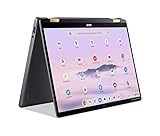
- 14” WUXGA Touch Display, A Touch of Magic: Witness magic on the 14” WUXGA (1920 x 1200) Antimicrobial Gorilla Glass display with touch. See more on the 16:10 narrow bezel display and dive into a whole new visual and audio experience with DTS audio.
- Intel Core Ultra 5 Processor, Unlock New AI experiences: Whether you're working, collaborating, creating or playing, the Intel Core Ultra 5 processor delivers a dedicated engine to help unlock AI experiences on the PC, the next level in immersive graphics, and high-performance low power processing, so you can confidently perform longer while unplugged.
- The Magic of Gemini, Convert handwriting into editable text, simplify jargon-filled content, remove photo distractions, and get questions answered by Gemini
- The Best of Google, in a Laptop, keyboard, a crystal clear 120Hz high-resolution display, and enjoy the freedom of fast Wi-Fi 6E to
- 8GB LPDDR5 Memory and 256GB PCIe Gen 4 SSD
Product prices and availability are accurate as of the date/time indicated and are subject to change. Any price and availability information displayed on Amazon at the time of purchase will apply.




