An anti-glare LCD screen has a treated or textured surface that scatters ambient light, so reflections appear less sharp and distracting. It does not make reflected light disappear. Anti-glare describes the screen’s surface treatment, not a different way of forming the LCD image.
How an anti-glare LCD screen works
Light from a window or lamp can reflect off a display and form a distinct image on its surface. An anti-glare treatment uses a processed texture—often microscopic irregularities—or a film to scatter that reflected light in different directions. The reflection becomes more diffuse and less crisp, but the light is still reflected.
As an Amazon Associate I earn from qualifying purchases.
Panasonic describes its anti-glare film as a processed surface that disperses outside light and reduces reflection from display surfaces. Panasonic’s 2020 product announcement gives that description for a specific film, not every anti-glare screen.
Anti-glare vs. anti-reflective
The terms describe different approaches to handling reflections. Anti-glare treatment scatters light at the surface; anti-reflective treatment uses optical-layer design to reduce the portion of light that reflects. Some displays combine both approaches.
#1 Best Overall
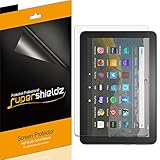
- Anti-glare (matte) film engineered to reduce glare and fingerprints
- Made from the high quality Japanese PET film for easy installation and no residue when removed
- Real touch sensitivity for a natural feel that provides flawless touch screen accuracy
- Protects your screen from daily scratches, dust and scrapes
- Include 3 pcs screen protectors
| Treatment | How it handles reflections | What to expect |
|---|---|---|
| Anti-glare | Scatters reflected light across more directions. | Reflections look less distinct, though reflected light remains. |
| Anti-reflective | Uses optical coatings to reduce reflection and allow more light through the cover surface. | Less light is reflected; this is not the same mechanism as scattering. |
| Combined treatment | Uses both surface diffusion and reflection-reducing optical layers. | Can address reflections through both approaches; the result depends on the particular display. |
Corning’s surface-treatment explanation distinguishes scattering anti-glare treatments from anti-reflective treatments. Its December 2025 page reports 95% reflection reduction and 80% glare reduction for Gorilla Matte Pro specifically; those figures are not a general specification for anti-glare LCD screens.
Sony’s explanation also describes microscopic surface unevenness diffusing incident light, which makes a sharp reflection less noticeable.
Rank #2
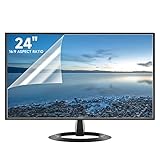
- Compatibility: Fits 24 inch monitors with 16:9 aspect ratio from brands like Sceptre, LG, Dell, HP, Acer, ViewSonic, ASUS, Aoc, and Samsung
- Anti-Glare: 5-layer film reduces glare and smudges for eye protection and clean screen
- Scratch Protection: Bubble-free adhesive keeps screen protected from scratches, dust, and scrapes
- Easy Application: Self-adhering surface attaches smoothly and leaves no residue when removed
- Complete Kit: Includes 2 anti-glare screen protectors, cleaning cloth, dust sticker, guide sticker, and squeegee card
What the finish can change in the image
Because a diffuse surface scatters light, it can affect light from the displayed image as well as reflections from the room. How noticeable that effect is depends on the screen’s treatment and overall design. EIZO discusses these visual effects in its technical explanation of anti-glare treatment; it does not follow that every matte display looks grainy or loses a fixed amount of clarity.
Recommended Free Tools
When comparing displays, consider the balance between reflection handling and image appearance. Useful factors include the finish, any stated haze or clarity characteristics, whether the display is touch-enabled or has cover glass, and the lighting and viewing angle where you will use it. Treat performance figures as product-specific, and check the manufacturer’s testing conditions before comparing them.
Rank #3

- Designed for Amazon Fire HD 10, (13th Gen, 2023 release).
- Provides protection against scratches and smudges.
- Not compatible with other Tablet models.
- Easy bubble-resistant installation.
- Included In Box: 2 Anti-Glare Screen Protectors, cleaning cloth and applicator card.
What anti-glare does not guarantee
An anti-glare surface does not eliminate reflections, block sunlight, guarantee outdoor readability, or by itself prevent eye strain. Readability also depends on screen brightness, ambient light, viewing angle, and the display’s complete optical construction. A less distinct reflection may be more comfortable in a particular room, but that is not a guarantee of reduced eye strain.
Independent reader supportYour contribution helps us test, update, and keep practical guides available for everyone.Can you add anti-glare film to a screen?
A matte anti-glare film or screen protector can be an option when a display lacks the finish you want. Choose one made for the exact monitor or device dimensions and construction: an add-on film may not look or behave like the factory-treated surface. Confirm compatibility before buying, especially for touchscreens or displays with cover glass.
Quick Recap
Best Value

- Compatible With: 2 Pack Universal Trimmable Matte Screen Protector for All Smart Navigation, Anti-Glare Anti Finger Print, Sizes: 8.07 x 7.08 inches
- Reliable quality: Using good-quality PET material film and 6-layer anti glare technology, aimed at reducing glare and reflected light, high-definition transparent film ensures resolution and better alleviates glare and visual fatigue.
- Water And Oil Resistant, And Fingerprint Resistant:The screen protector has an ultra-thin oleophobic layer on the surface, giving it fingerprint and water resistance. Keeps your device free from fingerprints, cracks, dust, daily wear and tear, and scratches.
- Perfect Touch and Scratch Resistance: True tactile sensitivity, providing a natural feel and perfect touchscreen accuracy. 5H hardness scratch resistant, providing maximum scratch resistance and screen explosion resistance.
- Easy to install: Follow the included operation guide and tools to make the installation process simpler, and your screen will achieve perfect results without residue when disassembled.The packaging includes: screen protector x2, cleaning tool x1.
Rank #4

- High Quality Anti Glare and Anti Finger Print Screen Protector from Japan (3 Pack)
- Installation kit (Cleaning Cloth, Dust remover and Plastic Squeegee Card) is included
- This Universal Car Screen Protector needs to be trimmed to fit your car's navigation system
- Screen Protector Sheet Dimensions: 8 x 7 inches
- Online Video Tutorial will Guide you through the installation process
Product prices and availability are accurate as of the date/time indicated and are subject to change. Any price and availability information displayed on Amazon at the time of purchase will apply.
The Tool Desk
Outbyte PC Repair FREEClear out junk files and repair common Windows errorsFree Scan →Outbyte Driver Updater FREEFix the driver behind crashes, sound loss and screen glitchesFind Drivers →



