If your Android keyboard has stopped working, first identify what is wrong: is it missing, frozen, lagging, typing the wrong characters, or failing only when you use voice input? Start with a restart and an app update; then follow the steps for the symptom. Menu names vary by phone and Android version, so search Settings for “keyboard” or “on-screen keyboard” if the path below does not match your device.
First, check whether the problem is limited to one app
Try typing in another text field, such as Search or a messaging app. If the keyboard works elsewhere, the problem may be limited to the original app; close and reopen that app, then check for an available update. If the keyboard fails across multiple apps, continue with the device or keyboard-specific steps below.
As an Amazon Associate I earn from qualifying purchases.
If the keyboard is missing or the wrong one appears
Tap a text-entry field, open the keyboard switcher if it appears, and choose the keyboard you want to use. If Gboard is missing from the list, Google notes that an update can cause it to disappear; enable it again in the system’s on-screen keyboard settings. The path varies, so search Settings for “keyboard” or “on-screen keyboard.” Motorola’s instructions also explain that multiple keyboards can remain enabled and be switched while typing: Motorola: Change keyboard apps.
If Gboard crashes, freezes, or stops responding
- Restart the phone. This is a low-risk first step in Google’s Gboard troubleshooting guidance.
- Update Gboard. Check Google Play for an available update.
- Clear Gboard’s cache. Open the app’s information page in Settings, find Storage or Storage & cache, and clear the cache. Labels vary by Android version.
- Force stop and reopen Gboard. Use the app information page in Settings to force stop it, then tap a text field to reopen the keyboard.
- Clear Gboard data only if needed. Google says, “This resets Gboard to its default state.” Your Gboard settings are reset, so use this after clearing the cache rather than as the first step.
Google documents reinstalling Gboard as another option, but install or enable a second keyboard first if Gboard is your only keyboard. If the issue began immediately after a Gboard update, Google also documents uninstalling Gboard updates as a possible rollback. Follow the current instructions in Google’s Gboard Help.
#1 Best Overall

- Full 3-System Compatibility & Wide Device Support: Perfectly compatible with Android, iOS and Windows three major systems. Works seamlessly with Samsung tablets, iPads, iPhones, laptops, smartphone, android, iOS, windows etc
- How to Switch Systems: Switching to the corresponding system will improve compatibility and higher work efficiency (“FN + A” is for iOs , “FN + S” is for Windows, “FN + D” is for Android )
- Enhanced Oversized Keycaps:27% bigger than standard keycaps. The spacious surface minimizes accidental presses and ensures comfortable typing for long hours
- 5 Adjustable Angles & Foldable Stand for tablet or phone, It effectively eases hand and eye fatigue during long hours of use, helping you stay focused and work more efficiently
- Long Battery Life & Smart Power Saving:Built‑in rechargeable lithium battery, Type‑C fast charging (full charge in 2–3 hours, last up to 200 hours with the backlight off, and 3-5 hours with the backlight on). Auto sleep mode after inactivity to save power, no frequent charging needed
If typing is slow or taps produce the wrong keys
For Gboard, Google recommends clearing the cache first and clearing data if the issue persists; clearing data resets Gboard’s settings. You can also turn off personalization in Gboard settings to reduce input lag, and keep one or two active languages for smoother typing. These are Gboard-specific suggestions, not guaranteed fixes for every keyboard app.
If only voice typing is broken
- Check that Gboard has permission to use the microphone in Android’s app permissions.
- Open Gboard settings and make sure Voice typing is enabled.
- If you use advanced voice typing, Google says the primary Gboard language and the device language must match.
Google’s Gboard Help also gives connectivity and update checks for newly set up Pixel phones. See its voice typing and troubleshooting guidance for those device-specific steps.
Rank #2
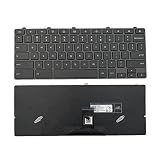
- 【Compatible Model】For Dell Chromebook 11 3100 3400 3110 5190
- 【Compatible part numbers】0H06WJ 00D2DT 0D2DT
- 【You Can Get】Keyboard x 1. Original replacement US layout.
- 【Safe】Easy for you replace your faulty, cracked or broken keyboard, seller remind that you should replace the keyboard in the off state.
- 【Note】Please cheak whether this keyboard fits your laptop or not easily before bidding.
For Samsung Galaxy keyboard problems
Samsung’s guidance is specific to Galaxy devices, not a diagnosis for every Android phone. If you use a third-party keyboard, try switching to Samsung Keyboard to check whether the issue is related to that app. Samsung also recommends restarting, updating system software, and clearing Samsung Keyboard’s cache. Its Galaxy support guide was last updated June 14, 2026: Samsung: Why isn’t the keyboard working on my Galaxy device?
- Check for app conflicts with Safe Mode. If the keyboard works in Safe Mode, a third-party app may be causing the problem.
- Check available storage. Free space if the phone is running low.
- Temporarily test accessibility features. Samsung suggests checking features such as Screen Reader or Voice Access if input behaves unexpectedly.
- Inspect the screen. If the keyboard is visible but taps do not register, check for physical obstruction or damage.
Samsung treats a factory reset as a last resort and says to back up your data first. If the software checks do not help or the screen appears damaged, use Samsung support or a service center rather than resetting the phone as an early step.
Rank #3
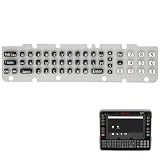
- Easy Installation: Designed to be easily installed in all VM1A series vehicle mounted computers
- Durable Epoxy Coating: The epoxy coating provides a high-abrasion resistance barrier to prolong the key graphic's life. Suitable for cold storage applications where the user is wearing gloves
- Clear Key Identification: The QWERTY 51-Key keypad has large graphics with good contrast for easy key identification
- Superior Graphic Protection: Replacement keypad with epoxy-coated key tops for superior graphic protection in the harshest environments
- Compatible Device: Specifically designed as a spare keypad for 51-Key Keyboards on Honeywell Thor VM1A Vehicle-Mounted Computer Android systems
When to contact the phone maker
If the keyboard fails across apps after the relevant app and system updates, cache checks, and device restart, the remaining steps depend on the phone model and keyboard. Android Settings paths differ by manufacturer and version; consult the device maker’s support instructions for your model. For a Galaxy phone, Samsung’s linked support page includes contact and service-center options.
Quick Recap
Rank #4

- Excellent Compatibility: The Bluetooth keyboard compatible with iOS, Android and iPad OS system. It is perfect for Apple iPhone, iPad, iPad Mini, iPad Pro, iPad Air, Android Samsung LG tablet smartphone cell phone.
- Light portable and compact: This keyboard is much lighter, smaller than traditional keyboard. You can easily carry it without taking up more space on your desk or bag. 10 inch keyboard dimensions: 25 x 15 x 0.6 cm, weight: 180g. 【Size: 9.84 x 5.9 x 0.24 inch, weight: 6.35ounce/0.4pounds】
- Long-term use: Built-in rechargeable lithium battery, after fully charged, it can be used for more than 20 days (When used continuously for 2 hours a day). If you don't use it for more than 10 minutes, the keyboard will automatically enter the sleep state to save power. If you want to continue to use it, just click any key to wake up the keyboard.
- Comfortable Bluetooth Keyboard: The keys of the keyboard are scissor structure, square chocolate keycap design. Use this keyboard, you can type quietly on your tablet, iPad, iPhone, smartphone and provide you with a comfortable and pleasant typing experience.
- Bluetooth Connection: The keyboard adopts stable Bluetooth technology, the working distance is up to 10m. The keyboard is US QWERTY layout, easy to use, has hot keys, such as volume control, play and pause, previous and next etc. The front is brushed, the back is ultra-thin and smooth aluminum alloy design.
Product prices and availability are accurate as of the date/time indicated and are subject to change. Any price and availability information displayed on Amazon at the time of purchase will apply.




