Free tools Windows power users keep installed
One-click scans. No signup required.
For businesses building Android apps, emulators are most useful for checking app behavior across Android versions and virtual device profiles, then repeating those checks through automated tests and CI. They let teams test without owning every target device and can simulate selected conditions such as location, rotation, calls, messages, and network speed. They do not reproduce every hardware feature, so real-device testing still matters before release.
What businesses can use Android emulators for
Check compatibility across Android versions and device types
An Android Virtual Device (AVD) is a configuration for a simulated device. Teams can create AVDs for target Android system images and profiles representing phones, tablets, Wear OS, Android TV, or Automotive OS, then check whether an app behaves as expected across the versions and form factors it supports. This gives developers a way to test configurations they do not physically own. See Android’s Android Emulator guide and its AVD setup documentation.

As an Amazon Associate I earn from qualifying purchases.
The emulator can also simulate selected events and conditions, including location, network speeds, calls, text messages, rotation, and sensors. These controls are useful for checking app responses to particular scenarios; they are not proof that every real-world device or hardware behavior is represented.
Crashes, No Sound, or Screen Glitches?
Random freezes, missing sound and display glitches usually trace back to one bad driver. Find and replace yours safely.Free scan · under a minutePC Slower Than It Used to Be?
A free scan shows the junk files, broken settings and background clutter dragging Windows down - then fixes them in one click.Free scan · Windows 10 & 11Run repeatable quality checks
Teams can run automated tests against virtual devices and include those tests in a shared-project CI workflow. Gradle Managed Devices support self-managed automated testing with virtual devices. For hosted testing across virtual and physical devices, Firebase Test Lab is another documented option. Firebase’s guidance recommends running CI on each code change for large or shared projects; the appropriate device mix depends on the app’s targets and test needs. See Gradle Managed Devices and Firebase Test Lab’s Android getting-started guide.
#1 Best Overall

- ⚠️ ONLY COMPATIBLE with Android USB-C Phones and iPhone 15, 16, 17 Models (15, 15 Pro, 15 Pro Max, 16, 16 Pro, 16 Pro Max, 17, 17 Pro, 17 Pro Max) ⚠️ Android OS: 9, 10, 11, 12, 13, 14. iOS Operating System: iOS 17-26. Application version – 5.13.0.
- ⚠️ Compatible Android Devices Include: ⚠️Samsung Galaxy S8, S8+, S9, S9+, S10, S10 Plus, S10e, S10 5G, S20, S20+, S20Ultra, S20 FE 5G, S21, S21+, S21 Ultra, S22+, S22 Ultra, S23, S23+, S23Ultra, S24, S24 Ultra, S24+. Samsung Galaxy A31, A32, A41, A50, A51, A51 5G, A51 5G UW, A52, A52 5G, A70, A71, A71 5G, A71 5G UW, A72. Samsung Galaxy Note 8, 9, 10, 10+, 20, 20 Ultra. LG G6, G7, G8, G8s. Google Pixel 3, 3 XL, 3a XL, 4, 4 XL, 5, 6, 6 Pro, 7, 7 Pro, 8, 8 Pro, 9, 9 Pro XL. OS: Android 9, 10, 11, 12, 13, 14. Application version – 5.13.0.
- PORTABLE ON THE GO: Manage your diabetes at or away from home with the Dario device (for iPhone) being small and light enough to fit in your pocket.
- SMART GLUCOSE METER: Track & monitor on your phone with free Dario Health App (US Only). Please make sure to pull the lancet loader back before hitting the release button.
- QUICK & EASY: No coding with results in 6 seconds and only a 0.3µ sample needed.
Exercise interactions between virtual devices
Android’s April 13, 2026 announcement describes native peer-to-peer connectivity between AVDs in the Android Emulator, for scenarios such as multiplayer games, file sharing, and companion-device pairing. That makes multi-device interaction a potential emulator test case, rather than requiring every interaction to begin with a physical-device pair. The announcement is dated; check current emulator availability and version requirements before relying on the feature. See Android Developers Blog’s announcement.
Can you test an Android app without a physical phone?
Yes. An emulator can cover many software checks across configured Android versions and device profiles without a physical phone for each one. It is particularly useful for early development, repeatable regression checks, and scenarios that can be represented by its simulated inputs.
Rank #2

- Fda Cleared: reliable, clinically proven Accuracy
- 24/7 customer support
- Eligible for FSA reimbursement.
- 5 year product warranty
- Fast 4 second testing with a tiny 0.4 microliter sample size
But virtual devices cannot validate every feature that depends on physical hardware. Android recommends running an app on a real device before release, and Firebase notes that physical testing is needed for functionality that relies on features not simulated by virtual devices. Keep physical-device checks for hardware-dependent behavior and final release confidence. See Android’s hardware-device testing guide and Firebase Test Lab’s documentation.
Do these 3 things before closing this tab:
1Fix the driver behind crashes, sound loss and screen glitches2Clear out junk files and repair common Windows errors3Scan for outdated or missing drivers - takes under a minuteCan Android emulators run automated tests?
Yes. A team can use local AVDs for developer checks, configure Gradle Managed Devices for automated virtual-device tests, or use hosted infrastructure such as Firebase Test Lab when it needs access to a broader set of virtual and physical devices. These are different execution models, not a guarantee that one is always faster or cheaper.
| Approach | Where it runs | Best fit | Important consideration |
|---|---|---|---|
| Local AVD | Developer workstation | Hands-on development and quick checks across selected profiles | Coverage is limited to the device profiles and system images configured on that machine. |
| Gradle Managed Devices | Automated virtual devices managed for the test workflow | Repeatable automated checks integrated with Android build and test tasks | Teams still need to choose representative profiles and account for host capacity. |
| Firebase Test Lab | Hosted virtual and physical test devices | Testing across a hosted device set, including hardware-dependent checks on physical devices | Choose virtual or physical devices according to the behavior under test; virtual coverage does not replace physical checks for unsimulated features. |
Android’s command-line emulator guide documents launching the emulator from scripts and working with Android Debug Bridge (ADB), useful building blocks when integrating test workflows. Firebase’s CI guidance describes using CI on each code change for large or shared projects.
How remote teams can use emulators and hosted testing
Remote QA and development can use several distinct workflows. Android documents wireless debugging for Android 11 and higher, subject to pairing and network requirements, as well as deploying a debuggable app to a remote device without connecting each device by USB. Firebase Test Lab provides hosted virtual and physical device testing. These options can help teammates work with devices or test infrastructure at a distance; they do not make an emulator a general remote-office productivity environment.
Rank #4

- Professional-Grade Tool:A must-have for repairsmiths, offering reliable data cable testing.
- Portable Design:Compact and lightweight, the DT3 Data Cable Detection Board is ideal for on-the-go electrical diagnostics.
- Efficient Diagnostics: DT3 ON-OFF Data Cable Detection Board swiftly identifies cable issues for quick repairs.
- Versatile Compatibility:Supports for iPhone, Android, and Type-C/Micro Lightning cables, ensuring broad device compatibility.
- Precise Switching:Features a precise ON-OFF switch for easy data cable testing and troubleshooting.
For debugging setup and device deployment options, see Android’s device guide. For hosted test runs, see Firebase Test Lab’s getting-started guide.
Quick wins for a faster PC:
Scan for outdated or missing drivers - takes under a minuteDriver Scan →Clear out junk files and repair common Windows errorsFree Scan →Fix the driver behind crashes, sound loss and screen glitchesFind Drivers →What a workstation needs to run the emulator
Android’s current emulator documentation lists 16 GB of RAM and 16 GB of disk space among its best-experience requirements. Higher API levels and larger virtual screens may require more resources, so treat those figures as a baseline from Android’s guidance, not as a guarantee that every configuration will run comfortably. Check the current system requirements against the AVD profiles your team plans to use.
Quick Recap
Best Value
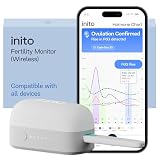
- CONNECTS TO ALL DEVICES - Inito’s latest model works with all iOS and Android devices, syncing wirelessly. It seamlessly fits it into your morning routine without the hassle of attaching a gadget to your phone.
- TRACKS ALL 4 KEY HORMONES IN 1 TEST - Inito measures actual values of estrogen, LH, PdG (urine metabolite of progesterone), and FSH on a single strip so you get a complete picture of your cycle from the comfort of your home. Our advanced Spectral Mapping Technology reads even the weakest signals for lab-grade precision.
- KNOW WHEN YOU’VE OVULATED, DON’T JUST PREDICT IT - Inito confirms ovulation by tracking the rise in your PdG levels, while other tests only track LH and give you a ‘yes’ or ‘no’ result. Get your 6 most fertile days to maximize your chances of conception.
- DESIGNED FOR EVERY CYCLE - Whether you have PCOS, irregular cycles, anovulatory cycles or are trying after age 35, Inito gives you 100% personalized results with actual hormone values. These insights help you confidently find the lifestyle changes, such as diet, exercise, or supplements, that work best for your unique body.
- PRECISE INSIGHTS DRIVEN BY ACTUAL DATA - Every Inito kit comes with access to our free, easy-to-use app for iOS and Android. Receive AI-powered analysis built on the world’s largest fertility hormone dataset, with no monthly subscriptions – just real data, ready to share with your doctor.
Product prices and availability are accurate as of the date/time indicated and are subject to change. Any price and availability information displayed on Amazon at the time of purchase will apply.




