The Tool Desk
Outbyte PC Repair FREEClear out junk files and repair common Windows errorsFree Scan →Outbyte Driver Updater FREEFix the driver behind crashes, sound loss and screen glitchesFind Drivers →An AI second brain works best as a repeatable way to capture, find, distill, and use information—not as a particular app or a place to save everything. Start with a simple knowledge workflow, then add AI only where its search or writing features help. Before connecting notes to a cloud service, check what data it can access and how the provider handles it.
What an AI second brain is—and what it is for
A second brain is a personal knowledge system: the notes, saved sources, and habits that help you retrieve useful information and apply it to work or life. It is not one application, and it does not become useful simply by accumulating more material.

As an Amazon Associate I earn from qualifying purchases.
Tiago Forte’s official Building a Second Brain site describes the method’s four-step loop as C.O.D.E.: Capture, Organize, Distill, and Express. Forte Labs presents this as its method, not as an independently validated guarantee of productivity. Its guidance is tool-agnostic: the workflow can be used in the app or platform that suits you. Forte Labs’ Building a Second Brain guide
Do these 3 things before closing this tab:
1Fix the driver behind crashes, sound loss and screen glitches2Repair Windows errors before they cause bigger problems3Scan for outdated or missing drivers - takes under a minuteHow to run the C.O.D.E. workflow
Capture information you are likely to use
Save a thought, passage, or document when it has a plausible future use—not just because it crossed your screen. Choose an inbox that is easy to reach in the situations where ideas occur. If capture takes several steps, the system will be harder to maintain.
#1 Best Overall

- Essential to High Productivity — Take your efficiency to the next level with this work notebook organizer planner. Stay on top of projects, manage your team and make strategic decisions to grow your business with this project organizer notebook
- Juggle Multiple Tasks at Once — No need to feel overwhelmed by all your responsibilities. Break them down piece by piece in this meeting notebook for work. From the finance department to the marketing team, this project organizer planner keeps track of all the moving parts
- Assign Actionable Items — Prioritize your tasks based on their importance and urgency with this planning notebook. Record general notes, list action items and due dates. See what needs to be done today, this week, or next month and stay accountable
- Built to Take on the Go — These project manager notebooks are made of 120gsm double-sided paper with large, easy to read print. The sturdy cover withstands heavy use as you take it from the office to the gym. Know exactly where you left off with the built-in sash and get straight to business no matter where you are
- Reduce Stress with Clear Organization — Don't sweat the small stuff. Focus on high-impact actions that will move the needle. Whether you're head of a team or running your own business, this business notebook organizer provides a helpful boost to your performance and peace of mind
Organize for retrieval and active work
Give material a small number of meaningful destinations, such as current projects or areas you return to. Organize so that you can find information when you need it; do not turn filing, tags, or folder design into the work itself. Forte Labs explicitly cautions against organizing for its own sake. Forte Labs’ Building a Second Brain guide
Distill the useful idea without losing its context
Record the claim, decision, question, or passage that matters. Keep enough of the original source—or a link to it—to understand what the note means and where it came from. An AI summary can help you scan material, but it should not replace the source when exact wording, nuance, or verification matters.
Rank #2

- Made in USA - Proudly produced in Ohio by a Veteran-owned business
- This Wire-O book contains spaces for managers to keep track of shift notes, employees, etc
- There are spaces to keep lists of top level items as well as daily to-do lists
- You can track your comps, sales, payments, and customer behavior
- 100 Pages, Wire-O, 8.5" x 11" Reorder SKU: LOG-100-7CW-PP(ManagerNotebook)
Express what you have learned
Use the distilled material in something concrete: a decision, project, lesson, presentation, or piece of writing. If notes are never retrieved or applied, the system is functioning as storage rather than as a working knowledge system.
Will this work in your note-taking app?
Forte Labs says its system works in any app or platform a user prefers and lists tools used by its students including Evernote, Notion, Microsoft OneNote, Apple Notes, Roam Research, Obsidian, DevonThink, Bear, and Google Keep. That is not a ranking or a guarantee that each app has identical capabilities. Choose based on your workflow and constraints rather than assuming there is a universal winner. Forte Labs’ Building a Second Brain guide
Rank #3

- EASY TO USE - The manager notebook is easy-to-use that help you keep track of shift notes, employees, etc.
- MONITOR YOUR DATAS - Using a project manager notebook to store all your data, you can track your comps, sales, payments, and customer behavior,consult your records whenever needed.
- HIGH QUALITY - The manager office supplies is used to high quality 100gsm pure white paper, elastic band and a back pocket for extra space. Make sure you have enough space for all manager plan
- UNIQUE DESIGN & A4 SIZE - Manager log book cover is lovely, golden spiral bound design, size of 8.2" x 10.5". Just the perfectly size to fit in your backpack, purse or laptop case. Without taking up your space and always helping you keep track of your small business
- THE PERFECT GIFT - Management logbook as gift for woman & man. Use it to improve your management efficiency, make efficient adjustments whenever needed
| Decision | What to check |
|---|---|
| Capture friction | Can you quickly save a thought, document, or passage from the places where you work? |
| Retrieval | Can you find notes using the titles, text, tags, links, or AI queries that fit how you actually write? |
| Portability | Can you export or use your material outside the service in a durable form? Comparable export guarantees have not been established here for the listed apps, so verify the specific product and your needs. |
| Collaboration | Is the library for one person, or must other people access and maintain it? |
| Privacy and control | Where is data stored, which services process it, and do you need local or offline access? |
| Maintenance | Will the system remain understandable without constant filing, tagging, or plugin upkeep? |
What changes when you add AI?
AI can add search, chat, writing, or note-generation features, but feature descriptions from vendors do not establish that a tool improves thinking or productivity. The main practical change is data flow: notes may be sent to a provider or integration, so permissions, processing, retention, and local-versus-cloud configuration matter.
AI inside a hosted workspace
Notion describes Notion AI as a way to search, chat, and write within a workspace. Its published security documentation says workspace data is not used to train models by default, but information used to power the feature is shared with AI subprocessors under contractual restrictions. The same documentation says retention varies by plan and feature: Enterprise workspaces default to zero data retention with LLM providers, while non-Enterprise workspaces default to provider retention of 30 days or fewer; some features may require data-retaining models. These are Notion’s published claims, not a guarantee for every feature or configuration. Check the current terms for the plan and feature you intend to use. Notion AI security practices
Rank #4
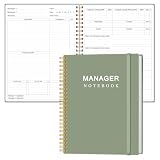
- EASY TO USE - The manager notebook is easy-to-use that help you keep track of shift notes, employees, etc.
- MONITOR YOUR DATAS - Using a project manager notebook to store all your data, you can track your comps, sales, payments, and customer behavior,consult your records whenever needed.
- HIGH QUALITY - The manager office supplies is used to high quality 100gsm pure white paper, elastic band and a back pocket for extra space. Make sure you have enough space for all manager plan
- UNIQUE DESIGN & A4 SIZE - Manager log book cover is lovely, golden spiral bound design, size of 8.2" x 10.5". Just the perfectly size to fit in your backpack, purse or laptop case. Without taking up your space and always helping you keep track of your small business
- THE PERFECT GIFT - Management logbook as gift for woman & man. Use it to improve your management efficiency, make efficient adjustments whenever needed
AI connected to a workspace through another app
OpenAI’s Help Center says the Notion app in ChatGPT can search and read pages the connected account is authorized to access. Availability depends on plan, workspace configuration, and permissions; connecting the app does not grant access to every page in an organization. The documentation also says individual sync is not supported. OpenAI Help Center: Using Notion in ChatGPT
AI invoked from a local note app
The Obsidian Community listing for Second Brain Builder describes a third-party plugin that generates linked notes using cloud command-line backends or Ollama. It says selected text and surrounding context are sent to the configured backend; with Ollama, processing stays on the user’s machine. The listing describes the plugin as desktop-only and gives its own compatibility requirements. This is one community workflow, not a default Obsidian feature, and its support details can change. Obsidian Community plugin listing: Second Brain Builder
Independent reader supportYour contribution helps us test, update, and keep practical guides available for everyone.How to add AI without losing control of your notes
- Test a new integration with low-sensitivity notes before connecting important material.
- Limit access to the account, workspace, and pages the feature needs.
- Keep original source material distinguishable from AI-generated synthesis; label or date generated notes if that will help you review them later.
- When AI provides citations or source locations, verify important claims against the saved original.
- Check the training and retention policy for the exact plan and feature. “Not used for training” does not mean information is never processed or retained.
- If local processing is required, verify the model and the surrounding sync, backup, and plugin configuration. Using a local model alone does not establish that every part of the setup stays local.
Is this just another productivity system you will stop using?
Any system can become difficult to sustain if it demands more upkeep than it saves. Keep the workflow small: capture selectively, use only the organization you need for retrieval, and make time to apply useful notes to real work. Treat complexity—constant recategorizing, tagging, or plugin maintenance—as a reason to simplify rather than as proof that you need a more elaborate system.
Will you spend more time organizing than using your notes?
That risk is a design problem, not a requirement of the method. Set a practical bar for saving something: it should connect to a current project, a recurring responsibility, or a likely future need. Create destinations only when they make retrieval easier. The payoff is not a perfect archive; it is being able to find and use an idea when a decision or deliverable calls for it.
What evidence supports the second-brain idea?
A 2025 arXiv paper, “How People Manage Knowledge in their ‘Second Brains’: A Case Study with Industry Researchers Using Obsidian,” reports an in-depth case study of researchers in a Brazilian lab. It found that participants’ retrieval strategies influenced how they built and maintained their knowledge bases. That is a grounded observation about how this group worked; it does not establish broad causal productivity gains for other people or prove that a particular app or AI feature works best. 2025 arXiv case study
Free tools Windows power users keep installed
One-click scans. No signup required.
Quick Recap
Product prices and availability are accurate as of the date/time indicated and are subject to change. Any price and availability information displayed on Amazon at the time of purchase will apply.




