Free tools Windows power users keep installed
One-click scans. No signup required.
The device is Amazon Echo Auto (second generation), a small in-car microphone and Alexa interface. It connects to the Alexa app on your phone, then sends audio to your car stereo over Bluetooth or a 3.5-mm AUX input. It can add Alexa to many older cars—but not literally any car, and it cannot work on its own without a phone and an internet connection.
Quick verdict: Echo Auto is worth considering if your car supports Bluetooth music playback or AUX, you already use Alexa, and you are comfortable relying on your phone. Skip it if you want a touchscreen, Apple CarPlay, Android Auto, or an independent in-car system.
How Echo Auto works
Echo Auto is not a smart speaker with its own cellular connection. Its microphones listen for Alexa, while your smartphone runs the Alexa app and supplies the internet connection. Alexa’s response and other audio then play through the car stereo.
Voice command → Echo Auto → Alexa app on your phone → internet and Alexa services → car stereo. Amazon describes the accessory as connecting to Alexa through the phone app and using the phone’s existing data plan: Amazon’s Echo device announcement.
What’s actually slowing this PC down?
Pick the symptom - the matching free tool is one click away.
#1 Best Overall
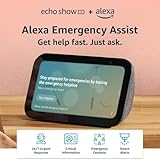
- ALEXA EMERGENCY ASSIST SUBSCRIPTION - Protect your loved ones with fast, 24/7 help when it’s needed most, at home or on the go.
- GET HELP FROM TRAINED PROFESSIONALS - With just your voice, reach a dedicated, trained professional, 24/7, to request emergency help, either on your Echo device or via the Alexa app.
- SAVE PRECIOUS TIME DURING AN EMERGENCY - Automatically notify your contacts and share pre-saved information (address, allergies, medications, etc.) with first responders.
- RESPOND QUICKLY TO HOME EMERGENCIES - Get notified if Alexa detects a smoke or carbon monoxide alarm, or the sound of glass breaking, and contact an agent whether you’re home or away.
- SMALL SIZE, BIGGER SOUND – Stream your favorite music, shows, podcasts, and more from providers like Amazon Music, Spotify, and Prime Video—now with deeper bass and clearer vocals. Includes a 5.5" display so you can view shows, song titles, and more at a glance.
That makes it a relatively simple way to add a dedicated Alexa microphone without replacing a head unit. It does not provide a screen, replace your phone, or automatically gain access to vehicle systems such as climate controls, windows, or locks.
What your car and phone need
Before buying, check each part of the connection. “Any car” is too broad: the stereo, power source, phone, and data connection all matter.
- Bluetooth audio: The stereo must play music over Bluetooth, not merely support Bluetooth phone calls. Amazon’s setup guidance specifies Bluetooth 4.0 or later for this route. The phone pairs with Echo Auto, while the car stereo receives the audio. Check Amazon’s Bluetooth requirements.
- Or an AUX input: If Bluetooth music playback is unavailable, a 3.5-mm auxiliary input can carry the audio using the included AUX cable. Set the stereo to AUX during use. See Amazon’s AUX connection instructions.
- Power: Echo Auto needs USB power through its cable and adapter or a compatible vehicle USB port. USB ports differ; do not assume every port supplies adequate power or stays on when the car is off.
- Phone and app: You need a compatible iPhone or Android phone with the Alexa app and Bluetooth enabled. Amazon’s cited setup material does not establish a current minimum operating-system version or a definitive list of supported phone models, so check the live listing and app requirements for your phone before purchasing.
- Internet access: The phone needs cellular data or another working internet connection for Alexa services. Data usage and any carrier charges count against your phone plan. Some media services or features may also have their own requirements.
Set it up over Bluetooth
Complete setup while parked. The Alexa app’s wording can change with app updates, so a label may appear slightly differently on another version.
- Start the vehicle and set the stereo input to Bluetooth.
- Turn on Bluetooth on your phone and make sure the Alexa app is installed.
- Open the Alexa app and select Devices.
- Select Add Device, then Amazon Echo, then Echo Auto.
- Follow the on-screen instructions to pair and finish setup.
When setup succeeds, Echo Auto connects to the phone and Alexa and media audio should route through the vehicle stereo. If your stereo offers separate Bluetooth options for calls and media, confirm media audio is enabled.
Set it up through AUX
Use this route when the car has an AUX input but cannot play Bluetooth music.
- Connect the included AUX cable from Echo Auto to the car’s 3.5-mm auxiliary input.
- Connect Echo Auto to USB power using its cable and adapter or a compatible vehicle USB port.
- Set the stereo input to AUX.
- Turn on Bluetooth on your phone, open the Alexa app, and select Devices → Add Device → Amazon Echo → Echo Auto.
- Complete the on-screen instructions.
On this setup, the cable carries Echo Auto’s audio to the stereo; Bluetooth still connects Echo Auto with the phone.
Mount it safely
Amazon’s getting-started guidance covers mounting the second-generation device with its included adhesive mount. Choose a stable position where the microphones are not blocked and the device does not obstruct the driver’s view. Keep it clear of airbags and steering-wheel movement, and route the cable away from pedals and controls. A loose device or dangling cable can become a hazard. Amazon’s Echo Auto support hub includes mounting and setup guidance.
Rank #2
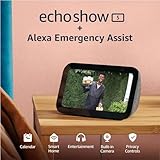
- ALEXA EMERGENCY ASSIST SUBSCRIPTION - Protect your loved ones with fast, 24/7 help when it’s needed most, at home or on the go.
- GET HELP FROM TRAINED PROFESSIONALS - With just your voice, reach a dedicated, trained professional, 24/7, to request emergency help, either on your Echo device or via the Alexa app.
- SAVE PRECIOUS TIME DURING AN EMERGENCY - Automatically notify your contacts and share pre-saved information (address, allergies, medications, etc.) with first responders.
- RESPOND QUICKLY TO HOME EMERGENCIES - Get notified if Alexa detects a smoke or carbon monoxide alarm, or the sound of glass breaking, and contact an agent whether you’re home or away.
- SMALL SIZE, BIGGER SOUND – Stream your favorite music, shows, podcasts, and more from providers like Amazon Music, Spotify, and Prime Video—now with deeper bass and clearer vocals. Includes a 5.5" display so you can view shows, song titles, and more at a glance.
What you can ask Alexa to do
With the phone connected and the relevant services available, Echo Auto can provide voice access to common Alexa tasks: music, podcasts and audiobooks; weather and news; reminders and shopping-list updates; smart-home control; and, where supported, calls, messages and Alexa skills.
These are examples, not a guarantee that every service or command works on every phone:
- “Alexa, play my driving playlist.”
- “Alexa, play my audiobook.”
- “Alexa, what’s the weather?”
- “Alexa, add coffee to my shopping list.”
- “Alexa, remind me to call Mom when I get home.”
- “Alexa, find the nearest gas station.”
- “Alexa, navigate home.”
- “Alexa, call [contact].”
Navigation requests may launch a supported phone app such as Waze, Google Maps or Apple Maps, but the result depends on the phone platform, app permissions and setup. Do not assume identical behavior across devices. Contacts, messaging, location and other permissions may be needed for particular features.
Echo Auto is not CarPlay, Android Auto or Alexa Built-in
Amazon product material says Echo Auto is not compatible with Apple CarPlay or Android Auto. Treat it as an accessory using a Bluetooth or AUX audio path, not as a way to add Alexa into a phone-projection interface. Amazon’s Echo Auto product description states the compatibility limitation.
CarPlay and Android Auto are better fits when you want supported navigation, communication and media apps integrated with a compatible vehicle display. See Apple CarPlay and Android Auto. An aftermarket head unit can add a screen and newer infotainment features, but costs more and may need vehicle-specific parts or installation.
Do these 3 things before closing this tab:
1Fix the driver behind crashes, sound loss and screen glitches2Repair Windows errors before they cause bigger problems3Scan for outdated or missing drivers - takes under a minuteAlexa Built-in is different again: it refers to vehicle-maker or integrated automotive implementations, which may connect Alexa more deeply with the car. Amazon’s developer materials discuss Alexa Auto technologies for those implementations; their capabilities do not automatically apply to a plug-in Echo Auto accessory. Amazon’s Alexa Auto invocation documentation describes automotive implementations, not a promise of equivalent Echo Auto integration.
Is it genuinely hands-free?
Echo Auto supports wake-word use: you can say “Alexa” to make a request rather than reach for a button. That makes routine voice commands hands-free in the ordinary sense, but not every part of ownership is touch-free. Initial setup, permission changes, some app or service issues, and occasional troubleshooting may require phone interaction. Voice recognition can also be affected by road, HVAC or music noise.
Rank #3

- New size, more viewing area: The 11“ smart display features a vibrant Full-HD touchscreen with 60% more viewing area versus Echo Show 8 (2025 release), built-in smart home hub, AZ3 Pro chip for powerful performance, and Omnisense technology for highly personalized experiences.
- Content looks and sounds incredible: Watch shows on Prime Video, Netflix, and more on the vibrant Full-HD 11" screen and enjoy room-filling spatial audio, crisper vocals, wider sound stage, and up to 2x bass versus Echo Show 8 (2023 release). With Alexa+, find the name of that song you love and discover new shows based on your preferences.
- Your everyday assistant: The 11" display makes it easy to see recipes and calendars at a glance, find meal inspo, and manage your shopping lists. With Alexa+, find recipes based on foods you love, make reservations, order groceries, and more.
- Simple Smart Home control: Pair and control thousands of devices that work with Alexa without needing a separate smart home hub. Easily view your camera feeds. Manage lights, thermostats, and more using the display or your voice. With Omnisense technology, you can activate routines via temperature, presence, or visual ID detection.
- Crystal-clear video calls: Video calls feel natural on the vibrant 11" screen with a centered, auto-framing camera, 3.3x zoom, and noise reduction technology. Use live view to check in on your family, pets, and more while you're away.
Set up and troubleshoot while parked. Amazon’s setup guidance for integrated Alexa Automotive implementations says account setup should not be performed while the vehicle is moving; regardless, handling setup or a phone while driving is unsafe. Amazon’s Alexa Automotive setup guidance covers setup requirements.
Independent reader supportYour contribution helps us test, update, and keep practical guides available for everyone.When Echo Auto makes sense—and when it does not
It may be a good fit if
- Your car has Bluetooth music playback or a 3.5-mm AUX input and a suitable power source.
- You already use Alexa and want access to lists, reminders, smart-home routines or audio in the car.
- You want to add a dedicated microphone without replacing the stereo.
- You accept that the phone, Alexa app and internet connection are essential parts of the setup.
Look elsewhere if
- Your car has neither Bluetooth music playback nor AUX.
- You want a display, backup-camera support, a modern infotainment interface, CarPlay or Android Auto.
- Your phone’s Bluetooth connection is unreliable or you expect the accessory to work independently of the phone and data plan.
- You expect it to control vehicle hardware. That kind of capability depends on a specific compatible vehicle integration; it does not come automatically with Echo Auto.
If you mainly want Alexa commands and already have a phone setup that works for you, the phone’s Alexa app may be enough. If you want a full dashboard upgrade, compare a compatible aftermarket stereo instead. For iPhone users prioritizing Apple’s vehicle-screen integration, see CarPlay; Android users can review Android Auto.
Troubleshoot common setup problems
Echo Auto does not appear in the Alexa app
- Confirm the Alexa app is installed and updated, Bluetooth is enabled, and Echo Auto is powered.
- Close and reopen the app, then retry Devices → Add Device → Amazon Echo → Echo Auto.
- If it was registered to another account or phone, follow Amazon’s deregistration or reset guidance before trying again. Reset is a later step because it clears the existing setup. Use the Echo Auto support hub.
Audio plays from the phone instead of the car
- Check that the stereo is set to the correct source: Bluetooth or AUX.
- For Bluetooth, verify the phone is connected to the car for media playback, not only calls; check the phone’s media-output selector.
- For AUX, check that the cable is fully seated and the stereo is set to AUX.
- Raise media volume on both the phone and the car stereo.
Bluetooth keeps disconnecting
Start with the phone and device connection rather than immediately resetting Echo Auto. Amazon’s second-generation Bluetooth troubleshooting page includes cycling phone connectivity and, if needed, a factory reset. A factory reset should be a last resort because it removes the current setup. Follow Amazon’s Bluetooth troubleshooting steps.
Alexa hears you but cannot finish a request
Try a simple request such as “Alexa, what time is it?” If that fails, check the phone’s internet connection, Alexa app permissions and audio connection, and reduce cabin noise. If simple requests work but a particular music, navigation or messaging request does not, the issue may be that service’s app state, permissions, subscription or platform support.
What to check before buying
Amazon’s second-generation Echo Auto product listing is available here. Confirm the listing’s current availability, generation, included power adapter and AUX cable, warranty, return terms, and compatibility requirements before ordering. A current U.S. price and stock status are not established here, so no price is quoted.
Echo Auto is the narrower, less invasive choice for adding Alexa to a compatible older car. If you need a screen or a broader infotainment overhaul, compare the cost and fit of a head-unit replacement rather than expecting this accessory to do both.
Crashes, No Sound, or Screen Glitches?
Random freezes, missing sound and display glitches usually trace back to one bad driver. Find and replace yours safely.Free scan · under a minutePC Slower Than It Used to Be?
A free scan shows the junk files, broken settings and background clutter dragging Windows down - then fixes them in one click.Free scan · Windows 10 & 11Privacy and permissions
Features such as calling, messaging, navigation or location-aware requests may require app permissions or account connections. Review those permissions in the Alexa app and grant only what you intend to use. Amazon’s automotive setup documentation discusses permissions including location, contacts, SMS and navigation favorites for integrated Alexa Automotive experiences; the exact prompts and requirements for Echo Auto can vary by phone and feature. See Amazon’s setup documentation.
Quick Recap
Product prices and availability are accurate as of the date/time indicated and are subject to change. Any price and availability information displayed on Amazon at the time of purchase will apply.




