Free tools Windows power users keep installed
One-click scans. No signup required.
Support teams should use different internal knowledge base templates for FAQs, how-to instructions, and troubleshooting—not force every answer into one format. A template makes useful sections repeatable; it does not make an article accurate or easy to find by itself. Each article still needs a clear audience, a focused question or issue, appropriate access, a named owner, and a process for review and updates.
Choose a template that matches the support need
Start by identifying what an agent needs to do with the information. A quick answer, a procedure, and a diagnosis call for different structures. The templates below are adaptable patterns, not mandatory fields or platform-specific forms; leave out sections that do not help an agent solve the issue.


| Pattern | Use it when | Core sections |
|---|---|---|
| FAQ | An agent needs a concise answer to a recurring question. | Question, direct answer, conditions or exceptions, related links, owner and review details. |
| How-to | An agent needs to complete a task in a defined order. | Task title, prerequisites, numbered steps, expected result, recovery or escalation route, related links, owner and review details. |
| Troubleshooting | An agent needs to diagnose a symptom or resolve a reported problem. | Problem, environment or conditions, symptoms and checks, resolution steps, cause if known, escalation path, related links, owner and review details. |
Zendesk Documentation Team guidance describes Question–Answer–Overview and PERC—problem, environment, resolution, cause—as useful article patterns. Zendesk also documents Q&A, How To, and Problem/Solution templates. These are examples, not a requirement to use Zendesk or to make every field compulsory.
Ready-to-adapt internal article templates
FAQ template
Title: [Write the question the agent is trying to answer]

Short answer:
[Answer directly in a few sentences. State the usual outcome first.]

Conditions or exceptions:
[Add eligibility rules, account or product conditions, regional differences, or exceptions that change the answer. Omit if none apply.]

Related articles:
[Link to the relevant procedure, policy, or troubleshooting article.]

Owner: [Person or team]
Reviewed: [Date]
Review trigger: [Relevant product, policy, or process change]
Use the question as the title when it matches the way an agent is likely to search. Keep the answer focused on one question; put a separate issue in its own article and link to it rather than turning the FAQ into a catch-all.
#1 Best Overall
How-to template
Title: [Action and desired outcome, such as “Reset a customer’s sign-in method”]

Purpose:
[What the procedure accomplishes.]

Before you start:
[Required access, information, conditions, or customer confirmation.]

Steps:
1. [First action, including the relevant system or screen when known.]
2. [Next action.]
3. [Continue in the order the task must be completed.]

Expected result:
[What the agent should see or what should happen when the procedure works.]

If it does not work:
[Recovery step or escalation route, including what information to pass along.]

Related articles:
[Links to prerequisites, policies, or related procedures.]

Owner: [Person or team]
Reviewed: [Date]
Review trigger: [Relevant product, policy, or process change]
Write one action per step and preserve the real order of operations. Include a prerequisite only when it affects whether the task can be completed safely or successfully. A concrete expected result helps agents distinguish completion from a step that merely appeared to run.
Troubleshooting template
Title: [Problem or symptom in the agent’s likely search wording]

Problem:
[Describe what the customer or agent observes.]

Environment or conditions:
[Relevant product, device, account state, version, or circumstances. Omit irrelevant details.]

Checks:
1. [Check a likely cause or condition.]
2. [Record what each outcome means or which branch to follow.]

Resolution:
1. [Give the steps for the confirmed issue.]
2. [State the expected result.]

Cause:
[State the cause only when it is established; otherwise omit this section.]

Escalate when:
[Explain the stopping point, destination, and details to include.]

Related articles:
[Links to relevant procedures or known issues.]

Owner: [Person or team]
Reviewed: [Date]
Review trigger: [Relevant product, policy, or process change]
This adapts PERC by making checks and escalation explicit where they help an agent act. Do not guess at a cause: a known symptom and a reliable resolution can still be useful without an unsupported explanation.
Make articles easy for agents to find and use
Write for one audience and one issue
Define who the internal knowledge base serves—such as frontline support, specialist agents, or a particular department—and organize its initial scope around that audience’s work. Zendesk’s guidance recommends organizing around user needs, which may mean grouping by department, role, or frequently asked questions. Avoid combining materially different procedures just because they relate to the same product.
Rank #2
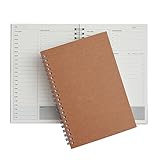
- Manage your daily schedules: This pocket planner serves as a way to manage your time on a daily scale
- Perfect for bullet journaling: This time management system has plenty of room for you to add stickers, bullets and icons to help you keep track of things
- Ample amount of pages: With 48 sheets of paper inside of the daily planner, you have plenty of space to plan out your days to a tee
- Lays completely flat: This daily planner is able to lay at 180 degrees to make writing simple and efficient
- Built to last: Perfect as a daily planner, these books can survive the wear and tear that comes with everyday use
Use direct titles and scannable content
- Title an article with the question, task, or symptom an agent would search for, not an internal project name.
- Use headings to separate conditions, actions, outcomes, and escalation instructions.
- Prefer short paragraphs, plain language, and lists for sequences or checks.
- Use consistent terms for the same product, feature, or support action.
- Add links to useful related material so the agent can move from an answer to the full procedure without duplicating it.
- If agents rely heavily on search, use strong keywords and tags that reflect the language they use. Keep browsing categories useful as well; tags are not a substitute for a clear title.
Zendesk’s knowledge base guidance emphasizes short, clear, consistent articles, useful titles, lists, links, and expert review. The practical test is whether an agent can recognize the right article and identify the next action without reading unrelated material.
Quick wins for a faster PC:
Scan for outdated or missing drivers - takes under a minuteDriver Scan →Repair Windows errors before they cause bigger problemsFix Now →Fix the driver behind crashes, sound loss and screen glitchesFind Drivers →Separate internal knowledge from customer-facing content
Set the audience and access level before publishing. Internal-only procedures may include agent actions or operational details that should not appear in a customer-facing help center. Customer-facing answers belong in material intended for customers. Zendesk advises against duplicating articles across internal and external knowledge bases; if an answer needs both versions, maintain appropriately edited content for each audience rather than exposing an internal article by default.
Permissions and separate help centers are product-specific mechanisms, not universal capabilities. For example, Zendesk describes controlling internal visibility with permissions in a shared help center, or using a separate branded help center; plan limits can apply. Decide who may read, edit, and publish each type of content, then test those permissions with the relevant agent and customer roles before relying on them.
Rank #3
Build ownership and maintenance into the workflow
A template is useful only if someone keeps the article correct. Zendesk Documentation Team guidance calls for one person to track content needs, a clear way for agents to flag problems, and assigned writers who make updates part of regular work. Turn that principle into an explicit workflow:
- Identify a need. Let agents flag a missing answer, an outdated step, or an article that did not resolve a case. Capture the issue and a useful example without requiring agents to write a polished article.
- Check for existing material. Search the knowledge base before creating a new page. If an existing article is close, update or split it instead of creating a competing answer.
- Assign an owner and writer. Give each article a person or team responsible for accuracy. Subject-matter experts can own content in their domain; designate a writer or editor when the owner is not responsible for drafting.
- Draft with the matching pattern. Choose FAQ, how-to, or troubleshooting based on the agent’s need. Keep the article focused, and include only fields that help with the issue.
- Review before publication. Have an appropriate technical or subject-matter expert check steps, conditions, and escalation routes. Apply the right editorial and access permissions before publishing.
- Maintain the article. Give the owner a review date or change trigger, and route relevant product, policy, or process changes to that owner. Update articles when agents flag stale or confusing guidance.
There is no universal review interval in the guidance. Set review timing according to how quickly the underlying process changes and how consequential an error would be. A change-triggered update is especially important when a product screen, policy, or permission changes before a scheduled review.
Choose software around the workflow, not the template alone
Templates can live in many systems, so compare the capabilities that determine whether agents can find, safely use, and maintain the content. The documented examples below are product-specific; they do not establish a comparative quality ranking.
Rank #4

- ★ A PROVEN SYSTEM FOR SELF-FULFILLMENT AND PRODUCTIVITY – Using simple and proven strategies, The Phoenix Journal is designed to dramatically increase your passion, engagement, and effectiveness in life.
- ★ MAKE THE MOST OUT OF LIFE - The Phoenix Journal is a personal day planner designed to actualize your potential. Instead of just randomly setting goals, we help you understand exactly what you want and why! This leads to transformative clarity and motivation.
- ★ EXPERIENCE ULTIMATE FREEDOM - When you commit, this productivity planner and daily journal will help ignite the passion and mastery needed to fully control your life with our hourly schedule, daily notes, and journaling prompts.
- ★ FOCUS ON WHAT MATTERS - Unlike other organizers, this isn't just a work journal, but a system for action and progress in fitness, business, and relationships. Whatever the goal is, with The Phoenix Journal, you can crush it!
- ★ BE YOUR BEST SELF - With a full page for journaling and note-taking, every day, and specialized templates like our routine builder and habit tracker, you'll look back with joy and look forward with excitement.
| Platform example | Documented knowledge workflow | What to assess for an internal support library |
|---|---|---|
| Zendesk Knowledge | Zendesk documents Q&A, How To, and Problem/Solution templates. Its instructions describe agents creating articles from templates in the Support ticket interface; templates are help-center articles labeled KCTemplate, with permissions governing their use. |
Check how template permissions work in the team’s setup, who can edit or publish, and whether the ticket-interface workflow fits how agents capture knowledge. |
| Intercom Knowledge | Intercom describes public and internal articles and says internal content can be created, synced, or imported from Confluence, Guru, or Notion. | Check how the internal/public distinction, search and organization, content ownership, and imported-content maintenance fit the team’s workflow. |
| Other knowledge or workspace tools | The material here does not establish specific template, permission, integration, or pricing capabilities for other products. | Compare audience separation, permissions, search, categories and tags, template creation, ownership and review support, and import paths using the team’s actual requirements. |
For any platform, map the desired workflow end to end: an agent finds an answer or flags a gap, an owner is assigned, a subject-matter expert reviews it, the correct audience can access it, and someone updates it when circumstances change. Importing existing content can save drafting effort, but it does not by itself assign owners or validate that imported pages remain current.
Independent reader supportYour contribution helps us test, update, and keep practical guides available for everyone.Frequently Asked Questions
Should agents be allowed to publish knowledge articles directly?
That depends on the team’s permissions and risk. A practical workflow can let agents submit a gap or draft while reserving publication rights for designated editors or subject-matter reviewers. Zendesk’s guidance recommends deciding who can edit and publish; the exact permission model depends on the platform.
What if an article applies to both support agents and customers?
Keep internal-only instructions behind internal access controls. Provide a customer-facing version only after removing internal workflow details and reviewing it for the customer audience; do not make an internal article public simply because some of its answer is shareable.
Do these 3 things before closing this tab:
1Clear out junk files and repair common Windows errors2Fix the driver behind crashes, sound loss and screen glitches3Repair Windows errors before they cause bigger problemsBest Value
Does every article need a known cause and a fixed review date?
No. Include a cause only when it is established, and set review timing or triggers in a way that fits the content’s change risk. An article should not claim certainty the team does not have.
Frequently Asked Questions
Should agents be allowed to publish knowledge articles directly?
That depends on the team’s permissions and risk. A practical workflow can let agents submit a gap or draft while reserving publication rights for designated editors or subject-matter reviewers. Zendesk’s guidance recommends deciding who can edit and publish; the exact permission model depends on the platform.
What if an article applies to both support agents and customers?
Keep internal-only instructions behind internal access controls. Provide a customer-facing version only after removing internal workflow details and reviewing it for the customer audience; do not make an internal article public simply because some of its answer is shareable.
Does every article need a known cause and a fixed review date?
No. Include a cause only when it is established, and set review timing or triggers in a way that fits the content’s change risk. An article should not claim certainty the team does not have.
Recommended Free Tools
Quick Recap
Product prices and availability are accurate as of the date/time indicated and are subject to change. Any price and availability information displayed on Amazon at the time of purchase will apply.



