Verify AI-generated code the same way you would any proposed change: check it against the request, inspect the full diff, run the project’s tests and analysis, and review its security and long-term maintainability before approval. A passing test suite is useful evidence, not proof that the change is correct or safe.
Start with the requested behavior
Before evaluating implementation details, restate what the change is supposed to do. Compare the patch with the issue, acceptance criteria, or prompt that authorized it. Identify the user-visible behavior or system invariant that should change—and what must remain unchanged. A patch can compile and still solve the wrong problem, exceed its intended scope, or conflict with the project’s architecture and conventions.


- Which behavior should a user or another system observe after the change?
- What existing behavior, data, or interface must be preserved?
- Does every part of the patch serve the request, or has it introduced unrelated work?
GitHub’s guidance on reviewing AI-generated code recommends checking whether the result meets requirements and fits the project’s architecture and conventions.
Read the complete diff
Review every changed and removed line rather than relying on a summary from the assistant or agent. Include files that are easy to overlook: tests, configuration, scripts, database migrations, dependency manifests, and generated files. Check whether the patch changes only what the request authorizes. Follow the impact of a change across callers, data flows, and interfaces where relevant.
Do these 3 things before closing this tab:
1Clear out junk files and repair common Windows errors2Scan for outdated or missing drivers - takes under a minute3Repair Windows errors before they cause bigger problemsPay particular attention to changes that could have effects beyond the apparent feature: altered defaults, broader permissions, changed error handling, removed validation, new network or file operations, or migration behavior. These are review prompts, not assumptions that any one category is defective.
Run the project’s checks—and inspect their results
Use the repository’s documented workflow and existing configuration. Build or compile the change, run relevant tests, and run configured linting or static analysis. GitHub’s review guide advises: “Always run automated tests and static analysis tools first.” Treat those results as evidence about the patch, not as a substitute for reviewing what it does.
- Build or compile: confirm the project can produce the expected artifact or complete its normal compile step.
- Run relevant tests: start with tests covering the changed behavior, then run the broader suite when practical and appropriate for the repository.
- Run configured analysis: use the project’s lint, type-checking, or static-analysis commands rather than adding an unrelated tool by default.
- Read warnings and failures: understand whether they are new, relevant, or pre-existing; do not equate a command’s exit code with a complete review.
When a check cannot be run—for example, because a required service or environment is unavailable—record what was not verified and why. Do not describe an unrun check as passing.
Rank #2
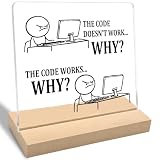
- Funny Gift: The "The Code Doesn't Work Why?" acrylic plaque makes a fun gift for programmers, software engineers, friends, family, and coworkers. Perfect for adding humor to any space.
- Funny Office Gift: This decorative sign adds humor and is perfect for office spaces, home desks, tables, or shelves. Ideal for programmer coworkers, family, software engineers, or friends.
- Unique Design: Featuring a modern "The Code Doesn't Work Why?" print on clear acrylic, this stylish piece is perfect for display on a home desk, table, or shelf.
- Product Feature: Easy to clean and simple to assemble without any extra tools, this item is designed for long-lasting use, resists fading, and is perfect for display on a home desk, table, or shelf.
- Size and Materials: This 4 x 4 x 0.2 inch clear acrylic plaque includes a 4 x 2 x 0.4 inch wooden base. Its compact size allows it to fit easily in any room without occupying much space.
Check what the tests do not cover
Tests can pass while missing the requirement’s important cases. Compare assertions with the intended behavior, not just with the implementation. AI-generated tests may encode the same assumptions as the generated code, so a test that mirrors the implementation is not necessarily an independent check of correctness.
Quick wins for a faster PC:
Fix the driver behind crashes, sound loss and screen glitchesFind Drivers →Repair Windows errors before they cause bigger problemsFix Now →Ask which plausible regression a missing test would reveal. Depending on the change, examine boundary values, invalid input, error paths, permission differences, data shapes, and interactions with other components. Add or request a focused test when an important expected behavior has no meaningful assertion. Avoid adding tests that merely duplicate existing coverage without checking a distinct outcome.
Review security-sensitive behavior
Inspect the parts of the change that handle trust boundaries or sensitive operations. The relevant questions depend on the code, but may include whether input is validated, authorization is enforced at the correct boundary, sensitive data can leak through responses or logs, secrets have been introduced, and errors expose information or leave state inconsistent.
Run security analysis already available in the repository or development workflow. GitHub’s guide names CodeQL as an example for vulnerability analysis and Dependabot as an example for dependency issues; these are examples, not a claim that either tool is required or best for every project. NIST’s SP 800-218A, published July 26, 2024, supplements the Secure Software Development Framework with recommendations and considerations for AI model development across the software development life cycle. It is framework guidance, not a mandate to adopt a particular product.
Verify every new or changed dependency
For each package added or changed, check that the package exists and is the intended one. Review its origin, maintenance activity, and license compatibility with the project. A plausible-looking package name is not enough: a misspelled or hallucinated name can point to an unrelated or untrustworthy package, a risk often discussed as slopsquatting. Confirm that the dependency is necessary and that its version and transitive effects fit the project’s established policy.
Outdated Drivers Are Slowing You Down
One free scan finds every outdated or missing driver and matches the right update for your exact hardware.Free scan · exact hardware matchWindows Errors? Fix Them Before They Spread
Repair common Windows errors and clear accumulated junk for a smoother, more stable PC - no reinstall needed.Free scan · no reinstallLook for maintenance cost, not just immediate function
A patch can work today and still make later changes harder. Review whether it introduces unnecessary abstractions, duplicates existing logic, ignores local conventions, uses unclear names, or adds complexity that the requirement does not need. Check whether responsibilities are understandable and whether code would be easier to test or change if split into smaller units. Prefer the smallest clear change that satisfies the requirement—not merely the fewest lines.
GitHub’s review guidance specifically calls out readability, maintainability, architecture fit, and whether code could be divided into smaller, testable units. These are explicit review criteria; passing functional tests alone does not answer them.
Independent reader supportYour contribution helps us test, update, and keep practical guides available for everyone.Keep human approval in the workflow
Use a teammate review for complex or sensitive changes, and keep the repository’s normal approval gates in place for generated patches and generated corrective actions. NIST NCCoE’s notional DevSecOps reference model describes AI-generated outputs being reviewed through established DevSecOps processes, including peer review, security validation, automated testing, and approval workflows. It also treats AI-generated corrective actions as proposed inputs: they should not modify software, configurations, or system state without established review and approval.
GitHub likewise advises: “Ask teammates to review complex or sensitive changes.” Human review is especially important when the patch affects authorization, production data, migrations, security controls, or other high-impact behavior.
Recommended Free Tools
Best Value

- This 99 Little Bugs In The Code design is for computer programmers, tech support, coders, code lovers, computer software engineers, software programmers, computer nerd, technology nerd, hackers, repair tech, and anyone who loves computer science and coding
- This fun geek programmer humor outfit is a great gift to wear during programming, developer week, software engineering conferences, developer conferences, and shows the passion of programming.
- Lightweight, Classic fit, Double-needle sleeve and bottom hem
A practical merge decision
Before approval, make sure you can answer these questions from the patch and its evidence:
- Does the change meet the stated requirement without unauthorized behavior?
- Have all changed files, including configuration, tests, dependencies, and removals, been reviewed?
- Were the relevant build, test, and analysis checks run, with failures and warnings understood?
- Do tests cover the expected behavior and meaningful failure or boundary cases?
- Have security-sensitive paths and dependency provenance been checked where applicable?
- Is the implementation understandable and consistent with the project, and has the required human approval been obtained?
If an important check is unresolved, the useful outcome is not an automatic rejection or approval: identify the uncertainty, request the missing evidence or correction, and keep the change out of merge or deployment until the project’s review process is satisfied.
Quick Recap
Product prices and availability are accurate as of the date/time indicated and are subject to change. Any price and availability information displayed on Amazon at the time of purchase will apply.




