If you can’t sign in to AT&T Mail, first check the ID and password you enter, then match the error to the right fix. A forgotten password, a temporary sign-in delay, an account lock, and an email app that needs OAuth or a secure mail key require different steps. Work through these seven checks in order, and avoid repeatedly guessing a password when AT&T says the account is locked.
1. Check your AT&T ID and enter the password manually
Confirm that you are using the right AT&T ID, then type the password rather than relying on autofill. A saved credential can be outdated or associated with a different account. AT&T says the same ID and password may be used for AT&T and AT&T Mail, so a password change for the account can affect mail sign-in too. See AT&T’s password guidance.
As an Amazon Associate I earn from qualifying purchases.
2. Reset a forgotten password through AT&T
If you do not know the password or it is rejected, use AT&T’s reset flow rather than trying variations indefinitely. The process asks for your AT&T ID and associated last name, then prompts you to choose a verification method and set a new password.
The Tool Desk
Outbyte Driver Updater FREEFix the driver behind crashes, sound loss and screen glitchesFind Drivers →Outbyte PC Repair FREEClear out junk files and repair common Windows errorsFree Scan →AT&T lists these password requirements: 8–24 characters, including uppercase and lowercase letters and numbers, with special characters allowed as listed on its reset page. Avoid easily guessed personal details, common words, and obvious sequences. Follow the current prompts at Change or Reset Your Sign-in Password.
#1 Best Overall

- UNSURPASSED RANGE & ANSWERING SYSTEM Experience the best in long-range coverage and clarity, provided by a unique antenna design and advances in noise-filtering technology. This reliable cordless system includes a digital answering machine that can record up to 22 minutes of incoming messages, outgoing announcements and memos, and a voice-guide for easier set up.
- SMART CALL BLOCKER & CALLER ID ANNOUNCE Say goodbye to unwanted calls. Robocalls on your landline are automatically blocked from ever ringing through - even the first time. You can also permanently blacklist any number you want with one touch on the delicated key on the handset. The call block directory can store up to 1,000 name and number entries. Plus, the handset announces the name of the caller, so you can decide on answer the call or block it - screening call is never easier.
- LARGE 2-INCH SCREEN, BIG TEXT, LIGHTED KEY PAD High-contrast text on the extra-large 2 inch screen makes it easy to read incoming caller ID or call history records. Plus, the enlarged font and extra-large and lighted handset keypad allows for easy dialing in low-light conditions. This feature is especially helpful for those who are visually impaired.
- HANDSET SPEAKERPHONE, AUDIO ASSIST, INTERCOM This cordless system has built-in a full-duplex speakerphone on handset allowing both ends to speak - and be heard - at the same time for conversations that are more true to life. Also designed with useful features like Audio Assit, handset intercom to help your daily communications enjoyable.
3. Update saved passwords after a reset
After changing the password, replace the old saved credential anywhere it is used: in browsers, on devices, and in email apps. An app may continue submitting an outdated password even after webmail works. For an app that uses IMAP, update the saved password for both incoming IMAP and outgoing SMTP authentication.
If you cannot use any of the offered account-recovery methods, AT&T’s password guidance says to call 800.288.2020. Confirm the current contact route on AT&T’s email support hub.
4. Follow the error code for a locked or protected account
Stop retrying credentials when an error indicates an account lock. AT&T’s common error-code guide distinguishes several cases:
Free tools Windows power users keep installed
One-click scans. No signup required.
Rank #2

- UNSURPASSED RANGE: Experience the best in long-range coverage and clarity, provided by a unique antenna design and advances in noise-filtering technology
- ANSWERING SYSTEM: This reliable cordless system includes a digital answering machine that can record up to 22 minutes of incoming messages, outgoing announcements and memos, and a voice-guide for easier set up
- SMART CALL BLOCKER & CALLER ID ANNOUNCE: Say goodbye to unwanted calls. Robocalls on your landline are automatically blocked from ever ringing through - even the first time. You can also permanently blacklist any number you want with one touch on the dedicated key on the handset. The call block directory can store up to 1,000 name and number entries. Plus, the handset announces the name of the caller, so you can decide to answer the call or block it - screening calls has never been easier
- LARGE 2-INCH SCREEN, BIG TEXT, LIGHTED KEY PAD: High-contrast text on the extra-large 2 inch screen makes it easy to read incoming caller ID or call history records. Plus, the enlarged font and extra-large and lighted handset keypad allows for easy dialing in low-light conditions. This feature is helpful for those who are visually impaired
- HANDSET SPEAKERPHONE, AUDIO ASSIST, INTERCOM: This cordless system has built-in full-duplex speakerphone on handset allowing both ends to speak - and be heard - at the same time for conversations that are more true to life. Also designed with useful features like Audio Assist and handset intercom to help make your daily communications enjoyable
- Codes 206.2 and Error 905: AT&T says you may need a new password.
- Code 203.3: AT&T says the account may have been locked because it could be hacked, phished, or at risk. Its guidance is to call 800.288.2020 to reset the password and regain access.
- Codes 203.2, 205.2, 205.3, 205.4, and 205.7: These indicate that the maximum number of sign-in attempts has been reached and the account is locked. Follow AT&T’s unlock instructions instead of continuing to guess.
5. Treat temporary errors as delays before changing credentials
Some AT&T temporary error codes can be caused by heavy network traffic. AT&T says they may clear within minutes, although some can take hours. Refresh the page and retry after a short wait. If the problem persists, sign out of mail on your devices and programs, clear the browser cache and cookies, restart the browser, and try again.
Code 202.1 means sign-in is slower than usual; AT&T advises waiting a few minutes and trying again. Check the exact code and its current instructions in AT&T’s error-code guide.
6. Test webmail in a current supported browser
Try signing in to AT&T Mail in a browser at currently.com with your AT&T password. AT&T recommends using the latest version of a supported browser; update your browser or try another supported browser if the page will not load or sign-in behaves unexpectedly.
Rank #3
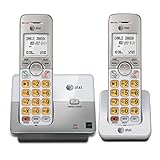
- 2 Handsets Included: Complete 2-handset system with intercom between handsets for home or small office use
- Full-Duplex Handset Speakerphone: Speak and hear simultaneously for natural, clear hands-free conversations on both handsets
- Extra-Large Backlit Display & Lighted Keypad: Big, easy-to-read screen and illuminated buttons for effortless dialing in any light
- Caller ID/Call Waiting: Displays name and number for up to 50 calls and allows you to screen unwanted calls before answering
- DECT 6.0 Secure & Long Range: Crystal-clear, interference-free calls with private digital transmission technology
This test separates a general account problem from an app-specific one. If webmail works but a mail app does not, concentrate on that app’s authentication method and server settings rather than resetting the account again. AT&T’s current email guidance is available through its support hub.
7. Check the app’s authentication method and mail servers
Email apps can use different sign-in methods. AT&T recommends OAuth-compatible apps. If your app does not use OAuth, AT&T requires a 16-character secure mail key in place of the ordinary account password. Create one from your AT&T account profile using AT&T’s secure mail key instructions, then enter it where the app requests the email password.
When a secure mail key is needed
A secure mail key is an account-generated credential for non-OAuth apps, not the password used to sign in to webmail. AT&T says to use a separate key for each device. Changing your ordinary AT&T password does not by itself require a new key, and AT&T says keys do not expire. However, if AT&T locks or blocks the account for safety, existing keys are deleted; create new ones after access is restored.
Rank #4

- SMART CALL BLOCKER — STOPS ROBOCALLS BEFORE THEY RING — Automatically blocks robocalls on the first call — no setup required. One-touch blacklist any number with the dedicated handset key. Block directory holds up to 1,000 entries
- BLUETOOTH CONNECT TO CELL — Pair up to 2 smartphones (or 1 phone + 1 headset) and make or receive mobile calls through either handset. Access Siri or Google Assistant from any room
- DIGITAL ANSWERING MACHINE — 22 MIN RECORDING — Records up to 22 minutes of messages with voice-guided setup and remote playback. Lighted display shows when messages are waiting
- 2 HANDSETS, ONE PHONE JACK — 1.8" BACKLIT DISPLAY — Both handsets connect from a single base. High-contrast 1.8" display and big lighted keypad on each handset. DECT 6.0 delivers interference-free calls up to 1,000 ft
- INTERCOM | QUIET MODE | VOIP READY — Handsets intercom each other and the base. Quiet Mode silences ringers on demand. Works with landline, cable, and VoIP services including Ooma and Vonage
AT&T’s published app and operating-system compatibility list can change. Its OAuth guidance names Apple Mail, Outlook Mobile, and Yahoo Mail for iOS 9.0 and later; Gmail, Outlook Mobile, and Yahoo Mail for Android Lollipop/5.0 and later; Apple Mail on macOS 10.11/El Capitan and later; and Windows Mail on Windows 10. Check AT&T’s OAuth and secure mail key page for current compatibility information.
Verify incoming and outgoing server settings
If the app still cannot connect, compare its configuration with AT&T’s published settings. The following values are listed on AT&T’s device setup page:
Do these 3 things before closing this tab:
1Fix the driver behind crashes, sound loss and screen glitches2Clear out junk files and repair common Windows errors3Scan for outdated or missing drivers - takes under a minute| Protocol | Incoming server | Incoming port | Outgoing server | Outgoing port |
|---|---|---|---|---|
| IMAP | imap.mail.att.net |
993 | SMTP.mail.att.net |
465 |
| POP3 | inbound.att.net |
993 | outbound.att.net |
465 |
For IMAP, make sure the secure mail key or other required credential is saved for both the incoming and outgoing servers. Check AT&T’s device setup instructions if your app or configuration differs from these listed settings.
Quick Recap
Choose the fix based on what still works
| What you see | Where to start |
|---|---|
| You cannot sign in to webmail and do not know the password | Manually check the ID, then use AT&T’s password recovery flow. |
| An error says the account is locked or sign-in attempts are exhausted | Stop retrying and follow the unlock or account-security instructions for that code. |
| A temporary code appears or sign-in is unusually slow | Wait, refresh, then try the browser cleanup steps if it continues. |
| Webmail works, but one email app fails | Check OAuth support, secure mail key use, and the app’s incoming and outgoing settings. |
Product prices and availability are accurate as of the date/time indicated and are subject to change. Any price and availability information displayed on Amazon at the time of purchase will apply.




