Quick wins for a faster PC:
Scan for outdated or missing drivers - takes under a minuteDriver Scan →Repair Windows errors before they cause bigger problemsFix Now →Fix the driver behind crashes, sound loss and screen glitchesFind Drivers →If your applications need to switch model providers, apply shared limits, or route around failures, an LLM gateway can put those controls in one place. The five options here—Helicone, LiteLLM, Kong AI Gateway, Apache APISIX, and Agent Router (formerly Envoy AI Gateway)—differ most in how they fit your existing platform and how much operational control they give your team. This comparison is based on the projects’ official documentation reviewed October 7, 2026, not hands-on testing or a common performance benchmark.
What an LLM gateway can—and cannot—do
Apache APISIX describes an AI gateway as “a traffic control layer between applications and model providers.” In practice, that layer can provide a shared place to route requests, connect to providers, apply selected access or rate controls, and collect usage information. The exact capabilities depend on the gateway, configuration, and deployment.
As an Amazon Associate I earn from qualifying purchases.
A gateway does not take over your application’s authorization decisions, orchestration, tool selection, or evaluation of model quality. Keep those responsibilities explicit: a gateway can enforce controls on traffic that passes through it, but it is not a substitute for the application’s security and product logic.
How the five gateways differ
The table summarizes documented emphasis, not an independent feature audit. Product integrations and capabilities change; confirm current support for your providers, deployment, and required controls before selecting a gateway.
#1 Best Overall
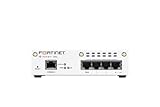
- FortiWiFi-30G 4 x GE RJ45 ports (including 3 x Internal Ports, 1 x WAN Ports), Wireless (802.11a/b/g/n/ac/ax) (SKU: FWF-30G-A)
- All-in-one next-generation security: Delivers enterprise-grade protection with AI-powered firewalling, secure SD-WAN, and built-in Wi-Fi 6 for fast, reliable business connectivity.
- Responsive performance for daily use: Achieves up to 4 Gbps firewall throughput, 570 Mbps NGFW, and 500 Mbps threat protection, keeping apps, users, and data secure without slowdowns.
- Reliable Wi-Fi 6 coverage: Dual-band wireless (2.4 GHz + 5 GHz) supports 802.11 a/b/g/n/ac/ax for stronger signal, higher speed, and better efficiency in crowded office networks.
- Compact, quiet, and efficient design: Fanless desktop form factor fits small spaces while reducing power use and ensuring long-term reliability for continuous protection.
| Gateway | Documented emphasis | Deployment and fit questions |
|---|---|---|
| Helicone | OpenAI-compatible gateway, request logging, observability, fallbacks, unified billing, and use of your own provider keys, according to its quickstart. | Clarify hosted versus self-hosted options, data handling and retention, identity attribution, key arrangements, and fallback controls. |
| LiteLLM | One OpenAI-format interface to 100+ LLMs, plus documented retries, fallbacks, and a self-hosted proxy with virtual keys, cost tracking, and an admin UI. | Confirm support for the exact providers and features you need, then assess identity boundaries, resource requirements, release and security practices, and production configuration. |
| Kong AI Gateway | Unified control for LLM, MCP, and A2A traffic, with routing and load balancing, access controls, analytics, and provider integrations in its current documentation. | Its quickstart creates a Konnect control plane and a local Docker data plane and requires a Konnect access token. Check control-plane, licensing, edition, and regional constraints for your intended setup. |
| Apache APISIX | Apache 2.0-licensed gateway with operator-controlled deployment and documented AI plugins for provider proxying, routing, token limits, retries, caching, prompt controls, and observability. | Check the maturity and provider-specific behavior of the plugins you need, along with infrastructure ownership and operational staffing. |
| Agent Router (formerly Envoy AI Gateway) | Open-source AI traffic project built on Envoy. Current documentation describes provider connectivity, policy, rate-limiting, failover, security, and observability goals. | Check the current version, compatibility matrix, configuration model, policy coverage, deployment fit, and roadmap. |
Helicone: start with visibility and request handling
Helicone’s official quickstart emphasizes an OpenAI-compatible entry point, automatic request logging, observability, fallbacks, unified billing, and bringing your own provider keys. Those documented features make it worth evaluating when you want to centralize request visibility alongside provider access. They do not establish how its logging retention, identity attribution, or fallback behavior will meet your organization’s requirements; verify those details for your chosen deployment and contract.
LiteLLM: consider it when a shared API matters
LiteLLM documents a single OpenAI-format interface for 100+ LLMs, as well as a self-hosted proxy with virtual keys, cost tracking, an admin UI, and retry and fallback logic. The documented breadth can reduce the number of provider-specific interfaces an application must handle. Treat the model count as a product claim, not a guarantee that every provider feature behaves identically through the proxy. Check your required models and capabilities against its current compatibility documentation.
Rank #2

- Extensive Connectivity Options: The FortiGate 60F is designed with 10 GE RJ45 ports, including 2 WAN ports, 1 DMZ port, and 7 internal ports, offering broad flexibility and high-density connections for diverse enterprise networking needs.
- Superior Performance for Secure Networks: Features powerful system-on-a-chip acceleration to deliver top-tier security with 1.4 Gbps IPS throughput and 700 Mbps threat protection throughput, ensuring effective defense against advanced threats.
- Enhanced SSL Inspection and SD-WAN Capabilities: Utilizes purpose-built security processor technology to provide the industry's highest SSL inspection performance and robust SD-WAN functionality for secure, high-speed network operations.
- Simple and Effective Management: Comes equipped with a user-friendly management console that supports comprehensive network automation and visibility, alongside Zero Touch Integration with Fortinet's Security Fabric for streamlined deployment.
- Advanced Security Features: Leverages continuous threat intelligence from AI-powered FortiGuard Labs, identifying and mitigating both known and unknown threats, enhancing security across all network traffic, whether encrypted or not.
Kong AI Gateway: assess the control-plane model first
Kong’s current AI Gateway documentation covers LLM, MCP, and A2A traffic, including routing, load balancing, access controls, analytics, and provider integrations. Its quickstart is particularly important to the deployment decision: it creates a Konnect control plane and a local Docker data plane and requires a Konnect access token. Establish whether that arrangement, and the licensing and feature availability for your intended edition and region, fits your enterprise before evaluating individual gateway features.
Apache APISIX: consider operator-controlled deployment and plugins
APISIX documents Apache 2.0 licensing and deployment in infrastructure controlled by the operator, with AI plugins for provider proxying, routing, token rate limiting, retries, caching, prompt controls, and observability. Its documentation also describes a retrieval-augmented generation flow using Azure OpenAI and Azure AI Search. That example is specific to those services; it should not be read as proof that every provider or RAG architecture is supported in the same way.
Rank #3

- The WatchGuard Trade Up Program allows customers to exchange eligible older WatchGuard or competitive firewall models for the latest WatchGuard appliances at a reduced cost, making it easier and more affordable to upgrade to current-generation hardware with the newest performance capabilities and security features.
- Trade Up to Watchguard T125-W Firebox with 3 Year Total Security Suite License (WGT126673) - The T125-W adds Wi-Fi 7 capability to the powerful Firebox T125 platform. Designed for branch or remote offices, it delivers 510 Mbps UTM throughput, advanced security services, and full wireless coverage in a single, compact appliance.
- The Total Security Suite is WatchGuard’s most comprehensive security package, bundling every advanced service into one subscription. It delivers layered defense with AI-driven malware detection, DNS filtering, cloud sandboxing, and security correlation. Ideal for organizations that demand maximum protection and visibility across their network.
- The Total Security Suite equips your WatchGuard Firebox with the full set of advanced defenses. It adds AI powered malware detection, DNS filtering, cloud sandboxing, threat correlation, and automated response, all managed in WatchGuard Cloud. Ideal for organizations that need maximum protection, compliance ready reporting, and end to end visibility.
- Interfaces and deployment: Wi-Fi 7 plus 1x 2.5Gb and 4x 1Gb Ethernet for coverage, clean uplinks, and straightforward VLAN segmentation with Cloud visibility.
Plugin behavior can depend on configuration. For example, semantic routing and retry behavior depend on the selected algorithm and settings. Evaluate the exact plugin path you plan to operate rather than treating a documented feature name as a complete description of production behavior.
Agent Router: follow the current project name
The project previously called Envoy AI Gateway is now named Agent Router. Its current documentation says the project and maintainers are the same and that no migration is needed; use the current name when looking for documentation. Agent Router is built on Envoy and describes goals including connections to hosted and self-managed models, policy, rate limiting, failover, security, and observability. Those goals make its compatibility matrix, configuration approach, and current project roadmap important evaluation criteria.
Rank #4

- Comprehensive Enterprise Security Solution: Includes FortiGate-90G hardware plus 1 year of FortiCare Premium and FortiGuard Enterprise Protection.
- Extended Security Services: Features advanced services including CASB for SaaS application security, data loss prevention (DLP), and IoT detection and vulnerability correlation.
- Advanced Threat Monitoring: Includes attack surface monitoring and risk scoring, plus powerful AI-based inline malware prevention, ensuring proactive threat management.
- Designed for High-Demand Environments: Tailored for enterprises and organizations that require robust, multifaceted security solutions to protect against a diverse range of threats.
Choose by operating model and required controls
Start with where the gateway will run
Map the control plane, data plane, and ownership boundaries before comparing feature lists. APISIX documents operator-controlled deployment; Agent Router is built on Envoy; Kong’s quickstart uses a Konnect control plane with a local Docker data plane. These are different operating models, not interchangeable claims about where every component can run. For Helicone and LiteLLM, verify the deployment options and data flows that apply to your intended setup.
Outdated Drivers Are Slowing You Down
One free scan finds every outdated or missing driver and matches the right update for your exact hardware.Free scan · exact hardware matchPC Slower Than It Used to Be?
A free scan shows the junk files, broken settings and background clutter dragging Windows down - then fixes them in one click.Free scan · Windows 10 & 11Check provider compatibility and migration effort
List the providers, model APIs, and provider-specific features your applications use today. Then check the current compatibility documentation for each candidate. LiteLLM documents an OpenAI-format interface to 100+ LLMs, while Helicone describes an OpenAI-compatible gateway and 100+ models. These are vendor-stated counts and may change; neither count alone shows whether a required feature—such as a particular request parameter or response behavior—is supported. APISIX documents supported providers and OpenAI-compatible endpoints; Kong lists provider integrations; Agent Router describes hosted and self-managed model connectivity.
Best Value

- Compact and Efficient Design: The FortiGate 40F is designed for small to mid-sized businesses and enterprise branch offices, featuring a compact, fanless desktop form factor that ensures quiet operation and minimizes space usage.
- Robust Connectivity Options: Equipped with 5 GE RJ45 ports, including 1 WAN port and 4 internal ports, this model provides essential connectivity and flexibility for various network configurations in a small-scale environment.
- High-Performance Security: Offers up to 1 Gbps IPS throughput and 600 Mbps threat protection throughput, using Fortinet’s purpose-built security processor technology to deliver industry-leading performance and protection for SSL encrypted traffic.
- Advanced Threat Protection: Integrated with Fortinet’s AI-powered FortiGuard Labs, the FortiGate 40F offers comprehensive cybersecurity, identifying and mitigating both known and unknown threats to maintain robust security across your network.
- Simplified Management and Deployment: Features a user-friendly management console that provides comprehensive network automation and visibility, coupled with Zero Touch Integration with Fortinet’s Security Fabric for easy deployment.
Test failure handling against your own requirements
“Fallback” can mean different things depending on when a request is retried, which errors trigger a switch, how limits are handled, and whether a second provider returns compatible output. LiteLLM documents retries and fallbacks, Helicone documents fallbacks, and APISIX documents bounded retries and fallback. Kong documents routing and load balancing; Agent Router describes failover as a project goal. Define the failure cases you care about, then verify the configured behavior with representative requests. A feature’s presence does not establish equivalent behavior under your workload.
Decide which governance and visibility must be centralized
Turn broad requirements such as “cost control” or “observability” into concrete checks. For example, specify whether you need per-team attribution, virtual credentials, token or request limits, budget enforcement, latency views, or a particular log-retention period. The projects document different combinations of controls: LiteLLM describes virtual keys and cost tracking; APISIX documents token rate limiting; Kong documents access controls, token analytics, budgets, and cost controls; Helicone emphasizes request logging, observability, and unified billing; Agent Router describes policy and rate-limiting goals. Verify the precise enforcement, attribution, and retention behavior you need rather than treating these descriptions as equivalent.
Include operational ownership in the decision
An open-source codebase does not remove the work of deploying, upgrading, securing, and monitoring a gateway. Compare the operational work your team can support: configuration and rollout, provider credential handling, incident response, capacity planning, release and security practices, and any support arrangements your organization requires. The documentation available for these five products does not establish a neutral, comparable ranking for maturity, staffing effort, or production support.
What’s actually slowing this PC down?
Pick the symptom - the matching free tool is one click away.
A practical evaluation before production
- Write down the workload. Record providers and models, request formats, expected traffic patterns, identity boundaries, acceptable failure behavior, and the data that may be logged.
- Shortlist by deployment fit. Rule out candidates whose control-plane or infrastructure model conflicts with your ownership, network, or regional requirements.
- Verify must-have capabilities. Check current provider compatibility, edition availability, licensing, configuration options, and the exact meaning of limits, fallbacks, analytics, and retention.
- Exercise representative traffic. In your own environment, test normal requests, provider errors, rate-limit responses, credential rotation, and the failover paths you expect to use. Measure latency and resource use under a workload representative of your applications.
- Review the operating plan. Confirm who owns upgrades, security review, configuration changes, incident response, and recovery if the gateway or a provider is unavailable.
Which one should you choose?
There is no evidence here for a universal winner: the official documentation does not provide a common independent benchmark across all five, and this comparison did not perform hands-on tests. Choose based on your deployment constraints and required controls, then validate the shortlist against your actual providers and traffic. Helicone’s documented emphasis is request visibility and handling; LiteLLM’s is a unified model interface and proxy controls; Kong’s is integrated API traffic management with a Konnect-based quickstart; APISIX’s is operator-controlled deployment and AI plugins; Agent Router’s is Envoy-based AI traffic infrastructure. Those are useful starting points for evaluation, not performance rankings.
Quick Recap
Product prices and availability are accurate as of the date/time indicated and are subject to change. Any price and availability information displayed on Amazon at the time of purchase will apply.




