Windows NT 4.0 can use hard disks much larger than 4 GB, but not as one ordinary FAT partition. Under NT, FAT tops out at 4 GB, and NT 4.0 does not natively support FAT32. The practical design is to keep the boot/system area within the early part of the disk, use NTFS for larger NT-only volumes, and reserve FAT16 volumes of 2 GB or less when DOS or Windows 98 must read them.
A separate issue affects large IDE disks: Microsoft documents about 7.8 GB as an early boundary for an NT 4.0 system partition unless the required updated Atapi.sys path is installed and the BIOS or controller can address the disk correctly.
As an Amazon Associate I earn from qualifying purchases.
What the limits actually are
| Format | NT 4.0 capacity limit | DOS/Windows 9x access | Space and compatibility costs | Boot and setup implications |
|---|---|---|---|---|
| FAT16 | Up to 4 GB under Windows NT; 2 GB under MS-DOS | Reliable cross-compatibility is generally limited to volumes of 2 GB or less | A 2–4 GB FAT16 volume uses 64 KB clusters, which older DOS and Windows 9x systems do not reliably handle | NT 4.0 Setup’s initial FAT-formatted partition is limited to 4 GB |
| NTFS | The 1996 Windows NT Server 4.0 Resource Guide cites a 16-exabyte architectural maximum; real use is lower when BIOS, controller, service pack, and partition-table limits are considered | DOS and Windows 9x do not natively read NTFS | Provides NT permissions and other NTFS features without the 2–4 GB FAT16 cluster penalty | Large data volumes are practical, but the boot files and system partition still depend on early-disk addressing and the storage driver |
| FAT32 | Not natively supported by a stock NT 4.0 installation | Supported by Windows 98, but that does not make it usable by NT 4.0 | Choosing it creates an incompatibility rather than removing NT 4.0’s limits | Do not use FAT32 for an NT 4.0 system or data volume unless a separate, specifically supported third-party solution is involved |
Microsoft’s filesystem overview summarizes the key distinction: “FAT partitions are limited in size to a maximum of 4 Gigabytes (GB) under Windows NT and 2 GB in MS-DOS.” Those are filesystem limits, not a statement that every NT 4.0 installation can boot from a disk of only that size.
Crashes, No Sound, or Screen Glitches?
Random freezes, missing sound and display glitches usually trace back to one bad driver. Find and replace yours safely.Free scan · under a minuteWindows Errors? Fix Them Before They Spread
Repair common Windows errors and clear accumulated junk for a smoother, more stable PC - no reinstall needed.Free scan · no reinstallWhy Setup offers only a 4 GB partition
NT 4.0 Setup initially creates or formats a FAT partition. That setup phase is therefore bounded by the 4 GB NT FAT limit. On an 8 GB, 20 GB, or larger disk, the remaining space is not necessarily unusable; it simply cannot be represented by that initial FAT partition.
#1 Best Overall

- Fujitsu MHW2080AT 80 GB 2.5-inch IDE Hard Drive General Features: 80 GB storage capacity
- IDE interface UDMA/100 data transfer 4200 RPM spindle speed 8 MB buffer
- Average seek time (read): 12 ms Average seek time (write): 14 ms Average latency: 7.14 ms
- 2.5-inch form factor 9.5 mm drive height Low acoustic noise level
- Engineered to be robust and highly reliable
Plan the disk before installation or leave capacity for additional volumes. The usual NT-only arrangement is a small system partition in the addressable early part of the disk and one or more NTFS data partitions for the rest. If Setup shows a 4 GB maximum, treat it as the FAT setup constraint rather than the maximum size of the physical drive.
Can NT 4.0 use an 8 GB or 20 GB IDE disk?
As NTFS data storage
Usually, yes, provided the motherboard or controller and its NT 4.0 driver can address the disk. NTFS data space can extend beyond the FAT limit, and it does not become a 4 GB volume merely because Setup used FAT for the initial partition.
Rank #2
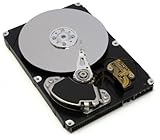
- Maxtor
- 90432D2
- Internal ATA / IDE
- 5400 RPM
- 4GB
As the boot or system disk
Bootability is a separate problem from filesystem capacity. Microsoft Knowledge Base article 243896 identifies the first 7.8 GB as a critical boundary for early NT 4.0 IDE installations. If the system partition is located on or beyond that region, install the appropriate service-pack and Atapi.sys update before relying on that layout, and confirm that the firmware or controller uses a compatible addressing mode.
Without that storage-driver path, a disk may appear usable for some purposes yet fail during installation or fail to boot when the NT system files are placed beyond the addressable early region. Moving a working installation to a later partition can therefore break startup even though the NTFS volume itself is intact.
Rank #3

- Portable Storage: This Apacer 4GB IDE DOM hard drive has a compact 90mm x 54mm x 12.5mm form factor for easy portability.
- High Capacity: With 4GB of digital storage capacity, this hard drive provides ample space for your files, photos, videos, and more.
- IDE Interface: This Apacer hard drive uses an IDE interface for compatibility with desktop computers and laptops.
- Jumperless Installation: The Apacer hard drive requires no additional jumper settings for installation, making it easy to set up.
- Reliable Performance: With a 44-pin IDE connector and 8C-4DD26-8256B model number, this Apacer hard drive delivers consistent performance and data transfer rates.
Choosing a layout for your goal
NT 4.0 only
- Keep the boot/system files in an early partition supported by the BIOS and NT 4.0 storage driver.
- Use NTFS for larger data volumes and split the remainder of the disk into additional NTFS partitions when one-volume planning is impractical.
- Apply the required storage-driver update before placing the system partition beyond the 7.8 GB boundary.
Dual-boot with Windows 98 or DOS
- Reserve a FAT16 volume of 2 GB or less for the operating system that must read it.
- Do not assume a 2–4 GB FAT16 volume will work: its 64 KB clusters are not reliably usable by older DOS and Windows 9x environments.
- Keep NT-only files on NTFS, which Windows 98 cannot read without additional software.
- Do not format the shared volume as FAT32 if NT 4.0 must access it; stock NT 4.0 has no native FAT32 support.
Using the whole physical disk
“Using” a disk does not require one partition spanning it. A small boot partition plus several NTFS data volumes can expose the available capacity while keeping startup within the hardware and driver limits. The exact usable size still depends on the disk geometry presented by the BIOS, the IDE or SCSI controller, its NT 4.0 driver, the service-pack level, and the partition-table format.
A safer installation sequence
- Check the platform first. Identify whether the disk is attached to motherboard IDE, a controller card, or another storage adapter, and verify that an NT 4.0 driver exists for it.
- Decide who must read each volume. Use FAT16 no larger than 2 GB for DOS or Windows 98 access; use NTFS for NT-only data.
- Place the system partition early. Keep it inside the addressable region supported by the firmware and the unpatched NT 4.0 storage path, or prepare the documented
Atapi.sysupdate before putting it beyond 7.8 GB. - Install NT 4.0. If Setup creates only a 4 GB FAT partition, accept that as the initial-partition limit and do not interpret it as the disk’s total capacity.
- Install servicing and storage updates. Apply the appropriate service pack and the Microsoft-documented IDE storage update before changing the boot layout or depending on sectors beyond the early boundary.
- Create the remaining volumes as NTFS. After installation, use NT’s disk-management tools to partition and format the unallocated capacity, then assign drive letters and test access after every reboot.
- Test both operating systems. In a dual-boot setup, boot DOS or Windows 98 and confirm it can read the intended FAT16 volume; boot NT 4.0 and confirm every NTFS volume appears normally.
Common symptoms and the correct diagnosis
- Setup stops at 4 GB: the initial FAT partition has reached its Windows NT limit. Create additional volumes or plan an NTFS layout.
- Windows 98 cannot see the large volume: it is probably NTFS, or it is FAT16 larger than the size that older Windows 9x tools reliably support. Use a separate FAT16 volume of 2 GB or less for sharing.
- NT 4.0 reports an invalid or unrecognized FAT32 volume: FAT32 is not a native NT 4.0 filesystem.
- The disk works as storage but NT 4.0 will not boot when the system partition is moved later: check the 7.8 GB early-disk boundary, the BIOS addressing mode, and whether the required updated
Atapi.sysdriver was installed before the move. - Capacity differs between machines: compare BIOS geometry, controller firmware, NT 4.0 service-pack level, storage drivers, and partition-table details before blaming the filesystem alone.
What “maximum” means here
The 4 GB FAT figure is a concrete NT 4.0 filesystem limit, while the 16-exabyte NTFS number from the Windows NT Server 4.0 Resource Guide is an architectural design ceiling. It is not a promise that a 1990s BIOS, IDE controller, partition table, or driver can create or boot such a volume. For an actual restoration or deployment, the smallest applicable limit wins: filesystem, controller, firmware, partition table, or boot-location support.
Quick Recap
Best Value

- Recover Files from an Old Hard Drive with Ease: Have an old computer filled with family photos, important documents, music, or videos? FIDECO USB 3.0 to IDE SATA adapter can help recover or retrieve files from old hard drive, and read old ide hard drive on laptop. The sata ide adapter can let you quickly connect compatible 2.5" or 3.5" IDE and SATA drives to your current laptop or desktop. The included 12V power adapter provides stable power for reliable data access, while the plug-and-play design makes setup simple. Just connect the drive, turn on the adapter, and transfer the files you thought were left behind.
- Wide Compatibility: FIDECO SATA and IDE adapter can support 2.5 and 3.5 inches SATA HDD; 2.5 inches SATA SSD; 2.5 and 3.5 inches IDE HDD; DVD-ROM, CD-ROM, CD-RW, DVD-RW, DVD + RW.
- 5Gbps Super Speed: FIDECO hard drive adapter is engineered with USB 3.0 interface and can offer data transfer speeds up to 5Gbps. It can be also backward compatible with USB 2.0.
- Mini Design: The exquisite and slim design allows you to put SATA converter into your laptop's bag / backpack / travel case easily. When it is used in office or home, it will also not occupy much space on your desk.
- Compatible System: FIDECO SATA adapter is universally compatible with Windows 10/8.1/8/7/Vista/XP, Mac OS 9/10, Linux etc. Just plug and play! No drivers needed!
Rank #4

- Seagate ST3250620A BARRACUDA 7200.10 250GB SCSI HARD DRIVE P/N 9BJ03E-305 Internal
Product prices and availability are accurate as of the date/time indicated and are subject to change. Any price and availability information displayed on Amazon at the time of purchase will apply.
Quick wins for a faster PC:
Clear out junk files and repair common Windows errorsFree Scan →Fix the driver behind crashes, sound loss and screen glitchesFind Drivers →Repair Windows errors before they cause bigger problemsFix Now →
