PC Slower Than It Used to Be?
A free scan shows the junk files, broken settings and background clutter dragging Windows down - then fixes them in one click.Free scan · Windows 10 & 11Crashes, No Sound, or Screen Glitches?
Random freezes, missing sound and display glitches usually trace back to one bad driver. Find and replace yours safely.Free scan · under a minuteBecause YouTube handles live broadcasts and their archives at different stages. It scans live streams while they are happening and may warn you or interrupt the broadcast if it detects third-party material. If the stream finishes and you choose to archive it, YouTube says Content ID claims on that archived video are made after the live stream is complete. A broadcast that stayed live without interruption can therefore receive a later claim on its VOD—but a later claim is not inevitable.
Live scanning and VOD claims happen at different times
YouTube’s live-stream guidance describes two separate checks. During a broadcast, YouTube scans for third-party content, including another live broadcast. If it identifies a match, it may show a placeholder image and warn the creator; continued use can lead to a temporary interruption or termination. Separately, YouTube says, “Content ID claims are only made after you complete your live streams, if you decide to archive the video.” YouTube Help: Copyright issues with live streams.
| # | Preview | Product | Price | |
|---|---|---|---|---|
| 1 |

|
The Super Mario Galaxy Movie - Collector's Edition 4K Ultra HD + Blu-ray + Digital | $29.95 | Buy on Amazon |
| 2 |

|
The Super Mario Galaxy Movie - Collector's Edition Blu-ray + Digital | $24.95 | Buy on Amazon |
| 3 |

|
F1® The Movie (Blu-ray) | $13.99 | Buy on Amazon |
| 4 |
|
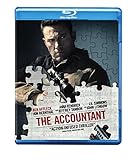
The Accountant (Blu-ray) | $7.99 | Buy on Amazon |
| 5 |

|
Avatar: Fire and Ash - 4K + Blu-ray + Digital | $24.99 | Buy on Amazon |
As an Amazon Associate I earn from qualifying purchases.
| Stage | What YouTube describes | What you may see |
|---|---|---|
| While the broadcast is live | Scanning for third-party matches | A warning, placeholder image, interruption, or termination if the matched material continues |
| After the stream, if archived | Content ID claims may be made against the archived video after completion | A claim or restriction shown on the VOD |
So “the stream stayed up” and “the archive has no claim” are not equivalent. The official guidance explains the different timing; it does not say every uninterrupted stream will later be claimed.
What a copyright restriction can mean
A restriction shown on an archived stream may reflect a Content ID claim. Depending on the rights holder’s policy, a claim can block the video, monetize it for the rights holder, or track its viewership. The result can vary by country or region. A Content ID claim is distinct from a copyright removal request, which can lead to a copyright strike. Do not assume a VOD claim means your channel received a strike or that the live broadcast was formally taken down. See YouTube Help: Learn about copyright claims.
#1 Best Overall
Check the specific claim in YouTube Studio
- Open YouTube Studio and find the livestream archive in your content list.
- Look at its Restrictions or Claims information, then open the claim details. YouTube says these details identify the claimant and the content matched.
- Check the stated policy—block, monetize, or track—and whether it applies only in particular countries or regions.
- Compare the matched material with what was actually in your stream, including music, video, and any third-party broadcast audio or footage.
- If you believe the claim is wrong, dispute it only if you are confident you have all necessary rights. YouTube does not mediate copyright disputes, and an invalid dispute may lead the rights holder to request removal.
The Studio details, rather than the fact that the broadcast stayed online, are what can establish why a particular archive was restricted.
A license may not prevent a live interruption
If you licensed third-party material, check whether the rights holder has added your channel to its Content ID allowlist. YouTube warns that a live stream can be interrupted even when the creator has a license if the channel is not allowlisted. YouTube’s guidance concerns live interruptions; allowlisting should not be treated as a guarantee that every archived claim will automatically be cleared. See YouTube Help: Livestream terms and conditions.
Rank #2
- Runtime: 95 minutes
Do not confuse live matching with a claim on your VOD
YouTube also documents a separate live Content ID matching feature for eligible rights holders using Studio Content Manager. It is designed to find copies of a rights holder’s own live stream in real time and, according to YouTube, does not create standard Content ID claims. That rights-holder feature is different from a Content ID claim a creator later sees on their own archived stream. Details are in YouTube Help: Use Content ID matching on live streams.
The Tool Desk
Outbyte PC Repair FREEClear out junk files and repair common Windows errorsFree Scan →Outbyte Driver Updater FREEScan for outdated or missing drivers - takes under a minuteDriver Scan →If the broadcast stopped, check that event separately
A post-stream claim and a live interruption may be separate events. If the stream itself was interrupted or terminated, check YouTube Studio for any strikes or notices as well as the VOD’s claim details. The archive claim alone does not establish why the live broadcast stopped.
Rank #3
- Runtime: 155 minutes
Does every livestream produce an archive?
No. YouTube says it can automatically archive livestreams shorter than 12 hours; a stream exceeding 12 hours may not be captured at all. This affects whether a VOD exists, not why a particular match was made. YouTube recommends keeping a local archive as a backup. See YouTube Help: Archive live streams.
Independent reader supportYour contribution helps us test, update, and keep practical guides available for everyone.Keep a 24/7 YouTube stream running from the cloud
If your channel runs prerecorded videos continuously, StreamNeo is a cloud service that keeps a YouTube stream going without leaving a home computer on. It does not determine copyright ownership or prevent Content ID claims: use only material you have the rights to stream, and inspect any claim in Studio.
Rank #4
- Movie dvd
To start, upload a recording or build a playlist, add your YouTube stream key once, and go live. StreamNeo loops the uploaded videos from the cloud. The stream continues with your computer off, and StreamNeo automatically recovers if YouTube drops the stream. Uploads stream as made, up to 4K 60fps, at one flat price per slot rather than quality tiers. The first day is free with no card. Monthly service is $9.99 per month. See StreamNeo for details and start your free day.
Quick Recap
Best Value
- Return to Pandora for the third chapter of Marine turned Na’vi leader Jake Sully and his family. Reeling from one death, the Sullys set out to prevent another — aided by the Wind Traders. But on the way, they’re attacked by the Ash People, who blame Eywa for their ravaged home. Warning: Some flashing-lights scenes may affect photosensitive viewers.
Product prices and availability are accurate as of the date/time indicated and are subject to change. Any price and availability information displayed on Amazon at the time of purchase will apply.

