What’s actually slowing this PC down?
Pick the symptom - the matching free tool is one click away.
If your Nespresso Vertuo Pop+ is not dispensing coffee, start with the low-risk checks: make sure the water tank is filled and seated, insert an undamaged Vertuo capsule dome-side down, close the head completely, turn the lever left to lock it, and press the button once. A blinking button is not automatically an error. The machine normally blinks while heating for about 30 seconds and may blink briefly while it reads the capsule and pre-wets the coffee.
Work through the steps below in order. They distinguish a normal startup delay from an empty tank, an unlocked head, a capsule problem, a cleaning or descaling cycle, and a condition that requires Nespresso support.
As an Amazon Associate I earn from qualifying purchases.
Start with these 60-second checks
- Wake the machine. The Pop+ switches itself off after two minutes without use. Press the button or unlock the head to turn it on.
- Check the water tank. Fill it with fresh water and make sure it is seated correctly.
- Check the capsule. Open the head fully, eject any used capsule, and place a fresh, undamaged Vertuo capsule with its dome facing down.
- Lock the head. Close the head and rotate the lever left until it is in the locked position.
- Place a cup under the outlet and press once. Do not open the head while the machine is operating. Wait for the button to return to steady white.
The Pop+ can take a moment to begin pouring. It reads the barcode on the capsule and pre-wets the coffee before extraction. If coffee is flowing normally while the button blinks, the 2025 Vertuo Pop+ User Manual says, “this indicates the machine is working properly.”
The Tool Desk
Outbyte PC Repair FREEClear out junk files and repair common Windows errorsFree Scan →Outbyte Driver Updater FREEScan for outdated or missing drivers - takes under a minuteDriver Scan →What the button light means
Interpret the light together with what the machine is doing. The same blinking pattern can require different checks during brewing and during maintenance.
#1 Best Overall

- Includes: 2 portioned pouches of descaling solution specially designed for your Nespresso machine
- Better taste: Removing mineral build-up keeps your machine brewing coffees as delicious as on day one
- Easy to use: Descale at the touch of a button - Requires nothing more than fresh drinking water, an empty container, and a few minutes of your time
- Guided tutorial: Scan the QR Code on the side of the pack to discover the simple video tutorial guiding you through your Nespresso machine’s descaling process
- Compatibility: Designed for all Nespresso machines
| Light or behavior | Likely state | What to do |
|---|---|---|
| Blinking after switch-on | Warm-up | Wait about 30 seconds for steady white. |
| Blinking while coffee flows normally | Normal extraction | Leave the machine closed and let the cycle finish. |
| Blinking while only water flows | Cleaning, descaling, or emptying cycle | Allow the requested maintenance cycle to complete. |
| One blink followed by one pause; machine will not start | Water or locking check required | Fill and reseat the tank, then verify that the lever is locked. |
| Two blinks followed by one pause continuously during brewing | Capsule, lock, or water problem | Use a fresh capsule in the correct position, lock the head, and fill the tank. |
| Two blinks followed by one pause during cleaning, descaling, or emptying | Maintenance setup problem | Eject the capsule and lock the head before restarting the operation. |
| Three orange blinks followed by steady white | Descaling alert | Descale using the model’s specified procedure. The manual says only a few more uses may remain after this alert. |
Detailed troubleshooting steps
1. Confirm power and warm-up
If there is no light at all, check the wall outlet, plug, supply voltage, and fuse. The Pop+ normally powers down after two minutes of inactivity, so it may simply be asleep. Press the button or unlock the head.
After it turns on, a blinking button is expected during the approximately 30-second heat-up. Do not start repeatedly pressing the button during this period. Wait until the light is steady, then begin brewing.
If you suspect overheating, the Nespresso USA assistance guidance says to turn the machine off, unplug it, open the head, and let it rest for 30 minutes. Do not continue operating it while it is unusually hot or producing an electrical smell.
Outdated Drivers Are Slowing You Down
One free scan finds every outdated or missing driver and matches the right update for your exact hardware.Free scan · exact hardware matchPC Slower Than It Used to Be?
A free scan shows the junk files, broken settings and background clutter dragging Windows down - then fixes them in one click.Free scan · Windows 10 & 112. Reset the brewing setup
A steady light with no coffee usually means the machine is ready but cannot validate the brewing setup. Open the head completely and remove any used capsule. Check that the capsule container is not preventing the head from opening or closing. Insert a fresh Vertuo-format capsule dome-side down; unrelated capsule formats are not compatible with this system.
Close the head and turn the lever left to lock. Put a cup beneath the outlet and press the button once. The barcode-reading and pre-wetting stage can delay the first drops. Keep the head closed until the button becomes steady white again.
If you intended to clean, descale, or empty the machine rather than brew, remove the capsule first. Maintenance programs are started without a capsule installed.
3. Check for a tank, lock, or capsule error
For one blink and one pause when the machine does not start, refill and reseat the water tank, then check the locked position of the lever.
Free tools Windows power users keep installed
One-click scans. No signup required.
For a continuous two-blink/one-pause pattern during brewing, use a fresh, undamaged capsule, ensure it is correctly positioned, lock the lever, and fill the tank. During cleaning, descaling, or emptying, eject the capsule and lock the head before trying again.
Rank #2

- ECO FRIENDLY OPTION: Our Vertuo descaling kit is specially formulated to clean and descale your machine while being eco-friendly. It's safe for your environment and will leave your Nespresso Vertuo with a fresh, new taste.
- FULL VERTUOLINE COMPATIBILITY: Use the Roobi Descaler and Cleaning kit for Vertuo Machines in all models of Nespresso Vertuo machines.
- IMPROVE THE TASTE OF YOUR COFFEE: Clean the interior components of your Vertuoline machine and remove impurities and old coffee residue from the brewing system. Which affect the taste of your coffee. Bring coffee taste back!
- SUSTAINABLE PLANT POWER! Thoroughly clean and protect your Nespresso Vertuoline machine with this vegan, sustainable, and BPA-FREE descaling kit. Made from 100% Vegan, Plant-Base Citric Acid.
- 6 MONTH SUPPLY: This package comes with 1 bottle of Nespresso Vertuo descaling solution, 6 Vertuo cleaning tablets and 1 Vertuo reusable pod
A capsule that is bent, punctured, or already used may not be read correctly. Do not force the lever or attempt to brew with the head partly open.
4. Run the cleaning rinse
Cleaning is the next step when coffee residue is visible inside the head, flow is abnormal, or the machine has been unused for a long period. Nespresso recommends cleaning monthly as routine maintenance.
- Eject any used capsule.
- Empty and rinse the capsule container and drip tray.
- Remove the cup support.
- Place an empty container holding at least 1 litre under the coffee outlet.
- With no capsule inserted, close the head and turn the lever to lock.
- Press the button three times within two seconds.
- Let the rinse run without interruption. It can take up to seven minutes and stops automatically.
Afterward, wash the capsule container, cup support, and drip tray with hot water and mild, odorless detergent. Wipe the coffee outlet with a clean, damp cloth. Do not use abrasive cleaners or solvents, put these parts or the machine in a dishwasher, or immerse the appliance in water.
5. Descale when the alert appears or abnormal flow persists
Descaling addresses mineral buildup that can restrict flow or cause unusual extraction. The Pop+ indicates this need with three orange blinks followed by steady white. The manual says the machine can be used only a few more times after that alert.
The specified procedure takes approximately 20 minutes and cannot be interrupted. Prepare:
- One unit of Nespresso descaling liquid.
- 0.5 litre of water.
- A container holding at least 1 litre.
Follow every step in the Vertuo Pop+ manual, including the fresh-water rinse at the end. The manual states that descaling mode becomes available after 30 or more coffees have been brewed. Descaling liquid can harm eyes, skin, and surfaces, so handle it carefully and keep the area protected.
Do not substitute a generic acidic household cleaner or improvise a shorter cycle. The manufacturer’s procedure specifies its own descaling liquid and rinse sequence.
6. Perform the prescribed two-blink recovery
If the two-blink/one-pause pattern continues after checking the capsule, tank, and lock, use the manual’s reset sequence:
Rank #3
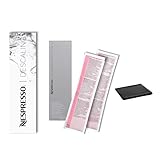
- Effective and Safe Descaling Solution: Specially formulated for Nespresso machines to ensure thorough descaling without damaging your coffee maker. Perfect for all Nespresso models.
- Enhances Coffee Flavor: Regular descaling with our Nespresso kit removes limescale buildup, ensuring your coffee continues to taste fresh and rich, just like the first cup.
- Eco-Friendly and Easy to Use: Made with environmentally friendly ingredients, our descaling kit is simple to use, guaranteeing a hassle-free descaling process.
- Prolongs Machine Life: Using the Nespresso descaling kit regularly can extend the life of your coffee machine, saving you money on potential repairs or replacements.
- Prolongs Machine Life: Using the Nespresso descaling kit regularly can extend the life of your coffee machine, saving you money on potential repairs or replacements.
- Unlock and open the head.
- Replace the capsule if it is used or damaged.
- Unplug the machine for 10 seconds.
- Reconnect it.
- Close the head and press the button to turn the machine on.
- Press the button again to brew.
If the machine still will not operate, stop repeating the reset and contact Nespresso. This sequence is intended to clear the documented operating condition; it is not a repair for an internal electrical or mechanical failure.
Match the symptom to the right action
| Symptom | First action | If it remains |
|---|---|---|
| No light | Check outlet, plug, voltage, and fuse; wake the machine. | Use the overheating rest procedure if relevant, then contact support for persistent power faults. |
| Light blinks for roughly 30 seconds | Wait for warm-up to finish. | Continue only if the light becomes steady; otherwise use the documented recovery sequence. |
| Steady light, no coffee | Refill tank, insert a fresh Vertuo capsule, and lock the head. | Run the cleaning rinse, then descale if the alert is present or flow remains abnormal. |
| Water flows but no coffee | Determine whether a cleaning, descaling, or emptying cycle is running. | Complete that cycle; if it was not requested, eject the capsule and check the setup. |
| Three orange blinks, then steady white | Descale with the specified liquid, water volume, and rinse. | Contact support if the alert or poor flow persists after the complete procedure. |
| Two blinks and one pause continue | Apply the capsule/tank/lock checks and the 10-second unplug sequence. | Call Nespresso rather than opening the machine. |
How the Pop+ decides when to brew
The Vertuo system uses the barcode on the capsule to select preparation parameters and cup length. The manufacturer describes this operation as: “The machine will automatically recognize the inserted capsule and select the coffee preparation parameters and cup length defined by Nespresso coffee experts to extract the coffee blends at it’s best.” That is why a correct capsule position, an intact barcode area, a closed head, and a locked lever matter before troubleshooting the pump or other internal parts.
Vertuo capsules are a specific format. A capsule from an unrelated Nespresso system is not an interchangeable substitute, even if it looks similar. If you have no capsule available, or the capsule you have is visibly crushed, punctured, or previously used, use a fresh genuine Vertuo capsule for the diagnostic brew. This removes capsule recognition from the list of variables.
No coffee versus no water
These symptoms point to different states. If there is no coffee and no water, begin with the tank, capsule, head, and lock checks. A tank that is empty or not seated can produce a one-blink/one-pause warning. A capsule that is absent, mispositioned, damaged, or already used can produce the continuous two-blink/one-pause condition during brewing.
If water is coming out but no coffee is present, first identify whether you deliberately started cleaning, descaling, or emptying. Those operations run without a capsule and may produce water while the button blinks. Let the selected program finish rather than opening the head or pressing the button repeatedly. If you did not request maintenance, stop after the cycle is safe, eject any capsule, and restore the normal brewing setup.
A delayed first pour is not the same as a failure. Capsule barcode reading and pre-wetting happen before extraction, so the first drops may not appear immediately after the button press. Keep the head locked and wait for the light to return to steady white before deciding that brewing has failed.
Cleaning and descaling safety
- Keep the head closed and locked during brewing and during the cleaning rinse.
- Use a container large enough for the full rinse or descaling output; at least 1 litre is specified for both procedures described here.
- Never interrupt the approximately 20-minute descaling cycle once it has started.
- Protect countertops and skin from descaling liquid, and follow the package safety directions.
- Use only a clean, damp cloth around the outlet; avoid abrasive products and solvents.
- Do not immerse the machine, place it in a dishwasher, or disassemble it.
Plan maintenance where the machine can remain undisturbed. The cleaning rinse may run for up to seven minutes, while descaling takes about 20 minutes and includes a separate fresh-water rinse. Keep the required container in place for the entire operation so expelled liquid does not overflow onto the counter.
Quick wins for a faster PC:
Repair Windows errors before they cause bigger problemsFix Now →Fix the driver behind crashes, sound loss and screen glitchesFind Drivers →Clear out junk files and repair common Windows errorsFree Scan →When the problem is not a simple setup issue
Contact Nespresso when the tank, capsule, lock, cleaning, applicable descaling, and two-blink recovery steps do not restore operation. Support is also appropriate for a persistent mechanical obstruction, repeated electrical shutdown, damaged power cord, burning smell, or any condition that makes the appliance unsafe.
Rank #4

- COMPATIBLE WITH ALL VERTUO MACHINES – Designed for use with all Nespresso VertuoLine coffee machines for convenient routine cleaning and maintenance.
- ECO-CONSCIOUS DESCALING KIT – Concentrated citric acid powder formula helps clean your Vertuo machine without bulky plastic bottles or unnecessary packaging. Simply add water before use for a convenient and environmentally conscious coffee machine care solution.
- HELPS SUPPORT BETTER COFFEE FLAVOR – Helps reduce mineral buildup and old coffee residue inside the brewing system to support a cleaner brewing experience and maintain the rich, fresh taste of your coffee.
- PLANT-BASED & BPA-FREE FORMULA – Made with vegan, plant-based citric acid and BPA-free materials for reliable coffee machine maintenance. Includes reusable pods with food-safe materials for a more sustainable coffee routine.
- COMPLETE 12-MONTH SUPPLY – This package comes with 1 bottle of Nespresso Vertuo descaling solution, 12 Vertuo cleaning tablets and 2 Vertuo reusable pods for long-lasting Vertuo machine care and routine maintenance throughout the year.
Warranty coverage, service availability, telephone numbers, and repair pricing vary by country and purchase details. Use the support channel for your region and have the model, purchase information, and the observed light pattern ready. Note whether the machine had no light, a steady light, or a repeating blink pattern; whether water flowed; and which maintenance steps you completed. This gives the representative a useful operating history without requiring you to guess at an internal part.
Do not open the housing, bypass the lock, probe the electrical system, or attempt pump repair. The official troubleshooting instructions direct owners to contact Nespresso when the prescribed checks fail. Home disassembly can create an electrical hazard and may affect warranty eligibility.
Independent reader supportYour contribution helps us test, update, and keep practical guides available for everyone.Preventing another no-brew episode
- Keep the tank filled and seated before starting a brew.
- Use a fresh Vertuo capsule and verify the dome-down orientation.
- Close and lock the head before pressing the button.
- Allow warm-up, barcode reading, and pre-wetting to finish instead of pressing repeatedly.
- Run the cleaning rinse monthly, and whenever residue is visible or the machine has been unused for an extended period.
- Descale when the orange alert appears, using the complete manufacturer procedure.
- Empty and rinse the capsule container and drip tray as part of routine cleaning.
These steps address the documented operating states first. If the Pop+ still refuses to brew after the manufacturer’s checks and maintenance cycles, further home troubleshooting is unlikely to be useful or safe.
Do these 3 things before closing this tab:
1Repair Windows errors before they cause bigger problems2Scan for outdated or missing drivers - takes under a minute3Clear out junk files and repair common Windows errorsChoosing supplies without creating a new problem
If descaling is indicated, look for a descaling kit intended for the Nespresso Vertuo Pop+. The manual specifies one unit of Nespresso descaling liquid, 0.5 litre of water, and a container of at least 1 litre for the procedure. A kit is relevant only when the orange alert appears or abnormal flow remains after basic checks and cleaning; it is not a substitute for checking the tank, capsule, and lock first.
Do not treat generic acids, vinegar, or household cleaners as equivalent products. The documented procedure names Nespresso descaling liquid and requires its complete rinse sequence. Using an improvised chemical or shortcut can leave residue, damage surfaces, or leave the machine in an incomplete maintenance state.
A practical decision order
For a fast, safe diagnosis, follow this order: wake the machine and wait through the 30-second warm-up; check the tank and locked lever; eject any used capsule and install a fresh Vertuo capsule dome-side down; press once and allow barcode reading and pre-wetting; identify the blink pattern; run the seven-minute cleaning rinse if residue or long storage makes it appropriate; descale only for the orange alert or persistent abnormal flow; then perform the 10-second unplug recovery for a continuing two-blink/one-pause condition. Escalate to Nespresso if the complete sequence fails.
This order prevents a common mistake: jumping to descaling or assuming a failed pump when the head is simply unlocked, the tank is not seated, or the machine is still in a normal startup or maintenance cycle.
Frequently Asked Questions
Why is my Nespresso Vertuo Pop+ blinking instead of brewing?
Blinking can be normal during the approximately 30-second warm-up, capsule barcode reading, pre-wetting, or a cleaning, descaling, or emptying cycle. If coffee flows normally while the button blinks, the manufacturer says the machine is working properly. A repeating one-blink/one-pause or two-blink/one-pause pattern requires the water, lock, capsule, and maintenance checks described above.
Best Value

- DESCALING KIT Set of 2 descaling kits for Inissia, Pixie, U, Maestria, Gran Maestria, Lattissima, CitiZ, Essenza, Cube, Concept, Expert, Prodigious, Seaco, Siemens, Classic line machines
- Brand New Version
- It comes in a proper packaging.
- It ensures you get the best usage for a longer period of time.
Why does my Vertuo Pop+ dispense water but no coffee?
It may be running a cleaning, descaling, or emptying program, all of which operate without a capsule and can dispense water while the button blinks. Let that cycle finish. If you did not start maintenance, eject the capsule, check the tank and locked head, and retry with a fresh Vertuo capsule.
How long should I wait before deciding the Pop+ will not brew?
Allow about 30 seconds for warm-up, then allow additional time for the machine to read the capsule and pre-wet the coffee. Do not open the head or repeatedly press the button while the cycle is running. The light should return to steady white when the operation is complete.
How do I clean a Vertuo Pop+ that will not make coffee?
Eject the capsule, empty and rinse the capsule container and drip tray, remove the cup support, and place a container of at least 1 litre under the outlet. With no capsule installed, close and lock the head and press the button three times within two seconds. The rinse can take up to seven minutes and stops automatically.
Recommended Free Tools
When should I buy a Nespresso Vertuo Pop+ descaling kit?
Use the model’s descaling procedure when three orange blinks are followed by steady white, or when abnormal flow persists after the basic checks and cleaning. The manual specifies one Nespresso descaling-liquid unit, 0.5 litre of water, and a container of at least 1 litre. Do not substitute a generic acidic cleaner.
What does two blinks and one pause mean on the Vertuo Pop+?
During brewing, check for a fresh undamaged capsule in the correct position, a fully locked lever, and a filled tank. During cleaning, descaling, or emptying, make sure the capsule has been ejected and the head is locked. If the pattern continues, unplug for 10 seconds and follow the manual’s recovery sequence, then contact Nespresso if it persists.
Can I use another Nespresso capsule type in the Vertuo Pop+?
No. The Pop+ requires the Vertuo capsule format. Use a fresh, undamaged Vertuo capsule with the dome facing down; capsules from unrelated Nespresso systems are not compatible.
How much does a Vertuo Pop+ repair cost?
There is no single manufacturer repair price that applies everywhere. Warranty terms, service availability, telephone numbers, and pricing depend on your country and purchase details. Contact regional Nespresso support after completing the documented checks and have your model, purchase information, light pattern, and completed steps ready.
The Bottom Line
Start with water, capsule, head lock, and the normal warm-up delay. Then identify the light pattern, run the specified cleaning rinse, and descale only with the Vertuo Pop+ procedure when indicated. If the two-blink recovery sequence and applicable maintenance do not restore brewing, contact Nespresso rather than opening the machine.
Quick Recap
Product prices and availability are accurate as of the date/time indicated and are subject to change. Any price and availability information displayed on Amazon at the time of purchase will apply.

