The Tool Desk
Outbyte PC Repair FREERepair Windows errors before they cause bigger problemsFix Now →Outbyte Driver Updater FREEFix the driver behind crashes, sound loss and screen glitchesFind Drivers →Most missed jumpers in NBA 2K26 are not solved by randomly changing animations or copying another player’s release. First identify whether the game is calling your attempts early or late, then choose one visual cue for your selected jump-shot animation and rehearse it from repeatable distances. The cue options—Jump, Set Point, Push and Release—are timing references tied to the animation, not universal points that work identically for every shot.
The steps below are specific to NBA 2K26. Current NBA 2K27 timing menus and mechanics have not been verified, so do not assume these labels or paths are unchanged in that edition.
| # | Preview | Product | Price | |
|---|---|---|---|---|
| 1 |

|
NBA 2K26 - PlayStation 5 | $15.79 | Buy on Amazon |
| 2 |
|
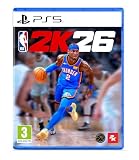
NBA 2K26 Standard Edition PlayStation 5 | $23.25 | Buy on Amazon |
| 3 |

|
NBA 2K26 (HK Version) - PlayStation 5 | $59.99 | Buy on Amazon |
| 4 |

|
NBA BOUNCE - PlayStation 5 | $19.99 | Buy on Amazon |
| 5 |

|
NBA 2K27 - PlayStation 5 | $65.95 | Buy on Amazon |
As an Amazon Associate I earn from qualifying purchases.
What is actually causing the misses?
A jump shot has several moving parts: the animation you equip, the distance of the attempt, the visual cue you select, your meter choice and the consistency of your input. A release that looks right on one animation can be early on another, and a habit learned at the three-point line may not transfer perfectly to a moving mid-range attempt. Treat timing as a repeatable process rather than a single universal release frame.
Your cue is animation-dependent
NBA 2K26 exposes four visual timing references: Jump, Set Point, Push and Release. “Jump” asks you to release around the beginning of the player’s upward movement; “Set Point” uses the moment the shooting motion reaches its set position; “Push” follows the forward extension; and “Release” uses the ball leaving the hand. The clearest option depends on the animation and on which part of the motion you can recognize consistently. Hoops Gamers Staff describes the choice as personal and dependent on each jump shot, rather than naming one best setting for everyone.
#1 Best Overall
- POWERED BY ProPLAY: Dominate every possession with immersive technology that directly translates NBA footage into realistic gameplay. Feel more connected to every dribble and crossover with revamped size-ups and experience fast-paced, dynamic movement with all-new ProPLAY features.
- SQUAD UP IN THE CITY: Build a transcendent MyPLAYER and climb the competitive ranks to reach the pinnacle of NBA stardom in an all-new MyCAREER journey. Team up with friends in a stunning, streamlined City, earn recognition and increase your REP, and battle rival squads for Park supremacy.
- UNITE STARS IN MyTEAM: Collect and compete with past and present legends of the game in MyTEAM. Assemble a star-studded roster, put your dream team to the test in new single-player and multiplayer modes, and acquire new cards to make your MyTEAM fantasy a reality.
- YOUR TEAM, YOUR STORY: Lead an NBA franchise as a General Manager in MyNBA. Choose from all 30 teams, experience 30 unique MyGM storylines with real-world inspiration, and chase the ultimate goal: to win a championship. Influence the future of the sport and leave an indelible mark on the league.
Distance and animation can move the window
NBA2KLab’s NBA 2K26 testing reports timing-window changes between animations and shooting distances. That means an identical-looking button habit can produce different feedback when you switch a base, add a moving shot or step farther from the basket. Before deciding that a cue “does not work,” hold the animation and distance steady long enough to see a pattern.
One miss is not a diagnosis
Latency, contest pressure, stamina, movement and your own visual attention can all affect one possession. Read feedback over a group of comparable attempts. A run of early results points to a different adjustment than a run of late results; a single miss does not establish either.
Confirm that you are using NBA 2K26 instructions
The documented menu names in this guide apply to NBA 2K26. The available evidence does not verify current NBA 2K27 settings, timing labels or menu paths. Before changing anything, check the edition shown on your title screen or platform library and note the mode you are playing. If you are on another edition, use this process as a diagnostic framework but confirm its labels in that edition’s current settings.
Crashes, No Sound, or Screen Glitches?
Random freezes, missing sound and display glitches usually trace back to one bad driver. Find and replace yours safely.Free scan · under a minuteWindows Errors? Fix Them Before They Spread
Repair common Windows errors and clear accumulated junk for a smoother, more stable PC - no reinstall needed.Free scan · no reinstall- Write down the edition and mode before practicing.
- Do not treat a 2K26 setting path as confirmed for NBA 2K27.
- Keep the same mode and shot context while comparing results.
Turn on feedback so “early” and “late” mean something
For NBA 2K26, NBA2KLab places shot feedback in the main-menu Features settings and recommends All Shots. The exact presentation can vary by mode, but the purpose is the same: show the timing result for attempts instead of relying on memory.
- Return to the NBA 2K26 main menu.
- Open Features, then the settings area that contains shot feedback.
- Set shot feedback to All Shots.
- Play or practice several comparable attempts before changing a setting.
Record the pattern mentally or on paper: mostly early, mostly late, or mixed. A mixed sequence usually means the cue is not yet recognizable, the test conditions are changing, or your input is inconsistent. Do not react to every individual result by moving the cue back and forth.
Rank #2
- Bragging rights are on the line in NBA 2K26. Build your legend in MyCAREER, collect and compete with stars in MyTEAM, and make executive decisions in MyNBA on PS5.
- POWERED BY ProPLAY Dominate every possession with immersive technology that directly translates NBA footage into realistic gameplay on PS5. Feel more connected to every dribble and crossover, and move with freedom as you unleash dynamic playmaking using all-new features.
- SQUAD UP AND WIN Build a MyPLAYER that transcends the game in MyCAREER and rise from a budding prospect to a global superstar. Take over stunning environments where you can team up with friends and challenge rival squads for bragging rights.
- UNITE STARS IN MyTEAM Collect and compete with past and present legends of the game in MyTEAM. Assemble a star-studded roster, put your dream team to the test in single-player and multiplayer modes, and acquire new cards to make your MyTEAM fantasy a reality.
- YOUR TEAM, YOUR STORY Write the next chapter of an NBA franchise as a General Manager in MyLEAGUE, and add to its storied history by raising banners. Influence the future of the sport and leave an indelible mark on the league. *Internet connection and NBA 2K Account required to redeem and use bonus content. Terms apply.
Choose one visual cue and keep it fixed
Start with the animation you intend to use, then test the four NBA 2K26 cue references one at a time. Pick the point that is easiest for you to see—not the point that another player calls “green.” A reliable cue is one you can identify in peripheral vision while also watching spacing and contests.
| NBA 2K26 cue | What to watch | When it is useful |
|---|---|---|
| Jump | The beginning of the upward jump | Players who recognize lift-off clearly |
| Set Point | The ball and hands reaching the set position | Players who prefer a pause-like reference before the push |
| Push | The forward extension of the shooting motion | Players who track the hands driving toward the release |
| Release | The ball leaving the hand | Players with a clear view of the final hand action |
The table describes reference points, not guaranteed frame-perfect instructions. Animation-specific differences mean that “Release” on one jumper may not look like “Release” on another. Once one cue is visibly repeatable, leave it selected while you evaluate the rest of your setup.
Do these 3 things before closing this tab:
1Repair Windows errors before they cause bigger problems2Scan for outdated or missing drivers - takes under a minute3Clear out junk files and repair common Windows errorsA simple cue-selection drill
- Use one jump-shot animation and one uncontested spot.
- Try one cue for a short block of attempts while watching feedback.
- Notice whether you can identify the cue before the result appears.
- Switch only the cue, then repeat from the same spot.
- Keep the cue that produces the clearest visual recognition and the most consistent early-or-late pattern.
Do not select a cue solely because it produced a temporary hot streak. Clarity and repeatability matter more than a handful of makes.
Make your practice comparable
NBA2KLab’s testing used controlled conditions to examine timing. You cannot reproduce a laboratory setup perfectly in every mode, but you can remove obvious sources of noise.
- Keep the same jump-shot animation throughout a comparison.
- Use a similar distance and the same type of catch or pull-up.
- Practice without changing badges, boosts, hot-zone context or controller habits midway through a test.
- Take enough attempts to see a trend rather than judging one or two shots.
- Change one variable only after you have a consistent feedback pattern.
For example, if ten similar corner attempts are early, keep the animation and distance fixed while you adjust the cue or timing setting. If you also change the meter and move to the top of the arc, you will not know which change affected the result.
Rank #3
- 🏀【Powered by ProPLAY Technology】Dominate every play with ProPLAY, a revolutionary system that translates real NBA footage directly into gameplay animation. Experience lifelike movements, precise dribbles, and realistic crossovers with revamped size-ups and faster, more dynamic motion across the court.
- 🌆【Squad Up in the City】Create your ultimate MyPLAYER and rise through the ranks to NBA superstardom in an all-new MyCAREER journey. Explore a stunning, redesigned City where you can link up with friends, earn REP, and prove your dominance in competitive Park battles and events.
- ⭐【Unite the Legends in MyTEAM】Build your dream lineup with basketball’s greatest legends—past and present—in the enhanced MyTEAM mode. Collect, customize, and compete in new single-player and multiplayer experiences while expanding your roster with powerful new cards and rewards.
- 📈【Your Team, Your Story】Take control as a General Manager in MyNBA and shape the future of your franchise. Choose from all 30 NBA teams, navigate unique MyGM storylines inspired by real-world challenges, and guide your squad to championship glory through smart management and bold decisions.
- 🔥【Experience Basketball Like Never Before】NBA 2K25 delivers unmatched realism, emotion, and control—from high-intensity gameplay powered by ProPLAY to the depth of its career and management modes. Whether competing online or building your legacy offline, every game feels like the real NBA.
Use feedback to correct early and late releases
If the feedback is consistently early
- Hold the button slightly longer before releasing, while keeping the same visual reference.
- Check whether you are releasing at the start of the animation rather than at your selected cue.
- Repeat from the same distance; do not test the adjustment with a different shot type.
If the feedback is consistently late
- Release slightly sooner while preserving the same cue.
- Check whether movement, a catch animation or a late pass is delaying your visual read.
- Repeat the same stationary attempts before testing pull-ups or fades.
If the feedback alternates early and late
- Stop changing settings for a moment and watch the animation itself.
- Ask whether your distance, shot type or stamina is changing between attempts.
- Use a larger practice sample with one animation and one spot.
- If you cannot see the selected cue reliably, try another cue rather than making increasingly large timing changes.
These adjustments are troubleshooting steps, not guarantees. A different mode, contest level or animation can require a new calibration.
What’s actually slowing this PC down?
Pick the symptom - the matching free tool is one click away.
What NBA2KLab’s numbers do—and do not—prove
NBA2KLab published NBA 2K26 testing that illustrates why animation choice matters. The figures below are from that publisher’s described setup, not official 2K statistics and not a universal probability for every player.
| Reported result | Conditions and qualification |
|---|---|
| About 69% average makes for AJ Green versus 57% for Zach LaVine | NBA2KLab test of two jump shots, described without badges, boosts or hot zones; the page does not establish a population-wide rate. |
| About 9% advantage for no meter | The source’s early comparison averaged 57% without the meter and 48% with it; effectiveness varies by setup and player. |
| 59-millisecond green window | Reported in the source’s no-dip comparison, tied to that tested shot and configuration. |
| 180 milliseconds faster shot speed | Reported difference between the source’s no-dip comparison and its no-dip-off comparison. |
| 200 shots for every 5 milliseconds | The source’s stated testing approach for examining timing changes. |
These results support a practical conclusion: animation and meter choices can change what you need to learn. They do not establish that AJ Green will make 69% for you, that turning off the meter will improve your percentage by exactly 9%, or that a 59-millisecond window applies to every jumper.
Decide whether to use the shot meter
A meter gives you an additional visual reference, while a meter-off setup asks you to rely on the player animation and your selected cue. Choose based on which information you can read under game pressure.
When a meter may help
- You can follow the moving indicator without losing sight of spacing and contests.
- Your animation is difficult to read and the meter provides a stable secondary reference.
- You are still learning the timing and want immediate visual information.
When meter-off practice may help
- The meter distracts you from the animation.
- You can recognize one cue consistently and want to build an animation-first habit.
- You are willing to practice long enough to replace the meter signal with the player’s motion.
NBA2KLab’s early comparison reported averages of 57% without the meter and 48% with it, described as about a 9% difference. Because that result came from a particular test setup and the source says effectiveness varies, treat it as evidence to test for yourself, not as an assured boost. Change only the meter setting, keep the animation and distance stable, and compare feedback across comparable attempts.
Rank #4
- FUN & EASY HOOP PLAY: Players of any age and level can learn the basics and play in style as they shoot, dunk, and block.
- CO-OP ON THE COURTS: Shoot hoops with family and friends and amp up the challenge with up to 4 players.
- PRACTICE YOUR MOVES: Choose your game mode and work on your lay-ups in Training, compete in a Full Season or Party playing Ball Pop and more.
- MASCOT MAYHEM: Jump into the shenanigans with your favorite team mascot in Party Mode.
- BUILD YOUR PERFECT LINEUP: Choose an Eastern or Western Conference team and design your players from the hair to the sneakers and funky trails.
A repeatable NBA 2K26 timing routine
Phase 1: Establish a baseline
- Confirm that the game is NBA 2K26 and note your mode.
- Enable shot feedback for All Shots through Features at the main menu.
- Select the jump-shot animation you plan to use.
- Choose one uncontested practice distance.
- Take a block of attempts without changing the cue, meter or animation.
Your goal in this phase is not a perfect percentage. It is to learn whether your misses are mostly early, mostly late or inconsistent.
Phase 2: Lock the visual reference
- Choose Jump, Set Point, Push or Release.
- Watch the chosen body or hand action on every attempt.
- Keep the cue fixed until you can name the timing result before seeing the feedback.
If the cue is not visible in your chosen animation, switch cues once and repeat the block. Avoid changing the animation at the same time.
Phase 3: Calibrate one variable
- Use the feedback trend to make a small timing adjustment.
- Repeat from the same distance and shot type.
- Compare the new block with the baseline.
- Only after the pattern improves should you test a meter change or another animation.
Phase 4: Expand the conditions gradually
- Move to a second, similar distance.
- Test a catch-and-shoot before a pull-up or contested attempt.
- Introduce game pressure after the stationary cue is reliable.
- Recalibrate if the new animation or shot type produces a different early-or-late pattern.
Common reasons a good practice release fails in games
You changed more than one setting
Switching animation, cue, meter and controller habits at once destroys the comparison. Return to one animation, one distance and one cue, then change only the variable you are testing.
You learned a distance-specific habit
A release learned at one spot may not transfer to a deeper shot or a moving attempt. Build separate confidence at the distances you actually use, while keeping the same animation where possible.
You are reading the wrong part of the animation
A player may think they are following the release while actually reacting to the jump or set point. Select the cue that matches the motion you can see, then practice that exact moment.
Best Value
- THE CITY: Put The City on your back and lead a new era of MyPLAYERs fueled by basketball. Let your passion power your unique style on and off the court, team up with friends to form a Crew, and dominate the courts at The REC, Park, and beyond.
- MyCAREER: Create a MyPLAYER and experience a legacy-defining story in MyCAREER, where you’ll be tested on your path to becoming the greatest player of all time. Shatter expectations, compete against legends of the sport, and leave your mark on NBA history.
- POWERED BY ProPLAY: Master your skills with lifelike gameplay animations directly translated from real NBA action. Use an array of ProPLAY features to cook defenders with ankle-breaking crossovers, show off your range with enhanced shooting mechanics, and become a matchup nightmare every time you step on the court.
- MyTEAM: Collect your favorite NBA and WNBA stars with ease and build a fantasy squad for the ages. Grow your collection and assemble endless lineup combinations; take control of your MyTEAM and put it to the test in single-player and multiplayer modes.
You are treating a test percentage as a promise
Third-party test numbers describe the tester’s setup. Your attributes, mode, shot quality, contests and input consistency can produce a different result.
You changed editions without checking
NBA 2K26 labels and paths are not confirmed for NBA 2K27 by the available documentation. Recheck the current edition before applying any menu instruction.
How to compare two jump-shot animations fairly
If you want to decide between animations, compare the cue rather than chasing a single highlight clip.
Quick wins for a faster PC:
Clear out junk files and repair common Windows errorsFree Scan →Fix the driver behind crashes, sound loss and screen glitchesFind Drivers →Repair Windows errors before they cause bigger problemsFix Now →- Use the same player build and mode.
- Keep the cue and meter setting identical for both animations.
- Use the same distance and shot type.
- Take comparable blocks of attempts.
- Record early, late and made results separately.
- Prefer the animation whose timing point you can recognize and repeat, not merely the one with a short-term streak.
This approach reflects the practical criteria that matter: visual clarity, repeatability and feedback consistency. It also prevents an animation with a different speed from being judged against a cue learned for another motion.
What not to buy to fix timing
No physical product is required to diagnose or practice the timing process described here. A new controller, monitor or game copy cannot replace a consistent cue and comparable repetitions. First establish whether your results are early, late or mixed with the settings already available. If a genuine hardware or connection problem is suspected, address that separately rather than assuming equipment will correct an animation-reading mistake.
A compact checklist before your next session
- Am I definitely playing NBA 2K26, not assuming the same instructions apply to 2K27?
- Is shot feedback enabled for All Shots?
- Have I selected one animation and one visual cue?
- Am I practicing from a repeatable distance?
- Are my recent misses consistently early, consistently late or mixed?
- Have I changed only one variable since the last block?
- Am I treating third-party percentages as test results rather than guarantees?
Bottom line for missed jumpers
In NBA 2K26, reliable shooting comes from diagnosing feedback, choosing a visual cue that fits your animation and repeating comparable attempts before making another change. Start with the Features menu and All Shots feedback, settle on Jump, Set Point, Push or Release, then calibrate early or late results from the same distance. Animation and distance can shift the timing window, and NBA2KLab’s figures show why a result from one controlled setup should not be generalized to every player. Build the cue first; only then expand to other distances, shot types and game pressure.
Quick Recap
Product prices and availability are accurate as of the date/time indicated and are subject to change. Any price and availability information displayed on Amazon at the time of purchase will apply.

