Quick wins for a faster PC:
Clear out junk files and repair common Windows errorsFree Scan →Scan for outdated or missing drivers - takes under a minuteDriver Scan →Used enterprise hard drives can be inexpensive because they may be surplus from large fleets, have already spent years in service, target buyers who accept uncertain remaining life, or carry limited warranty coverage. “Enterprise” describes the drive’s design class, not the condition of a particular secondhand unit.
SMART data is useful evidence, but it is not a certificate of health or a remaining-life counter. A drive can show warning signs without failing immediately, and it can fail without the recorded SMART attributes showing a warning. Buy the exact compatible model, demand the complete SMART report and seller terms, test the drive before storing anything important, and keep an independent backup.
As an Amazon Associate I earn from qualifying purchases.
Why used enterprise hard drives can be cheap
There is no verified market-wide average discount or current standard price for used enterprise drives. The reasons below describe plausible resale mechanisms rather than a measured explanation for every listing. The price of one drive depends on its model, capacity, interface, age, documented testing, seller policy and local supply.
What’s actually slowing this PC down?
Pick the symptom - the matching free tool is one click away.
Fleet retirement creates a supply of experienced drives
Large data-center operators replace storage in batches. A drive can leave a fleet because the operator is changing capacity, standardizing on another model, refreshing an enclosure or retiring a complete server generation, even when the drive still works. Those units can later appear through equipment liquidators, recyclers or specialist resellers.
#1 Best Overall

- Toshiba 14TB SATA 3.5" Enterprise HDD
- SATA3 6.0Gb/s, 7200RPM
- 512e Persistent Write Cache Technology
- Innovative 9-disk Helium-Sealed Design
- 3.5" Form Factor, 26.1mm height
Backblaze’s Q2 2026 drive-statistics announcement illustrates the age such a fleet can reach. It reported more than 350,000 production hard drives in its dataset and said two models were fully retired after long service. Its chief technology officer, Dan Spraggins, wrote: “The drives we retired this quarter put in close to a decade of service each, which says a lot about how long well-qualified drives can last at scale.” That statement describes Backblaze’s managed fleet; it does not establish how long any particular resale unit will continue to work.
“Enterprise” does not mean new or guaranteed
Enterprise models are designed for particular workload, vibration, firmware and service environments. The label does not prove that a used drive was lightly used, was operated in ideal temperatures, still has manufacturer support or has passed a reseller’s full test. A heavily used enterprise drive and a lightly used consumer drive can have very different risk profiles.
Age, warranty uncertainty and buyer trade-offs affect value
Older drives generally have less predictable remaining life than new ones. Buyers may also have to accept a shorter return window, a reseller-only warranty or no practical warranty at all. A low purchase price can therefore compensate for the time needed to verify the unit and the possibility of replacement. These are market mechanisms to investigate, not proof that a specific seller’s price reflects a particular failure history.
What fleet statistics can—and cannot—tell you
Backblaze reported a 1.73% quarterly annualized failure rate and a 1.41% lifetime annualized failure rate for its Q2 2026 fleet. Those figures are fleet statistics: they depend on Backblaze’s model mix, operating environment, monitoring practices and definition of failure. They are not a survival estimate for an individual secondhand drive and should not be converted into “this drive has a 98.27% chance of lasting a year.”
| Reported figure | What it measures | What it does not establish |
|---|---|---|
| 1.73% quarterly annualized failure rate (Q2 2026) | Backblaze’s annualized rate calculated from that quarter’s production fleet | The remaining life or one-year risk of a particular used drive |
| 1.41% lifetime annualized failure rate (Q2 2026) | Backblaze’s cumulative fleet statistic through the reported period | A universal rate for all enterprise models, sellers or home servers |
| Close to a decade of service for two retired models | Service duration reported for those fully retired Backblaze models | A recommended service interval or proof that another drive has similar history |
Use fleet data for broad context and, where available, model-level comparisons with adequate sample sizes. Do not use it as a substitute for the serial number, complete SMART history and return terms of the unit you are considering.
Rank #2

- Store vast amounts of data with a class-leading 24TB capacity, perfect for hyperscale environments, data centers, and big data applications.
- 7200 RPM, SATA 6Gb/s interface, and large 512MB cache, delivering fast, predictable performance for demanding server workloads.
- Designed for 24/7 operation with a high 2.5 million hours MTBF (Mean Time Between Failures) rating, ensuring enterprise-class durability and data dependability.
- Conventional Magnetic Recording (CMR): Employs proven CMR technology for consistent and reliable performance across various workloads.
- Engineered for massive scale-out (MSO), high-density data centers, and cloud storage applications.
What SMART data actually is
SMART (Self-Monitoring, Analysis and Reporting Technology) is drive-reported telemetry. A host utility reads attributes such as error counts, temperatures and operating hours, then displays raw values, normalized values and a pass/fail status according to the drive’s firmware. Manufacturers do not expose identical attributes or encode raw values identically, so interpretation is model-specific.
Backblaze says it takes daily snapshots of operational drives. In an October 2016 analysis, it examined five attributes: reallocated sectors (5), reported uncorrectable errors (187), command timeout (188), current pending sectors (197) and uncorrectable sectors (198). In that studied population, 76.7% of failed drives had one or more of those five values above zero, while 23.3% of failed drives showed no warning in the recorded SMART statistics.
The 23.3% result is dated, comes from Backblaze’s fleet and selected attributes, and is not a current universal failure-detection rate. It demonstrates why a clean report cannot guarantee a healthy drive for a stated number of years.
Why a nonzero count is not an automatic failure verdict
Raw counts need context. A single corrected event, a count that stopped increasing, or a value generated by a particular firmware implementation may not mean the same thing as a rapidly rising count or an uncorrectable read. Backblaze notes that raw values, combinations of attributes and changes over time matter. Compare repeated reports from the same drive instead of treating one number as a universal threshold.
Why a clean report can still miss a failure
SMART only records what the drive reports through supported attributes. A one-time screenshot cannot show whether a count has been rising, whether the drive was recently wiped, or whether a problem involves mechanics, electronics, firmware, handling damage or a future failure mode. Some failures occur before the selected attributes cross a warning threshold, and some models do not expose every field.
Rank #3
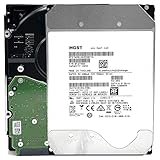
- NOTE: These HDD is used by Datacenter Servers for about 5 Years period. HDD was refurbished and data wiped with DoD standard. It's fully tested & passed HGST factory diagnose software test. Since this is heavy duty enterprise HDD with a 2.5M-hour MTBF rating.
- 10TB, 128MB Cache, 7200RPM, SATA 6.0Gb/s - Designed for 24/7/365 Heavy Duty, 2.5M-hour MTBF
- Works for Any SATA Server, NAS (network storage), RAID, PC/Mac, CCTV DVR, Surveillance System, CCTV DVR
- Bare Drive Only, Single Pack, (No Screws, Cables or Accessories included) -Friendly Reminder- Please FORMAT HDD on system in order to be detected/shows on system.
SMART fields worth checking before purchase
Ask for the complete report, not only the headline “PASSED” line. Save the report with the listing and serial number so you can compare it if the seller sends a different unit.
Do these 3 things before closing this tab:
1Clear out junk files and repair common Windows errors2Scan for outdated or missing drivers - takes under a minute3Repair Windows errors before they cause bigger problems| Field | What it can indicate | How to interpret it cautiously |
|---|---|---|
| Reallocated sectors | Sectors the firmware has replaced with reserve sectors | Any value deserves explanation; a rising count is more concerning than an old, unchanged count. Thresholds vary by model. |
| Current pending sectors | Sectors awaiting a successful rewrite or replacement decision | Pending sectors can cause read problems. Recheck after a complete, non-destructive test; do not assume a zero value proves future stability. |
| Reported uncorrectable and uncorrectable errors | Errors the drive could not correct or report to the host | Confirm which attribute the model implements and whether the count is increasing. |
| Command timeouts | Commands that did not complete within the expected interval | Investigate cabling, controller and power as well as the drive; a timeout is not automatically a mechanical failure. |
| Power-on hours and start/stop counts | Accumulated operating and spin-cycle history | They describe past use, not a guaranteed expiration point. A “low” value can be inaccurate or incomplete after firmware changes or swaps. |
| Temperature history | Recorded operating heat, where the model provides it | Look for sustained extremes and compare with the enclosure’s airflow plan. One current temperature is not a history. |
| Interface CRC errors | Communication errors between drive and host | These often point to a cable, backplane or connector. Replace or reseat the path and see whether the count continues before condemning the drive. |
Why SMART prediction does not transfer cleanly between models
SMART fields and their predictive value differ across manufacturers, firmware versions and model families. A 2023 study using ten years of Backblaze data describes missing or zero-valued fields and limited overlap among drive-model features. The authors trained a particular sequence model on the available logs and observed weaker generalization to other Seagate models with fewer failure examples.
That finding is evidence that predictive performance depends on the model and the data used to train it. It is not an off-the-shelf remaining-life calculator for a home buyer. A dashboard that labels a drive “healthy” may be useful for triage, but it cannot overcome missing history or a model-specific attribute layout.
Compatibility checks before you buy
Confirm the exact drive identity and your host’s requirements before comparing prices. “Enterprise” is not an interface specification.
- Model number and capacity: Match the full model code, not only the advertised terabyte figure. Different revisions can use different firmware, sector formats or features.
- Interface: Verify SATA or SAS. A SAS drive generally needs a SAS-capable controller; a SATA-only host cannot use it simply because the connector looks similar.
- Sector format: Check 512n, 512e or 4Kn requirements against your operating system, RAID controller and enclosure.
- Controller support: Confirm that your HBA or RAID card supports the drive’s link speed, power behavior and sector size. Some systems reject drives with unsupported formats or expect specific firmware.
- Physical and power fit: Check bay height, connector placement, spin-up current, vibration environment, noise and cooling capacity.
- Usage role: Decide whether the drive is for replaceable bulk storage, a scratch area, surveillance workloads or something that cannot be restored. The less replaceable the data, the less attractive an uncertain used unit becomes.
How to vet a listing and seller
- Request the serial number and exact model. Compare them with the photographs and the SMART report. Refuse listings that substitute a stock image or provide a report for a different unit.
- Ask for the full SMART output. Request raw and normalized values, power-on hours, error attributes and the report date. A pass/fail summary alone is insufficient.
- Ask how the drive was tested. Find out whether the seller performed a full read, a destructive write test, a surface scan or only a short SMART check. Treat an unverified claim as unknown, not as a test result.
- Read the return policy before paying. Note the number of days, who pays shipping, whether restocking fees apply and whether the policy covers a drive that passes SMART but fails your workload test.
- Identify the warranty holder. A reseller warranty and manufacturer warranty are different obligations. Verify any claimed manufacturer coverage with the manufacturer’s serial-number checker before relying on it.
- Check packaging and shipping practices. Hard drives need antistatic protection and shock-resistant packaging. A good SMART report cannot undo damage during transit.
“Used,” “refurbished” and “recertified” are descriptions, not universal guarantees. Their meaning depends on the seller’s documented process and written terms.
The Tool Desk
Outbyte Driver Updater FREEScan for outdated or missing drivers - takes under a minuteDriver Scan →Outbyte PC Repair FREERepair Windows errors before they cause bigger problemsFix Now →Rank #4

- High-Reliability Drive for servers, storage systems, and business-centric NAS systems
- Performance-Optimized for heavy application usage, supports workloads of up to 550TB per year—10× that of desktop hard drives
- Designed for 24×7 storage environments and backed by a 2 million hour MTBF rating
- Seagate Enterprise drives are built on 40 years of enterprise workload knowledge and experience
What to do when the drive arrives
Do not make the new drive the only copy of anything during evaluation. Connect it to a controller that supports its interface and sector format, then record its initial serial number and SMART report.
- Inspect the hardware. Look for bent connectors, damaged labels, corrosion or signs of impact. Photograph the condition before installation.
- Read SMART again. Confirm that the installed unit matches the listing and that no counts changed during shipping or setup.
- Run a non-destructive surface read. A complete read can expose slow or unreadable areas without overwriting data. Allow for the drive’s full capacity and your interface speed; do not interrupt it unnecessarily.
- Review the report after testing. Recheck pending, reallocated and uncorrectable counts, temperature and interface errors. Investigate new or rising errors rather than relying on a green status.
- Use a destructive test only on an empty drive. A full write/read cycle can reveal problems that a read-only scan misses, but it erases data and adds wear. Follow the utility’s documentation and keep the drive disconnected from any array until testing is complete.
- Burn in the intended workload. If the drive will serve a NAS, run representative transfers and monitor temperatures, timeouts and link errors. A short test cannot prove long-term reliability, but it can catch immediate incompatibility.
- Keep an independent backup. RAID, mirrors and snapshots improve availability; they do not replace a separate copy. Store at least one recoverable copy outside the single device or array being tested.
How many power-on hours are too many?
There is no evidence-supported hour value that guarantees failure or safety for every enterprise model. Power-on hours tell you how long the drive reported being powered, not how it was cooled, loaded, transported or maintained. A drive with close to a decade in a managed fleet may continue working, while another with fewer hours can fail unexpectedly.
Use hours as one risk signal alongside error trends, temperature history, model compatibility, seller terms and your backup plan. If the seller provides only a “low-hour” claim without a full report and serial match, treat the history as unverified.
Used enterprise versus new consumer or NAS drives
No drive class wins for every home server. Compare the complete system cost and the consequences of failure, not only the sticker price.
Outdated Drivers Are Slowing You Down
One free scan finds every outdated or missing driver and matches the right update for your exact hardware.Free scan · exact hardware matchPC Slower Than It Used to Be?
A free scan shows the junk files, broken settings and background clutter dragging Windows down - then fixes them in one click.Free scan · Windows 10 & 11| Decision axis | Used enterprise drive | New consumer or NAS drive |
|---|---|---|
| Upfront cost per usable TB | May be lower, but no market-wide discount is established; include testing and replacement risk. | Usually easier to price from a current retail listing, with the purchase price reflecting new condition. |
| Interface and host fit | May be SATA or SAS with model-specific sector and controller requirements. | Still requires verification, but the product documentation and intended host market are often clearer. |
| Condition evidence | Depends on the individual unit’s SMART history and seller testing. | Has no used-drive history, although manufacturing defects remain possible. |
| Warranty and returns | Can be reseller-only, limited or absent; verify who honors it. | Typically comes with stated new-product terms for the sales region, which you should still read. |
| Noise, heat and power | Enterprise acoustics and power behavior may not suit a quiet home enclosure. | Often marketed for desktop or NAS environments, but check the actual specifications. |
| Failure consequences | Acceptable mainly where replacement and restoration are straightforward. | Lower uncertainty does not remove the need for backups. |
Common mistakes and better responses
“SMART passed, so it is safe.”
Pass/fail is only one firmware decision. Obtain the complete attributes, compare trends and test the drive before use.
Best Value

- Optimize your storage for your business with a full portfolio of enterprise-class WD Gold HDDs in capacities up to 24TB(1). | (1) 1TB = 1 trillion bytes. Actual user capacity may be less depending on operating environment.
- Quality and reliability with up to 2.5M hours MTBF(3) to help you store your data with confidence. | (3) Projected values for model numbers WD241KRYZ, WD221KRYZ and WD202KRYZ. Final MTBF and AFR specifications are estimated by statistical measurements.
- Specifically designed for use in enterprise-class storage systems and data centers.
- Improve performance with our vibration protection technology.
- HelioSeal technology delivers high capacities with a low power draw (12TB & up).
“Any reallocated sector means instant failure.”
Investigate the count, its trend and the model’s interpretation. A rapidly increasing or accompanied-by-uncorrectable-error pattern is more serious than an isolated historical value, but there is no universal cutoff.
“Enterprise means it can run forever.”
Enterprise design can support demanding environments, yet used units have unknown history. Treat endurance claims as product-class context, not an individual guarantee.
“A RAID array is the backup.”
RAID can keep a service online after a disk loss, but deletion, corruption, controller problems and multiple failures can affect the array. Maintain a separate tested copy.
“A cheap SAS drive will work in my SATA NAS.”
Check the controller and enclosure first. Interface, sector format and firmware support determine compatibility, not the drive’s capacity or label.
Bottom line for a buyer
A used enterprise hard drive can be a sensible low-cost component when the data is replaceable, the host supports the exact model and interface, the seller provides a matching SMART report and meaningful returns, and you are willing to test it. The low price is compensation for uncertainty, not proof of a bargain.
Backblaze’s long-serving fleet demonstrates that some well-qualified drives operate for many years, while its 2016 finding that 23.3% of failed drives showed no warning in the recorded SMART attributes demonstrates the limit of a clean report. Use SMART to find evidence and trends, never as a promise of remaining life; verify compatibility and warranty terms; test before deployment; and keep another copy of important data.
Quick Recap
Product prices and availability are accurate as of the date/time indicated and are subject to change. Any price and availability information displayed on Amazon at the time of purchase will apply.
Recommended Free Tools

