For Microsoft Purview Data Loss Prevention (DLP), Microsoft says policies generally take effect about an hour after they are turned on. A rollout can still take days because simulation, results review, policy tuning, and pilot feedback happen before enforcement. Those stages are deployment work—not evidence that every policy takes days to activate.
Separate activation from the rollout
A DLP policy has a state, a scope, and a set of actions. In Microsoft Purview, its state may be off, in simulation, in simulation with notifications or Policy Tips, or turned on for enforcement. Simulation assesses what would match without enforcing the configured actions. Administrators can use the results to refine the policy before users are affected.
As an Amazon Associate I earn from qualifying purchases.
This distinction matters when measuring delay: count the time from when enforcement is enabled separately from the time spent simulating, reviewing matches, tuning conditions, and gathering pilot feedback. Microsoft’s general estimate is about an hour from being turned on, not a promise that every tenant or configuration will behave identically. Microsoft’s DLP overview describes the general activation timing, while its simulation guide explains the assessment stage.
Why simulation can make the wait feel longer
Review and tuning are deliberate steps
Simulation lets administrators inspect what a proposed policy would match before applying its actions. They can check reports and matches, adjust the included locations or conditions, and see whether the policy aligns with the intended control. A team may leave a policy in this stage for several days to assess results or gather feedback; that is a rollout choice, not a universal activation requirement.
#1 Best Overall

- 【Cross Cut & Credit Card Paper Shredder】The cross cut shredder shreds paper into 5x14mm particles, achieving P-4 level security. Shreds up to 6 sheets at once without removing staples, also handling paper clips and credit card (one at a time)
- 【Continuous Performance】The operating time is 4 minutes, with a 20-minute cooling cycle. If the shredding time exceeds 4 minutes, the overheating indicator will light up. After a 20-minute cooling cycle, it can resume operation
- 【Easy to Clean & Place】 Bonsaii shredder’s head features a handle for easy lifting; the separate 3.4-gallon bin has a clear window for quick disposal. Compact dimensions (11.81" × 7.09" × 14.26") make it perfect for home and small office spaces, fitting neatly under desks.
- 【Easy Operation & Safety Features】Auto start/stop and manual-reverse functions protect the paper shredder from the frustration of paper jams. The overheat protection function effectively extends the lifespan of the shredder, The document shredder will stop working once you lift the head, ensuring your safety.
- 【1-Year Warranty】Bonsaii offers a 1-year warranty for your shredders for home use heavy duty. If you have any questions, please feel free to contact us. We test every shredder before shipping, so you may notice some paper shreds from the testing
Simulation has its own time window
Microsoft says a simulation can run for up to 15 days, and simulation data is retained for 30 days. These describe the simulation and its results window, not how long enforcement takes to start. Microsoft’s simulation-mode documentation also explains how evaluation varies by location.
Why matches can appear at different times by location
Simulation coverage is not identical across workloads. In the cited guidance, SharePoint Online and OneDrive for Business evaluate existing items as well as new or changed items. For Exchange, Teams, and devices, the guide says only items that are new during the simulation are evaluated.
Rank #2

- Cross-cut paper and credit card shredder cuts material into approximate 0.2 x 1.2 inches (5 x 30 mm) pieces; meets security level P-3 standards
- Shreds up to 12 sheets of 20-pound bond paper at a time, also can shred credit cards (one at a time, but not suitable for metal credit cards), staples, and small paper clips
- 9 minute runtime and 30 minute cool down; if unit goes over max run time, it automatically shuts off to prevent overheating
- 4 mode control switch (auto/on, off, reverse, forward) and LED status indicators for power on, overheat and overload; 5 gallon bin reduces empty frequency
- Quality tested: As part of Amazon Basics quality inspections, we test every shredder before shipping it, which means you may see some paper shreds from the testing
That difference can affect what appears in simulation results and when administrators see it. It should not be mistaken for proof that an enforced policy activates at a different rate in each location. Check which locations and instances are included, and whether the content you expect to see falls within that location’s simulation evaluation behavior.
Recommended Free Tools
Use a staged deployment to reach enforcement
Microsoft recommends moving from simulation toward enforcement in steps, rather than turning on actions before checking their likely impact. The policy’s conditions can remain the same while the state changes, but the user impact changes when enforcement begins.
Rank #3

- P-4 Level Security: Crosscut shredder for home office heavy duty can handle 12 sheets effortlessly per pass, make sure your important documents are securely shredded, can shred paper, credit card, staple or clips into 13/64*51/64 inches (5*20mm) tiny particles.
- 6-Minute Continuous Shredding: Based on the patented cooling system, Bonsaii paper shredder for home use heavy duty can run continuously for up to 6 minutes without worrying about overheating or slowing down, ideal paper shredder for home office use or small office use.
- Easy Operation & Safe Protection: Auto start/stop and manual-forward/reverse function protect the paper shredder heavy duty from the frustration of paper jams. Overheat protection helps you use paper shredder without worrying and prolong its lifetime. The document shredder will stop working once you lift the head, keeping you safe.
- Compact Sizes: The shredder for home office comes with a portable handle on the shredder head and a 5.5 Gal large transparent window wastebasket; with the compact size of 12.6*7.91*18.3 inches, you can place it in the corner or under the desk, it's perfect for home use or office use.
- Professional Service: Bonsaii provides 1-Year limited warranty for your shredders for home office heavy duty. If you have any questions, please get in touch with us.
- Run a simulation without Policy Tips. Observe what the policy would match without notifying users or enforcing the configured actions.
- Review reports and matches. Compare results with the intended control and identify unexpected matches or gaps.
- Tune the policy. Adjust its scope, conditions, or actions where needed.
- Use simulation with notifications or Policy Tips, and a pilot group where appropriate. Gather feedback on the proposed user experience before broad enforcement.
- Turn on enforcement and continue monitoring. Review matches, alerts, and reports after rollout.
Microsoft’s policy creation and deployment guide, DLP planning guidance, and policy testing guide cover staged deployment, review, and testing.
Independent reader supportYour contribution helps us test, update, and keep practical guides available for everyone.What to check when a policy seems delayed
- Confirm the state. Check whether the policy is off, in simulation, in simulation with tips or notifications, or turned on for enforcement.
- Measure the right interval. Separate simulation and review time from the time since enforcement was enabled.
- Verify scope. Confirm the locations and instances included in the policy and the content you expect it to evaluate.
- Inspect results. Review matches, alerts, and reports; refine conditions or scope if results do not reflect the intended control.
- Interpret simulation results by location. Account for the different content evaluation behavior and the simulation data window.
The about-one-hour estimate is Microsoft’s general guidance for Purview, not a timing guarantee for every tenant, workload, or configuration. It also does not establish activation timing for other DLP products. For a case outside Purview, identify the vendor and workload before applying this estimate.
Quick Recap
Best Value
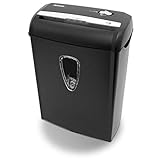
- Crosscut paper and credit card shredder destroys your sensitive documents
- Shreds credit cards, paper clips and staple
- 8-sheet capacity
- 8.7-inch throat width
- Measures 12 x 7 x 16 inche
Rank #4

- Basketless paper and plastic shredder for safely destroying material into 0.24 inch wide strips; meets security level P-2 standards
- Fits over most waste baskets; extendable arm max length is 16.7" or 42.4 cm
- Accepts up to 8 sheets of 20-pound bond paper at a time (no need to remove staples or small paper clips)
- Destroys CDs, DVDs, and credit cards (one at a time, through dedicated slot; blades cut each disc into 3 pieces).
- Run time is 2.5 minutes on/15 minutes off (9.84 feet per minute); if shredder runs continuously beyond max run time, it will automatically shut off to protect the motor from overheating
Product prices and availability are accurate as of the date/time indicated and are subject to change. Any price and availability information displayed on Amazon at the time of purchase will apply.

