Quick wins for a faster PC:
Clear out junk files and repair common Windows errorsFree Scan →Fix the driver behind crashes, sound loss and screen glitchesFind Drivers →Apple currently lists 16 U.S. states plus Puerto Rico as supporting driver’s licenses and state IDs in Apple Wallet. The list is maintained on Apple’s live ID in Wallet page, so check it before enrolling or traveling. Support by a state means residents may be able to request a digital credential; it does not mean every business, venue, app, police officer, or airport checkpoint accepts the credential.
States and territory currently listed by Apple
Apple’s availability page says that the jurisdictions below currently support driver’s licenses and state IDs in Wallet, with more on the way. Puerto Rico is included in Apple’s list but is a U.S. territory, not a state.
As an Amazon Associate I earn from qualifying purchases.
| Jurisdiction | Classification |
|---|---|
| Arizona | U.S. state |
| Arkansas | U.S. state |
| California | U.S. state |
| Colorado | U.S. state |
| Georgia | U.S. state |
| Hawaii | U.S. state |
| Illinois | U.S. state |
| Iowa | U.S. state |
| Maryland | U.S. state |
| Montana | U.S. state |
| New Mexico | U.S. state |
| North Dakota | U.S. state |
| Ohio | U.S. state |
| Oklahoma | U.S. state |
| Virginia | U.S. state |
| West Virginia | U.S. state |
| Puerto Rico | U.S. territory |
This is a jurisdiction-availability list, not a nationwide acceptance map. Apple can add or change jurisdictions, and a state can expand or limit the places that accept its credential without changing the list above.
State support is different from acceptance
What “supported” means
When Apple lists a state, the issuing authority has a process for residents to enroll a driver’s license or state ID in Wallet. Enrollment still requires approval from that authority. A person cannot simply photograph an ID and create a valid credential without the state’s verification.
#1 Best Overall

- Designed with both style and function in mind, the new iPhone FineWoven Wallet with MagSafe is the perfect way to keep your ID and credit cards close at hand.
- It supports Find My, so you can be notified of your wallet’s last known location if it gets separated from your phone.
- Made from durable microtwill, the material has a smooth and seamless feel.
- The FineWoven material in this accessory is made from 100 percent post-consumer recycled content and significantly reduces carbon emissions compared to leather.
- The wallet features strong built-in magnets that allow it to effortlessly snap into place on the back of your iPhone. You can even stack it on top of a case with MagSafe to create a look that’s unique to you. The FineWoven wallet supports up to three cards and is shielded so it’s safe for credit cards.
Where an Apple Wallet ID may work
Apple describes presentation at select businesses, venues, apps, Apple Store locations, and TSA checkpoints. “Select” is important: acceptance depends on the individual verifier and its equipment. A venue in a participating state may still require a physical card, and an airport can have different capabilities at different checkpoints.
Why a verifier needs compatible equipment
Arizona’s Department of Transportation gives a concrete example. It says a mobile driver license is valid like a physical license under Arizona law, but the business or other verifier must have compatible technology to read and verify it. Arizona also recommends that residents continue carrying physical identification. That guidance is specific to Arizona’s program; it should not be treated as a uniform legal rule for every jurisdiction on Apple’s list.
How to add a driver’s license or state ID
Apple’s enrollment flow begins in Wallet and ends with the issuing state’s approval. The labels and identity checks can vary by jurisdiction, but the general sequence is:
Rank #2
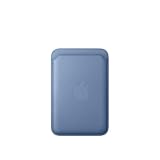
- Designed with both style and function in mind, the new iPhone FineWoven Wallet with MagSafe is the perfect way to keep your ID and credit cards close at hand.
- It supports Find My, so you can be notified of your wallet’s last known location if it gets separated from your phone.
- Made from durable microtwill, the material has a smooth and seamless feel.
- The FineWoven material in this accessory is made from 100 percent post-consumer recycled content and significantly reduces carbon emissions compared to leather.
- The wallet features strong built-in magnets that allow it to effortlessly snap into place on the back of your iPhone. You can even stack it on top of a case with MagSafe to create a look that’s unique to you. The FineWoven wallet supports up to three cards and is shielded so it’s safe for credit cards.
- Open Wallet. On a compatible iPhone, open Apple Wallet.
- Tap the add control. Choose the option to add a driver’s license or state ID when it appears.
- Select your jurisdiction. Pick the state or territory that issued the physical credential. If it is not offered, that jurisdiction is not currently available through Apple’s Wallet enrollment flow.
- Scan the physical card. Follow the on-screen instructions to capture the front and back of the license or ID.
- Complete identity checks. Wallet may ask for a selfie and guided movements or other checks designed to confirm that the person enrolling is the credential holder.
- Submit the request. The enrollment request is sent to the issuing authority for review and approval. The credential is not usable as a state-approved digital ID until that process is complete.
California’s setup example
California’s launch instructions illustrate why the final screens can differ. The setup asked users to scan the physical ID, take a selfie, and perform facial and head movements before the state verified the request. That is an example from California, not a promise that every participating jurisdiction uses exactly the same checks.
Device and software requirements
There is no single device-and-operating-system minimum that applies identically to every jurisdiction. Apple’s Verify with Wallet integration requirements page lists requirements by jurisdiction, and those requirements can change as Apple or an issuing authority updates its program.
| Scope shown in Apple’s requirements guidance | Requirement information | How to use it |
|---|---|---|
| Several listed jurisdictions | Examples include iPhone 8 or later running iOS 16.5 or later. | Use this only as an example; verify the row for your own jurisdiction. |
| California | Apple lists a different minimum combination from the example above. | Check Apple’s current California entry rather than applying the iPhone 8/iOS 16.5 example. |
| Puerto Rico | Apple lists a different minimum combination from the example above. | Check the current Puerto Rico entry before attempting enrollment or app verification. |
The developer page is particularly relevant when an app is verifying an ID with Apple’s Verify with Wallet API. End users should also follow the current instructions displayed in Wallet and on the issuing authority’s site. Keeping iOS current and using a device that appears in Apple’s jurisdiction-specific requirements avoids treating an older, general example as a universal rule.
Rank #3

- Designed with both style and function in mind, the new iPhone FineWoven Wallet with MagSafe is the perfect way to keep your ID and credit cards close at hand.
- It supports Find My, so you can be notified of your wallet’s last known location if it gets separated from your phone.
- Made from durable micro-twill, the material has a smooth and seamless feel.
- The FineWoven material in this accessory is made from 100 per cent post-consumer recycled content and significantly reduces carbon emissions compared to leather.
- The wallet features strong built-in magnets that allow it to effortlessly snap into place on the back of your iPhone.
Where to plan to use the digital ID
At businesses and venues
Acceptance is voluntary and equipment-dependent. Before leaving a physical card at home, ask the business or venue whether it accepts an Apple Wallet ID and whether its reader supports the relevant digital credential. A staff member may be familiar with mobile IDs while a particular checkout lane or entrance is not equipped to read one.
Do these 3 things before closing this tab:
1Scan for outdated or missing drivers - takes under a minute2Clear out junk files and repair common Windows errors3Fix the driver behind crashes, sound loss and screen glitchesIn apps and at Apple locations
Apple lists support at select apps and Apple Store locations. An app must implement the appropriate verification technology; simply owning an iPhone does not make every app capable of reading a Wallet ID. Check the app’s current instructions and be prepared for the app to request only the attributes it needs.
At airports
Apple includes select TSA checkpoints among supported locations. TSA capability is checkpoint-specific, so confirm the airport and checkpoint you will use. Travel plans can change because of a different terminal, staffing, equipment outage, or a request for a physical document.
Rank #4

- Designed with both style and function in mind, the new iPhone FineWoven Wallet with MagSafe is the perfect way to keep your ID and credit cards close at hand.
- It supports Find My, so you can be notified of your wallet’s last known location if it gets separated from your phone.
- Made from durable microtwill, the material has a smooth and seamless feel.
- The FineWoven material in this accessory is made from 100 percent post-consumer recycled content and significantly reduces carbon emissions compared to leather.
- The wallet features strong built-in magnets that allow it to effortlessly snap into place on the back of your iPhone. You can even stack it on top of a case with MagSafe to create a look that’s unique to you. The FineWoven wallet supports up to three cards and is shielded so it’s safe for credit cards.
Privacy and what you authorize
Apple says Wallet shows the information a verifier is requesting so you can review it before sharing. You authorize the transaction with Face ID or Touch ID, rather than handing over the entire physical card for someone to inspect. Apple’s page also states that neither Apple nor the issuing authority can see when or where the ID is shared. Those are Apple’s stated design and privacy claims; the exact data requested still depends on the verifier and the transaction.
Review each prompt carefully. A legitimate request should identify the information needed for that interaction, and you can decline a request instead of authorizing it. Treat an unexpected request for identity information in an app or at a venue as a reason to stop and verify the organization before proceeding.
PC Slower Than It Used to Be?
A free scan shows the junk files, broken settings and background clutter dragging Windows down - then fixes them in one click.Free scan · Windows 10 & 11Crashes, No Sound, or Screen Glitches?
Random freezes, missing sound and display glitches usually trace back to one bad driver. Find and replace yours safely.Free scan · under a minuteWhy you should still carry physical identification
A Wallet credential is not a universal replacement for a card. The state may support enrollment while the location you visit lacks a compatible reader. Arizona’s official guidance explicitly recommends continuing to carry physical identification, and the same precaution is sensible when traveling outside places you have already confirmed.
Best Value

- Designed with both style and function in mind, the new iPhone FineWoven Wallet with MagSafe is the perfect way to keep your ID and credit cards close at hand.
- It supports Find My, so you can be notified of your wallet’s last known location if it gets separated from your phone.
- Made from durable micro-twill, the material has a smooth and seamless feel.
- The FineWoven material in this accessory is made from 100 per cent post-consumer recycled content and significantly reduces carbon emissions compared to leather.
- The wallet features strong built-in magnets that allow it to effortlessly snap into place on the back of your iPhone.
- Carry the physical license or ID when crossing state or national borders, renting a vehicle, visiting a government office, or going somewhere that has not confirmed mobile-ID acceptance.
- Keep a physical backup when your iPhone battery is low, the device is damaged, or a network or reader problem prevents verification.
- Do not assume that a police officer, hotel, airline, bar, employer, or retailer is required to accept the Wallet version merely because the issuing state appears on Apple’s list.
California’s launch and the 1.5 million figure
Apple announced California availability on September 19, 2024. The announcement described a California Department of Motor Vehicles mobile driver’s license pilot with a limit of 1.5 million participants. That number is a cap on pilot participation, not a count of people who adopted the digital license and not a measure of statewide usage.
“Californians now have the option of adding their driver’s license or state ID to their iPhone or Apple Watch in Apple Wallet,” California Governor Gavin Newsom said in Apple’s announcement.
The announcement does not establish a comparable adoption total for California or for the other jurisdictions. Avoid reading the pilot limit as proof that a particular percentage of residents uses a Wallet ID.
Free tools Windows power users keep installed
One-click scans. No signup required.
Checklist before relying on Wallet at a specific place
- Confirm the issuing jurisdiction. Look for it on Apple’s current availability page, not an old news article or a third-party list.
- Confirm your device and software. Compare your iPhone and iOS version with the jurisdiction-specific information on Apple’s developer requirements page.
- Finish state approval. Scanning a card and submitting a request does not by itself complete enrollment.
- Ask the destination. Verify that the particular business, venue, app, or TSA checkpoint accepts a digital ID and has a compatible reader.
- Bring a backup. Carry the physical credential when acceptance, battery life, equipment, or legal requirements are uncertain.
What the list does not tell you
The list does not rank states, guarantee identical enrollment checks, specify how quickly an authority will approve a request, or show how widely a credential is used. It also does not mean that a digital driver’s license from one participating state will be accepted everywhere in another participating state. For a current answer, use Apple’s live list for eligibility, the issuing authority’s instructions for approval, and the destination’s own confirmation for acceptance.
Bottom line
Arizona, Arkansas, California, Colorado, Georgia, Hawaii, Illinois, Iowa, Maryland, Montana, New Mexico, North Dakota, Ohio, Oklahoma, Virginia, West Virginia, and Puerto Rico are the jurisdictions Apple currently lists for driver’s licenses and state IDs in Wallet. Enrollment requires scanning the physical credential, completing identity checks, and receiving issuing-state approval. Because acceptance and reader technology remain location-specific, confirm the exact place you will visit and keep your physical ID as a fallback.
Quick Recap
Product prices and availability are accurate as of the date/time indicated and are subject to change. Any price and availability information displayed on Amazon at the time of purchase will apply.

