Recommended Free Tools
Do not pay first and argue later. Before ordering, verify that you are looking at the right restaurant, location, menu channel and date. Show staff the exact listing and ask them to confirm the current price and availability. If the amount changes after you order, request an itemized correction, save screenshots and receipts, and escalate to the delivery platform or a state consumer-protection agency only if the restaurant will not resolve it. U.S. law does not create one universal rule requiring every restaurant to honor every online price, so the details of the listing, transaction and state matter.
Why online and in-person menus diverge
A mismatch is not always an intentional overcharge. Common explanations include:
As an Amazon Associate I earn from qualifying purchases.
- An outdated restaurant page: A menu, search result or social-media post may remain online after prices or dishes change.
- The wrong location: A chain or local group may have different menus and prices by branch.
- A different order channel: Dine-in, pickup and delivery can have separate prices, portions, fees or availability.
- A third-party listing: A delivery app may display an old menu, an unauthorized listing or prices that differ from the restaurant’s own menu.
- A limited or unavailable item: Seasonal dishes, sold-out items and promotions may disappear in person while an old page remains searchable.
- A fee or add-on confusion: The base item price may be different from a mandatory service charge, optional extra, tax or tip.
The Federal Trade Commission (FTC) and Illinois Attorney General alleged in a December 2024 enforcement announcement that outdated menus and unauthorized restaurant listings on Grubhub harmed diners and small businesses. The complaint attributed the listings to as many as 325,000 unaffiliated restaurants; that is an allegation in the enforcement case, not a current platform count or an independently verified total.
Check the listing before you order
Use a short verification routine while you still have the option to walk away or change the order.
#1 Best Overall
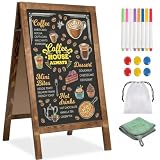
- 【DOUBLE-SIDED A-FRAME CHALKBOARD SIGN FOR CLEAR DISPLAY 】This double-sided A-frame chalkboard sign allows messages to be displayed on both sides, providing visibility from different directions. Suitable for use outside cafés, retail stores, or at events, it can be used to present menus, promotions, or directional information. Designed for both indoor and outdoor placement, this sidewalk sign offers a practical solution for daily business and event use.
- 【MAGNETIC CHALKBOARD SURFACE – WRITE, WIPE & DISPLAY YOUR WAY】Designed for creativity and flexibility, this magnetic chalkboard lets you write menus, attach photos, pin notes, or display promotions all in one place.【The "whiteboard" in the instruction manual refers to a white chalkboard and does not refer to any other color chalkboard. All other colors of chalkboard are compatible with both traditional chalk and water-based chalk】
- 【STABLE SIDEWALK SIGN WITH SANDBAG – CONFIDENTLY DISPLAY ANYWHERE】Set it up outdoors without worry. This A-frame sidewalk sign includes a sandbag for added stability, making it ideal for storefront entrances, farmers markets, street fairs, or outdoor events. From breezy patios to high-traffic sidewalks, it stays securely in place so your message remains clear and visible all day long.
- 【THICKENED SOLID WOOD FRAME – RUSTIC STYLE THAT ELEVATES ANY SPACE】Crafted with a widened and thickened solid wood A-frame sign, the high-temperature carbonized pine frame brings warmth and rustic charm to any setting. Whether you're styling a farmhouse wedding, creating a cozy café vibe, or upgrading your storefront display, this menu board blends seamlessly while adding a premium, handcrafted feel.
- 【ALL-IN-ONE CHALKBOARD EASEL – READY FOR DAILY USE & EVENTS】Everything you need is included—8 colored chalk markers, 6 magnets, a cleaning cloth, a plastic load-bearing bag. Minimal assembly required for quick setup. Use it daily for business promotions, then transform it into a wedding welcome sign, party menu, or event display. This versatile chalkboard easel adapts to your lifestyle, business, and special occasions effortlessly.
- Identify the exact restaurant and branch. Compare the street address, phone number and city on the online listing with the location you are visiting or selecting in the app.
- Identify the channel. Note whether the price is for dine-in, pickup, delivery or a special ordering portal. A restaurant may set different prices for different channels, but the channel should be clear before you commit.
- Record the item and version. Capture the item name, size, modifiers, availability message and any menu date or “limited time” language.
- Separate price components. Check whether the displayed amount is a base price or whether a mandatory fee, optional add-on, tax or tip appears later in checkout.
- Check promotion conditions. Look for a required code, membership, minimum order, day or time restriction, dine-in-only condition, expiration date or other qualification.
- Ask staff to confirm. Show the listing on your phone and ask, “Is this the current price and is this item available for this order?” Ask for the total before paying.
Do not assume that an old screenshot, a search-engine preview or a cached page controls today’s transaction. It is useful evidence of what was displayed, but it may not describe the current menu.
What to say when the quoted price is higher
Keep the conversation factual and give the restaurant a chance to fix a stale listing. You can say: “This page shows $X for this item at this location. Can you confirm the current price before I order?” If the staff member says the online information is wrong, ask whether they can honor the displayed amount, correct the listing or remove the item from the order.
If you have not agreed to the revised price, your practical choices are to accept it, choose another item or leave. Do not treat the screenshot as an automatic legal entitlement. Whether an advertised price must be honored depends on the wording, the transaction, the business practice and the law where the restaurant operates.
If the listing came from a delivery app or another platform, ask the restaurant to correct its menu and report the discrepancy to the platform before submitting payment. The FTC’s April 2026 notice seeking public comment on online food and grocery delivery asked about platform-versus-restaurant price differences, total prices, discounts, fees and unauthorized billing. That notice requested information; it is not a final rule establishing a nationwide requirement that every platform price match the restaurant’s price.
Rank #2

- 16 Colors+4 Modes+5 Brightness Levels: Adjustable to 16 different LED neon light colors, 4 different flash modes, and 5 brightness levels, accompanied by 8 fluorescent pens in various colors. This lighted menu board is practical and fun, satisfying your boundless imagination and making your expression more eye-catching.
- Multiple Charging Methods: LED message board offers four power supply options: ① AC 110-220V plug/USB; ② Power bank/battery box. With the battery box and power bank, it provides convenience for outdoor use, eliminating concerns about insufficient power. Moreover, the product is certified by FCC/ power supply, ensuring stable and reliable performance. It is suitable for indoor and outdoor use
- Infrared Remote Control: The light up menu board adopts infrared remote control, allowing you to control the display effects of the LED message board with a simple press of the remote control without needing to approach the device.
- High-performance Tempered Glass: Tempered glass is a strengthened glass that is more than five times harder than ordinary glass. Fluorescent writing board also possesses excellent properties such as impact resistance, bending resistance, and high temperature resistance. Compared to previously used acrylic boards, tempered glass provides superior effects.
- Easy to Clean and Hygienic: The LED message frame board differs from traditional chalkboards, keeping you away from chalk dust. The provided fluorescent pens are easy to wipe clean, leaving no dirt or dust. It is more suitable to freely doodle, stimulating their creativity, artistic cultivation, and manual skills.
If the bill is already wrong
Act before leaving or completing the delivery transaction.
- Request an itemized receipt. Confirm the item, quantity, modifiers, fees, tax and tip separately.
- Show the evidence calmly. Present the dated listing or confirmation and identify the exact difference rather than making a general accusation.
- Ask the server or cashier for a correction. If they cannot change it, ask for a manager and repeat the specific amount you believe is incorrect.
- Document the response. Write down the location, date and time, what was listed, what was charged, who responded and what remedy was offered.
- Decide whether to complete the transaction. If the restaurant will not correct the bill, you may ask to remove an unprepared item or decline an order you have not accepted at the revised price. Do not leave without addressing a completed meal; ask for the manager and follow the normal payment process.
For a delivery or pickup order, save the order confirmation, final receipt, delivery-app messages and any photos of the menu. Contact both the restaurant and the platform using the same concise timeline and attachments.
Build an evidence packet
Good records make a customer-service request easier to evaluate and a consumer complaint easier to process. Keep:
- A screenshot or PDF of the online menu showing the page, item, price, location and the date and time captured.
- A photograph or copy of the in-person menu, if the restaurant allows it.
- The order confirmation, itemized receipt and payment record.
- Messages with the restaurant, delivery platform or customer-support agent.
- Your notes about the staff response, including names or job titles when voluntarily provided.
- Evidence of promotion terms, expiration dates, minimums or required codes.
Keep the original files rather than relying only on a cropped image. A full-page capture can show the web address, restaurant identity and surrounding terms that explain a discrepancy.
Rank #3

- COMMERCIAL MENU AND PRICE DISPLAY Present restaurant menus, price lists, daily specials, and service information on a white felt surface with contrasting black characters. Use behind counters, in dining areas, or near entrances.
- 966-PIECE CHARACTER SET Includes 780 one-inch and 186 two-inch characters, made up of 578 letters, 242 numbers, and 146 symbols. Use the two sizes to separate headings, menu items, prices, and featured offers.
- QUICKLY CHANGE THE MESSAGE Insert the characters into the grooved felt surface to revise coffee menus, price lists, promotions, or service notices without printing a new sign for every update.
- LARGE WALL-MOUNTED FORMAT The 24 x 30 inch board provides room for multi-line menus and price information. Place it in dining areas, behind service counters, near entrances, or in other business display locations.
- WHITE FELT AND LIGHT WOOD-TONE FRAME The white grooved surface is bordered by a light wood-tone frame and paired with black characters for a clean commercial menu presentation.
Understand the legal limits before escalating
Federal guidance supports truthful pricing, but it does not supply one simple restaurant rule for every state and every menu. The FTC’s small-business advertising guidance says truthful-price standards apply and notes that many jurisdictions require sellers to charge no more than an advertised or shelf price. It also directs businesses and consumers toward the relevant state Attorney General because local pricing practices differ.
The FTC’s Unfair or Deceptive Fees FAQ distinguishes mandatory charges from optional charges. For covered conduct, an optional charge must be disclosed and included in the final amount before payment; the rule also addresses total-price disclosures and allows demand- or inventory-based pricing when the information is not misleading. Those provisions do not answer every dispute over whether an online restaurant menu price must be honored, and they do not make every fee dispute a federal violation.
“Clear and truthful pricing is essential to competitive markets,” said Christopher Mufarrige, director of the FTC’s Bureau of Consumer Protection, in an April 2026 FTC notice. The notice is a request for public comment, not a final regulation.
Quick wins for a faster PC:
Repair Windows errors before they cause bigger problemsFix Now →Fix the driver behind crashes, sound loss and screen glitchesFind Drivers →Clear out junk files and repair common Windows errorsFree Scan →California example: transparency, not price control
California’s Attorney General describes Senate Bill 478 as a transparency law rather than a price-control law. In general, it requires the full amount a customer is required to pay to be reflected in a listed or advertised price, subject to defined exceptions. The Attorney General’s guidance says mandatory fees charged by restaurants and certain other food vendors are exempt from SB 478 when they are clearly and conspicuously displayed wherever prices are shown.
Rank #4

- Quality Materials: Restaurant Food Display boasts a solid, dark brown wooden base with substantial thickness, providing enhanced stability to effectively minimize the risk of tipping during use
- Convenient Design: Each chalkboard signs has a double slotted wooden base, which allows you to tilt or place the Message Boards vertically. The standing signs also supports vertical and parallel placement
- Easy to Write and Erase: Writing surface of the desktop blackboard features an easy-to-erase and smooth-writing finish, effortless cleaning, and consistent clarity after daily use
- Various Accessories:Each menu board set comes with a corresponding number of wooden bases, six water-based chalk pieces, and a wiping cloth, making blackboard more convenient to use
- Applicable Scenarios: Erasable message board sign is good for cafés and restaurants to showcase daily specials or highlight promotions, and for homes to serve as a creative doodle space
That California exception illustrates why you should not copy a rule from another state into your own dispute. Verify the current law and agency guidance for the restaurant’s location before asserting that a charge is illegal.
When a platform is involved
Platform orders create two possible sources of error: the restaurant’s data and the platform’s presentation or checkout. Compare the restaurant’s own menu with the platform listing, but do not assume one automatically overrides the other.
| Comparison | What to check | Likely explanation |
|---|---|---|
| Restaurant website vs. delivery platform | Item name, price, modifiers, availability and last-updated information | Stale, unauthorized or separately maintained menu data |
| Dine-in vs. pickup vs. delivery | Channel label, packaging or service charge and minimum order | Channel-specific pricing or fees |
| Two restaurant locations | Street address, phone number and branch menu | Location-specific prices, portions or inventory |
| Base price vs. checkout total | Mandatory fee, optional add-on, tax, tip and delivery charge | Different price components being compared |
| Current menu vs. seasonal promotion | Dates, code, eligibility and availability status | Expired, limited-time or sold-out offer |
Send the platform a factual report: identify the restaurant and branch, paste the item and prices, state when you saw each amount, attach the confirmation and receipt, and request a refund or correction for the specific difference. Ask for a case number and keep the response.
Escalate only after a direct request fails
Restaurant manager or owner
Give the business one clear opportunity to correct the listing or charge. A manager may be able to refund the difference, cancel an unaccepted order or update the menu even when front-line staff cannot.
Best Value

- 【Built-in Lifetime Free CMS & Remote Management】Control your digital signage display anytime through the free lifetime Cloud CMS using your PC, tablet, or smartphone. Upload content remotely, create playlists, schedule playback, manage multiple displays, split screens, and update promotions in real time. USB plug-and-play is also supported for quick local content changes.
- 【700 Nits Commercial Display for 24/7 Business Use】Designed for continuous commercial operation, this 18.5-inch desktop digital menu board delivers 700 nits of brightness for clear visibility in cafés, restaurants, reception areas, and retail stores. Powered by Android 12 with 2GB RAM and 32GB storage, it ensures stable, reliable playback every day.
- 【Designed for Countertops, Checkout Areas & Reception Desks】Includes a sturdy desktop stand with landscape and portrait display options to fit different business layouts. Perfect as a digital countertop display for coffee shops, bakeries, salons, hotel receptions, trade shows, retail counters, waiting rooms, and customer service desks.
- 【HD Display with Flexible Connectivity】Enjoy sharp 720P HD visuals with a wide viewing angle for menus, promotions, and advertisements. Supports HDMI, LAN, TF card, USB 2.0, USB 3.0, and DC connections, giving businesses flexible options for local or cloud-based content management.
- 【Built to Increase Customer Engagement】Transform your business with dynamic menus, promotional videos, product showcases, welcome messages, and advertising displays that capture customer attention better than printed signs. Ideal for restaurants, cafés, bakeries, retail stores, hotels, clinics, exhibitions, and other commercial environments.
Delivery or ordering platform
Use the platform’s support channel when it processed the order or displayed the disputed price. Include the same evidence you gave the restaurant. The platform may control the listing, the payment, the refund or all three.
State or local consumer-protection agency
If the business does not resolve the matter, identify the consumer-protection office for the state or locality where the restaurant is located. Complaint procedures vary. The Iowa Attorney General’s consumer guidance, for example, recommends trying to resolve the purchase directly, retaining screenshots, receipts, emails and other supporting records, and then considering a complaint with those documents. That is an Iowa-specific process, not a nationwide filing instruction.
When filing, provide a short chronology and copies of records. Avoid exaggeration: distinguish an outdated listing, a price you declined, a charge you paid, and a fee you believe was not disclosed. Agencies use those details to determine whether the issue fits their authority.
Windows Errors? Fix Them Before They Spread
Repair common Windows errors and clear accumulated junk for a smoother, more stable PC - no reinstall needed.Free scan · no reinstallOutdated Drivers Are Slowing You Down
One free scan finds every outdated or missing driver and matches the right update for your exact hardware.Free scan · exact hardware matchCommon mistakes that weaken a complaint
- Comparing different channels: A dine-in menu and a delivery checkout total may not be equivalent.
- Ignoring location: A nearby branch can have a different menu or price.
- Showing only a cropped screenshot: Without the address, date or conditions, the business may not be able to identify the listing.
- Confusing tax or tip with a hidden fee: List each component separately on the receipt.
- Waiting weeks: Pages change and transaction records become harder to retrieve.
- Threatening legal action immediately: A precise correction request is more likely to produce a quick refund or update.
- Assuming a federal rule settles the dispute: FTC fee guidance is limited to covered conduct, and state law may control the practical remedy.
A quick decision guide
- You notice the difference before ordering: Verify the location and channel, ask staff for the current price, and proceed only if you accept the confirmed amount.
- You notice it at checkout: Ask for an itemized total and correction before paying. If the price is not acceptable, remove the item or cancel where the terms allow.
- You paid an incorrect amount: Request a manager review, preserve the receipt and listing, and seek a refund of the specific difference.
- A platform processed the order: Contact both the restaurant and platform with identical documentation.
- The business refuses to help: Check the restaurant’s state or local consumer-protection agency and follow its complaint instructions.
Bottom line
An online menu is useful evidence, not a guarantee that every displayed price or dish remains current. Verify the restaurant, branch, channel, date, item and fee structure before ordering; ask for confirmation while you can still decline; and preserve a complete record if the final charge differs. Escalate through the platform and the appropriate state or local agency when a direct, documented request does not resolve the problem, while recognizing that the legal outcome depends on the facts and jurisdiction.
Quick Recap
Product prices and availability are accurate as of the date/time indicated and are subject to change. Any price and availability information displayed on Amazon at the time of purchase will apply.

