Do these 3 things before closing this tab:
1Repair Windows errors before they cause bigger problems2Scan for outdated or missing drivers - takes under a minute3Clear out junk files and repair common Windows errorssplunk-admon.exe is a legitimate Splunk helper that monitors Active Directory (AD) through LDAP when an AD monitoring input is configured. The splunkd process starts it, and it connects to an available domain controller, reads directory-change events, and writes those events to a Splunk index. A copy running from the Splunk installation’s bin directory can therefore be expected. A same-named file in a user profile, temporary folder, or unrelated program directory is not automatically safe: verify its path, signer, parent process, hash, and Splunk configuration before allowing it to run or deleting anything.
What splunk-admon.exe does
Splunk uses splunk-admon.exe for its Active Directory monitoring capability, commonly called admon. When an admon input is enabled, splunkd launches the executable. It uses LDAP calls to attach to the nearest available domain controller, collect directory-change information, and store the resulting events in a Splunk index.
As an Amazon Associate I earn from qualifying purchases.
It is not a Windows system component and is not expected on a computer that has never had Splunk Enterprise or a Splunk Universal Forwarder installed. On a managed server, however, the process may be completely normal even when no administrator starts it manually.
Quick wins for a faster PC:
Repair Windows errors before they cause bigger problemsFix Now →Scan for outdated or missing drivers - takes under a minuteDriver Scan →Is splunk-admon.exe safe?
Signs of a legitimate copy
- Splunk Enterprise or the Universal Forwarder is intentionally installed on the computer.
- The executable is under the Splunk installation’s
bindirectory, commonly beneath%SPLUNK_HOME%, such asC:Program FilesSplunkbinor the corresponding Universal Forwarder directory. - The process is launched by
splunkd, rather than by an unrelated application, script host, browser, or user-profile program. - An AD monitoring input is configured and points to a domain controller that the Splunk host is supposed to monitor.
- The file’s digital-signature publisher is consistent with Splunk, and its hash is the same as the copy approved by your organization.
Splunk’s Windows process and antivirus guidance identifies the Splunk installation directories as the locations administrators manage when configuring exclusions. That documentation supports the expected location, but it does not provide one universal hash that applies to every release. Validate the particular file on your computer instead of trusting the filename alone.
#1 Best Overall

- MADE FOR CONTROLLED, DAMAGE FREE TENSIONING: Turning a spiral balance rod by hand or with pliers is awkward and risks kinking or bending it, throwing off the tension your window needs to stay balanced. This tool grips the rod securely so you can wind it to the correct tension quickly and without damage.
- HOOKS THE ROD, TURNS THE TENSION: Slip the tool over the end of the spiral rod, then turn it to wind the balance to the correct tension before inserting it into the proper window shoe. The ergonomic grip keeps the motion comfortable through repeated use.
- BUILT FROM HIGH QUALITY MATERIALS: Made to hold up to repeated use, this tool is sturdy enough to handle balance after balance without wearing out.
- MADE FOR TILT SPIRAL BALANCES, NOT A UNIVERSAL FIT: This tool is designed for tilt window spiral balances such as Series 200. It is not intended for non tilt balances or other balance types. Check the series or model number on your existing balance, or compare against your current tool, before ordering.
- WHAT YOU GET: No assembly required, this tool is ready to use straight out of the package. Engage the balance, wind to tension, and insert into the proper window shoe. Sold individually; window balance, shoe, and other hardware are not included.
Warning signs
- The path is inside
%TEMP%, a browser-download directory, a user profile, or an unrelated application’s folder. - The publisher is missing, invalid, or unrelated to Splunk.
- No Splunk product is installed, or the installed product is not configured for AD monitoring.
- The parent process is not
splunkd, or the executable repeatedly appears after you terminate an unrelated program. - The file has a different name spelling, an unexpected extension, or a recently changed hash that your change records do not explain.
Do not delete a verified Splunk binary merely because security software reports it or because it uses CPU. Preserve the file and relevant logs, then correct the input, service, or security-software rule that is causing the problem.
How to verify the file on Windows
- Locate the running process. Open Task Manager, select the Details tab, right-click
splunk-admon.exe, and choose Open file location. Record the complete path. If the process is not visible, use the Splunk service and log checks below; a process that starts only during collection can be short-lived. - Check the parent process. In a tool that displays process trees, such as Process Explorer, confirm that
splunkdis the parent. An unexpected parent is a reason to stop and investigate rather than whitelist the file. - Check the signature. In File Explorer, open Properties, select Digital Signatures, and inspect the signer and signature status. You can also run PowerShell:
Get-AuthenticodeSignature "C:Program FilesSplunkbinsplunk-admon.exe"
Replace the path with the one you recorded. A valid signature is useful evidence, not a substitute for checking the path and configuration. - Record a hash. Run:
Get-FileHash "C:Program FilesSplunkbinsplunk-admon.exe" -Algorithm SHA256
Compare the result with the package, software inventory, or approved baseline used by your organization. - Confirm the installation. Check the installed Splunk product, its version, and the value of
%SPLUNK_HOME%. If no authorized Splunk installation explains the file, isolate the executable according to your security policy and investigate how it arrived.
What normal admon activity looks like
When the AD monitoring input starts, Splunk takes a baseline and emits an event with admonEventType=Sync. Restarting Splunk Enterprise or restarting splunk-admon.exe produces another sync event; Splunk documents that extra event as normal. After the baseline, ordinary directory changes appear as update or delete events.
A sync event by itself is therefore not proof of an error or compromise. The useful question is whether the expected update and delete events follow, and whether the events identify the intended domain controller and index. Repeated syncs without subsequent changes can indicate a restart loop, a connectivity problem, or an input that is repeatedly being reinitialized.
Why splunk-admon.exe errors occur
| Failure area | Typical symptom | What to verify |
|---|---|---|
| Domain-controller selection | The input reports that a controller is invalid or cannot be found. | Controller name, domain membership, DNS records, and whether the target is online. |
| DNS, network, or firewall | The process starts but cannot collect events, or logs show connection failures. | Name resolution and permitted LDAP/network traffic from the Splunk host to the controller. |
| Credentials and permissions | Bind, access-denied, or resource-access errors. | Service-account credentials, local administrator/file permissions where required, and rights to the requested AD data. |
| AD health or referrals | Queries fail against part of the directory or return referral-related errors. | AD health and referral configuration. The monitor does not chase LDAP referrals; those problems must be corrected in AD. |
| Input duplication or mistakes | Unstable collection, duplicate activity, or pressure on domain controllers. | The admon stanza, target controller, enabled state, baseline settings, and whether more than one instance monitors the same domain. |
| Clock and replication timing | Events appear late, out of order, or seem to be missing. | Time synchronization and replication latency between domain controllers. |
| Antivirus interference | The verified process is quarantined, blocked, or repeatedly restarted. | Security-product detections and an approved, narrowly scoped exclusion for the verified process or Splunk directory. |
Step-by-step repair procedure
1. Verify identity before changing anything
Complete the path, parent, signature, and hash checks first. Also confirm that Splunk Enterprise or a Universal Forwarder is intentionally installed. If the file is outside the Splunk bin directory or has an unexplained signer, do not add an exclusion and do not replace it with a downloaded copy. Preserve the file’s metadata and involve your security team.
Rank #2

- VERSATILE SCREEN TOOL SET FOR EASY REPAIRS: This 2-piece screen roller tool set combines a dual-head window screen roller tool and a spline removal hook, designed to make screen installation and repair effortless. Whether you're working with aluminum alloy or plastic steel frames, these screen replacement tools handle a variety of window types, making them an essential addition to your toolkit.
- PRECISION ENGINEERING FOR SMOOTH SCREEN INSTALLATION: Featuring thickened nylon double wheels with carbon steel bearings, the screen tool roller glides seamlessly along frame grooves to press the screen and spline firmly into place. The combination of convex and concave rollers ensures even pressure and a secure fit, delivering professional results every time you use this window screen roller.
- ERGONOMIC DESIGN FOR COMFORTABLE USE: Both the screen spline tool and spline roller are equipped with ergonomically designed handles, offering solid plastic grip and excellent control, which reduces hand fatigue and make your work easier. This thoughtful design makes the screen repair tool kit ideal for extended projects, allowing precise and comfortable handling.
- EFFECTIVE SPLINE REMOVAL MADE SIMPLE: The included spline removal tool features a sharp stainless steel hook perfect for lifting old screen layers, stubborn spline, and dirt from frame grooves. Its ergonomic handle enhances grip and control, ensuring you can remove aging materials quickly and prepare your frames for new screen installation without hassle.
- RELIABLE TOOLS FOR ALL SCREEN REPLACEMENT NEEDS: Whether you’re tackling a small window repair or a large screen installation, this window screen repair tool set is designed to help you complete your project efficiently. The screen roller tool and spline hook work in tandem to secure the screen tightly, providing a neat finish and extending the life of your screens with ease.
2. Inspect the AD monitoring input
Review the [admon] stanza and any related AD-monitoring configuration through the Splunk deployment process your organization uses. Confirm:
- The target domain controller is spelled correctly and is the controller you intend to monitor.
- The input is enabled only where it should be enabled.
- The index exists and is writable by the Splunk service.
- Baseline or initial-sync settings match your collection plan.
- Only one monitoring instance is enabled for a single domain on one domain controller. Splunk’s Windows add-on guidance warns that multiple instances can disrupt AD servers.
After editing the input, use your normal configuration-deployment and validation process rather than making undocumented changes on one member of a distributed Splunk deployment.
3. Test name resolution and reachability
Run the checks from the computer that hosts Splunk, not from an administrator workstation that may have different DNS and firewall access.
Windows Errors? Fix Them Before They Spread
Repair common Windows errors and clear accumulated junk for a smoother, more stable PC - no reinstall needed.Free scan · no reinstallOutdated Drivers Are Slowing You Down
One free scan finds every outdated or missing driver and matches the right update for your exact hardware.Free scan · exact hardware match- Resolve the configured controller name:
nslookup dc01.example.internal
Use your actual fully qualified name. Confirm that the response belongs to the intended AD DNS infrastructure. - Test the relevant network path with a permitted port, for example:
Test-NetConnection dc01.example.internal -Port 389
Port 389 is a common LDAP endpoint; your environment may use a different secured or policy-approved endpoint. A successful TCP test does not prove that authentication or the query itself will succeed. - Check that the host can locate a domain controller and that its domain membership is healthy. If the computer is not domain joined, use the documented credentials and connectivity model for your Splunk deployment instead of assuming local Windows credentials will work.
- Check firewall rules on the Splunk host, network path, and domain controller. Remove temporary test rules after troubleshooting.
4. Verify credentials and permissions
Confirm that the account used by the Splunk service and the admon input is still valid, has not expired or been locked out, and can read the intended directory objects. Splunk’s Windows troubleshooting guidance also calls out local-administrator and file-permission issues for the installation and requested resources. Grant only the rights needed for collection; do not solve an access-denied error by making the account a domain administrator.
Rank #3
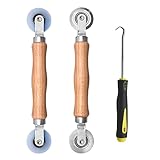
- Upgraded version: Well-fitted Nylon wheels are more safe than steel screen door repair rollers, you will never cut your fibreglass screen for windows or screen doors.
- New Combination: Well-fitted bearing wheels avoid wobble while working. The Screen Retainer Spline Removal Hook is used to remove the old Screen Retainer Spline, and the Screen Rolling is used to install the new screen mesh and Screen Rolling
- 2 IN 1: The Screen rolling tool has two different wheels, convex and concave rollers, it can help you get the job done better and faster. A must have tool for installing window screens and door screens
- Easy to Use: This essential tool is comfortable in the hand and the wheels turn smoothly to roll the screen and spline into the frame.the steel wheels of our screen rolling tool is smooth The hooks are sharp and the aged battens can be hooked out
- Product Material and Details: The core component adopts carbon steel bearing, which rotates concentrically and is silky smooth; The shiny electroplating is rust-proof and corrosion-proof; First-grade wood + surface varnish treatment
If credentials were recently changed, update them through the supported Splunk service and input configuration, then restart or reload the affected component according to your change procedure. Check the Splunk logs immediately afterward for a clear authentication result.
5. Check Active Directory health and referrals
The monitor does not chase LDAP referrals. If a query reaches a referral or a controller reports replication or directory-health problems, fix those conditions in AD rather than trying to force admon to follow the referral. Review domain-controller health, replication status, and the exact controller named in the input with your AD administrator.
6. Account for time and replication
Synchronize clocks on the Splunk host and Windows domain controllers. Splunk notes that an event’s timestamp can reflect when the monitoring controller receives a replicated event, not necessarily when the change was first made. Replication delay can therefore make a change look late or create a temporary false negative. Compare event times with the controller that received the change before concluding that collection failed.
7. Review Splunk logs around the failure
Inspect %SPLUNK_HOME%varlogsplunksplunkd.log and related Splunk logs for the same time window as the error. Search for the input name, controller hostname, LDAP, authentication, permission, referral, and restart messages. Record the first meaningful error, not just the final “process exited” message. Splunk’s Windows troubleshooting guidance directs administrators to this log directory for startup crashes and configuration problems.
Rank #4

- 🌟 All-in-One Screen Solution: Essential for seamless window screen replacement & repairs. This versatile screen repair kit Perfect for DIY screen spline insertion, frame rolling, and mesh tightening – your go-to tool for screen for windows projects.
- 🔷 Dual Roller Innovation: Features convex (round) & concave (grooved) steel rollers. The concave roller prevents delicate screen tearing during spline rolling, while the convex wheel ensures tight sealing. Ultimate precision for window screen tool tasks.
- ❖ Ergonomic Wooden Handle: Solid hardwood handle delivers superior comfort during prolonged screen roll installation. Non-slip grip reduces hand fatigue when replacing window screens. Durable steel bearings ensure smooth roller rotation – ideal for screen door repair marathons.
- 🔧Spline Tool + Screen Roller Tool: Offers three roller diameter options for selection. When replacing window screens, choose the corresponding roller based on the Spline specifications to completely eliminate tool size mismatch issues.
- 💎 Pro-Grade Durability: Carbon-steel rollers withstand aggressive spline rolling without deformation. your lifetime screen repair tool investment.
Keep the relevant log lines, input configuration, product version, Windows version, controller name, and timestamps together. Redact passwords, tokens, and sensitive directory values before sharing them outside your organization.
8. Handle antivirus or endpoint-security blocking carefully
If the path, signature, parent, and configuration all verify, compare the security product’s alert with the exact file and hash. Splunk identifies splunk-admon.exe among the Windows Splunk processes that may need consideration in on-access scanning rules, along with trusted Splunk directories.
Apply an exclusion only after verification, approval, and change control. Scope it as narrowly as policy allows, monitor the result, and avoid excluding a whole drive or a directory that contains untrusted uploads. If the file fails identity checks, do not create an exclusion simply to make the alert disappear.
The Tool Desk
Outbyte Driver Updater FREEFix the driver behind crashes, sound loss and screen glitchesFind Drivers →Outbyte PC Repair FREERepair Windows errors before they cause bigger problemsFix Now →9. Restart and validate collection
After correcting the input, connectivity, permissions, timing, or security rule, restart the Splunk service or the monitoring process through your normal maintenance procedure. A new admonEventType=Sync event is expected after a restart. Then verify that subsequent directory changes generate the expected update or delete events, that they arrive in the intended index, and that no new errors appear in splunkd.log.
Best Value

- 【PERFECT SCREEN REPAIR TOOL】King&Charles upgraded screen door mesh repair kit more comprehensively and professionally. A combination of Steel Roller + Hook + 0.14in x 32ft Screen Spline, can help you replace the screen window more easily and efficiently. To meet a wider range of needs.
- 【BEARING ROLLER 】 Most of the screen rollers on the market are simple, but ours are made of a bearing structure, which is stronger, smoother, and has a longer service life.Steel roller has a double side, convex wheel, and concave wheel. CONVEX WHEEL - Press Screen into groove. CONCAVE WHEEL-Press Spline into groove. ERGONOMIC Solid Wood Handle it's easy to hold.
- 【SUFFICIENT 32FT SPLINE】The 0.14 in hollow vinyl spline provides 32 ft of length for multiple screen repair projects and fits most 0.12~0.16 in wide window and door screen frame grooves. Flexible, tear-resistant, and easy to press securely into the groove. Please measure your original spline and groove before ordering.
- 【REMOVAL HOOK】The hooks are sharp and the aged battens can be hooked out. Stainless steel material won't rust and can be reused. Rubber handle is ergonomic, which is more labor-saving and easy to use.
- 【WIDELY&REPEATEDLY USED】3 in 1 screen repair kit widely used in the replacement of various screens at home. Suitable for window screens, sliding screen doors, terrace screens, RV screens, and even aquarium parachute stands, etc, and apply to patio screens, garden screens, pool screens, porch screen, sliding door, entry door, storm door, patio door, etc. All the screen window tools are of high quality, and reusable.
Validation should include a controlled, approved directory change or another known event so that you test the complete path from AD to the Splunk index. Do not make an unplanned production change merely for a test.
Independent reader supportYour contribution helps us test, update, and keep practical guides available for everyone.Security and LAPS considerations
The SA-admon installation guidance warns that environments using Microsoft Local Administrator Password Solution (LAPS) can expose the plaintext ms-Mcs-AdmPwd attribute to admon if the monitoring account can read it. This is a data-access issue, not evidence that the executable itself is malicious.
- Use an unprivileged monitoring account that cannot read the LAPS password attribute where that meets your collection requirements.
- Use the documented masking approach for cloud or on-premises indexing paths when sensitive attributes could be collected.
- Restrict who can search and export the index that receives AD events.
- Review retention, role permissions, and downstream copies of the data.
- Document any exception and revisit it when the Splunk input, AD permissions, or LAPS policy changes.
When to escalate
Escalate after you have preserved the executable’s identity information, the relevant input, and the surrounding logs, and have ruled out the basic DNS, network, credential, permission, referral, duplication, clock, and security-software causes. Splunk documentation, its community and knowledge-base resources, and your support program can then work from reproducible evidence. Include the Splunk product and version, Windows version, controller name, exact error text, first-failure timestamp, and the change that preceded the incident. Remove passwords and other directory secrets before sending files.
Quick Recap
Optional shortcut after the manual checks
If you prefer an assisted cleanup and troubleshooting shortcut after verifying that the executable belongs to Splunk, Outbyte PC Repair can address common Windows issues, adjust settings, clean temporary and cache files, check for missing updates and potentially unwanted applications, and provide tools such as real-time boost, file shredding, and an app-crash log. It complements antivirus software rather than replacing it; results vary and no tool repairs every Splunk or Windows crash. It runs on Windows 11, 10, 8, and 7, with a free trial by category for at least two days before a subscription.
Product prices and availability are accurate as of the date/time indicated and are subject to change. Any price and availability information displayed on Amazon at the time of purchase will apply.

