Halo: Combat Evolved Custom Edition (Halo Custom Edition or HaloCE) is a separate Gearbox PC release built from Halo PC, not a switch hidden inside the original game. Its purpose was to make community-created content practical: the release was associated with the Halo Editing Kit (HEK), which supplied tools, tutorials and source art for making custom maps and other content. It remains distinct from both the broad original Halo PC release and the separate Halo: Combat Evolved mod workflow in Halo: The Master Chief Collection (MCC).
What Halo Custom Edition actually is
Gearbox’s English release was dated August 23, 2004. The archived product description calls it a standalone version of Halo PC for PC owners, created to add new features, particularly user-created content. Its most important addition was, in the archive’s wording, “The most important of which is the ability to play user created content.” The archived Gearbox description also associates the game with the Halo Editing Kit.

As an Amazon Associate I earn from qualifying purchases.
That distinction matters because “Halo PC” and “Halo Custom Edition” are often used interchangeably in old forum posts. They are related products, but they are not the same release. Halo PC is the original PC version of Combat Evolved. Custom Edition is the community-content-focused release based on it, with a different purpose and a tool-supported ecosystem for loading custom material.
The Tool Desk
Outbyte Driver Updater FREEFix the driver behind crashes, sound loss and screen glitchesFind Drivers →Outbyte PC Repair FREEClear out junk files and repair common Windows errorsFree Scan →Custom Edition was therefore not a new campaign or a remastered edition. Its value was the ability to run content made outside Bungie’s original game release: multiplayer maps, rebuilt environments, total-conversion-style projects and other community work. The exact selection of maps depended on what players installed; the base product did not turn every community map into an officially curated catalog.
#1 Best Overall

- A CLASSIC REIMAGINED — Experience the original Halo: Combat Evolved campaign rebuilt with high‑definition visuals, updated cinematics, refined controls, and a brand‑new three‑mission adventure.
- ENHANCED AUDIO & VISUALS — Relive every mission with modernized animations, a remastered soundtrack, and fully rebuilt sound design for deeper immersion across the Halo universe.
- NEW STORY CONTENT — Play as the Master Chief alongside Sgt. Johnson in Operation: Meteorite, a standalone campaign featuring new environments, enemies, and gameplay challenges.
- CO‑OP YOUR WAY — Play solo, in 2‑player split‑screen co‑op (console only), or up to 4‑player online co‑op with full crossplay and cross‑progression support.
- XBOX PLAY ANYWHERE — Play across XBOX Series X|S and Windows PCs at no additional cost, with shared progress and achievements across supported devices.
How it differs from original Halo PC and MCC
| Version | What the historical evidence supports | Practical distinction |
|---|---|---|
| Original Halo PC / Combat Evolved PC | The base PC release referenced by the Custom Edition archive; the original Custom Edition instructions referred to entering a Halo PC CD key. | It is the broad original PC product, not another name for Custom Edition. |
| Halo Custom Edition | A separate Gearbox release based on Halo PC, designed to play user-created content and associated with the HEK. | It is the legacy PC edition centered on community-made content. |
| Halo: The Master Chief Collection | Halo Waypoint described MCC’s own Halo: CE mod tools and a planned change affecting Custom Edition map-file support. | MCC has its own mod workflow; a Custom Edition map is not automatically an MCC map. |
There are four useful comparison questions: what content the game can load, which creation tools produced that content, what installation or activation rules apply to the specific build, and whether the map format is compatible. Looking only at the title “Halo: Combat Evolved” hides those differences.
Why the Halo Editing Kit is central
Tools, tutorials and source art
The HEK was the practical bridge between playing Halo and building for it. The archived release description says the package included tools, tutorials and source art for creating custom content. Source art and documentation matter because a creator needs more than a map browser: they need a way to assemble scenery, define gameplay spaces, prepare assets and export a level in a format the game can read.
That made Custom Edition different in spirit from an ordinary PC port. The original game delivered Bungie’s campaign and multiplayer content. Custom Edition supplied a platform around which a community could create, package and distribute additional experiences. The quality and scope of those experiences varied by project, because they were made by different teams and individuals rather than shipped as one publisher-controlled expansion.
Rank #2
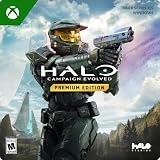
- PREMIUM EDITION CONTENT — Receive the Alpha Halo Armory Pack with 5 armor skins and 6 weapon skins, plus the Digital Artbook, Digital Short Story, and in‑game bonus content.
- A CLASSIC REIMAGINED — Experience the original Halo: Combat Evolved campaign rebuilt with high‑definition visuals, updated cinematics, refined controls, and a brand‑new three‑mission adventure.
- ENHANCED AUDIO & VISUALS — Relive every mission with modernized animations, a remastered soundtrack, and fully rebuilt sound design for deeper immersion across the Halo universe.
- NEW STORY CONTENT — Play as the Master Chief alongside Sgt. Johnson in Operation: Meteorite, a standalone campaign featuring new environments, enemies, and gameplay challenges.
- CO‑OP YOUR WAY — Play solo, in 2‑player split‑screen co‑op (console only), or up to 4‑player online co‑op with full crossplay and cross‑progression support.
What a custom-content workflow looks like
- Install a compatible Custom Edition build. Use documentation for the exact release rather than assuming that every old installer has the same activation or patch behavior.
- Use the HEK or another compatible authoring toolchain. The tools prepare the level data, while the tutorials explain the content pipeline and the source art provides material to work from.
- Build and export the map. A finished project must be compiled into the data format expected by the Custom Edition game.
- Place the resulting map where the game can find it. The game then exposes the map through its relevant multiplayer or custom-content interface, depending on the project.
- Keep the game and map formats aligned. A map made for one branch of the Halo toolchain should not be presumed to work in another branch simply because both are based on Combat Evolved.
The last step is the one that causes many modern misunderstandings. “Custom map” describes the content’s origin, not a universal file standard shared by every Halo release.
Release and patch history that explains today’s confusion
| Date or version | What the historical source records | How to interpret it |
|---|---|---|
| August 23, 2004 | The archived English Gearbox Custom Edition release date. | The original release date, not a statement about present-day support. |
| 1.09.616 | The archived release description says a security patch brought the game to this version and fixed security issues. | A historical patch reference; it is not established here as the latest build today. |
| 1.0.10, May 15, 2014 | HaloMaps records a dedicated-server executable replacement, with notes about moving GameSpy services to a replacement server and fixing bugs. | A later server-related update recorded by an archive, not proof that every client installation has identical files. |
| Version 1.0.10 activation change | A community-maintained history says this version removed the activation-key requirement. | Secondary historical evidence; do not treat it as a universal current installation rule. |
The two version numbers are easy to misread. Version 1.09.616 belongs to the archived security-patch description, while 1.0.10 is recorded for a later dedicated-server update. They refer to different historical notes and should not be collapsed into one “latest version” claim.
Do you need the original Halo PC game?
The safest answer is: it depends on the build and the instructions that came with it. The archived original release instructions tied installation to ownership of Halo PC and entering its CD key. The HaloMaps installer archive preserves that historical requirement.
Rank #3

- Genre: First Person Shooter
However, the later version history on the community Halo wiki says version 1.0.10 removed the activation-key requirement. That means “you must always own Halo PC and enter its key” is too broad, just as “no installation ever needs the original game” is too broad. The statement has to be tied to the particular installer or update.
Do these 3 things before closing this tab:
1Repair Windows errors before they cause bigger problems2Fix the driver behind crashes, sound loss and screen glitches3Clear out junk files and repair common Windows errorsThis is also why old forum advice can conflict. One post may describe the original release; another may describe a patched installation years later. Before installing, identify the release, read its included documentation, and use a lawful copy. Do not infer current Windows compatibility, download availability or present activation policy from a 2004 installer description alone.
Can Custom Edition maps be used in MCC?
Do not assume that a Custom Edition map can be copied into MCC and played unchanged. In an official Halo Waypoint update, the developers described planned Halo: CE modding changes that would remove support for playing Custom Edition map files because the formats were incompatible. The announcement said older levels would need to be fixed and rebuilt with MCC’s Halo: CE mod tools.
Rank #4
That announcement establishes the important technical distinction: MCC and Custom Edition use different modding workflows and, in the described update, different expectations for map data. It was written as a planned future change at the time, so it does not by itself verify which compatibility behavior is active in MCC today. Current MCC behavior should be checked against current official documentation before attempting a conversion or installation.
What “rebuild” means in practice
A rebuild is more than renaming a file or moving it to another folder. The level may need to be opened, corrected and exported through MCC’s Halo: CE mod tools so that its data matches MCC’s format and runtime assumptions. Assets, scripts or dependencies that worked in Custom Edition may also require adjustment. A Custom Edition map that loads correctly in its original game is not evidence that the same binary is valid for MCC.
Recommended Free Tools
Which edition should you choose?
Choose Custom Edition when your goal is legacy community content
- You specifically want the older PC community-map ecosystem.
- You are following documentation written for Halo Custom Edition and the HEK.
- You can identify the game build expected by the map or server.
- You accept that historical installers and community archives may not describe current operating-system support.
Choose MCC’s workflow when your goal is current MCC modding
- You want to create or maintain content for MCC rather than the legacy Custom Edition runtime.
- The project documentation names MCC’s Halo: CE mod tools.
- You are prepared to fix and rebuild older levels instead of treating Custom Edition files as drop-in assets.
- You need behavior and compatibility confirmed by current MCC documentation.
Do not choose based on the name alone
“Halo CE” can refer to the original game, Custom Edition or the Halo: CE component inside MCC. Check the executable or platform, the map format, the authoring tools and the documented build. Those four details answer more than the abbreviation does.
Best Value
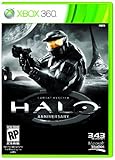
- Features seven of the most popular multiplayer maps in Halo history
- Co-op play over Xbox LIVE
- New achievements, new challenges, and a new story to uncover
Support, availability and legal expectations
The archived Gearbox description characterized the base Custom Edition release as unsupported by Microsoft. That is a statement from the historical release material, not a claim about a current Microsoft support policy. No current official installation page is established by the historical sources above, so availability, modern Windows behavior and exact activation requirements should be treated as items to verify rather than assumed facts.
Use legitimate software and map sources, preserve the readme supplied with each project, and keep a copy of the exact game build for which a map was made. Community servers and archives can disappear or change files, while a map’s dependencies may be documented only in its original release notes. A clean record of the build, patch and map version is often the difference between a working installation and a confusing failure.
Common mistakes and how to avoid them
- Calling Custom Edition a menu option. It is a separate Gearbox release based on Halo PC.
- Assuming every Halo PC key rule is permanent. The original instructions and the later 1.0.10 history describe different states.
- Installing an MCC map into Custom Edition, or vice versa. Match the map to the runtime and toolchain for which it was built.
- Treating an old patch note as current support information. Dates and versions in the archives are historical records.
- Expecting a file conversion to be automatic. MCC’s documented approach involved fixing and rebuilding levels with its own Halo: CE tools.
- Using “latest version” without naming the component. The archived client security note and the dedicated-server 1.0.10 note are different records.
The bottom line
Halo Custom Edition is best understood as Halo PC’s separate, community-content-oriented branch. Its defining feature was not a new campaign but the ability to play user-created content, supported by the Halo Editing Kit’s tools, tutorials and source art. Its installation rules changed across historical builds, and its map files should not be assumed to work in MCC without the appropriate MCC toolchain and rebuild process. If you identify the exact runtime, build and map format first, the difference between original Halo PC, Custom Edition and MCC becomes clear.
Frequently Asked Questions
Is Halo Custom Edition the same game as Halo PC?
No. It is a separate Gearbox release based on Halo PC, created chiefly to support user-created content and associated with the Halo Editing Kit.
Does every Custom Edition installation require a Halo PC CD key?
No single timeless rule applies. The original instructions required the Halo PC key, while a community history says version 1.0.10 removed that activation requirement. Check the documentation for the specific build.
Can I copy a Custom Edition map directly into MCC?
Do not assume so. Halo Waypoint described incompatible formats and said older levels would need to be fixed and rebuilt with MCC’s Halo: CE mod tools; the announcement itself described a planned change, so verify current MCC behavior in current documentation.
Quick Recap
Product prices and availability are accurate as of the date/time indicated and are subject to change. Any price and availability information displayed on Amazon at the time of purchase will apply.
Free tools Windows power users keep installed
One-click scans. No signup required.

