An RPG Maker game is a game built with the RPG Maker series of development tools. Instead of starting with a blank programming framework, you assemble a project in visual editors for maps, characters, dialogue, quests, combat data, menus, animations and other game systems. The event editor lets beginners create many interactions without writing code; plugins and scripting provide a deeper customization route when the built-in commands are not enough.
“RPG” describes the series’ roots, not a hard genre limit. Depending on the edition, you can make a traditional role-playing game, an adventure, a puzzle game, a dialogue-focused story, a horror game or another 2D project that fits the available data and event systems.
| # | Preview | Product | Price | |
|---|---|---|---|---|
| 1 |

|
C.A.R.D.S. RPG: The Misty Battlefield *Total Warfare Edition* PS5 | $22.99 | Buy on Amazon |
| 2 |

|
KEMCO RPG Selection Vol. 2 - PlayStation 5 | $32.29 | Buy on Amazon |
| 3 |
|
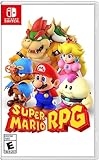
Super Mario RPG - Nintendo Switch (US Version) | $34.87 | Buy on Amazon |
| 4 |

|
Suikoden I & II HD Remastered PS5 | $29.99 | Buy on Amazon |
As an Amazon Associate I earn from qualifying purchases.
What an RPG Maker game actually is
RPG Maker is both an editor and a game-making system. You create a project in the editor, define its data and rules, place content on maps, then test the result in the engine’s play mode. The finished game runs using the runtime and resources associated with that project.
The official series overview presents map editing, character generation, events, plugins and animations as core parts of the workflow. Events can represent an NPC conversation, a treasure chest, a locked door, a puzzle, a cutscene, a shop or a battle trigger. Because the commands are assembled from menus, a first-time creator can build a playable sequence without first learning a programming language. See the RPG Maker Web series overview for the publisher’s description of the toolset.
#1 Best Overall
- Total Warfare Edition includes additional playable characters, mini-games, and content previously available as DLC
- Combines roguelike-style deckbuilding with turn-based SRPGs for a brand-new experience
- Over 100 cards to collect and build a deck with, all with unique designs
That convenience does not mean the engine is limited to prewritten stories. Variables, switches, conditional branches, common events, databases and scripted extensions let you construct rules and progression systems. The practical ceiling is determined by the edition, the available plugins, your art and audio, and how much custom code you are prepared to maintain.
What you can build with the engine
Tile-based worlds
The map editor uses tiles to assemble towns, interiors, forests, dungeons and other locations. A tile-based workflow makes it quick to block out a room, duplicate a visual style and connect many maps into a larger world. You place terrain and objects, set passability and encounters, and then add events that make the map interactive.
RPG Maker MZ adds explicit control over which of four map layers you are drawing on, according to its product page. That matters when scenery overlaps, because you can adjust the layer rather than redesigning the entire map. Exact map behavior and available tiles still depend on the project’s tilesets and database settings.
Recommended Free Tools
Dialogue, quests and scripted interactions
Event commands are the main no-code route to game logic. A page of commands can show text, move characters, change a switch, give an item, start a battle, play an animation or transfer the player to another map. Conditions determine which event page is active, so the same NPC can behave differently before and after a quest.
For a simple quest, you might use a switch to record that the player accepted the task, a variable to count collected objects, conditional branches to check the count, and a final event page to deliver the reward. This approach is visual, inspectable and easy to test, but large projects need naming conventions and careful organization or the event list can become difficult to maintain.
Characters and game data
The series includes tools for character generation and bundled resources. The database is where you define actors, classes, skills, items, weapons, armor, enemies, troops, states and other rules exposed by the edition. MV’s official page also describes a large database and sample resources. The exact fields, generators and included assets vary by edition, so do not assume that a tutorial for one version exposes the same controls in another.
Rank #2
- Asdivine Hearts II- Power, feelings, and wishes cross each other. A journey that would determinate the world’s fate begins!
- Revenant Dogma- Transform to get your victory in dynamic turn-based battles!
- Fernz Gate - Support your allies or unleash powerful magic in tag-team during battles!
- Alvastia Chronicles - More than 100 companions with up to 13 party members! Sound composed by Ryuji Sasai
- Languages - Subtitles in English and Japanese.
You can replace or supplement the included graphics, music and sound effects with your own work or properly licensed add-ons. Asset licenses are separate from the engine license: check the terms attached to every pack, especially if you move materials between versions or use them outside the game project.
The Tool Desk
Outbyte PC Repair FREERepair Windows errors before they cause bigger problemsFix Now →Outbyte Driver Updater FREEScan for outdated or missing drivers - takes under a minuteDriver Scan →Combat, animations and effects
Database entries define the numbers and relationships behind a conventional turn-based battle: who can act, which skills cost resources, what an enemy drops and how states affect a character. Events can also create non-combat challenges, such as timed choices, stealth-like movement rules or environmental puzzles.
MZ highlights revamped animation tools and support for Effekseer particle effects. These tools can make spells, impacts and other effects more expressive than a static image, but they do not automatically create a complete combat design. You still have to define the rules, balance encounters and supply suitable art and audio.
How RPG Maker logic works without code
Events are visual programs
An event is a set of commands attached to a map position or triggered by a condition. Common triggers include interacting with the player, touching an event, autorun and parallel processing. Commands execute in order, much like statements in a conventional program.
Switches act as on/off flags: “bridge repaired” or “intro finished.” Variables store values such as a score, a quest count or a timer. Conditional branches test those values, and event pages select different behavior after the state changes. Common events let you store reusable sequences, such as a standard healing effect or a conversation system, rather than rebuilding them on every map.
When scripting and plugins become useful
Plugins extend the engine beyond its standard event commands. A plugin can add interface changes, new battle rules, alternate save behavior or other systems that would be cumbersome to reproduce visually. The series overview describes plugins as the path beyond events, while the official MV page specifically describes JavaScript customization for experienced developers.
Rank #3
- Jump through a colorful world and give attacks some extra oomph in battle!
- Explore the vibrant environments with your party and jump towards your next goal!
- Run into monsters to enter turn-based battles with your party of three.
- Press the button at the right time for a satisfying dose of extra damage or helpful guard.
Plugins are version-sensitive. An MV plugin is not automatically compatible with MZ, and a plugin may also depend on other plugins or a particular load order. Keep a clean backup before installing one, read its license and documentation, and test saves, menus, battles and exports after each significant change. If a feature can be implemented with ordinary events, that may be easier to support over the life of a project; use code when the requirement genuinely exceeds the built-in system.
RPG Maker MZ and MV: what differs
MZ and MV share the same broad idea—visual map and event authoring with optional scripting—but they are not interchangeable feature lists. The publisher identifies MZ as the latest edition and presents its map-layer controls, event-command improvements and Effekseer support as notable features. MV’s page emphasizes JavaScript, HTML5 export, mouse and touch support and a list of distribution targets.
| Area | RPG Maker MZ | RPG Maker MV |
|---|---|---|
| Edition position | The official site presents MZ as the latest series edition. | An earlier edition with its own editor, runtime and plugin ecosystem. |
| Map workflow | Product information highlights control over four map layers. | Uses its own map editor and project format; do not assume MZ layer behavior or controls are identical. |
| Events and extensions | Event-command improvements are highlighted; plugins remain the extension route. | Official information explicitly describes JavaScript customization and plugins. |
| Animation | Revamped animation tools and Effekseer particle-effect support are listed. | Use the animation and plugin capabilities provided for MV; MZ-specific effect workflows should not be presumed compatible. |
| Export targets listed by the publisher | Confirm current export options and platform requirements for the edition and store version you buy. | The official page lists Windows, macOS, Android, iOS and HTML5 browser export. |
| Plugin compatibility | Requires MZ-compatible plugins. | Requires MV-compatible plugins; MV and MZ plugins should not be treated as interchangeable. |
The export list on the MV page is an edition claim, not a promise that every target remains equally straightforward today. Mobile operating-system policies, browser security rules, storefront requirements and signing procedures can change. Before committing to a release platform, make a small test project, follow the current platform documentation and verify that the editor’s export tools still produce an accepted build.
MZ desktop requirements and availability
The official RPG Maker MZ product page lists Windows standalone/Steam availability and Mac availability through Steam. The requirements displayed there at the time of the cited product information are:
- Windows 8.1 or 10, 64-bit, or macOS 10.13 or later.
- Intel Core i3-4340 or better.
- 8 GB of RAM.
- A compatible OpenGL system with 1 GB of VRAM.
- 4 GB of available storage.
Those are the requirements shown on that page, not a permanent compatibility guarantee. Operating-system support, graphics drivers and store listings can change, so check the current product page and marketplace listing immediately before purchase. A project can also need considerably more storage than the engine itself once you add source art, audio, backups and exported builds.
Commercial use, royalties and asset licensing
The RPG Maker Web FAQ says that purchasing MZ includes a commercial-game license and that a commercial release made with MZ does not require additional engine royalties or fees. That statement applies to MZ and does not replace the terms for your particular purchase, distribution method or third-party content.
Rank #4
- Features of Suikoden I & II HD Remaster Gate Rune and Dunan Unification Wars
- All background illustrations have been upgraded to HD & updated effects breath new life into pixel art
- New environmental sounds effects to immerse yourself in this fantasy world
- Battle SFX are also now HD and add a new level of realism
- Newly added Auto-Save, Battle Fast Forward, and Conversation Log
Read the applicable RPG Maker EULA before release. The EULA page contains separate MZ and MV agreement material and notes that the Japanese MV agreement is the original if a discrepancy exists with its English reference translation. Also check every graphics, music, sound and plugin license. An engine license does not automatically grant permission to redistribute an asset pack in another product, use it in advertising, or transfer it to a different engine.
Free tools Windows power users keep installed
One-click scans. No signup required.
Keep records of where each external asset came from and what its license allows. This is especially important for a commercial project with contractors, user-generated content or ports to multiple platforms.
Independent reader supportYour contribution helps us test, update, and keep practical guides available for everyone.A practical first-project workflow
- Choose the edition and target. Decide whether you need MZ’s current feature set, an MV-specific plugin or a particular export workflow. Confirm the edition’s current requirements and platform support before buying assets.
- Define a small playable slice. Plan one map, one player character, one short objective, one reward and one end condition. A contained slice exposes workflow problems faster than a huge unfinished world.
- Set up the database. Create only the actors, skills, items and enemies needed for that slice. Give switches and variables descriptive names so event conditions remain understandable.
- Build the map. Use tiles to create the space, set passability and place the player start. Test movement before adding decoration; an attractive map with blocked routes is harder to debug.
- Add events. Create the NPC, objective, item pickup and exit. Use switches, variables and conditional branches to represent progress, then add event pages for the changed states.
- Test each state. Start a new game, trigger the event, save, reload and repeat the sequence. Test what happens if the player leaves the map, interacts twice or completes steps out of order.
- Extend only after the core works. Add custom art, audio, animations and plugins one change at a time. Record plugin versions and configuration so you can identify a conflict if a later build fails.
- Prepare a release build. Remove test content, verify credits and licenses, test the build on the intended operating system or device, and follow the current store or platform submission requirements.
Where the engine fits—and where it does not
RPG Maker is a strong fit when you want fast 2D prototyping, a data-driven role-playing structure, tile maps, menu-based events and the option to deepen the project with plugins or JavaScript. It is particularly useful for solo creators and small teams that would rather spend time on writing, level design and art than build basic tools from scratch.
It is less suitable when the project depends on a fully 3D world, a physics-heavy simulation, unrestricted real-time networking, a radically different rendering pipeline or a platform workflow the chosen edition does not support. Plugins may bridge some gaps, but each addition increases testing and maintenance work. A technically possible feature can still be an impractical one if it relies on abandoned code or assets whose licenses do not cover your release.
Common pitfalls and fixes
- Following the wrong edition’s tutorial: Check whether instructions, screenshots and plugins target MV or MZ before reproducing them.
- Assuming an export list is current: Treat the publisher’s listed targets as a starting point, then verify current operating-system, browser, mobile and storefront rules.
- Installing plugins without a rollback plan: Back up the project, add one plugin at a time and test a clean save plus an existing save.
- Overbuilding before testing: Validate a one-room prototype and its event states before creating dozens of maps.
- Confusing engine rights with asset rights: Read the EULA and each add-on license; commercial permission for the engine does not settle every third-party asset question.
- Leaving event state implicit: Name switches and variables, document unusual conditions and use common events for repeated behavior.
How to decide whether RPG Maker is right for your project
Start with the required player experience rather than the software’s label. If the design can be expressed through tile maps, database entries and event-driven interactions, RPG Maker can take you from prototype to a distributable game without requiring code at the outset. If the design depends on capabilities outside those systems, investigate the edition’s plugin ecosystem and export path before producing content.
For a new project, compare MZ and MV on five practical axes: the editor features you will use every day, event and scripting support, the platform you must ship to, the licenses for included and purchased assets, and the computer on which you will work. The official pages at RPG Maker MZ and RPG Maker MV provide the edition-specific starting points; verify current compatibility and terms before locking in your choice.
Quick Recap
Product prices and availability are accurate as of the date/time indicated and are subject to change. Any price and availability information displayed on Amazon at the time of purchase will apply.

