A data center power usage effectiveness (PUE) rating is the ratio of all energy entering a data center to the energy consumed by its IT equipment, measured over the same continuous 12-month period and within a declared boundary. The formula is PUE = total data-center energy ÷ IT-equipment energy. A PUE of 1.5 means the facility consumed 1.5 kWh in total for every 1 kWh used by servers, storage and networking equipment. Lower is better for infrastructure energy efficiency, but PUE does not show how much useful computing work the equipment delivers, or whether the facility has low carbon emissions or water consumption.
What PUE measures
PUE is a data-center infrastructure metric. It separates the energy used by the IT load from energy used for supporting systems such as cooling, power distribution losses, lighting and other facility services inside the reported measurement boundary.

As an Amazon Associate I earn from qualifying purchases.
ISO/IEC 30134-2:2026 describes PUE as a key performance indicator “to quantify the efficient use of energy.” The ratio is meaningful only when the numerator and denominator cover the same time period and compatible physical scope. The current standard specifies a continuous 12-month measurement period for an operational PUE result.
Quick wins for a faster PC:
Fix the driver behind crashes, sound loss and screen glitchesFind Drivers →Repair Windows errors before they cause bigger problemsFix Now →Scan for outdated or missing drivers - takes under a minuteDriver Scan →For example, suppose meters record 15 million kWh for the entire data center during one year and 10 million kWh for IT equipment during that same year:
PUE = 15,000,000 kWh ÷ 10,000,000 kWh = 1.5
This is an arithmetic example, not a reported facility result. It means 5 million kWh went to non-IT infrastructure within the stated boundary, while 10 million kWh went to IT.
How to read the number
A PUE of 1.0 would mean every unit of energy counted for the facility went to IT equipment. The U.S. Department of Energy’s design guide describes 1.0 as the theoretical minimum in that framing: no counted energy goes to cooling, lighting or other non-IT loads. Real facilities require supporting infrastructure, so operating values are normally above 1.0.
| Illustrative PUE | Meaning for each 1 kWh of IT energy | Non-IT energy per 1 kWh of IT |
|---|---|---|
| 1.2 | 1.2 kWh total facility energy | 0.2 kWh |
| 1.5 | 1.5 kWh total facility energy | 0.5 kWh |
| 1.6 | 1.6 kWh total facility energy | 0.6 kWh |
| 2.0 | 2.0 kWh total facility energy | 1.0 kWh |
These rows show how to interpret the ratio; they are not grades or universal performance bands. A change from 1.6 to 1.5 means 0.1 fewer kWh of facility overhead per kWh of IT energy, provided the two measurements use the same boundary and method.
The boundary determines what a PUE includes
Before accepting a rating, identify what the report calls “total data-center energy” and what it includes in “IT equipment energy.” A whole-building meter, a data-hall meter and a subsystem meter can produce different ratios even when they describe the same equipment.
Common boundary questions
- Does the total include chillers, pumps, air handlers, cooling towers, lighting, fire systems and power-conversion losses?
- Are offices, storage rooms, security areas or other shared building services included?
- Does the IT denominator include servers only, or also storage, networking and other information-technology loads?
- Is the data center a dedicated facility or a data hall inside a mixed-use building?
State these inclusions with the number. A low value from a partial subsystem cannot be presented as the annual PUE of an entire facility.
Rank #2

- Superior Charging Performance Monitoring: Monitor the charging performance of all USB and Type C devices, including wall and solar panel chargers as well as USB cables. This tester can accurately measure voltage (3.6V-32V) and current (0-8.0A), making it ideal for assessing power bank capacity and electric energy.
- Broad Compatibility with Quick Charging Protocols: Supports the latest PD and QC fast-charging protocols, including PD3.0/2.0, QC3.0/2.0, and BC1.2. Compatible with a wide range of devices, from the newest iPhone 16 Pro to MacBook Pro, Dell XPS, Chromebook, Surface Pro, and more, ensuring versatility across USB A and Type C ports.
- Comprehensive Safety Protections: Equipped with over-voltage, over-current, under-voltage, and low energy protection. This tester automatically cuts off power if it detects any issue, preventing damage to your devices. It also saves data during sudden power outages, preserving valuable information.
- IPS Color Display with Easy Interface Navigation: This upgraded USB tester features a vivid, high-resolution display with eight color-screen interfaces. Easily switch views to monitor voltage, current, capacity, power, load impedance, and more, all in one glance.
- Precise Power Bank Capacity Testing: Accurately test power bank capacity either by direct load testing or by calculation. To determine capacity, charge the power bank fully and divide the Wh reading by battery voltage (e.g., 35Wh ÷ 3.7V = 9.46Ah or 9460mAh), offering reliable insight into actual capacity.
Operational PUE versus design and partial variants
ISO/IEC 30134-2:2026 identifies several PUE forms. The label is part of the result because each form answers a different question.
| Variant | What it represents | How to use it |
|---|---|---|
| Operational PUE | A measured result for an operating data center over the required reporting period | Use for tracking actual infrastructure performance over time |
| Designed PUE (dPUE) | A design-stage projection | Use to evaluate a planned design; do not describe it as achieved operating performance |
| Interim PUE (iPUE) | An interim or shorter-period result | Use as a progress indicator and identify the shorter period |
| Partial PUE (pPUE) | A ratio for a defined subsystem or partial facility boundary | Use only for that subsystem or declared partial scope |
| Mixed-use building PUE (mPUE) | A result for a data center located in a building with other uses | Explain how shared services and allocations were handled |
A design projection, an interim reading and a partial ratio are not interchangeable with a measured, whole-facility, 12-month operating PUE.
Are published PUE averages a target?
No. ISO/IEC 30134-2:2026 explicitly states: “The ISO/IEC 30134 series does not specify limits or targets for any KPI.” A PUE is therefore not automatically “good” or “bad” without context.
The U.S. Department of Energy’s Best Practices Guide for Energy-Efficient Data Center Design reports an average data-center PUE of 1.6. In the same discussion, it cites an annual average of 1.55 for large data centers in 2022 from the Uptime Institute’s 2022 Global Data Center Survey. These figures describe different populations and time frames. The 1.6 figure is the average stated by the 2024 DOE guide; it is not identified there as a current global survey average. The 1.55 figure applies to large data centers in that 2022 survey.
Neither number is a universal threshold, and the sources reviewed do not establish a new industry-wide 2026 average. Compare a facility with a like-for-like population, period and boundary rather than ranking it against an unattributed headline number.
Rank #3

- BQHHWTZ AMC16Z-FAK Multi-Channel AC/DC Energy Meter for 1Phase 3Phase System with RS485 Modbus-RTU
How to calculate an operational PUE
An operator preparing a defensible annual result should use a documented measurement plan:
Crashes, No Sound, or Screen Glitches?
Random freezes, missing sound and display glitches usually trace back to one bad driver. Find and replace yours safely.Free scan · under a minuteWindows Errors? Fix Them Before They Spread
Repair common Windows errors and clear accumulated junk for a smoother, more stable PC - no reinstall needed.Free scan · no reinstall- Define the facility boundary. Draw the physical scope and list every load included in total data-center energy, including shared services and allocation rules.
- Define the IT boundary. Specify which servers, storage systems, network equipment and other IT loads enter the denominator.
- Use compatible meters. Meter the numerator and denominator on the same energy basis. Do not combine a utility bill for one period with an IT estimate for another.
- Collect a continuous 12 months of data. Record readings at a consistent interval, retain calibration and estimation records, and document outages or missing data.
- Convert to a common unit. Annual kWh is typical, but any common energy unit works if it is applied consistently to both terms.
- Divide total energy by IT energy. Report the resulting ratio to a sensible precision and include the measurement dates.
- Publish the context. Identify the PUE variant, facility type, boundary, meter locations, period and any allocation or estimation method.
If the facility is only partially occupied, note that operating condition. A lightly loaded IT denominator can raise the ratio even when cooling and electrical systems are functioning as designed; that is a reason to explain the context, not to discard the measurement.
How to compare two PUE ratings responsibly
Use this checklist before concluding that one facility is more efficient:
- Boundary: Confirm that the same facility loads and IT loads are counted.
- Period: Prefer continuous 12-month operating results. Label interim values and design projections.
- Measurement basis: Check that numerator and denominator use compatible meters, units and accounting rules.
- Facility context: Distinguish a whole data center from a data hall, subsystem or mixed-use building.
- Occupancy and load: Note major changes in IT utilization, expansion, commissioning or seasonal operation.
- Claim scope: Decide whether the comparison concerns facility energy only or makes a broader carbon, water or computing-output claim.
For example, comparing a 1.4 pPUE for a cooling plant with a 1.6 whole-facility annual PUE does not establish that the cooling plant’s building is more efficient. They measure different scopes.
What PUE does not tell you
PUE tracks the energy overhead required to support IT. It does not measure whether the IT equipment is busy, how much useful work it completes, or whether that work is valuable to the operator. Two facilities can have the same PUE while delivering very different transaction volumes, computation, storage services or application performance.
Rank #4

- 1.Digital Multimeter:This power energy meter can measure and display voltage current active power energy frequency and power factor at the same time.with split current transformer,more convenient to install
- 2.Overload Alarm function:Backlight and power will flash simultaneously to give an alarm when exceeding the preset value.You can preset power limit by yourself
- 3.Automatic Data Storage Function:The last test data is stored automatically when the power supply abruptly lose. Don't worry about data loss due to sudden power outages
- 4.One-touch Control:The button can be used to control the backlight,reset energy, preset power alarm limit
- 5.LCD Display:Large-screen LCD with all sight 180° view,The blue backlight can be turned on/off manually. PZEM-022 requires an external power supply to light up the screen
PUE also does not establish the source or carbon intensity of electricity. A facility powered by a low-carbon grid and one powered by a carbon-intensive grid could report the same ratio. Nor does PUE quantify water consumed for cooling, refrigerant impacts, equipment manufacturing or other environmental effects.
Metrics to report alongside PUE
The DOE recommends using a suite of measures when the question extends beyond infrastructure energy overhead.
| Question | Useful companion metric | What it adds |
|---|---|---|
| How much computing work is delivered? | Transactions per watt or another workload-specific useful-work metric | Connects energy use with output rather than facility overhead alone |
| How much water does cooling require? | Water usage effectiveness (WUE) | Shows water use relative to IT energy. DOE FEMP defines site-based WUE as annual site water use in litres divided by annual IT-equipment energy in kWh. |
| What emissions are associated with operation? | Carbon usage effectiveness (CUE) | Adds an emissions perspective that PUE cannot provide |
| Is energy reused? | Energy reuse effectiveness (ERE) | Accounts for useful reuse of waste heat or other data-center energy |
The right companion depends on the decision. A water-constrained site needs WUE; an emissions report needs CUE; an application owner may need transactions per watt. PUE remains useful, but it should not stand in for these answers.
Independent reader supportYour contribution helps us test, update, and keep practical guides available for everyone.Why a lower PUE can still be an incomplete success
A facility can reduce non-IT energy and lower its PUE while servers remain underutilized or while total electricity consumption rises because the IT load expanded. Conversely, a higher PUE during commissioning, expansion or an unusual weather period may not indicate a permanent design problem. Interpret the ratio with absolute energy, IT load, operating conditions and the purpose of the comparison.
Do these 3 things before closing this tab:
1Repair Windows errors before they cause bigger problems2Fix the driver behind crashes, sound loss and screen glitches3Clear out junk files and repair common Windows errorsLikewise, a very low PUE achieved with water-intensive cooling may not be preferable in a region where water availability is the binding constraint. Reporting PUE with WUE, CUE, ERE and a workload metric prevents a single ratio from being stretched beyond what it measures.
Best Value
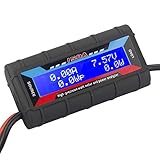
- Bright blue backlit LCD display, easy reading. 12 gauge wire take higher volt and current. It is indispensable for analyzing, testing and troubleshooting any DIY DC power project. Very accurate in giving DC volt, ampere and wattage
- Operates from 4.8V to 60V or 0V to 60V with optional auxiliary battery. Measures 0-150A, resolution 0.01A; Measures 0-60V, resolution 0.01V; Measures 0-6554W, resolution 0.1W; Measures 0-65Ah, resolution 0.001Ah; Measures 0-6554Wh, resolution 0.01Wh
- Measuring Current (A), Voltage (V), Watts (W), Amp-hours (Ah), Watt-hours (Wh), Peak Amps (Ap), Minimum Volts (Vm), Peak Watts (Wp). Widely application battery tester, can test Solar Power batteries and chargers
- Multifunctional Tester: Evaluate RC battery charging efficiency.Measure power and energy consumption of any battery powered device. Predict model airplane flight time,Choose the best propeller/most efficient motor .Check for wiring and connector power loss.Ensure peak currents are safe for motor, ESC & Battery as well as wiring and connectors
- Notice: This watt meter was designed to be safe in systems unsing less than 60V and carrying current up to 150A. DO NOT EXCEED THE LIMITES
The current PUE standard
The current edition identified here is ISO/IEC 30134-2:2026, edition 2, published on January 16, 2026. Its scope covers PUE measurement categories, calculation, reporting, interpretation and derivatives. The IEC catalogue lists it as a paid, 35-page standard. The public preview supports the definition and terminology; organizations performing formal measurement or compliance work should consult the complete standard.
The standard notes that PUE was originally developed by The Green Grid and is now part of a broader ISO/IEC series of data-center KPIs. The series standardizes how metrics are described but does not set KPI limits or targets.
Read the ISO/IEC 30134-2:2026 preview and the IEC publication record for the edition and scope. The DOE’s Best Practices Guide for Energy-Efficient Data Center Design provides the cited interpretation and benchmark context. For water measurement context, see DOE FEMP’s Cooling Water Efficiency Opportunities for Federal Data Centers.
The Tool Desk
Outbyte Driver Updater FREEScan for outdated or missing drivers - takes under a minuteDriver Scan →Outbyte PC Repair FREEClear out junk files and repair common Windows errorsFree Scan →A practical interpretation template
When presenting a rating, write the result so a reader can reproduce its meaning:
- Result: “Operational PUE was 1.5.”
- Period: Give the start and end dates and confirm whether they cover a continuous 12 months.
- Numerator: State which facility and shared loads were included.
- Denominator: State which IT equipment was included.
- Context: Note occupancy, commissioning, expansion or unusual operating conditions.
- Scope: Say explicitly that the result describes infrastructure energy overhead, not useful work, carbon or water performance.
- Complements: Add workload, WUE, CUE or ERE when those questions matter.
With those details, a PUE rating becomes a comparable operating KPI instead of an isolated number.
Quick Recap
Product prices and availability are accurate as of the date/time indicated and are subject to change. Any price and availability information displayed on Amazon at the time of purchase will apply.

