Quick wins for a faster PC:
Clear out junk files and repair common Windows errorsFree Scan →Scan for outdated or missing drivers - takes under a minuteDriver Scan →Repair Windows errors before they cause bigger problemsFix Now →For a practical starting point, use the Vivo V80’s main camera for everyday shots, switch to its 3× optical telephoto when you want tighter framing, and choose the ultra-wide when you need to fit more into the scene. For video, pick a Cinematic Video style to suit the look you want; use 4K only when 60 fps fits your recording needs, because vivo says that is the V80’s supported 4K mode.
Choose the camera that fits the shot
Vivo’s India-market V80 specification lists a 50 MP main rear camera with OIS, a 50 MP OIS telephoto camera, an 8 MP ultra-wide camera, and a 50 MP autofocus front camera. Those specifications describe the hardware; they do not establish that one camera will produce the best image in every scene.
As an Amazon Associate I earn from qualifying purchases.
- Main camera: Start here for ordinary framing and general-purpose photos.
- 3× optical telephoto: Use this for a tighter view of a more distant subject or a closer portrait composition. Vivo separately advertises zoom up to 100×, but that maximum is not equivalent to the telephoto camera’s 3× optical framing.
- Ultra-wide: Switch to this when a broad scene, group, or nearby subject will not fit comfortably in the main camera’s frame.
The camera mode list can differ by rear module, so check the viewfinder after switching cameras rather than assuming every mode is available on each one. See vivo’s India-market V80 specifications and V80 overview.
Free tools Windows power users keep installed
One-click scans. No signup required.
Photo settings and modes to try
Night mode for dim scenes
Night is among the modes listed for the V80. Try it in low light and compare the preview or result with the standard Photo mode. It is an option to test, not a guarantee of blur-free photos.
#1 Best Overall

- Slim and Lightweight Design: Slim profile case compatible with Vivo V80 Lite 5G, with durable TPU material that provides everyday protection without adding bulk
- Shockproof and Scratch Resistant: Flexible TPU construction absorbs shocks and protects your device from drops, impacts, and scratches
- Precise Cutouts and Easy Access: Designed with accurate cutouts for effortless access to all ports, buttons, and cameras
- Screen Protector Friendly: Compatible with most screen protectors, featuring soft flexible edges that prevent lifting or bubbling
- Camera Lens Protection and Good Grip: Raised edges protect camera lenses from scratches while soft texture ensures a secure comfortable grip
Portrait mode for a portrait-specific look
Portrait is also listed among the camera modes. Choose it when you want its portrait rendering; use normal Photo mode if you prefer a less processed look. Adjust blur or beauty controls only to taste and check the preview, since vivo’s published specifications do not prescribe a universally optimal amount.
Grid, level, and HDR—if available
A grid can help place a subject, while a level can help keep a horizon straight. If your camera app offers HDR, compare it in a scene with bright highlights and dark areas rather than treating it as an always-on or always-off rule. These controls are described in vivo’s general camera guide, not confirmed as present on every V80.
Rank #2
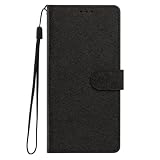
- This phone case is only suitable for Vivo V80 Lite 5G, please confirm your smartphone model before placing an order.
- The Vivo V80 Lite 5G phone case is made of comfortable PU leather, which gives you a nice touch when holding it. The Simple style makes the wallet phone case not only protect your phone, but also beautiful enough to give to your family.
- The case has an adjustable folding function, allowing you to watch the screen with your hands free. You can freely adjust the angle to find the best viewing angle. Perfect for video calls or watching movies.
- MULTI-FUNCTIONAL: The Vivo V80 Lite 5G Wallet case features two card slots and a side pocket for credit cards and business cards. At the same time, the magnetic closure prevents your phone from being accidentally opened.
- EASY ACCESS: Provides easy access to all available functions of your smartphone with openings for camera, charging, speakers, earphones and lock buttons. It is also very convenient to install and remove.
Motion Autofocus for moving subjects—if available
Vivo describes Motion Autofocus as tracking and focusing on a subject in real time while taking a photo. Look for it if you are photographing movement; support can vary by model and region.
Crashes, No Sound, or Screen Glitches?
Random freezes, missing sound and display glitches usually trace back to one bad driver. Find and replace yours safely.Free scan · under a minutePC Slower Than It Used to Be?
A free scan shows the junk files, broken settings and background clutter dragging Windows down - then fixes them in one click.Free scan · Windows 10 & 11Video: choose a look, then choose a recording mode
Pick a Cinematic Video style by the color you want
| Style | Vivo’s description | When to try it |
|---|---|---|
| Vibrant | High saturation and strong contrast | When you want punchier color and contrast |
| Modern Movie | Natural, true-to-life color tuning | For a more natural look, including daily portraits or travel vlogs |
| Pastel | Soft, low saturation | When you want a softer, less saturated look |
These are vivo’s descriptions of the styles, not independent image-quality comparisons. Its product page also says 4K Cinematic Video supports cinematic LUT and visual enhancement effects, with actual performance varying by usage. Check vivo’s V80 camera-feature details.
Rank #3
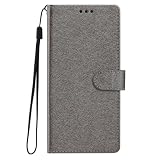
- This phone case is only suitable for Vivo V80 Lite 5G, please confirm your smartphone model before placing an order.
- The Vivo V80 Lite 5G phone case is made of comfortable PU leather, which gives you a nice touch when holding it. The Simple style makes the wallet phone case not only protect your phone, but also beautiful enough to give to your family.
- The case has an adjustable folding function, allowing you to watch the screen with your hands free. You can freely adjust the angle to find the best viewing angle. Perfect for video calls or watching movies.
- MULTI-FUNCTIONAL: The Vivo V80 Lite 5G Wallet case features two card slots and a side pocket for credit cards and business cards. At the same time, the magnetic closure prevents your phone from being accidentally opened.
- EASY ACCESS: Provides easy access to all available functions of your smartphone with openings for camera, charging, speakers, earphones and lock buttons. It is also very convenient to install and remove.
Use 4K when 60 fps suits the clip
Vivo lists 4K and 1080P video recording and states that 4K resolution recording is supported only in 4K 60 fps mode. Choose that option when you want 4K and its 60 fps capture suits the subject and intended clip; otherwise, consider the listed 1080P option. Do not assume every resolution and frame-rate combination is available in every mode.
Vivo describes the rear 4K 60 fps mode as having OIS stability, but that is not a promise of shake-free footage or a measured stabilization result. How steady a clip looks can depend on how it is recorded.
Rank #4

- Multi-Card Slot Design: This case is compatible with Vivo V80 Lite 5G, features 3 card slots and 1 photo window, perfect for storing credit cards, IDs, and cherished memories
- Built-In Hidden Wallet: Includes a concealed cash pocket, allowing you to carry money securely without a separate wallet
- Premium PU Leather Material: Made from high-quality PU leather that offers a soft touch, elegant look, and durable daily protection
- Magnetic Flip Cover & Kickstand: Magnetic closure ensures secure fastening, while the foldable design doubles as a stand for hands-free viewing
- Precise Cutouts & Full Protection: Accurate cutouts for camera, buttons, and ports ensure easy access while offering comprehensive protection
Keep, watermark, location, and selfie preferences
Vivo’s general camera guide describes additional controls that may differ by device and region. If they appear on your V80, set them according to how you want the camera to behave:
What’s actually slowing this PC down?
Pick the symptom - the matching free tool is one click away.
- Keep settings: Enable retention only for settings you want the camera to remember from your previous session.
- Watermark: Leave it off if you want clean images without added date, time, device model, or other text; turn it on if you specifically want those details included.
- Location: Decide whether photos and videos should carry location information. This is a privacy choice, not an image-quality setting.
- Mirrored selfie: Choose this based on whether you want the saved selfie to match the front-camera preview. It changes presentation, not photo quality.
Where to look for camera controls
Open the Camera app and look for More settings for additional controls. Vivo’s general guide cautions that features can vary by model and region, and it does not confirm a V80-specific menu path for every option above. Menu names and available controls may also differ across markets or after a software update. The V80 pages cited here cover the India-market model, which lists OriginOS 7; software on V80 models in other markets may not match.
Best Value

- Compatible with Vivo V80 5G
- The wallet case is equipped with RFID shielding technology designed to protect your card information from identity theft. With an innovative blocking material, it will make you feel safe wherever you are. The folding line on the back of case allows you to convert the wallet case into a kickstand. The fold book style phone case offers you a comfortable and satisfying visual experience.
- The Premium PU And durable soft TPU Perfectly fit every corner,full-body inner shell comes with a cushioned shockproof edge and ensures your phone against drops bumps And surface scratches.
- flip case with 2 Card Slots & 1 Side Pocket, Perfect Combination of wallet and cell phone case. Allows you to easily access your cards or cash conveniently.
- Case has exact cutouts to keep features fully accessible
Feature descriptions and specifications identify settings worth trying, but they do not prove that one configuration delivers better results in every situation. The official V80 pages do not provide comparative camera tests.
Quick Recap
Product prices and availability are accurate as of the date/time indicated and are subject to change. Any price and availability information displayed on Amazon at the time of purchase will apply.

