The best USB charging station is the one that can deliver enough power to the devices you plug in together, through the ports and cables you actually use. Ignore the biggest wattage printed on the box until you have checked the station’s per-port limits and its simultaneous-use power table. A six-port unit that reallocates power aggressively may charge a laptop slowly when several phones are connected, while a lower-wattage model with a better allocation can be the more useful desk charger.
For most modern devices, start with USB-C Power Delivery (USB PD), then check whether you need Programmable Power Supply (PPS), high sustained output, USB-A ports, or a compact form for travel. The guide below explains how to match those features to your phones, tablets, laptops, watches, headphones and other electronics without paying for capacity you cannot use.
As an Amazon Associate I earn from qualifying purchases.
What a multi-port USB-C charging station does
A charging station combines several USB outputs in one mains-powered device. Desktop stations usually have a fixed power cord, multiple USB-C ports and sometimes USB-A ports, so one outlet can serve a work area or family charging spot. A travel charger is smaller and normally plugs directly into the wall; it may have fewer ports and a lower total output.
Crashes, No Sound, or Screen Glitches?
Random freezes, missing sound and display glitches usually trace back to one bad driver. Find and replace yours safely.Free scan · under a minuteWindows Errors? Fix Them Before They Spread
Repair common Windows errors and clear accumulated junk for a smoother, more stable PC - no reinstall needed.Free scan · no reinstallThe important specification is not only total output. A station rated at 100W might provide 100W from one USB-C port when it is the only load, then divide that power among two, three or four connected devices. Manufacturers describe this in a port-allocation or simultaneous-use table. Read that table before buying.
#1 Best Overall

- 6-in-1 Multi-Device Charging Station: Power up to 6 devices simultaneously with 3 USB-C PD 3.0 ports (20W max each) and 3 USB-A ports (18W max each). Ideal for decluttering your desk and charging smartphones, tablets, earbuds, and small electronics from a single outlet
- High-Speed Power Delivery: Delivers up to 100W total output, allowing fast charging for your mobile devices. Charge your phone efficiently during busy workdays or before leaving home without waiting around
- Compact & Travel-Ready Design: Measuring just 3.27 x 2.36 x 1.1 inches, this lightweight hub easily fits into your bag or pocket. The included 5ft detachable AC extension cord gives you the flexibility to reach wall outlets behind desks or nightstands
- Universal Compatibility: Works seamlessly with iPhone 18/17/16/15/14/13 series, iPad Pro/Air/Mini, Samsung Galaxy S26/S25/S24/S23/S22/S21 series, AirPods, e-readers, portable fans, and more. (Note: Designed for mobile devices and accessories; not intended for laptops)
- Advanced Safety Protection: Built-in intelligent circuit management guards against over-charging, over-heating, short circuits, and over-current, ensuring stable power delivery and long-term device battery health.
Why the allocation table matters
Two chargers with the same headline wattage can behave very differently. One may reserve a high-power USB-C port for a laptop and leave modest power for the remaining ports. Another may spread output evenly, which is convenient for phones but insufficient for a notebook. Look for entries such as “USB-C1 only,” “USB-C1 plus USB-C2,” and “all ports in use,” and compare those figures with the maximum input of each device.
How much wattage do you need?
Choose wattage from the devices that will be connected at the same time, not from the largest number in a product name. A phone may accept substantially less than a laptop, and a tablet may fall between them. Your station needs headroom for the combined load and for the manufacturer’s power-sharing behavior.
Use your devices’ actual input ratings
- List every device you expect to charge simultaneously.
- Find each device’s maximum wired charging input in its manual or specifications.
- Add those figures to estimate the concurrent load.
- Select a station whose all-ports allocation meets that load, with practical headroom rather than an exact match.
- Confirm that the required output is available from the physical port type you will use.
A station’s maximum output is a ceiling, not a promise that every connected device receives that amount. A laptop that can accept 100W may receive only the power assigned to its particular port when other outputs are active.
Reference points from current testing
Tom’s Hardware’s 2026 charging guide tested 20 chargers ranging from a single-port 15W model to four-port 140W options. Its review method examined sustained output, thermal performance, efficiency, idle power draw and dollar-per-watt. Those figures show the breadth of the market, not a required target for every buyer. Output above 100W deserves particular attention to heat and sustained performance.
TechRadar’s current roundup includes a six-port desktop station rated at 250W and another six-port model rated at 500W. The review describes the 250W unit as capable but expensive, and the 500W unit as fast-performing but physically large and lacking a display. Treat those observations as the publication’s review notes; regional versions, power allocation, price and availability can change.
USB-C Power Delivery and PPS compatibility
USB-C is the connector shape; USB Power Delivery is the charging protocol that negotiates voltage and current. A PD charger and a compatible device exchange requirements so the charger can select an appropriate power level. PD is the sensible compatibility baseline for current phones, tablets and laptops, but it does not guarantee a particular charging speed for every device.
Rank #2

- Join the Anker Family: Step into our expansive community of over 50 million members, all powered by our top-tier USB Charging Brand. With our products, you're not just buying a device, you're investing in reliable performance and enduring quality that offers remarkable value for your money.
- Superior Charging Technology: Experience the potency of PowerIQ and VoltageBoost, engineered to deliver a swift charge of up to 2.4 amps per port or a cumulative 12 amps. Our design ensures efficient, rapid charging of multiple devices at once, without the worry of overcharging or overheating. Please be aware, Qualcomm Quick Charge is not supported.
- Streamlined Power Supply: Our 6-port charging station dispenses 60 watts of power, facilitating simultaneous charging for multiple devices. This compact, travel-friendly gadget not only organizes your charging area but also minimizes the need for multiple chargers and outlets.
- Enhanced Protection and Versatility: Designed with Anker's proprietary safety system and UL certification, this charger offers layered safeguards for you and your devices. Compatible with a wide range of USB-powered gear—including Android, Apple, laptops, and more—with support for 100 - 240V input for use worldwide.
- Package Inclusions: Your purchase comes with the Anker PowerPort 6 (60W 6-Port USB Charging Hub), a 5ft / 150cm detachable power cord, an additional hook-and-loop strip, a welcome guide, and our 18-month warranty with responsive customer service. We are dedicated to exceeding your expectations and delivering products of exceptional quality that stand the test of time.
When PPS is useful
Programmable Power Supply allows smaller, stepwise changes in voltage and current instead of relying only on fixed power profiles. Compatible phones can use PPS to match their charging requirements more precisely. If your phone documentation lists PPS, choose a station that explicitly lists PPS on the port you will use; do not assume that every USB-C PD port includes it.
Check the complete charging path
- The station must support the required PD or PPS profile.
- The cable must be rated for the power you want to carry.
- The device must accept that profile through its USB-C port.
- Power sharing must leave enough output on that port when other devices are connected.
A high-wattage station cannot make a device charge faster than the device, cable and negotiated profile allow. Conversely, a low-rated cable can become the limiting component even when the station has ample capacity.
Choose the right port mix
USB-C ports
USB-C ports are the priority for recent smartphones, tablets, handheld consoles and USB-C laptops. Count how many devices need USB-C at the same time, then reserve the highest-power ports for equipment that can use it. Some stations have one primary high-output USB-C port and several lower-output ports; others provide several similarly rated ports.
USB-A ports
USB-A remains useful for older phones, e-readers, keyboards, mice, lamps and legacy cables. USB-A ports often have lower power limits than USB-C PD ports, so verify their individual ratings. A station with only USB-C may require new cables or adapters for older accessories.
Port count versus usable capacity
More sockets help only when the station can supply adequate combined power. Six low-output ports are not automatically better than four well-allocated ports. For a desk shared by several people, prioritize the all-ports power table and the number of high-output USB-C ports over raw port count.
Free tools Windows power users keep installed
One-click scans. No signup required.
Desktop station or travel charger?
Desktop charging station
- Best for a permanent desk, bedside table or shared household charging area.
- Usually offers more ports and higher total output.
- May have a separate mains cable, a heavier enclosure and a larger footprint.
- Can keep cables organized in one location, but it is less convenient to pack.
Compact travel wall charger
- Best when size and weight matter more than maximum simultaneous output.
- Plugs directly into the wall and normally has fewer ports.
- Can replace several small phone chargers in a travel bag.
- May not provide enough concurrent power for a laptop plus several other devices.
Decide where the charger will live before comparing wattage. A large desktop unit is wasteful for occasional travel, while a tiny wall charger can be frustrating as the permanent hub for a laptop, tablet and several phones.
Rank #3

- 10 PORT CHARGING STATION:10 in 1 Charging blocks with1xUSB-C PD 3.0 port(65W max),5x USB-C PD 3.0 port (20W max), 4 x USB-A port(20W max), this charger supports a maximum output of 245 watt in total. No need to wait, it can charge your laptop,watch, earphone, mobile phone, fan and other 10 different devices at the same time.
- UNIVERSAL COMPATIBILITY:USB-C port and USB-A port charger block for iPhone17 16 15 14 13 12 11 Pro Max Mini Plus/ XS Max/ XS/ X/ XR/ 8 Plus/ 8, iPad Pro Air Mini, AirPods Pro, Samsung Galaxy S23/S23+/S23 Ultra/ S22/ S22+/ S22 Ultra/ S21/S21+/S21 Ultra/ S21+ 5G, S20/ S20 Ultra/ S20+/ S20 FE, Note 10/ Note 10 5G, Note 20/ 20 Ultra 5G/ S10 5G, Galaxy Z Fold 3 5g, A90 5G, A80, A70, Book S, Tab S7/S7+/S8/S8+/S8 Ultra, and switch, fan, speaker, lamp, etc.Only the first port can support laptops.
- FAST&SAFE CHARGING:Without sacrificing quality or safety, it is more compact but more powerful. Equipped with a powerful safety protection system, it can prevent over-charging, over-voltage, over-current, and over-heating to ensure the safety of your devices. Upgrade your charging experience today with our innovative Gan charger!
- PORTABLE&EASY TO USE:It is sleek and lightweight for carrying, especially suitable for the family trip with multiple charging options. With a detachable 5ft long power cord, it is so convenient to store and charge with no limitation.
- WHAT YOU GET: You will get 1* 10-in-1 charging block, 2*6.6ft C to C USB cable,2*3.3 ft C to C cable, 1* 5ft power cord, 1*User Manual.welcome guide, 24-month warranty, and our friendly customer service.
Sustained output and thermal behavior
Peak output is often measured briefly. Sustained output is what matters during a long laptop session, gaming handheld charge or simultaneous charging of several batteries. Heat can cause a charger to reduce output, and a hot enclosure is inconvenient in a crowded workspace.
Prefer reviews that report output over time, thermal measurements, efficiency and idle power draw. Tom’s Hardware explicitly includes those checks in its 2026 testing and notes that sustained output and heat become more significant above 100W. A station that reaches a high peak but throttles quickly may be less useful than one with a lower, stable output.
Placement for safer operation
- Keep ventilation openings clear and do not cover the station with clothing or papers.
- Place it on a hard, stable surface rather than a soft bed or sofa.
- Leave room around a high-output unit so heat can dissipate.
- Disconnect damaged cables and stop using a charger that has a burning smell, visible damage or abnormal heat.
These practices reduce heat stress but do not replace the manufacturer’s safety instructions.
Recommended Free Tools
Certification and safety claims
Do not infer certification from a brand name or from a generic safety mark. USB-IF’s searchable product listing is limited to products certified to bear the USB-IF logo and includes products that passed its USB-IF Compliance Program. Certification applies to the exact product and model, not automatically to every charger made by the same company.
If you cannot find a particular model, USB-IF advises contacting the manufacturer to determine when it will be certified to bear the logo. That absence is not proof that a product is unsafe, but it means you should request the maker’s documentation instead of assuming certification.
Also distinguish USB-IF compliance from electrical-safety certification and from regulatory conformity. They address different requirements. Read the model-specific declaration, markings and warranty terms supplied for your region.
Rank #4

- 6-in-1 Charger for All: Designed for modern needs, this charger can power your entire digital lineup, from laptops to smartphones, all at the same time. Note: 30W charging is limited to the USB-C1 port for MacBook Air.
- Maximum Power, Minimum Time: Efficiently power your MacBook Air to 50% in just 1 hour 40 minutes or quickly boost your iPhone 16 Pro Max from 0 - 50% in 30 minutes with a single 30W max charging port.
- 112W Multi-Device Charger: Equipped with 3 USB-C and 3 USB-A ports (112W total across 6 ports). Max output: Up to 30W via a single USB-C port and 18W via a single USB-A port. Powerful enough to charge multiple devices simultaneously.
- Tidy Desk, Tidy Mind: Say goodbye to tangled wires and cluttered desks. Included with the charger is a silicone cable organizer, ensuring your workspace remains orderly and stress-free.
- Compact and Lightweight: Measures just 3.0 × 3.2 × 1.3 in (77 × 82 × 33 mm) and weighs only 10.65 oz (302 g)—equivalent to 1.5× iPhone 14 Pro—for easy portability and minimal desk space.
What EU common-charger rules mean for buyers
The EU common-charger requirements are regional rules for covered products placed on the EU market, not a worldwide mandate for every charger. UL Solutions describes 13 categories within the scope, including mobile phones, tablets, e-readers, keyboards, mice, portable navigation systems, portable speakers, headsets, earbuds and laptops.
Covered products sold in the EU after December 28, 2024 are subject to USB-C charging requirements; laptops received a transition until April 2026. The rules also address fast-charging capabilities, availability of devices without a charger, and charger-inclusion and power labeling. These obligations apply to covered devices and their packaging. They do not mean that every standalone charging station has identical features or automatic EU compliance.
USB-IF’s EU conformity material references USB Power Delivery Specification Revision 3.2 Version 1.1 and USB Type-C Specification Release 2.4, both dated October 2024, in its EU external-power-supply discussion. Do not treat those references as proof that a particular station conforms; check its exact declaration and regional model.
A practical buying checklist
- Inventory your devices. Record the number of phones, tablets, laptops, watches, earbuds and accessories that will charge together.
- Record input requirements. Note each device’s maximum wired input and whether it requires PPS or a particular PD profile.
- Map the ports. Decide how many USB-C and USB-A connections you need and which devices will occupy the highest-power ports.
- Read concurrent allocations. Verify the station’s output with two, three and all ports occupied. Ignore a single-port maximum if it does not match your normal use.
- Choose the form factor. Select a desktop station for a fixed hub or a wall charger for portability.
- Check thermal evidence. Look for sustained-output and temperature testing, especially when total output exceeds 100W.
- Verify the exact model. Check the model number, regional plug, warranty, safety documentation and any USB-IF listing.
- Budget for cables. Use cables rated for the power and data standards your devices require.
- Recheck availability. Prices, stock, regional variants and warranty terms change; confirm them immediately before purchase.
How to set up a station for reliable charging
- Place the station on a ventilated, hard surface near the devices, but away from liquid and excessive heat.
- Connect the supplied mains cable or plug it directly into a properly rated outlet, following the manufacturer’s instructions.
- Use a known-good, appropriately rated cable for each device.
- Connect the highest-priority device to the port assigned the greatest output in the allocation table.
- Add other devices one at a time and watch for a charging-speed change when the station begins sharing power.
- If a laptop reports “slow charger” or stops charging under load, move it to a higher-power port or disconnect lower-priority devices.
- After several hours of heavy use, check that the enclosure is warm rather than dangerously hot and that output remains stable.
Common problems and fixes
The phone charges slowly
Confirm that the phone is on a USB-C PD or PPS-capable port, that the cable supports the expected power, and that another device has not triggered a lower allocation. A phone may also limit speed because of battery temperature, charge level or its own software settings.
The laptop says the charger is underpowered
Check the laptop’s required input against the station’s output for the exact combination of connected ports. Try the station’s primary high-output port and remove other loads temporarily. If the warning remains, the station may not support the laptop’s required PD profile or sustained power.
What’s actually slowing this PC down?
Pick the symptom - the matching free tool is one click away.
Adding a device reduces charging speed
This is usually power sharing, not a fault. Consult the simultaneous-use table and keep the laptop or other high-demand device on the port with the largest allocation. A station that cannot meet your normal combined load is the wrong capacity, even if its single-port number looks sufficient.
Best Value
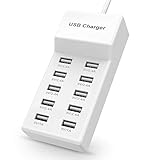
- Advanced Charging Technology: PowerIQ and VoltageBoost combine to provide the fastest possible charge up to 2.4 amps per port or 10 amps overall.
- Certified Safe: MultiProtect safety system and UL certification ensure complete protection for you and your devices. Worldwide 100-240 volt AC input voltage.
- Wide Compatibility: You can charge more than just your smart phone or table with this handy, multi-port adapter. It will also power up your e-reader, bluetooth headphones, portable speakers and other device that charges with a USB cord.
- The CB Advantage: Smart power strip made of fire-resistant ABS and pure copper. With a 3.3 feet power cord and 10 USB charger ports which offers a convenient method for power distribution in workbench and floor mount applications.t Convenient and perfect for travel, home and office use. (Input Voltage: AC 100V-240V).
- Effortlessly Portable: 1pcs/set. light weight 0.44 lbs, small size 5.31*2.4* 1.3inches. Slips easily into a bag, so you’re ready to charge no matter where you need to go.
An older accessory does not charge
Try a USB-A port or the cable specified by the accessory maker. Some legacy devices expect a particular USB-A charging behavior and may not negotiate correctly through a USB-C adapter.
The station becomes very hot
Reduce the load, improve ventilation and inspect the cable and outlet. If excessive heat persists at normal usage, unplug the station and contact the manufacturer. Do not place it under fabric or continue using a unit with physical damage.
How to interpret product reviews
Look for the test conditions, not just a “fast” label. A useful review states how long output was sustained, what loads were connected, how temperatures were measured, whether all ports were occupied, and whether the result applies to a specific regional model. Efficiency and idle consumption matter if the station remains plugged in continuously.
Quick wins for a faster PC:
Scan for outdated or missing drivers - takes under a minuteDriver Scan →Repair Windows errors before they cause bigger problemsFix Now →Review language such as “expensive,” “large” or “no display” describes trade-offs, not universal defects. A 500W desktop station may suit a workstation with several high-demand devices but be excessive for a travel bag. A display can help monitor allocation, while its absence may reduce size or cost. Match those characteristics to your routine.
Quick decision guide
- One phone and earbuds: a compact USB-C PD wall charger is usually enough; prioritize small size.
- Phone, tablet and watch at a desk: choose several USB-C ports plus any USB-A ports needed by older accessories, and verify all-ports output.
- Laptop plus phone and tablet: reserve a high-output USB-C port for the laptop and confirm the combined allocation supports the other two devices.
- Shared family or workstation hub: favor a desktop station with enough high-output USB-C ports, clear allocation data and tested sustained performance.
- Frequent travel: favor a compact wall charger and carry cables that match each device; accept fewer ports if that keeps the kit portable.
The headline lesson is simple: buy for simultaneous use. Count devices, check each input requirement, inspect the station’s allocation table, and then weigh port mix, PPS support, thermal behavior, certification evidence and form factor. That process is more reliable than choosing the largest wattage printed on a package.
Quick Recap
Product prices and availability are accurate as of the date/time indicated and are subject to change. Any price and availability information displayed on Amazon at the time of purchase will apply.

