What’s actually slowing this PC down?
Pick the symptom - the matching free tool is one click away.
The Icebind is not an early-game Warframe activity. It is a late-game, six-player mode built around level 999+ enemies, randomized mission conditions and severe failure penalties. To enter, complete Angels of the Zariman and Whispers in the Walls, then unlock either Elite Temporal Archimedea or Elite Deep Archimedea. You do not have to complete the Elite activity after unlocking it.
There is no proven universal “best” Icebind build. The useful approach is to inspect the Cryobell first, identify the mission and Binds, then assemble a squad with non-overlapping Warframes, reliable survival tools and enough damage for the selected enemy type. The steps below cover access, the first run, loadout decisions and recovery when a run starts going wrong.
As an Amazon Associate I earn from qualifying purchases.
What The Icebind is—and why “beginner” needs a qualification
The Icebind is a late-game cooperative mode introduced in Digital Extremes’ Update 44.1.0: Iceblade of Narin: The Icebind, published October 7, 2026. It is aimed at players who already have endgame-capable equipment, not at a fresh account learning Warframe’s basic systems.
Every mission is designed for a squad of six and can contain enemies at level 999 or higher. The launch description estimates roughly 10–15 minutes per mission, but that is an approximate mission duration rather than a guaranteed clear time. A failed run can also take longer if the squad spends time recovering fallen players or attempting optional objectives.
#1 Best Overall
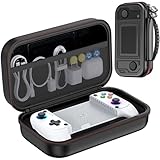
- Premium Protection: The advanced hard shell withstands drops and crushing forces, while the ultra-soft inner lining prevents your screen scratches. In this MC1 phone controller carrying case sets offers exceptional shock resistance. Acid/alkali/solvent proof construction ensures long-term durability for your valuable console whether you’re traveling, commuting, or gaming at home
- Bluetooth Controller for iPhone & Android: Mocagen mobile gaming controller Compatible with all iPhone models (including 17/16 series) and Android devices. Pairing steps: 1. Turn on Bluetooth on your phone and go to the pairing screen. 2. Press and hold the Home button for 3 sec until LED4 flashes. 3. Find "XBOX Wireless Controller" on your phone and tap to pair. Quick reconnect: After first pairing, simply press the Home button once (with Bluetooth on) to reconnect
- Play Most Controller-Compatible Games: This iPhone game controller supports cloud gaming (e.g., Xb*x Game Pass, GeForce NOW), Xbox Remote Play, emulator games, and native mobile games (e.g., Apple Arcade). Enjoy effortless control and play Fortnite, Call of Duty, Roblox, Genshin Impact, and many more anytime, anywhere. Note: Controller only works with games that support controller input, and does not support PS Remote Play
- 5M-Cycle Lifespan & Zero Drift: MC1 mobile gaming controller features a Hall-effect joystick with a 5M cycle lifespan, 2.5x longer than standard carbon-film sticks. Its innovative electromagnetic induction technology ensures drift-free operation, enabling precise character control in intense games and significantly extending this phone game controller durability
- Ergonomic Grip Design: The handle is ergonomically shaped with a l*ser-engraved texture for anti-slip and enhanced grip, effectively reducing fatigue during long gaming sessions. The scientifically designed joystick and button layout ensures smooth operation. Whether for personal use or as a gift, it delivers a more comfortable and healthier gaming experience
The mode’s central object is the Cryobell. A bell acts as a mission key with randomized conditions. It determines the mission type, destination, enemy type and three Binds: a Mission Bind, Tactical Bind and Personal Bind. Your squad votes on one of the missions offered by its available bells, so the correct loadout changes from run to run.
Digital Extremes describes the activity as a place to “push your loadout and tackle cooperative objectives.” That wording matters: Icebind is not simply a damage check. The squad must complete an objective while adapting to restrictions, survive without normal self-revive safety nets and decide whether side objectives are worth their additional risk.
Unlock requirements
You cannot start Icebind immediately after installing Warframe. Complete both story quests below first:
- Angels of the Zariman
- Whispers in the Walls
After those quests, unlock either Elite Temporal Archimedea or Elite Deep Archimedea. The requirement is access to one of those Elite activities; the launch notes do not require you to finish the Elite mission before Icebind becomes available.
These prerequisites imply a substantial account-development requirement even though the entry checklist is short. Before attempting Icebind, make sure you can field at least one fully developed Warframe and complete weapon set, understand your survivability tools and communicate in a six-player group. A player who technically meets the quest requirement but has only one fragile frame or one damage profile may be unable to adapt when a Cryobell’s Binds conflict with that setup.
What to verify if Icebind does not appear
- Open your quest history and confirm that both named quests are complete, not merely started.
- Check that the account has unlocked an Elite Temporal Archimedea or Elite Deep Archimedea node.
- Return to the relevant navigation and social areas after completing the prerequisites; newly unlocked activities may require a fresh visit or reload to display.
- Check the latest official patch notes. Icebind is being iterated, and access requirements can change after launch.
Starting a run at Yuvan Peak
The launch instructions place Icebind at Yuvan Peak. The first run follows a short sequence rather than a conventional star-chart node:
- Travel to Yuvan Peak. Locate the ice pillar associated with the activity.
- Claim the available Cryobells. A bell is the key that carries the randomized mission conditions. Review what is available before committing to a plan.
- Assemble the squad through Cephalon Melica. At launch, the official notes described creating a six-player squad from the mission screen rather than relying on public matchmaking. Matchmaking availability can change, so check the current patch notes or the in-game interface if you do not see the same option.
- Select a Cryobell. Inspect its mission type, location, enemy faction or type and all three Binds before anyone locks in a frame.
- Discuss the mission as a team. Agree on roles, duplicate-frame conflicts, objective priorities and who will handle revives before the vote begins.
- Vote and launch. The selected mission becomes the run’s ruleset. Recheck your final loadout after voting if a different bell wins.
Cryobells are not consumed until successful extraction according to the launch notes. A failed or aborted run therefore does not use the key in the same way a successfully completed mission does. Because this behavior is tied to the launch implementation, confirm it in current notes if your version behaves differently.
Rank #2

- 【NEVER EXPERIENCE STICK DRIFT AGAIN】Experience precise control that lasts. Our magnetic Hall sensor joysticks eliminate drift, ensuring smooth aiming and movement even after months of gameplay
- 【ONE CONTROLLER, ALL YOUR DEVICES】Works seamlessly with iPhone, Android, iPad Mini, Steam Link, GeForce Now, Xbox Cloud Gaming, Roblox, and most mobile games via Bluetooth
- 【ERGONOMIC GRIPS & COMFORT】Designed with textured, non-slip grips and a wider handle to reduce hand fatigue during long gaming sessions. Holds phones securely even with basic cases
- 【PRO GAMING FEATURES】Includes programmable back buttons (M1/M2) for custom macros, turbo function, 6-axis gyro, vibration feedback, and RGB lighting—perfect for competitive mobile gaming
- 【LONG BATTERY & PORTABLE】Up to 15 hours on a single charge. The telescopic design stretches to fit most phones (4.13-7.87inch), making it your perfect on-the-go gaming companion
How Cryobell randomization changes your preparation
Do not build for “Icebind” in the abstract. Build for the specific bell. The following fields are the ones that should drive your pre-mission conversation:
| Cryobell field | What it changes | Loadout question |
|---|---|---|
| Mission type | The primary objective and the way progress is earned. | Does the squad need movement, area control, defense, target priority or sustained single-target damage? |
| Planet or location | The tileset and environmental context of the run. | Will sight lines, corridors, verticality or cramped rooms affect weapon and ability choices? |
| Enemy type | The opponents’ defenses and behavior. | Which damage, crowd-control and status options can your squad use without leaving a major defensive gap? |
| Mission Bind | A mission-specific restriction or condition. | Does it make your normal objective strategy unsafe or slower? |
| Tactical Bind | A squad-level tactical constraint. | Which team habit—grouping, ability use, positioning or target order—must change? |
| Personal Bind | A restriction applied to an individual player. | Can your chosen frame and weapons still perform if this condition affects you? |
The squad should vote on the mission it can execute reliably, not merely the one with the most attractive reward. If one option disables the only recovery tool your group understands, another option with a less comfortable enemy type may have a higher clear probability.
Squad rules that directly affect your loadout
Icebind imposes restrictions that make a normal solo or four-player build unreliable.
- No duplicate Warframes: only one player can bring a given frame. Decide frame assignments before the mission vote is finalized.
- No self-revives: a downed player cannot simply spend a self-revive to return. The remaining squad must protect and revive them.
- Shortened bleedout timers: a fallen player has less time for teammates to respond, so positioning and callouts matter.
- Revives cost health temporarily: reviving a teammate requires other Tenno to sacrifice health for a period. A revive can therefore turn one emergency into two vulnerable players.
- Longer gear cooldowns: do not assume restores and other gear can be used repeatedly on demand.
- Empowered enemies: enemies have increased health, shields and armor, raising the time and ammunition required to finish them.
These rules favor complementary frames over six copies of the same damage concept. They also reward players who leave a margin for error. A build that kills slightly faster but has no way to survive a failed objective step may be less useful than a slower build that can stabilize a damaged squad.
A constraints-first method for building an Icebind loadout
1. Start with the objective, not a favorite frame
Read the selected mission type and describe the win condition in one sentence. For example: “We must hold a zone while dealing with high-durability enemies,” or “We need to move between objectives and eliminate priority targets quickly.” That sentence tells you whether the squad’s first gap is control, mobility, defense or focused damage.
Your favorite frame can still be the answer, but it should fill a job the mission needs. If another player already covers that job, choose a different contribution rather than creating six versions of the same toolset.
2. Assign distinct squad roles
The roles below are planning categories, not mandatory Warframe classes. A single frame can cover more than one role, and the correct balance depends on the Cryobell.
Rank #3
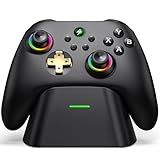
- 【Hall Effect & 1000Hz Polling】Permanently eliminate joystick drift with Hall Effect sensors in both sticks and triggers, delivering pinpoint accuracy for shooters and racers. With 1000Hz polling rate in 2.4GHz and wired modes, this PC controller registers every input instantly — zero lag, true competitive edge.
- 【Wide Compatibility】Perfectly designed for Windows PC and fully compatible with Switch/Switch 2, Android, and iOS systems. Works flawlessly with HID games, MFi titles, Luna, Stadia, Steam, and more.( –💔 Not compatible with Xbox)
- 【 Power Up & Declutter】 Just place the controller on the included dock for hassle-free charging. It auto-reconnects to your last device when picked up. LED lights show charge status. The controller sleeps after 5 minutes of inactivity to save power and wakes instantly when lifted off the dock.
- 【Dual Back Buttons with Macro Programming】 Two customizable back buttons support mapping for up to 16 functions (A/B/X/Y, triggers, D-pad, etc.), giving you a competitive edge with complex command execution.
- 【Dual-Mode Hall Triggers 】Fast Trigger mode delivers instant shots. Linear Trigger mode gives you precise throttle control. Both are drift-free and built to last.
| Role | Purpose in Icebind | Questions before launch |
|---|---|---|
| Objective control | Keeps enemies away from an interaction, zone or defense target. | Can this player hold space while the rest of the team handles priority targets? |
| Durability support | Reduces the chance that the squad loses a player during a high-damage phase. | Does the support remain useful when Binds restrict normal ability or gear use? |
| Damage specialist | Handles empowered targets and enemy groups efficiently. | Does the damage profile fit the selected enemy type, and can it continue while moving or defending? |
| Priority-target control | Stops dangerous units or creates safe windows for revives and objectives. | Can this player identify and disable threats without disrupting the mission? |
| Mobility and rescue | Reaches distant objectives and recovers downed allies quickly. | Can the player cross the tileset without abandoning the rest of the squad? |
| Flexible fifth or sixth slot | Closes the largest gap left by the first four or five selections. | What does the Cryobell punish most: survival, objective speed, enemy durability or recovery? |
Because duplicate Warframes are forbidden, list your first and second choices in voice or text chat. If two players select the same frame, resolve the conflict before the countdown rather than discovering it at the loading screen.
3. Check survival under the no-self-revive rules
Evaluate every frame and weapon against a simple scenario: you are isolated from the group, an empowered enemy reaches you and your health is already reduced. Can you retreat, mitigate damage, disable the threat or reach a teammate before the bleedout timer expires? If the answer depends on a gear item with a long cooldown, treat that as a limited emergency resource rather than a routine plan.
Bring survivability that works while moving toward the objective. A defensive tool that requires the entire squad to stand still may be excellent in a holdout and poor in a mobile mission. Likewise, a self-focused defensive setup may leave the team unable to revive anyone safely.
4. Match damage to the selected enemy
The launch notes establish increased enemy health, shields and armor, but they do not rank particular weapons, frames or mod configurations. Choose weapons that your account has already invested in and that can maintain output against the Cryobell’s enemy type. Consider:
- Whether your primary damage source can reach targets at the mission’s typical distance.
- Whether you have a dependable way to handle groups and a separate answer for durable priority units.
- How much ammunition, energy or ability uptime the build needs during a 10–15 minute mission.
- Whether a Personal Bind removes or weakens the part of the build that normally supplies its damage.
Do not label a community configuration “the best Icebind build” unless a current, source-attributed test supports that claim. The official documentation defines the mode’s rules, not a ranked tier list.
The Tool Desk
Outbyte PC Repair FREEClear out junk files and repair common Windows errorsFree Scan →Outbyte Driver Updater FREEScan for outdated or missing drivers - takes under a minuteDriver Scan →5. Plan around Binds before equipping mods
Read all three Binds aloud. Then ask each player to name the part of their setup most affected by the restriction. Replace fragile assumptions before launch: a frame that depends on one ability, a weapon that requires uninterrupted stationary firing or a revive plan that assumes unlimited restores.
Keep one fallback option available when possible. This does not mean carrying an unoptimized collection of gear; it means avoiding a loadout in which every important function depends on the same mechanic that the Personal or Tactical Bind may restrict.
Rank #4

- Widely Compatible - Play your favorite games across multiple platforms: Switch/Switch2, iOS (iPhone/iPad/Mac and Apple TV including Apple Arcade), Android (phones/tablets/TV boxes including Fire TV), Windows PC, Steam Deck, and Tesla Arcade.
- We've implemented regular upgrades to our gaming controller, and this latest version now features dynamic RGB lighting effects. While the daytime appearance matches the product images, the lights transform into an even cooler spectacle at night. Powered by an optimized 800mAh+ battery delivering 10-15 hours of gameplay. Allowing you to dominate each battle with more personality and become the center of attention.
- Pro-Grade Gaming Controls - Features Bluetooth 5.0 for lag-free connection, dual precision vibration motors with 3 adjustable levels, high-sensitivity 6-axis gyroscope, customizable Turbo rapid-fire, programmable M1/M2 back buttons, and instant one-touch reconnect/wake-up for seamless gameplay. Experience precision control with joysticks rated at ≤0.3% error, and the ability to swap YXBA/XYAB button functions in any connection mode.
- Wired Controller Mode - For games compatible with wired controllers, the included accessories are highly practical. The package comes with a 25cm USB-C to USB-C cable (with a phone holder), which is instantly recognized by iPhone 15/16/17 and Android devices like Samsung and Motorola (more convenient than Bluetooth).
- The set also includes a 100cm (3.3ft) USB-C to USB-C cable, ideal for iPad 10/iPad Pro, Android tablets, PCs, and Tesla gaming. Plus, you’ll get a USB-C to USB-A adapter—connect to traditional devices or charge effortlessly. Experience true plug-and-play simplicity.
Recovery, restores and the cost of mistakes
Icebind’s recovery rules make prevention more valuable than emergency button-pressing. A downed player cannot self-revive, bleedout timers are shortened and another Tenno must spend health to complete the revive. The group should therefore establish a revive callout and a retreat pattern before starting the objective.
Use a three-step revive protocol
- Call the downed location. State the room, objective side or landmark so rescuers do not search through the entire tile.
- Stabilize the area. Disable or eliminate the immediate priority threat before attempting the revive. One player can draw attention while another clears a path.
- Revive with an exit plan. The reviving player should know where to move after the animation, because the temporary health cost can make standing in the same danger zone fatal.
Gear cooldowns are longer in this mode. The launch figures specify a three-minute cooldown per type of Restore. Treat each Restore type as a timed resource, not as an unlimited health or energy loop. If a player uses one early, tell the squad when it will be available again and avoid building the next objective around immediate access to it.
Quick wins for a faster PC:
Scan for outdated or missing drivers - takes under a minuteDriver Scan →Clear out junk files and repair common Windows errorsFree Scan →Fix the driver behind crashes, sound loss and screen glitchesFind Drivers →Executing the mission once it begins
First minute: establish the safe pattern
Use the opening moments to identify the shortest route between the squad and the objective, locate likely retreat space and confirm which enemies are empowered or otherwise dangerous. Do not split into six solo routes until the mission’s requirements make separation necessary.
During the objective: protect progress and options
Keep at least one player capable of reaching a downed ally. If everyone commits to a distant target or optional reward, a single knockdown can cascade into a failed objective. Assign one player to watch the objective state while others clear threats, and change assignments when the mission moves.
Side objectives can add rewards, but the official notes do not establish that every side objective is worth the same risk in every Cryobell. Attempt one only when the squad can complete it without abandoning a critical defense or spending its last recovery resource.
Extraction: do not turn a clear into a failure
Once the main objective is complete, regroup before moving to extraction. Count living players, check for active bleedouts and confirm that no one is still collecting an optional reward. Cryobells are reported as consumed on successful extraction, so extraction is part of the mission’s resource decision rather than a formality.
Free tools Windows power users keep installed
One-click scans. No signup required.
Weekly limits and launch-era figures
The launch notes list the following limits and estimates:
Best Value
![ZD-V+ USB Wired Gaming Controller Gamepad For PC/Laptop Computer(Windows XP/7/8/10/11) & PS3 & Android & Steam - [Black]](https://m.media-amazon.com/images/I/41Ddk2Xp33L._SL160_.jpg)
- Support PC Windows XP / 7 / 8 / 10 / 11 & PS3 & Steam
- Support Android (version 4.0 or above, and the device must fully support OTG function). Not inlciud a OTG adapter in the package.
- Support Plug and Play, only for PC games supporting Xinput mode / PS3
- Feature: Multi-mode: Xinput & DirectInput / Vibration Feedback Function / JD-SWTICH Function (exchange the functions of D-pad and Left-Stick in Xinput mode)
- USB Wired Gamepad (PS architecture) - Does not support the Xbox 360 / Xbox One / Mac OS
| Rule or figure | Launch-era value | Qualification |
|---|---|---|
| Squad size | Six players | Digital Extremes launch documentation, October 7, 2026. |
| Enemy level | 999+ | Official launch description; this is an endgame difficulty signal, not a promise that every enemy has exactly the same level. |
| Approximate mission duration | 10–15 minutes | Official estimate; actual time depends on mission type, Binds, wipes, revives and optional objectives. |
| Weekly completions | Three missions | Launch-era limit; verify newer patch notes. |
| Stockpiled Cryobells | Up to six | Launch-era storage limit; verify newer patch notes. |
| Restore cooldown | Three minutes per type | Launch-era figure; the cooldown applies per Restore type, not as one shared timer according to the notes. |
Because Icebind is explicitly being iterated, treat these values as version-sensitive. The October 8, 2026 Iceblade of Narin: The Icebind: Hotfix #1 already changed the voting flow shortly after launch.
Voting flow and the launch hotfix
Hotfix 44.1.1 changed how the squad starts voting: the host can begin the voting countdown, and the countdown begins automatically once three players have voted. If your group is waiting for a button that no longer exists, let the host start the timer or have three players submit votes.
Interface labels and matchmaking behavior can change in later updates. If the screen differs from this guide, follow the current in-game prompts and consult the latest official notes rather than assuming the launch procedure is still active.
Crashes, No Sound, or Screen Glitches?
Random freezes, missing sound and display glitches usually trace back to one bad driver. Find and replace yours safely.Free scan · under a minuteWindows Errors? Fix Them Before They Spread
Repair common Windows errors and clear accumulated junk for a smoother, more stable PC - no reinstall needed.Free scan · no reinstallCommon failure modes and fixes
| Symptom | Likely planning error | Correction for the next attempt |
|---|---|---|
| The squad loses a player in the opening room. | The group entered without identifying retreat space or priority threats. | Slow the opening pull, mark a safe regroup point and assign a rescue player. |
| Damage feels ineffective against ordinary enemies. | The loadout was selected before checking the Cryobell’s enemy type or a Bind weakened its main damage source. | Switch to a tested damage option from your account that fits the chosen enemy and remove single-mechanic dependencies. |
| Two players discover they selected the same frame. | No pre-launch frame assignment. | List primary and backup frames before voting; duplicate frames are not allowed. |
| Revives create a second downed player. | The team attempted a revive inside uncontrolled enemy pressure. | Clear or disable the immediate threat, revive, then move away from the danger zone. |
| Restores are unavailable when needed. | The group treated longer gear cooldowns as if ordinary restore timing still applied. | Track the three-minute per-type cooldown and reserve restores for the objective phase most likely to require them. |
| The mission vote will not start. | The launch-week voting behavior is being followed on a newer build. | Have the host start the countdown or wait until three players have voted, then check the latest hotfix notes. |
What a “good beginner loadout” actually looks like
For Icebind, beginner-friendly means forgiving and adaptable, not low-level or uninvested. A practical loadout has these properties:
- It can survive a mistake long enough for a teammate to respond.
- It contributes to the mission objective rather than only producing damage numbers.
- It has both group-clear and priority-target answers, or the squad clearly assigns those jobs elsewhere.
- It remains useful if one ability, gear item or movement habit is restricted by a Bind.
- It does not duplicate another player’s Warframe or leave the squad without recovery support.
- The player knows its resource cycle, including when energy, ammunition and Restores will be unavailable.
Use the strongest equipment you understand, not a theoretical configuration you have never practiced. In a six-player activity with no self-revives, familiarity reduces avoidable deaths and makes communication more precise.
How to prepare between weekly runs
- Record the failed condition. Was the problem enemy durability, a specific Bind, objective control, positioning or recovery?
- Change one variable. Replace the frame, one weapon or one role at a time so you know what improved the result.
- Practice the revised setup outside Icebind. Confirm that the build can sustain its damage and defensive tools for a full mission-length encounter.
- Bring a backup frame. Another player may claim your first choice, and duplicate frames cannot enter the same squad.
- Review current notes before spending a Cryobell. Access, matchmaking, voting, weekly limits, modifiers and rewards are all subject to iteration.
The secondary overview from Tutorial.Games can provide additional context, but Digital Extremes’ official notes remain the authority for rules and changes.
Final checklist before you vote
- Both required quests are complete.
- Elite Temporal Archimedea or Elite Deep Archimedea is unlocked.
- The squad has six distinct Warframe selections or a clear plan for available slots.
- The Cryobell’s mission type, location, enemy type and three Binds have been read.
- Each player knows the objective role, priority-target plan and revive callout.
- Damage and survivability remain functional under the selected Personal and Tactical Binds.
- The group understands that there are no self-revives, bleedout timers are shorter and revives cost temporary health.
- Restore cooldowns and optional-objective risk have been discussed.
- The host and squad know the current voting behavior for their patch.
- Everyone agrees on when to extract instead of chasing an unnecessary side reward.
Icebind rewards preparation that responds to the bell in front of you. Unlock the prerequisites, inspect the randomized rules, assign non-overlapping jobs and use a loadout you can recover with when a level 999+ enemy or a restrictive Bind breaks the original plan.
Recommended Free Tools
Quick Recap
Product prices and availability are accurate as of the date/time indicated and are subject to change. Any price and availability information displayed on Amazon at the time of purchase will apply.

