What’s actually slowing this PC down?
Pick the symptom - the matching free tool is one click away.
Signing in to a streaming account on a hotel-room TV and leaving the session active is the clearest privacy mistake to avoid: someone with access to that TV’s app may be able to use the still-signed-in account. Hotel logout and session-clearing practices vary, so sign out yourself before checkout and ask the front desk to clear the session if you cannot.
What can actually follow you home?
The immediate concern is an active account session left on a shared television—not a proven trail of hotel viewing history that follows every guest. The sources do not establish that every hotel stores named guests’ viewing histories, links them to home devices, or automatically clears streaming sessions at checkout.
As an Amazon Associate I earn from qualifying purchases.
Account access is different from viewing-data collection
If you enter your streaming credentials on a room TV and leave the account signed in, another person who can open that app on that television may be able to use the session. That is distinct from whether a TV, hotel system, streaming app, or casting service collects usage data. No universal hotel rule for session expiration or checkout logout is established; ask the property about its system if you are unsure.
The Tool Desk
Outbyte Driver Updater FREEFix the driver behind crashes, sound loss and screen glitchesFind Drivers →Outbyte PC Repair FREERepair Windows errors before they cause bigger problemsFix Now →Smart-TV tracking is a separate issue
Some consumer smart TVs use automatic content recognition (ACR), which can identify programs played from different sources. Consumer Reports describes controls that can limit some collection, but this is general guidance—not evidence that a particular hotel TV uses ACR or connects viewing to a named guest. Those controls may also be unavailable on a hotel-managed television. See Consumer Reports’ smart-TV privacy guidance and the FTC’s connected-device security advice.
#1 Best Overall

- 【 43 Inch Privacy Screen Filter Dimentions】-Width: 37.09" (942 mm), Height: 20.88" (530 mm), Diagonal: 43" (1092.2mm),Aspect Ratio 16:9 - ACONETMAX 43 Inch Monitor Privacy Screen Filter is engineered to be compatible with HP, Dell, Samsung, Lenovo, LG, Acer, ASUS, ViewSonic, and other monitor brands. Please verify your computer screen's width and height measurements before ordering. It's not recommended to make your selection based solely on your computer screen's diagonal size.
- 【Superior Privacy and Anti Glare】- ACONETMAX Computer privacy screen filter blacks out your computer screen when viewing from the side, while maintaining a crystal clear screen straight-on.The Anti-Glare Protector also protects your eyes from harmful glare,UV, and blue light. [Note: It does not block visibility directly behind you, regardless of the distance.]
- 【Perfect for Travel and Open Workspaces】- ACONETMAX Monitor privacy filter is the ideal solution for healthcare providers, mobile workers, commuters, students, and business travelers. Now you can stay compliant and safeguard sensitive corporate information while working in airplanes, subways, airports and public areas.
- 【Two Attachment Options】- The Monitor Privacy Screen Filter Installs Easily. Option 1 uses clear adhesive strips that securely attach to any computer screen. Option 2 (for computer screens with a raised bezel only) uses slide mount tabs that easily stick to the display frame, allowing you to slide the privacy screen filter on and off as needed.
- 【Package Contents】- Each package includes one 43 inch privacy screen filter [One Side Matte and One Side Glossy], two sets of clear adhesive strips, two sets of slide mount tabs, and a microfiber cleaning cloth. Buy with confidence –ACONETMAX specializes in providing best-in-class privacy solutions to individuals, small businesses, corporations, government, and educational institutions.
What to do before you leave the room
- Sign out in the streaming app. Use its explicit sign-out or log-out control before checkout. If the hotel interface offers a sign-out-all option, you can use it; its availability depends on the property and system.
- Check whether the session ended. If the control is missing, fails, or leaves you uncertain, contact the front desk and ask staff to clear the streaming session. Do not assume checkout automatically does this.
- Disconnect casting sessions. Stop casting from your phone when finished. Disconnecting is not the same as deleting account data or erasing logs held by a service or system.
- Do not reset hotel equipment. Factory-reset instructions from Google and general FTC advice concern devices you control, not hotel-managed property. Ask staff to handle a room TV or casting system.
Does casting avoid the privacy risk?
Casting can let you keep your streaming account signed in on your own phone rather than entering its credentials on the room TV. That reduces the specific risk of leaving a TV app session behind, but it does not make casting anonymous or erase other data practices. Google says: “When you cast content to your device that works with Cast, the application or website that you are using will have its own logging practices and policies with regard to user data.” Google also describes Cast usage data that may include the apps and domains cast. A casting service, the app or website, and the TV or hotel system may each handle data separately. Read Google’s Cast and Google TV privacy settings and Chromecast privacy guidance for details about Google products; those disclosures do not show what a particular hotel’s vendor or network records.
Which option makes sense in a hotel?
| Option | Where you sign in | What to check | What it does not guarantee |
|---|---|---|---|
| Sign in on the room TV | The hotel television’s app | Whether you can explicitly sign out, and whether the interface is hotel-managed or a personal-account setup flow | That checkout clears the session |
| Cast from your phone | Your personal phone or casting app | Whether the property supports casting and how to disconnect when finished | That Google, the app or website, or the hotel system collects no usage data |
| Use a personal streaming stick | Your traveler-owned device | Whether the TV has a usable HDMI input and the hotel network allows setup, including any captive-portal sign-in | That the network or streaming service sees nothing, or that setup will work with managed inputs |
| Watch on your own phone or tablet | Your personal device | Your device’s network connection and app settings | That the apps or services do not process usage data |
Hotel entertainment setups are not uniform. The American Hotel & Lodging Association’s guest-room entertainment requirements describe different casting approaches and coordination with hotel Wi-Fi and IPTV. If you are considering a personal stick, treat it as an optional way to keep the login on your own hardware—not as a guaranteed workaround. For a TV you own, review privacy settings, limit ACR where possible, and remove apps you do not use; those consumer controls may not be available on hotel equipment.
Rank #2

- ✅43 Inch Privacy Filter Dimensions: WIDTH: 37.09" (942 mm), HEIGHT: 20.88" (530 mm), Diagonal: 43" (1092.2 mm),Aspect Ratio 16:9 - APeiSi Blackout Privacy Screen Filter is engineered to be compatible with HP, Dell, Samsung, Lenovo, LG, Acer, ASUS, ViewSonic, and other monitor brands. Please verify your computer screen's width and height measurements before ordering. It's not recommended to make your selection based solely on your computer screen's diagonal size.
- ✅SUPERIOR PRIVACY and ANTI GLARE: APeiSi Privacy Screen Filter blacks out your computer screen when viewing from the side, while maintaining a crystal clear screen straight-on. It also protects your eyes from harmful glare, UV, and blue light. Note: It does not block visibility directly behind you, regardless of the distance.
- ✅PROVIDES EYE & SCREEN PROTECTION: APeiSi Monitor Privacy Screen not only provides privacy but also protects your eyes by filtering out 97% UV and curbing blue light by 70%, which can otherwise have an adverse impact on your eyes. The screen filter is reversible, giving you the flexibility to choose matte or glossy - Place the matte side facing you for reducing extra glare. The Privacy Screen also helps keep your screen safe from dust and scratches.
- ✅CERTIFIED QUALITY: APeiSi Privacy Screen Filter ensure private browsing with the flexible security screen that meets the strictest standards. This ITAR/GDPR-compliant screen protector features multiple layers of thick film to black out your screen at angles beyond 30 degrees. It's also easy to install and is anti-glare and scratch-resistant, plus it won't damage your computer or affect your touchscreen capability.
- ✅SIMPLE TO INSTALL WITH BONUS ADHESIVES: Each 43 inch privacy screen filter protector comes with 2 different attachment options that offer you 2 easy ways of installing the privacy screen-one comes as a part of the standard package and the second installation kit is offered at no cost. Option 1 consists of Optically clear adhesive attachment strips and Option 2 consists of Slide mount tabs - both of these are very easy to use, enabling anyone to install and remove very easily.
How common is concern about smart-TV privacy?
Consumer Reports reported that in a 2018 survey of 38,000 smart-TV owners, 51 percent were at least somewhat worried about privacy implications and 62 percent were at least somewhat worried about security practices. These are historical owner-concern figures, not measurements of hotel incidents or current prevalence. See the Consumer Reports survey announcement.
Quick Recap
Best Value

- 【Privacy Filter Dimensions】- Width: 20 15/16" (532 mm), Height: 11 13/16" (299 mm), Diagonal: 24" (609.6 mm) - SightPro Blackout Privacy Screen Filter is engineered to be compatible with HP, Dell, Samsung, Lenovo, LG, Acer, ASUS, ViewSonic, and other monitor brands. Please verify your computer screen's width and height measurements before ordering. It's not recommended to make your selection based solely on your computer screen's diagonal size.
- 【Two Attachment Options】- Installs in minutes. Option 1 uses clear adhesive strips that securely attach to any computer screen. Option 2 (for computer screens with a raised bezel only) uses slide mount tabs that easily stick to the display frame, allowing you to slide the privacy screen filter on and off as needed.
- 【Superior Privacy and Anti Glare】- Our advanced multi-layered film filter blacks out your computer screen when viewing from the side, while maintaining a crystal clear screen straight-on. It also protects your eyes from harmful glare, UV, and blue light. [Note: It does not block visibility directly behind you, regardless of the distance.]
- 【Perfect for Travel and Open Workspaces】- Our computer screen privacy filter is the ideal solution for healthcare providers, mobile workers, commuters, students, and business travelers. Now you can stay compliant and safeguard sensitive corporate information while working in airplanes, subways, airports and public areas.
- 【Package Contents】- Each package includes one privacy screen shield filter, two sets of clear adhesive strips, two sets of slide mount tabs, and a microfiber cleaning cloth. Buy with confidence – located in the US, Sight Pro specializes in providing best-in-class privacy solutions to individuals, small businesses, corporations, government, and educational institutions. Our privacy screens are Section 889 and TAA compliant.
Rank #4

- ✅40 Inch Privacy Filter Dimensions:WIDTH: 34.88" (886 mm), HEIGHT: 19.61" (498 mm), Diagonal: 40" (1016 mm) Aspect Ratio 16:9 - APeiSi Blackout Privacy Screen Filter is engineered to be compatible with HP, Dell, Samsung, Lenovo, LG, Acer, ASUS, ViewSonic, and other monitor brands. Please verify your computer screen's width and height measurements before ordering. It's not recommended to make your selection based solely on your computer screen's diagonal size.
- ✅SUPERIOR PRIVACY and ANTI GLARE: APeiSi Privacy Screen Filter blacks out your computer screen when viewing from the side, while maintaining a crystal clear screen straight-on. It also protects your eyes from harmful glare, UV, and blue light. Note: It does not block visibility directly behind you, regardless of the distance.
- ✅PROVIDES EYE & SCREEN PROTECTION: APeiSi Monitor Privacy Screen not only provides privacy but also protects your eyes by filtering out 97% UV and curbing blue light by 70%, which can otherwise have an adverse impact on your eyes. The screen filter is reversible, giving you the flexibility to choose matte or glossy - Place the matte side facing you for reducing extra glare. The Privacy Screen also helps keep your screen safe from dust and scratches.
- ✅CERTIFIED QUALITY: APeiSi Privacy Screen Filter ensure private browsing with the flexible security screen that meets the strictest standards. This ITAR/GDPR-compliant screen protector features multiple layers of thick film to black out your screen at angles beyond 30 degrees. It's also easy to install and is anti-glare and scratch-resistant, plus it won't damage your computer or affect your touchscreen capability.
- ✅SIMPLE TO INSTALL WITH BONUS ADHESIVES: Each 40 inch privacy screen filter protector comes with 2 different attachment options that offer you 2 easy ways of installing the privacy screen-one comes as a part of the standard package and the second installation kit is offered at no cost. Option 1 consists of Optically clear adhesive attachment strips and Option 2 consists of Slide mount tabs - both of these are very easy to use, enabling anyone to install and remove very easily.
Rank #3
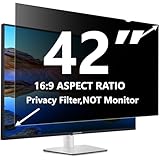
- 【 42 Inch Privacy Screen Filter Dimentions】-WIDTH: 36.61" (930 mm), HEIGHT: 20.59" (523 mm), Diagonal: 42" (1066.8 mm),Aspect Ratio 16:9 - ACONETMAX 42 Inch Monitor Privacy Screen Filter is engineered to be compatible with HP, Dell, Samsung, Lenovo, LG, Acer, ASUS, ViewSonic, and other monitor brands. Please verify your computer screen's width and height measurements before ordering. It's not recommended to make your selection based solely on your computer screen's diagonal size.
- 【Superior Privacy and Anti Glare】- ACONETMAX 42 Inches Computer privacy screen filter blacks out your computer screen when viewing from the side, while maintaining a crystal clear screen straight-on.The Anti-Glare Protector also protects your eyes from harmful glare,UV, and blue light. [Note: It does not block visibility directly behind you, regardless of the distance.]
- 【Perfect for Travel and Open Workspaces】- ACONETMAX Monitor privacy filter is the ideal solution for healthcare providers, mobile workers, commuters, students, and business travelers. Now you can stay compliant and safeguard sensitive corporate information while working in airplanes, subways, airports and public areas.
- 【Two Attachment Options】- The 42 Inches Monitor Privacy Screen Filter Installs Easily. Option 1 uses clear adhesive strips that securely attach to any computer screen. Option 2 (for computer screens with a raised bezel only) uses slide mount tabs that easily stick to the display frame, allowing you to slide the privacy screen filter on and off as needed.
- 【Package Contents】- Each package includes one 42 inch privacy screen filter [One Side Matte and One Side Glossy], two sets of clear adhesive strips, two sets of slide mount tabs, and a microfiber cleaning cloth. Buy with confidence –ACONETMAX specializes in providing best-in-class privacy solutions to individuals, small businesses, corporations, government, and educational institutions.
Product prices and availability are accurate as of the date/time indicated and are subject to change. Any price and availability information displayed on Amazon at the time of purchase will apply.

