Recommended Free Tools
Elon Musk said on Tesla’s April 22, 2026 earnings call that cars using Hardware 3 (HW3) cannot achieve Tesla’s eventual unsupervised Full Self-Driving capability. That is a significant change in the autonomy roadmap, but it does not mean those cars immediately lose FSD (Supervised). Tesla says current FSD still requires an attentive driver, and HW3 is expected to receive continued supervised-driving updates.
The practical issue is future access to unsupervised driving and possible Robotaxi participation. Tesla has discussed converting some HW3 vehicles to HW4, including replacing cameras, but has not published final eligibility, pricing, timing or coverage rules.
As an Amazon Associate I earn from qualifying purchases.
What Musk actually admitted
On April 22, 2026, Musk said Tesla’s HW3 computer does not have the capability required for unsupervised FSD. The comment applies to a future system in which the car could operate without an active human supervisor—not to today’s supervised driver-assistance features. The earnings-call transcript is hosted here: April 2026 Tesla earnings-call transcript.
Musk also said Tesla was considering a conversion path for HW3 vehicles to HW4. He indicated that the work could require replacing both the computer and cameras. Those remarks describe a proposed path, not a completed consumer program.
#1 Best Overall
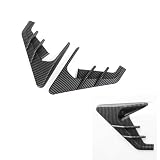
- 【Applicable Vehicle Models】This Signal Side Camera Protection Cover Compatible with Model 3 2020-2023,Compatible with Model Y 2020 to June 2023, and is designed for Hardware 3.0 side cameras. Please confirm your vehicle's model, production year, and Hardware 3.0 version before purchasing.
- 【High-quality Ma rials】 This signal side camera protection cover is made of high-quality ABS material, which can effectively resist bending and cracking. It can withstand daily wear and tear, is not prone to fading, and is sturdy and durable!
- 【Easy to install】No drilling or disassembly required! Just use the provided double-sided tape to cover the signal of your car's side camera within a few minutes. Please note: For a better installation effect, please clean the car surface and keep it dry before installation. Heat the double-sided tape before installation. It can greatly enhance stability!
- 【Exquisite Decoration】 : This sporty side camera cover can make your car more personalized! While decorating the exterior of the car, it can effectively protect the turn signals and cameras!
- 【Multiple choices】 This Signal Side Camera Protection Cover offers the options of different years, different colors, and different camera versions (HW3.0/HW4.0). Meet your various needs!
Supervised FSD, unsupervised FSD and Robotaxi are different
FSD (Supervised)
Tesla’s current product requires the driver to remain attentive and ready to take over. Tesla explicitly says FSD (Supervised) does not make a vehicle autonomous, and availability varies by hardware, software version, model, trim, model year and region. See Tesla’s FSD support page.
Unsupervised FSD
This is the future capability at issue in Musk’s statement: operation without an active human supervisor, subject to Tesla’s technical validation and regulatory approval. Tesla’s April 2026 investor material described unsupervised autonomy as a future deployment for Robotaxi and customer-owned vehicles, not as a currently available consumer feature: Tesla Q1 2026 investor material.
Robotaxi participation
A vehicle might run supervised FSD yet still be ineligible for Tesla’s commercial autonomous fleet. Robotaxi eligibility will depend on Tesla’s fleet rules, hardware, software validation and local regulation.
Which Teslas are affected?
Hardware generation is more reliable than model year. Production dates, trims, regions and previous service work can result in different computers within the same model.
Rank #2

- Specially customized: Specially designed for the driving position and co-pilot position for tesla model y 2026 2025-2020 and for model 3 2025-2017. Also for tesla model y juniper 2026 2025 and for tesla model 3 highland 2025 2024. Convenient for on the run meals or laptop/tablet use.
- Improved design: Unlike other tray, our foldable tray will not scuff the leather and leave no marks. Don't worry that repeated use can cause premature wear to the leather on the steering wheel.
- Convenient to use: Open the portable tray and place it on the door armrest and central control armrest. The same is true for the co-pilot position. Adjust the front and rear position of the seat during use to make the space more spacious and more comfortable to use. Perfect fit for tesla model y 3.
- Portable: Very light to carry, but sturdy enough; Large laptop desk, only 15.3 inch * 15 inch when folded; Can be carried or easily stored when not in use. (The laptop table cannot be used in the driving position and co-pilot position at the same time)
- Essential accessories for tesla: Avoid crowded lunch areas by eating on your car. It ideal for car travel telecommuting and leisure use. Convenient place for laptop, iPad, keyboard ,drink or lunch.
| Hardware | What owners should expect |
|---|---|
| HW2/HW2.5 | Some owners who bought FSD may qualify for Tesla’s historical upgrade to HW3. Do not assume eligibility for HW4 or unsupervised FSD. |
| HW3 | Supervised FSD development can continue, but Musk said this computer cannot achieve unsupervised FSD without a future hardware solution. |
| HW4/AI4 | The platform Tesla is positioning for current and future autonomy development. It does not by itself guarantee finished software or regulatory approval. |
| Future hardware | Do not assume a particular future computer is required until Tesla identifies it for a specific feature. |
How to check your Tesla’s computer
- On the touchscreen, open Controls.
- Select Software.
- Open Additional Vehicle Information.
- Read the listed AI or FSD computer version.
Tesla documents this path on its AI Computer Installations page. If the information is unclear, check Tesla’s app for service or upgrade prompts or ask a service center. Registration year and delivery date alone are not sufficient.
Will HW3 continue receiving FSD updates?
Available statements support continued supervised-FSD development for HW3. Musk said Tesla expected to release a HW3 version of FSD v14, described as a more limited or distilled version of the HW4 software. That is not a promise that every future feature will run on HW3.
- HW4 may receive a feature first.
- HW3 may get a slower, smaller or differently optimized version.
- Some features may never be backported.
- Regional approval and vehicle configuration can also limit availability.
Therefore, “older Teslas cannot use FSD” is inaccurate. The specific limitation is future unsupervised FSD on HW3.
Can Tesla upgrade a HW3 car to HW4?
Tesla has not published a complete HW3-to-HW4 retrofit policy in the cited support pages. The unresolved questions include:
Rank #3

- Versatile Car Desk: Convert your Tesla Model Y or Model 3 into a flexible workspace, dining table, and laptop holder with this portable car desk. Perfect for remote work, travel, business professionals, and on-the-go productivity.
- Custom Fit for Tesla: Designed specifically for Tesla Model Y, Model 3, or Model X and this desk seamlessly integrates into your car's interior, providing a sturdy and functional platform for various activities.
- Multipurpose Usage: Use it as a laptop workstation, a spacious dining table, or a convenient surface for signing documents. Enhance your productivity, enjoy meals comfortably, and handle important tasks right from your Tesla.
- Easy Installation and Secure Attachment: This car desk can be quickly installed and securely attached to the driver or passenger seat of your Tesla without any drilling or modifications. Enjoy hassle-free setup and reliable stability.
- Durable Construction: Made from high-quality materials, this portable car desk is built to withstand daily use. Its robust design ensures stability and durability, offering a reliable workspace in your Tesla.
- Which models and configurations qualify.
- Whether every HW3 vehicle can accept the same computer, cameras, wiring and calibration work.
- The customer price and warranty treatment.
- Installation timing and service-center capacity.
- Whether purchased FSD rights would remain attached automatically.
Do not confuse this proposal with Tesla’s documented HW2/HW2.5-to-HW3 program. Tesla says some owners who purchased FSD and have computer 2.0 or 2.5 may qualify for a complimentary HW3 installation, with camera replacement for certain early-production vehicles. Its U.S. page also lists a paid AI-computer installation at $1,000 plus applicable tax, including installation, for eligible vehicles; installation typically takes about an hour, although configuration can change the timing. That page does not establish a free HW4 upgrade for every HW3 car.
What happens if you paid for FSD?
FSD purchased outright
Purchased FSD may give an owner a stronger expectation that future capabilities will follow the vehicle, but the available Tesla material does not guarantee every future autonomous function on every hardware generation. It also does not establish a legal conclusion about refunds, breach of contract or consumer-fraud claims.
FSD subscription
Tesla lists the U.S. FSD (Supervised) subscription at $99 per month. The subscription does not automatically include hardware upgrades. Tesla says eligible owners may receive an installation prompt in the app: Upgrades → Software Upgrades → FSD, followed by the displayed instructions. Details are on Tesla’s subscription support page.
The Tool Desk
Outbyte PC Repair FREEClear out junk files and repair common Windows errorsFree Scan →Outbyte Driver Updater FREEFix the driver behind crashes, sound loss and screen glitchesFind Drivers →Used Teslas
A subscription does not simply transfer to a new owner. If FSD was purchased outright and was not transferred to another vehicle, it may remain with the car, subject to Tesla’s policies and the vehicle’s configuration. Confirm the vehicle’s actual features rather than relying on a listing.
Rank #4

- Low-Profile Camera Protection — Slim guard shields the rear camera from rain, dust, and road splash without blocking the view.
- Improved Weather Performance — Helps reduce water streaking and debris buildup on the lens for clearer rear vision.
- Precision Fit & Secure Mounting — Snug, stable installation that stays in place during normal driving and washing.
- Maintains Camera Functionality — Keeps the field of view intact so parking, reversing, and driver-assist features operate normally.
- Quick, Tool-Free Installation — Install or remove in minutes using included hardware or existing mounting points.
FSD transfer is not a current solution
Tesla’s transfer program ended on March 31, 2026. Customers who met the earlier delivery conditions may have qualified, but a HW3 owner should not assume paid FSD can now be moved to a replacement Tesla. Check the written terms of any specific promotion at Tesla’s FSD transfer page.
Independent reader supportYour contribution helps us test, update, and keep practical guides available for everyone.Should you keep, retrofit or replace the car?
Keep the current Tesla
This is sensible if supervised FSD meets your needs, you do not want Robotaxi participation, and the car’s value and condition make replacement unattractive. The trade-off is that future software may increasingly target HW4 or newer hardware, and HW3 may never receive unsupervised FSD.
Wait for a retrofit
Waiting is reasonable for an owner who bought FSD and wants to keep the vehicle, provided the car is otherwise satisfactory. Do not budget from the existing $1,000 figure: that price belongs to Tesla’s documented older-computer upgrade program, not a confirmed HW3-to-HW4 retrofit. A retrofit also would not automatically provide regulatory permission for unsupervised operation.
Trade into a newer Tesla
A newer AI4-equipped vehicle avoids retrofit uncertainty and may offer earlier access to future software. Weigh depreciation, negative equity, financing and the loss of any assumed FSD transfer. A newer car is not automatically autonomous.
Best Value

- Low-Profile Camera Protection — Slim guard shields the rear camera from rain, dust, and road splash without blocking the view.
- Improved Weather Performance — Helps reduce water streaking and debris buildup on the lens for clearer rear vision.
- Precision Fit & Secure Mounting — Snug, stable installation that stays in place during normal driving and washing.
- Maintains Camera Functionality — Keeps the field of view intact so parking, reversing, and driver-assist features operate normally.
- Quick, Tool-Free Installation — Install or remove in minutes using included hardware or existing mounting points.
Subscribe instead of buying
The $99 U.S. monthly option can provide current supervised features without replacing the vehicle. It does not solve the HW3 limitation or include a hardware upgrade.
What owners should do now
- Verify the computer in Controls → Software → Additional Vehicle Information.
- Record whether FSD was purchased outright, obtained with the vehicle or activated by subscription.
- Check the Tesla app for an actual upgrade or service offer tied to your VIN.
- Compare the car’s remaining value and condition with the cost of a replacement, including depreciation and financing.
- Wait for a written Tesla bulletin covering HW3-to-HW4 eligibility, price, cameras, calibration, warranty and FSD treatment before paying or selling solely on the promise of an upgrade.
Why the announcement matters
Tesla has long marketed its vehicles as having the hardware needed for future autonomy. Musk’s statement narrows that promise for HW3: current supervised assistance can continue, but the eventual unsupervised system may require a different computing and camera platform. Whether Tesla’s proposed retrofit becomes broadly available—and on what terms—remains unsettled.
The Bottom Line
Bottom line: HW3 Teslas are not being stripped of current supervised FSD. Musk’s admission concerns the future unsupervised system and potential Robotaxi use. Until Tesla publishes firm retrofit terms, owners should verify their hardware, avoid assuming a free HW4 conversion or FSD transfer, and make any trade-in decision using confirmed costs rather than an unpriced promise.
Do these 3 things before closing this tab:
1Clear out junk files and repair common Windows errors2Scan for outdated or missing drivers - takes under a minute3Repair Windows errors before they cause bigger problemsQuick Recap
Product prices and availability are accurate as of the date/time indicated and are subject to change. Any price and availability information displayed on Amazon at the time of purchase will apply.

