The Tool Desk
Outbyte PC Repair FREEClear out junk files and repair common Windows errorsFree Scan →Outbyte Driver Updater FREEFix the driver behind crashes, sound loss and screen glitchesFind Drivers →Choose an SSD for frequently accessed data that must feel responsive, an HDD for online bulk storage where mechanical-disk economics are appropriate, and LTO tape for backups, long-term retention, and archives that do not need instant access. There is no universal winner: the right medium depends on access pattern, usable capacity, retention period, recovery objectives, and the complete system cost.
LTO-10 illustrates why comparisons need careful labels. The official LTO Program specification lists 30 TB or 40 TB of native cartridge capacity, and up to 75 TB or 100 TB at a stated 2.5:1 compression ratio. Its listed maximum transfer rates are 400 MB/s native and 1,200 MB/s compressed. Those are sequential-tape figures under stated conditions, not a promise of SSD-like random-access responsiveness.
| # | Preview | Product | Price | |
|---|---|---|---|---|
| 1 |

|
10 Pack Q2078A- HP LTO Ultrium 8, 12TB/ 30TB, Part # Q2078A- 10 HP LTO-8 Tapes | $831.59 | Buy on Amazon |
| 2 |

|
Quantum Lto 8 - 10 Pack | $799.90 | Buy on Amazon |
| 3 |

|
Fuji LTO Ultrium 6 Tape Cartridge 10 Pack | $241.75 | Buy on Amazon |
| 4 |
|
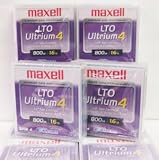
Maxell 183906 10-Pack LTO Ultrium 4 Tape Cartridge LTO-4 800GB (Native) / 1.6TB 120 Transfer Rate | $121.01 | Buy on Amazon |
| 5 |

|
Fuji Lto 9 - 10 Pack | $879.99 | Buy on Amazon |
As an Amazon Associate I earn from qualifying purchases.
SSD vs. HDD vs. tape at a glance
These technologies occupy different places in a storage architecture rather than forming a simple fastest-to-slowest ranking.
| Criterion | SSD | HDD | LTO tape |
|---|---|---|---|
| Access pattern | Online, responsive access; exact performance depends on the model and workload. | Online disk access; performance varies by device, interface and workload. | Sequential media for backup, archive and large transfers; a compatible drive or library is required for access. |
| Capacity evidence in this comparison | Varies by product class; no market-wide maximum is established here. | Varies by product class; no market-wide maximum is established here. | LTO-10: 30 TB or 40 TB native; up to 75 TB or 100 TB at 2.5:1 compression, according to the LTO Program’s LTO-10 specification. |
| Cost position | Must be assessed for a defined model, workload and service life. | Must be assessed for a defined model, workload and service life. | The LTO Program positions tape as a lower-cost archival tier, but no current, apples-to-apples three-way price-per-terabyte study is established here. |
| Best fit | Frequently accessed applications, active datasets and responsive user storage. | Online bulk data that still needs disk access. | Backup, long-term retention, archives, nearline data, high-capacity transfer and capture/offload. |
| Main operational caveat | Endurance, sustained performance and power use are model-specific. | Mechanical performance, energy use and failure behavior are model- and system-specific. | Requires compatible hardware and a retrieval process; LTO-10 has no backward read or write compatibility. |
“Faster” therefore depends on the operation. An SSD is generally the better experience for small, random reads and writes. Tape can deliver high sustained throughput while streaming a large sequential backup, yet still be unsuitable for opening one small file immediately. HDDs sit between those use cases: they provide online access without tape’s loading and positioning steps, but their mechanical design is less responsive than flash storage.
#1 Best Overall
- High Capacity Storage: Provides 30TB recording capacity for extensive data archiving
- Long-Term Archival: 30-year archival life ensures data preservation for decades
- Secure Data Protection: Barium Ferrite technology provides reliable data security
- Professional Grade: Meets demanding requirements for business-critical information storage
- Cost Efficient: Reduces per-gigabyte storage costs compared to disk-based solutions
Capacity: native, usable and compressed are different numbers
SSD and HDD capacity
SSD and HDD capacity is defined by the particular device, product class and formatting scheme. A comparison that names no models cannot responsibly claim a single maximum capacity or a universal price per terabyte. Usable space is also lower than the decimal capacity printed on a drive after file-system formatting, reserved areas, redundancy and snapshots are accounted for.
For an actual purchase, record the manufacturer’s unformatted capacity, the capacity available after formatting, and the amount reserved for parity, spare devices or over-provisioning. Compare equivalent usable capacity rather than mixing a bare drive’s label with the usable space of a protected storage array.
What an LTO-10 cartridge holds
The LTO Program’s official LTO-10 page lists two native media capacities: 30 TB and 40 TB. The same page lists up to 75 TB and 100 TB when a 2.5:1 compression ratio is achieved. Native capacity is the figure to use when planning for data that may not compress well. The larger figures are conditional; already-compressed video, encrypted files and many other datasets may produce less benefit.
Recommended Free Tools
Compression is handled by the tape drive and depends on the data stream. It should not be treated as guaranteed extra physical space. Keep a separate inventory of native capacity, estimated logical capacity after compression, and the retention copies required by your backup policy.
How LTO-10 increases capacity
The LTO-10 specification lists 15,104 data tracks, compared with 8,960 in the previous generation, a stated 68.5% increase. That explains how the format raises areal recording density; it does not change the need for compatible media, drives and software.
Speed and access: why a throughput number is not a latency number
SSD responsiveness
Flash storage has no moving heads or spinning platters, so it is normally the natural choice for operating systems, databases, virtual machines, build workloads and interactive applications where many small operations must complete quickly. Actual latency and sustained throughput still depend on the SSD model, interface, queue depth, thermal state, write amplification and workload. Obtain model-specific measurements before specifying a performance target.
Rank #2
- High Storage Capacity of 12TB and up to 30 TB compressed capacity.
- Supports transfer speeds of 360 MB/s (native), 900 MB/s (2.5:1) with Generation 8
- Barium Ferrite (BaFe) technology
- Support for tape drive hardware encryption
- Compatible with Linear Tape File System (LTFS)
HDD online access
An HDD keeps data available through a file system or storage array, making it practical for media libraries, document repositories, surveillance retention and other bulk data that users access regularly but that does not require flash-level responsiveness. Mechanical seek and rotational delays make random operations less responsive than on an SSD, and arrays, caching and workload shape the result. Do not turn a general SSD-versus-HDD rule into a numeric benchmark without a defined pair of devices and test conditions.
Do these 3 things before closing this tab:
1Clear out junk files and repair common Windows errors2Scan for outdated or missing drivers - takes under a minute3Repair Windows errors before they cause bigger problemsLTO-10 sequential transfer
The LTO Program lists a maximum of 400 MB/s native and 1,200 MB/s compressed for LTO-10. These values describe streaming transfer under the stated configuration. A backup stream that keeps the drive supplied with data can use that throughput; a job that pauses frequently, performs many small seeks or waits for application-side processing will not behave like a continuous stream.
Tape access also includes cartridge loading, drive positioning and locating the required file. That makes it a poor substitute for an online disk when a user expects an immediate random read. It is well suited to writing or restoring large contiguous datasets, where the sequential nature is an advantage.
Cost: compare the whole storage system, not just a medium
Tape is commonly positioned as a lower-cost tier for data that is accessed infrequently or retained for a long time. That statement concerns an archival design, not a universal retail price ranking. A fair comparison must define the same usable capacity, redundancy, retention period and recovery requirements for all three media.
Costs to include
- Media: SSDs, HDDs or cartridges and any spare media.
- Controllers and enclosures: storage shelves, servers, interfaces and power supplies.
- Tape hardware: compatible LTO drives or libraries, robotics, cleaning and maintenance. A cartridge alone is not a usable tape system.
- Power and cooling: energy while active, idle or spinning, plus facility cooling and rack capacity.
- Administration: monitoring, media rotation, cataloging, encryption-key management and replacement labor.
- Protection copies: RAID or erasure coding for online disks, and multiple geographically separated tape copies where policy requires them.
- Recovery: the cost of keeping compatible hardware available and the operational time to retrieve an archive.
- Lifecycle and migration: replacing failed devices, refreshing arrays and moving cartridges when generations or interfaces change.
The available LTO materials do not establish a current, directly comparable price-per-terabyte benchmark for SSD, HDD and tape. Current retail prices also change by region, capacity, contract and volume. Treat any simple claim that one medium is always cheapest as incomplete unless it states the system boundary and time horizon.
What’s actually slowing this PC down?
Pick the symptom - the matching free tool is one click away.
Where each medium fits
Use an SSD for active, latency-sensitive data
Place data on SSD when users or applications issue frequent random requests and responsiveness matters more than the lowest capacity cost. Typical examples include:
Rank #3
- LTO ultrium 6
- 2.5 TB / 6.25 TB
- Operating-system and application volumes.
- Databases and transaction logs that require quick small reads and writes.
- Virtual-machine datastores and developer build or compilation workspaces.
- Hot analytics data that is repeatedly scanned or updated.
- Cache and scratch tiers where predictable response is valuable.
Specify endurance and sustained-write behavior for the workload. A consumer-oriented drive may not have the same power-loss protection, write endurance or warranty terms as an enterprise model. Capacity planning should include free space, snapshots and a replacement strategy.
Use an HDD for online bulk capacity
HDDs are a practical online tier when data must remain addressable through normal file or object-storage interfaces, but the workload can tolerate mechanical latency. Examples include:
- Large document, photo and media repositories.
- Backup staging before data is copied to removable or offline media.
- Capacity-oriented file and object stores.
- Surveillance or sensor data retained for a defined online window.
- Secondary copies that are read occasionally but must remain mounted.
Design around the complete array: parity, hot spares, rebuild time, controller cache and failure domains affect both usable capacity and recovery. A high-density disk shelf may also have different power and cooling requirements from a small standalone drive.
Use LTO tape for backup and long-term retention
The LTO Program describes tape uses including backup, archiving, long-term retention, nearline storage, high-capacity transfer and capture/offload. Tape is especially useful when the data is valuable but does not need to remain mounted and instantly searchable every minute.
- Backup copies: write a copy that can be disconnected after the job, reducing exposure to online compromise.
- Long-term records: retain completed projects, compliance records or historical datasets for the required period.
- Active-archive tiers: move less time-critical data to a lower-cost tier while retaining a documented retrieval path.
- Large transfers: move very large sequential datasets when shipping or staging cartridges is operationally sensible.
- Capture and offload: transfer data from acquisition systems to removable media for later processing.
Tape should not be presented as a complete backup plan by itself. You still need tested restores, catalog integrity, retention rules, encryption-key recovery and enough compatible hardware to read the media when required.
Protection features and their limits
The LTO-10 materials describe hardware-based encryption, write-once, read-many (WORM) support and removable offline media. Offline cartridges can contribute an air gap because they are not continuously connected to production systems. WORM can help enforce a policy that prevents ordinary rewriting of retained records.
Rank #4
Neither feature guarantees security. Protect encryption keys separately, control physical access, record cartridge locations, restrict administrator privileges and test that a backup can be restored without the production identity system. An offline copy that is lost, unlabeled or unreadable is not a recoverable backup.
LTO-10 compatibility and procurement checks
The LTO Program states that LTO-10 does not support backward read or write compatibility. A purchase therefore involves more than selecting a cartridge capacity.
- Confirm that the drive or library explicitly supports LTO-10 media and the interfaces used by your server or backup appliance.
- Verify that the backup software supports the drive, cartridge format, encryption mode, WORM workflow and library robotics.
- Confirm how existing cartridges from earlier generations will be read and where any migration drive will be maintained.
- Check the required native capacity against your data’s compressibility; plan on native figures for worst-case sizing.
- Document a retrieval procedure, including catalog restoration, cartridge location, drive assignment and recovery to a new destination.
- Budget for spare or replacement hardware over the entire retention period, not only for the initial media purchase.
How to choose a tier for a real workload
Step 1: classify access frequency
Measure how often data is read and whether reads are random or sequential. Frequently changing, interactive data belongs on an online tier. Completed data with rare retrievals is a candidate for tape, provided the recovery time is acceptable.
Step 2: define recovery objectives
Write down the maximum tolerable data loss and recovery time. If an application must resume immediately, keep its working copy on SSD or HDD and use tape as a protection copy. If a restore can wait for media loading and a sequential scan, tape may satisfy the secondary or archival tier.
Step 3: calculate usable capacity
Include replicas, parity, snapshots, spare capacity, compression assumptions and retention versions. For LTO-10, show native 30 TB or 40 TB media separately from the conditional 75 TB or 100 TB figures at 2.5:1 compression.
Step 4: price the complete lifecycle
Compare media, compatible hardware, power, cooling, staffing, migration and retrieval. Use the same years of retention and the same number of copies for each option. If a supplier provides a price, record the date, region, currency, tax treatment and whether the figure is promotional or recurring.
Best Value
- Barium Ferrite (BaFe) technology
- Compatible with Linear Tape File System (LTFS)
- Supports transfer speeds of 400 MB/s (native), 1000 MB/s (2.5:1) with Generation 9 tape drives
- Pack of 10
Step 5: test the failure path
Perform a restore using the exact software, encryption keys and hardware you expect to have later. For tape, test both a small-file retrieval and a large sequential restore; the first exposes catalog and positioning issues, while the second tests streaming throughput.
Common mistakes and how to avoid them
Calling compressed tape capacity guaranteed
Do not plan every cartridge as though it will hold 75 TB or 100 TB. Those capacities assume the stated 2.5:1 compression ratio. Use native capacity for conservative planning and measure your own data where the difference affects procurement.
Equating tape throughput with SSD speed
A 400 MB/s native or 1,200 MB/s compressed sequential figure does not describe random latency. Keep active datasets on an online tier and reserve tape for streams, backups and archives.
Buying cartridges without a drive or library plan
Media cannot be read by itself. Confirm drive compatibility, interfaces, software, robotics, cleaning and a future retrieval location before committing to a retention period.
Assuming offline means automatically safe
Offline media can reduce online attack exposure, but it still needs physical protection, encryption-key management, multiple copies where required, environmental controls and restore tests.
Using one price-per-terabyte number for every scenario
Media price ignores hardware, power, administration, redundancy and retrieval. State the assumptions or avoid a ranking that the evidence cannot support.
A practical mixed-media design
Many organizations use all three tiers rather than selecting only one. An SSD tier can host active applications and metadata. An HDD tier can hold online bulk data and a backup staging area. LTO can receive encrypted, cataloged copies for offline protection and long-term retention.
Windows Errors? Fix Them Before They Spread
Repair common Windows errors and clear accumulated junk for a smoother, more stable PC - no reinstall needed.Free scan · no reinstallOutdated Drivers Are Slowing You Down
One free scan finds every outdated or missing driver and matches the right update for your exact hardware.Free scan · exact hardware match- Keep the working dataset on the medium that meets its response requirement.
- Create a local backup on an online disk tier for quick operational recovery.
- Write an additional copy to removable tape according to the retention schedule.
- Disconnect or otherwise isolate the tape copy after verification when an offline or air-gapped copy is required.
- Record cartridge identity, generation, encryption information, contents, retention date and physical location.
- Schedule restore tests and migrate media before hardware support expires.
This arrangement separates rapid recovery from long-term survivability. It also makes the trade-off explicit: SSD and HDD provide convenience and online access, while tape supplies removable capacity and a lower-access-frequency tier.
Bottom-line decision rules
- Choose SSD when application responsiveness and random access are the priority.
- Choose HDD when data must stay online and bulk capacity is more important than flash-level latency.
- Choose LTO tape when the primary goals are backup, offline protection, long retention, nearline storage or very large sequential transfers.
- Combine tiers when recovery speed, online convenience and archival protection all matter.
For LTO-10 specifically, plan around 30 TB or 40 TB native cartridges, treat 75 TB or 100 TB as conditional 2.5:1-compressed capacities, and budget for compatible hardware because the generation is not backward read/write compatible. For SSD and HDD, obtain model-specific capacity, endurance, performance and energy data before making a quantitative purchase comparison.
Quick Recap
Product prices and availability are accurate as of the date/time indicated and are subject to change. Any price and availability information displayed on Amazon at the time of purchase will apply.

