The reliable way to build this project is to treat it as a four-stage pipeline: an RFID reader captures a tag, the Bharat Pi validates and formats the event, Wi-Fi sends it to a cloud service, and that service stores or displays the result. Bharat Pi documentation describes an ESP32 Wroom-based board, so install the ESP32 Arduino core first. The exact reader, tag frequency, wiring and cloud destination must be selected from the hardware and service you actually use.
What the finished system does
A typical event travels through this sequence:
- The RFID reader detects a compatible tag.
- The Bharat Pi reads the tag identifier through the reader’s supported interface.
- Firmware checks and formats the identifier, optionally adding a timestamp, device name or access result.
- The ESP32 connects to Wi-Fi and publishes the event to a cloud service.
- A cloud dashboard, log, trigger or API consumer displays or processes the event.
This is an implementation pattern rather than a fixed bill of materials. The available documentation identifies the Bharat Pi platform and ESP32 software path, but it does not specify one RFID reader, tag standard, pin map or cloud provider.
Confirm the Bharat Pi revision before wiring anything
Bharat Pi’s setup material describes an ESP32 Wroom board. Confirm the exact product revision and its printed pin labels before selecting a board profile or connecting a reader. Board revisions can expose different headers, power arrangements or reserved pins.
Record these details
- The exact Bharat Pi model or revision.
- The ESP32 board profile recommended for that revision.
- Available 3.3 V, 5 V, ground and digital pins.
- Which pins are already used by onboard peripherals.
- The USB connector and serial port used for uploading.
Do not copy a pin diagram from a different Bharat Pi revision. If the vendor instructions do not identify an exact Arduino menu entry, use the board profile that matches the documented ESP32 module and verify it against the current hardware guide.
#1 Best Overall
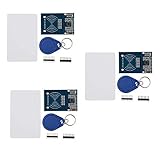
- The MF522-AN module design the circuit of card read by using the original Philips MFRC522 chip.
- Easy to use, low cost, and applicable to equipment development and card reader development etc.
- Applicable for the user who need to design or manufacture the RF card terminal.
- The module can be directly loaded into the various reader molds.
- The module use a voltage of 3.3V, it can connected communication with user's any CPU mainboard through several lines of SPI interface, it can ensure stable and reliable work, and reader distance.
Choose an RFID reader and tags as a matched pair
The reader and tag must use the same frequency and protocol. Before purchasing or wiring, identify all of the following from the reader’s documentation:
- Tag frequency and supported protocol.
- Communication interface, such as SPI, I²C or UART.
- Supply voltage and signal-level requirements.
- Pin names and required control lines.
- Library support for the ESP32 Arduino core.
- Antenna orientation and the reader’s stated operating range.
A search such as “MFRC522 RFID reader module with RFID cards” may help locate common hobby hardware, but it is not a verified recommendation for every Bharat Pi revision. An MFRC522-based design, for example, is useful only when the selected tags, voltage arrangement, wiring and library all match the actual module.
Protect the ESP32 pins
Never assume that a reader designed for 5 V logic can be connected directly to ESP32 pins. Check both power and logic-level specifications. Use an appropriate level shifter or a 3.3 V-compatible reader when the module requires it, and connect grounds together. Power the reader from a supply that can handle its current without causing the board to reset.
Install ESP32 support in Arduino IDE
- Install a current Arduino IDE release and connect the Bharat Pi with a data-capable USB cable.
- Open Tools > Board > Boards Manager.
- Search for ESP32 and install the ESP32 Arduino core published by Espressif Systems.
- Choose the ESP32 board profile that matches the Bharat Pi documentation. Do not select a generic profile solely because its name contains “ESP32.”
- Under Tools > Port, select the port created by the board.
- Upload a minimal sketch that prints a message over Serial before adding the RFID and cloud layers.
Open the Serial Monitor at the baud rate used by the sketch. A successful upload and serial message prove that the toolchain and port work; they do not yet prove that the reader or cloud connection is configured.
Quick wins for a faster PC:
Repair Windows errors before they cause bigger problemsFix Now →Scan for outdated or missing drivers - takes under a minuteDriver Scan →Clear out junk files and repair common Windows errorsFree Scan →Rank #2

- The MF522-AN module design the circuit of card read by using the original Philips MFRC522 chip.
- Easy to use, low cost, and applicable to equipment development and card reader development etc.
- Applicable for the user who need to design or manufacture the RF card terminal.
- The module can be directly loaded into the various reader molds.
- The module use a voltage of 3.3V, it can connected communication with user's any CPU mainboard through several lines of SPI interface, it can ensure stable and reliable work, and reader distance.
Define the cloud route before writing application code
The title does not mandate a cloud vendor. Arduino Cloud is one documented route for compatible third-party ESP32 devices. Its workflow includes provisioning a device, associating it with a Thing, configuring network credentials and uploading a sketch. The platform also provides cloud variables, dashboards, widgets, triggers and APIs.
| Route | What it gives you | What you must decide |
|---|---|---|
| Arduino Cloud | Documented ESP32 onboarding plus Things, variables and dashboard-oriented features. | Whether the exact Bharat Pi profile is accepted, which variables represent RFID events, and how the dashboard or trigger should behave. |
| Custom HTTPS or MQTT service | Control over the event schema, server logic and storage. | The endpoint or broker, authentication method, certificate handling, retry policy, database and user interface. |
Choose one route first. Mixing a cloud dashboard tutorial with a different endpoint’s authentication code is a common cause of failures.
Use a clear event model
Keep the event small and explicit. A representative payload might contain:
{
  "device": "bharat-pi-01",
  "tag_id": "REPLACE_WITH_READER_VALUE",
  "event": "tag_seen",
  "recorded_at": "DEVICE_OR_CLOUD_TIMESTAMP"
}
The field names are an example, not a required Arduino Cloud schema. Use the variable names and data types required by the destination you select. Avoid sending a raw personal identifier when a salted or server-side alias can meet the application requirement.
Recommended Free Tools
Rank #3

- Package & After-sale Service: You will receive 10Pcs RFID Kit.If you have any questions about the RFID Kit, please feel free to contact us,we will provide you with a satisfactory solution
- Parameter: Current: 13-26mA/DC 3.3V; Idle Current: 10-13mA/DC 3.3V; Data Transfer Rate: Max.10Mbit/s; Power Voltage: 3.3V; Operating frequency: 13.56MHz
- The RF IC Card module design the circuit of card read by using the original MFRC522 chip,with pin header and easy to use
- The sensor module can be directly loaded into the various reader molds.Applicable for the user who need to design or manufacture the RF card terminal
- The module can connected communication with user's any CPU mainboard through several lines of SPI interface, it can ensure stable and reliable work, and reader distance
Debounce repeated reads
Readers can report the same tag repeatedly while it remains over the antenna. Firmware should retain the last accepted identifier and time, then suppress duplicates for a rule appropriate to the application. Do not present a particular delay as a measured optimum; choose and document it for your reader, workflow and safety requirements.
Build the firmware in independent layers
Do not debug RFID, Wi-Fi and cloud authentication simultaneously. Organize the sketch into four replaceable layers:
- Reader layer: initializes the selected module and returns a tag identifier.
- Validation layer: checks identifier length, filters duplicates and adds the event type.
- Network layer: connects to Wi-Fi, reports connection state and retries safely.
- Cloud layer: maps the validated event to Arduino Cloud variables or to the chosen API or broker.
This conceptual loop shows the order without pretending to be a drop-in library sketch:
setup() {
  startSerial();
  startReader();              // Use the library for your exact reader
  connectToWiFi();
  startCloudClient();         // Arduino Cloud or your selected endpoint
}

loop() {
  maintainCloudConnection();

  if (readerHasTag()) {
    tagId = readTagId();

    if (isValid(tagId) && isNotDuplicate(tagId)) {
      event = makeEvent(tagId);
      publishEvent(event);
    }
  }
}
Replace each placeholder with the API for the selected reader library and cloud service. Keep credentials and endpoint secrets outside public examples.
Windows Errors? Fix Them Before They Spread
Repair common Windows errors and clear accumulated junk for a smoother, more stable PC - no reinstall needed.Free scan · no reinstallCrashes, No Sound, or Screen Glitches?
Random freezes, missing sound and display glitches usually trace back to one bad driver. Find and replace yours safely.Free scan · under a minuteRank #4

- RFID Kit Mifare RC522 RFID Reader Module with S50 White Card and Key Ring for Arduino Raspberry Pi
Provision Arduino Cloud securely
- Create or open the Arduino Cloud workspace and add a compatible ESP32 device through the device-provisioning flow.
- Save the generated Device ID and secret key in a password manager or other protected record.
- Create a Thing and associate the provisioned device with it.
- Add variables for the values you intend to publish, such as the latest tag alias, event state and device status.
- Configure the Wi-Fi network credentials required by the device.
- Upload the generated or adapted sketch, then confirm that the device appears online.
- Use a test tag and verify that the expected variable or dashboard value changes.
Arduino’s guidance warns that the secret key issued during compatible-device setup cannot be recovered if it is lost. Never commit it to a public repository, paste it into screenshots or place it in a sketch you plan to share. Use placeholders in published code and provision a replacement device when a credential is exposed.
Validate the system one boundary at a time
- Board: Arduino IDE detects the expected serial port and uploads a minimal sketch.
- Reader: the selected library initializes without an error and reports a tag locally over Serial.
- Tag compatibility: the tag frequency and protocol match the reader; a random card from another standard may not work.
- Network: the board obtains Wi-Fi connectivity without repeatedly resetting.
- Cloud: the provisioned device becomes online and authentication succeeds.
- Event: one test scan creates one correctly formatted cloud record or variable update.
- Recovery: unplugging Wi-Fi or the reader produces a visible error and the firmware retries without flooding the service.
Useful serial diagnostics
Log state changes rather than secrets: reader initialization result, tag detected, validation result, Wi-Fi state, cloud state and publish success or failure. Never print the secret key or password.
Independent reader supportYour contribution helps us test, update, and keep practical guides available for everyone.Troubleshoot by symptom
The board is missing from the Port menu
Try a data cable, another USB port and the correct USB-to-serial driver for the board. Confirm that the board powers on, then recheck the selected port after reconnecting it.
The sketch uploads but no tag appears
Recheck the reader’s power voltage, common ground, interface mode, control pins and library configuration. Confirm that the tag standard matches the reader and that the antenna is not obstructed. Do not change random pins until the Bharat Pi revision and reader pinout are confirmed.
The Tool Desk
Outbyte PC Repair FREERepair Windows errors before they cause bigger problemsFix Now →Outbyte Driver Updater FREEFix the driver behind crashes, sound loss and screen glitchesFind Drivers →Best Value
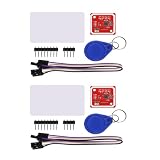
- PN532 gilt PCB and Small dimension and easy to embed into your project , support I2C.SPI and HSU (high speed UART), change between those modes
- Typical Operating Distance have been updated to 5cm~7cm reading distance, work in NFC Mode or RFID reader/writer mode
- On-board level shifter, Standard 5V TTL for I2C and UART, 3.3V TTL SPI
- Work as RFID reader/writer, work as 1443-A card or a virtual card
- Exchange data with other NFC devices such as smartphone
The reader works locally but cloud updates fail
Separate Wi-Fi association from cloud authentication. Confirm the SSID and password, then check the device ID, secret key, Thing association and destination variable names. A successful local tag read does not demonstrate that provisioning is complete.
The device repeatedly resets
Inspect the reader’s power draw, regulator capability and wiring first. Brownouts can look like software faults. Temporarily run the board without the reader, then add the reader after the serial-only test remains stable.
One tag creates many events
Add duplicate suppression and publish only after the reader reports a new tag or the configured acceptance interval has elapsed. Keep the rule in firmware or enforce it server-side, depending on whether every raw read must be retained.
Operational and privacy considerations
An RFID identifier is not automatically a harmless value: in an access, attendance or inventory system it can be linked to a person or asset. Restrict dashboard access, avoid exposing raw identifiers in public URLs, rotate credentials after accidental disclosure and define how long cloud events should be retained. Add an offline policy as well: decide whether scans are discarded, queued locally or marked as unsent when Wi-Fi is unavailable.
What this guide deliberately leaves to the chosen hardware
There is no universally correct Bharat Pi pin map, RFID library, tag frequency, cloud payload or Arduino board-menu entry for every product revision. Confirm those details from the current Bharat Pi instructions, the selected reader’s datasheet and the cloud service’s current onboarding screens. Software and cloud labels can change, so recheck the official ESP32, Bharat Pi and Arduino Cloud documentation when you build.
Quick Recap
Product prices and availability are accurate as of the date/time indicated and are subject to change. Any price and availability information displayed on Amazon at the time of purchase will apply.



