Quick wins for a faster PC:
Fix the driver behind crashes, sound loss and screen glitchesFind Drivers →Repair Windows errors before they cause bigger problemsFix Now →On most Samsung phones, the proximity sensor is near the top of the phone, but its exact position depends on the model. It may sit beneath the display, and some models use virtual sensing rather than a separate visible sensor. For your phone’s precise design, check its model-specific manual or Samsung support page.
What the proximity sensor does
During an earpiece call, the proximity function detects when the phone is close to your face and turns off the display or touch input. This helps prevent accidental taps while you are speaking. Samsung describes conventional proximity sensing as using emitted and reflected infrared light to detect a nearby object.

As an Amazon Associate I earn from qualifying purchases.
The behavior depends on the call mode: Samsung’s Malaysia guidance says proximity-based screen-off behavior is deactivated when you use speakerphone or Bluetooth earphones. A display that stays on in either mode does not, by itself, indicate a fault.
Where to look on a Samsung phone
Start at the top/front of the phone, but do not assume the sensor is a visible dot or opening. Samsung says placement varies by model. On the Galaxy S21 series, its guidance places the sensor internally in the top part of the display; Samsung also explains that newer Galaxy phones may have an under-display sensor. Check the support page or manual for your specific model rather than relying on a generic diagram. Samsung’s proximity sensor explainer and regional troubleshooting guidance describe these model-dependent designs.
#1 Best Overall

- PROXIMITY & LIGHT SENSING RESTORED: Replaces the damaged sensor flex behind proximity auto screen-off and ambient light response for iPhone 15 Pro, returning normal screen-off during calls when the original flex is the fault.
- BACKUP METAL BRACKET INCLUDED: Includes the tiny sensor metal bracket as a spare piece in case the original bracket is lost during repair, helping keep reassembly on track.
- TRUE TONE & AUTO-BRIGHTNESS NOTE: The ambient light sensor is serialized, so replacing this flex disables True Tone and Auto-Brightness (brightness becomes manual) unless the original sensor IC is transplanted by a microsoldering repair shop. Face ID is unaffected.
- EXACT FIT for iPhone 15 Pro: Built for iPhone 15 Pro all models only. Designed not to fit the 15, 15 Plus, or 15 Pro Max - verify your model before opening the phone.
- SOLDER-FREE PRESS INSTALL: Direct-replacement FPC press connector, no soldering. Online repair guidance and standard tools keep the install approachable for technicians and DIYers.
Some models use virtual sensing
A visible, dedicated component is not universal. In a 2020 support article, Samsung Korea identified the Galaxy S20 FE SM-G781N as using virtual proximity sensing, which infers proximity from touchscreen, motion and light information. Recognition can depend on how the phone is held and the user’s conditions. This is a model-specific example, not a description of every Galaxy phone. Samsung Korea service guidance
Check the sensor if the screen behaves unexpectedly
- Clean the top/front gently. Use a soft, lint-free cloth. Samsung recommends checking for dirt or static and advises gentle cleaning; avoid harsh chemicals. Samsung Gulf troubleshooting steps
- Temporarily remove anything that may cover the area. Take off the case and, if practical, remove a screen protector, film or sticker that could obstruct the sensor. Retry an earpiece call and see whether the display turns off when the phone is held near your face.
- Check for software updates. Then run the proximity test if it is available on your phone. Samsung’s Gulf guidance gives the route Service Center > Phone diagnostics > Proximity sensor. Its Malaysia guidance uses Get help > View tests > Proximity recognition. Labels and availability vary by model, software version and region.
- Restart the phone and try again. If the behavior persists after cleaning, removing possible obstructions and testing, use Samsung’s support route for your model or seek a service evaluation. Do not assume the sensor can be toggled or replaced by the user.
When the screen does not turn off, check the call setup first
Test during a regular earpiece call with the phone near your face. If you are using speakerphone or Bluetooth earphones, Samsung’s cited guidance says proximity-based screen-off behavior is deactivated in those modes. If the problem occurs during an earpiece call, remove possible obstructions and use Samsung Members diagnostics where supported.
Rank #2

- Essential Repair Kit for Pros: Includes 1x proximity sensor flex cable and 2x pre-cut screen seal adhesives set. Designed for repair shops and experienced technicians who already own tools. (Tools Not Included).
- Face ID Remains Fully Functional: Unlike models 13-15, replacing this proximity sensor will NOT affect Face ID on compatible devices. Restores screen auto-off during calls and proximity detection.
- Premium Quality with Known Limitations: Rigorously tested for stable proximity sensor function for iPhone 16 (A3090, A2846, A3089, A3092). Important: Auto-brightness and True Tone may remain inactive due to hardware pairing—this limitation affects ALL aftermarket sensors industry-wide, not specific to our product.
- Screen Seal Adhesive Included: Opening your device compromises the factory seal. Our included pre-cut adhesive helps restore environmental sealing against dust and light moisture. (Note: Does not restore original IP68 rating).
- Professional Installation Recommended: This repair requires precision tools including Pentalobe/Phillips screwdrivers, spudgers, suction cup, tweezers, and heat source. Professional repair experience is recommended. ESD-safe workspace and proper disassembly techniques required for successful installation.
Samsung Korea’s older, region-specific guidance says proximity sensors on models after the Galaxy S5 series are not controlled by an on/off setting and operate automatically during calls. Because settings and software can differ across current models, check your device’s current support information rather than treating that older description as universal. Samsung Korea service guidance
The Tool Desk
Outbyte PC Repair FREEClear out junk files and repair common Windows errorsFree Scan →Outbyte Driver Updater FREEScan for outdated or missing drivers - takes under a minuteDriver Scan →Find the right diagnostic route for your model
Samsung Members diagnostics can test proximity recognition on supported phones, but the menu path is not consistent across all Galaxy devices. Samsung’s regional support pages document different routes, and a Samsung Members support response dated January 21, 2026, discusses proximity diagnostics for the Galaxy S24 FE running One UI 8. If the test is missing or the labels differ, consult Samsung support for your exact model and software version instead of assuming your phone lacks a sensor.
Quick Recap
Best Value
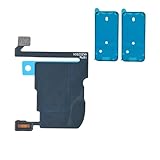
- TARGETED SCREEN-OFF SUPPORT: Targets screen-off behavior during calls when diagnosis identifies this sensor assembly as the fault area; not all screen behavior issues have the same cause.
- REASSEMBLY-READY KIT: Includes 1 proximity sensor flex and 2 pre-cut screen seals, keeping the matching replacement and display adhesives together for reassembly.
- MODEL-SPECIFIC FIT: Compatible with iPhone 16 Pro Max only - A3084, A3295, A3296, and A3297. Confirm the model number before opening the device.
- FACE ID RETAINED: Replacing this flex does not disable Face ID when the original TrueDepth components are undamaged and properly reconnected.
- KNOWN CALIBRATION LIMIT: Automatic brightness and display color adjustment are disabled after standard replacement unless original sensor data is professionally transferred.
Rank #4
Rank #3

- Brand new. repair replacement parts.
- Please check the Model Number of your device before purchasing this Item. You can find the Model type of your device on your device and / or in the settings.
Product prices and availability are accurate as of the date/time indicated and are subject to change. Any price and availability information displayed on Amazon at the time of purchase will apply.

